
Inleiding
Thank you for choosing the AWEI T95 Wireless Earbuds. This manual provides essential information for setting up, operating, maintaining, and troubleshooting your new earbuds. Please read it carefully to ensure optimal performance and longevity of your device.
The AWEI T95 earbuds are designed for a secure fit and deliver high-fidelity audio with advanced Bluetooth 5.3 technology. They feature IPX6 waterproofing, making them suitable for various activities, including workouts.
Pakketinhoud
Maak seker dat alle items in jou pakket teenwoordig is:
- AWEI T95 Wireless Bluetooth Headset (Left and Right Earbuds)
- Laaikas
- USB-C-laaikabel
- User Instructions (This Manual)
Opstelling
1. Laai die oordopjes en houer
Laai die oordopjes en die laaikassie volledig voor die eerste gebruik.
- Connect the provided USB-C charging cable to the charging port on the case and to a USB power source.
- Die aanwyserliggies op die laaikas sal die laaistatus wys.
- Plaas die oorfone in die laaikas. Hulle sal outomaties begin laai.
A 5-minute quick charge provides approximately 1 hour of usage.
2. Aanvanklike paring
The AWEI T95 earbuds feature automatic pairing for convenience.
- Maak die laaikas oop. Die oorfone sal outomaties aanskakel en in paringsmodus gaan.
- Aktiveer Bluetooth op jou toestel (slimfoon, tablet, skootrekenaar).
- Soek vir available Bluetooth devices and select "AWEI T95" from the list.
- Sodra dit gekoppel is, sal jy 'n bevestigingstoon hoor, en die oorfone sal gereed wees vir gebruik.
3. Outomatiese herverbinding
After initial pairing, the earbuds will automatically connect to the last paired device when removed from the charging case, provided Bluetooth is enabled on the device and it is within range (up to 33 feet).
4. Dra van die oordopjes
The AWEI T95 earbuds are designed with ergonomic ear hooks for a secure and comfortable fit, especially during physical activities.
- Plaas die oordopje versigtig in jou oorkanaal.
- Adjust the ear hook over your ear until it feels snug and stable.
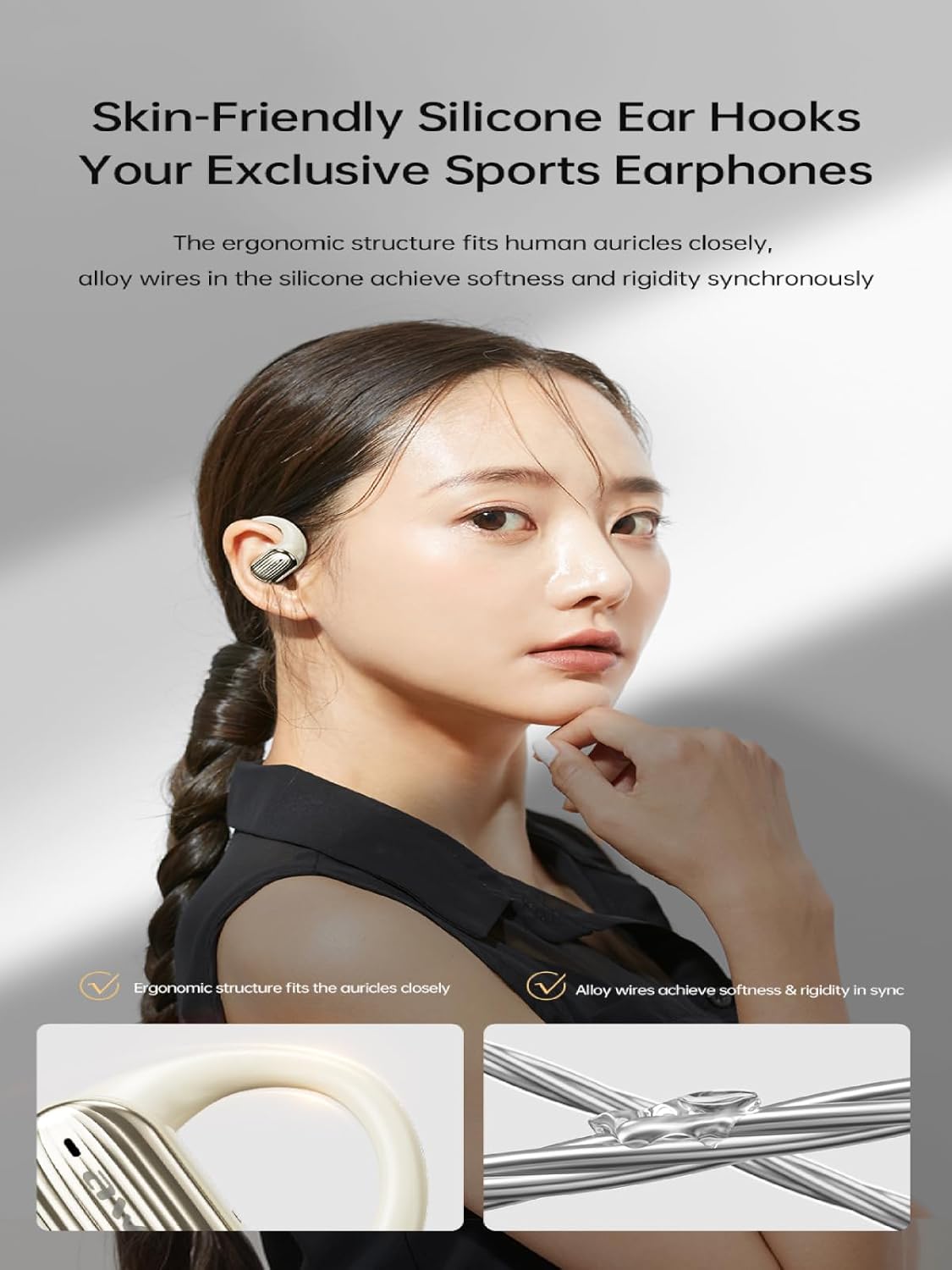
Image: The AWEI T95 earbud with its skin-friendly silicone ear hook, designed for a secure and comfortable fit. The image highlights the ergonomic structure and the alloy wires that provide both softness and rigidity.
Bedryfsinstruksies
1. Skakel aan/af
- Krag aan: Open the charging case, or press and hold the touch area on both earbuds for a few seconds.
- Skakel af: Place the earbuds back into the charging case and close the lid, or press and hold the touch area on both earbuds for a few seconds until they power off.
2. Raak Kontroles
The AWEI T95 earbuds feature intuitive touch controls. Specific functions may vary slightly depending on your device and operating system.
- Speel/pouse: Enkele tik op enige van die oordopjes.
- Volgende snit: Dubbeltik op die regteroorfone.
- Vorige snit: Dubbeltik op die linker oordopje.
- Beantwoord/beëindig oproep: Enkeltik op enige oordopjes tydens 'n inkomende oproep.
- Verwerp oproep: Druk en hou enige oordopjes vir 2 sekondes in tydens 'n inkomende oproep.
- Aktiveer stemassistent: Tik drie keer op enige oordopjes.
3. Oudio-kenmerke
The AWEI T95 earbuds are equipped with 14.2mm drivers and ULF Enhancement Algorithm for a rich audio experience.

Image: An illustration of the AWEI T95 earbud's internal structure, emphasizing the ULF Enhancement Algorithm designed to enhance low-frequency sounds for deep bass. A graph indicates an 83% increase in bass details.
Enjoy crisp trebles, full midranges, and deep bass across various music genres. The earbuds also offer dynamic spatial sound effects for an immersive listening experience.

Image: A visual representation of the AWEI T95 earbuds' dynamic spatial sound effects, showing sound waves creating an immersive 3D surround stereo experience around a listener.
4. Directional Propagation
The earbuds feature directional sound propagation, allowing you to stay aware of your surroundings while listening to audio, and maintaining privacy during calls in crowded environments.

Image: An AWEI T95 earbud in an ear, demonstrating directional sound propagation. This technology helps users remain aware of their environment and ensures privacy during calls by directing sound efficiently.
Onderhoud
1. Skoonmaak
- Maak die oordopjes en laaikas gereeld skoon met 'n sagte, droë, pluisvrye lap.
- Moenie skuurmiddels, alkohol of chemiese oplosmiddels gebruik nie.
- Verwyder enige oorsmeer of puin versigtig van die oordopjes se punte en luidsprekermaas met 'n klein, sagte borseltjie of wattestokkie.
2. Waterbestandheid (IPX6)
The AWEI T95 earbuds are IPX6 waterproof, meaning they are protected against powerful water jets. This makes them resistant to sweat and rain.
- Moenie die oorfone in water dompel nie.
- After exposure to sweat or rain, wipe the earbuds dry with a clean cloth before placing them back in the charging case to prevent damage to the charging contacts.
- The charging case is not waterproof. Keep it dry.
3. Berging
- Bêre die oordopjes in hul laaikas wanneer dit nie gebruik word nie om hulle te beskerm en gelaai te hou.
- Avoid storing the earbuds in extreme temperatures or high humidity.
Probleemoplossing
If you encounter issues with your AWEI T95 earbuds, try the following solutions:
1. Oordopjes koppel of verbind nie
- Maak seker dat die oordopjes gelaai is.
- Maak seker dat Bluetooth op jou toestel geaktiveer is.
- Place the earbuds back in the charging case, close the lid, wait a few seconds, then open it again to re-enter pairing mode.
- On your device, forget or delete "AWEI T95" from your Bluetooth device list, then attempt to pair again.
- Ensure the earbuds are within the 33-foot operating range of your device.
2. Geen geluid of lae volume
- Check the volume levels on both your earbuds and your connected device.
- Maak seker dat die oorfone behoorlik aan jou toestel gekoppel is.
- Clean any debris from the earbud speaker mesh that might be obstructing sound.
- Probeer om klank vanaf 'n ander toepassing of bron te speel.
3. Earbuds Not Charging
- Maak seker dat die laaikabel stewig aan beide die kas en die kragbron gekoppel is.
- Verifieer dat die kragbron aktief is.
- Maak die laaikontakte op beide die oordopjes en binne-in die laaikas skoon.
- Probeer 'n ander USB-C-laaikabel of kragadapter gebruik.
4. Intermittent Connection
- Verminder die afstand tussen die oorfone en jou toestel.
- Avoid obstacles between the earbuds and your device, such as walls or large electronic equipment.
- Minimize interference from other 2.4GHz wireless devices (e.g., Wi-Fi routers, microwaves).
Spesifikasies

Image: The AWEI T95 TWS Sports Earphones, showcasing the earbuds and their charging case. This image highlights their open wearable stereo design, heavy bass capabilities, Bluetooth 5.3 connectivity, and snug fit.
| Kenmerk | Detail |
|---|---|
| Model | T95 |
| Handelsmerk | Awei |
| Verbindingstegnologie | Draadloos (Bluetooth 5.3) |
| Draadlose Kommunikasietegnologieë | Bluetooth |
| Oorplasing | Oop oor |
| Vormfaktor | Ware draadloos |
| Waterweerstandvlak | IPX6 (waterdig) |
| Maksimum bedryfsafstand | 33 voet (10 meter) |
| Batterylewe | Tot 28 uur (met laadkas) |
| Bestuurder grootte | 14.2 mm |
| Ingesluit komponente | USB-C Charging Cable, Wireless Bluetooth Headset, User Instructions, Wireless Bluetooth Headset Charging Case |

Beeld: 'n Interne view of the AWEI T95 earbud, emphasizing the Bluetooth 5.3 technology. This image illustrates how Bluetooth 5.3 ensures stable audio and video synchronization, reduces interference, and offers high-speed transmission with lower power consumption.
Waarborg en Ondersteuning
1. Waarborginligting
The AWEI T95 Wireless Earbuds come with a 1 jaar waarborg from the date of purchase. This warranty covers manufacturing defects. It does not cover damage caused by misuse, accidents, unauthorized modifications, or normal wear and tear.
Behou asseblief jou aankoopbewys vir waarborgeise.
2. Kliëntediens
For technical assistance, warranty claims, or any other inquiries, please contact Awei customer support through their official webwebwerf of die kleinhandelaar waar jy die produk gekoop het.
When contacting support, please provide your product model (T95) and a detailed description of the issue.