
usogood TC30
usogood TC30 4K 48MP Trail Camera Instruction Manual
Model: TC30 | Brand: usogood
Inleiding
This manual provides detailed instructions for the setup, operation, and maintenance of your usogood TC30 4K 48MP Trail Camera. Designed for wildlife monitoring and outdoor security, this camera captures high-resolution photos and videos with advanced night vision and motion detection capabilities. Please read this manual thoroughly before using the camera to ensure optimal performance and longevity.
Veiligheidsinligting
- Do not immerse the camera in water, despite its IP66 rating, to prevent damage.
- Use only specified battery types (AA batteries). Ensure correct polarity during installation.
- Keep the camera away from extreme temperatures and direct sunlight for prolonged periods.
- Handle the lens and screen with care to avoid scratches.
- Hou buite bereik van kinders.
Pakketinhoud
Verifieer dat alle items in jou pakket teenwoordig is:
- usogood TC30 Trail Camera (1)
- 32 GB geheue kaart (1)
- AA-batterye (8)
- Mounting Belt (1)
- USB-kabel (1)
- Handleiding (1)

Figure 1: TC30 Trail Camera with included accessories.
Produk verbyview
Familiarize yourself with the main components of your usogood TC30 Trail Camera.

Figuur 2: Voorkant view of the TC30 Trail Camera.
Sleutelkomponente:
- Hooflens: Captures photos and videos.
- Infrared LEDs (36pcs 850nm): Provide illumination for night vision without visible flash.
- PIR Motion Sensors (120° detection): Bespeur beweging om opname te aktiveer.
- 2.0" LCD-skerm: Vir menu-navigasie en viewing captured media.
- Beheerknoppies: MENU, UP, DOWN, OK, MODE for camera settings.
- Modusskakelaar: OFF, TEST, ON positions.
- Battery kompartement: Hou 8 AA-batterye.
- SD-kaartgleuf: Vir die invoeging van die geheuekaart.
- USB-poort: Vir verbinding met 'n rekenaar.
- External Power Port (DC 6V/2.0A): For optional external power supply.
Opstelling
1. Battery Installasie
- Open the camera's latch on the right side and open the front cover.
- Locate the battery compartment at the bottom of the camera.
- Insert 8 new AA batteries, paying close attention to the positive (+) and negative (-) indicators inside the compartment to ensure correct polarity. The camera can also operate with 4 batteries installed on one side.
- Maak die batterykompartement se deksel stewig toe.

Figure 3: Battery installation diagram.
2. Installasie van SD-kaart
- With the front cover open, locate the SD card slot on the side of the camera.
- Insert the provided 32GB SD card into the slot with the metal contacts facing the back of the camera until it clicks into place.
- Om te verwyder, druk die kaart liggies in totdat dit klik, laat dit dan los, en dit sal uitspring.

Figure 4: SD card insertion.
3. Monteer die kamera
- Use the provided mounting belt to secure the camera to a tree or pole. Thread the belt through the slots on the back of the camera.
- Adjust the belt tightly to ensure the camera is stable and does not move.
- Position the camera to cover the desired monitoring area, ensuring no obstructions block the view or motion sensors.

Figure 5: Camera mounted on a tree.
4. Powering On and Initial Settings
- Skuif die modusskakelaar van AF aan TOETS. The screen will turn on.
- Gebruik die SPYSKAART button to access settings. Navigate with UP en AF arrows, and confirm with OK.
- Set the correct Date and Time first.
- Configure desired settings such as photo resolution (48MP), video resolution (4K), capture mode (photo, video, or photo+video), trigger interval, and PIR sensitivity.
- Once settings are complete, slide the switch from TOETS aan AF, then to ON to activate the camera for monitoring. The screen will turn off, and the camera will enter monitoring mode.
Bedryfsinstruksies
Moniteringsmodus
When the camera is in the ON position, it will automatically detect motion within its 120° detection angle and trigger recording based on your settings. The 0.3-second trigger speed ensures minimal delay in capturing events.

Figure 6: 120° PIR Wide Angle Detection.

Figure 7: 0.3s Fast Trigger Speed.
Nagvisie
The camera is equipped with 36pcs 850nm infrared LEDs for clear night vision. These LEDs provide moderate fill light, ensuring detailed images and videos without overexposure or startling wildlife. Night vision activates automatically in low-light conditions.
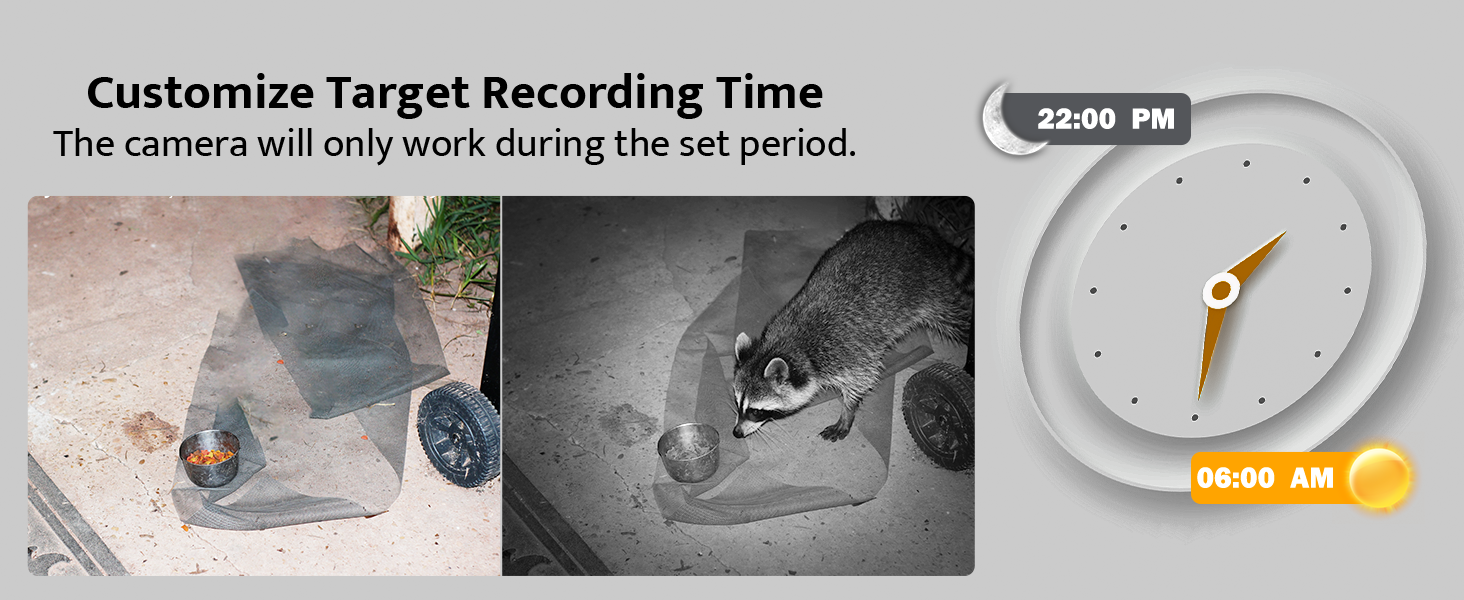
Figure 8: Night Vision Performance.
ViewVasgevangde media
- Op Kamera: Skuif die modusskakelaar na TOETS. Gebruik die MODUS button to switch between photo and video playback. Use UP en AF arrows to browse files.
- Op rekenaar: Connect the camera to your computer using the provided USB cable, or remove the SD card and insert it into a card reader connected to your computer. The camera or SD card will appear as a removable disk, allowing you to access and transfer files.

Figuur 9: Viewing on camera screen.

Figure 10: Transferring files na 'n rekenaar.
Onderhoud
- Skoonmaak: Use a soft, dry cloth to clean the camera lens and housing. Avoid abrasive cleaners.
- Battery vervanging: Replace all 8 AA batteries when the low battery indicator appears on the screen or when performance degrades.
- SD-kaartbestuur: Gereeld rugsteun belangrik files and format the SD card in the camera's menu to ensure optimal recording performance and prevent data corruption.
- Waterdigte beskerming: The camera has an IP66 waterproof rating, protecting it from dust and strong jets of water. Ensure all latches are securely closed to maintain its waterproof integrity, especially after accessing the battery or SD card compartments.

Figure 11: IP66 Waterproof Design.
Probleemoplossing
| Probleem | Moontlike oorsaak | Oplossing |
|---|---|---|
| Kamera skakel nie aan nie. | Batteries are low or incorrectly installed. Mode switch is OFF. | Replace batteries or ensure correct polarity. Slide switch to TEST or ON. |
| Poor night vision images. | IR LEDs obstructed. Camera too far from subject. | Clear any obstructions. Reposition camera closer to the target area (within 65ft). |
| Camera not recording motion. | PIR sensitivity too low. SD card full or corrupted. | Increase PIR sensitivity in settings. Format or replace SD card. Ensure camera is in ON mode. |
| Date/Time is incorrect. | Not set or batteries removed for too long. | Re-enter Date/Time in TEST mode settings. |
| Files kan nie wees nie viewed on computer. | USB connection issue. SD card not properly inserted in reader. | Ensure USB cable is securely connected. Try a different USB port or card reader. |
Spesifikasies
| Kenmerk | Detail |
|---|---|
| Model | TC30 |
| Effektiewe stilresolusie | 48 megapixels |
| Video-opname-resolusie | 4K (30fps) |
| Bespeuringshoek | 120 grade |
| Snellersnelheid | 0.3 sekondes |
| Nagsigreeks | 65 voet (20 meter) |
| IR LEDs | 36 stuks 850nm |
| Waterdigte gradering | IP66 |
| Berging | Mikro SD-kaart (tot 128 GB, 32 GB ingesluit) |
| Kragbron | 8x AA Batteries (included) or DC 6V/2.0A external power supply (not included) |
| Afmetings (L x B x H) | 8.07 x 5.19 x 4 duim |
| Gewig | 1.59 pond |
Waarborg en Ondersteuning
usogood is committed to providing high-quality products and excellent customer service. Your usogood TC30 Trail Camera comes with a warranty and dedicated after-sales support.
For any inquiries, technical assistance, or warranty claims, please contact our customer service team. We aim to resolve any issues within 48 hours.
Kliëntediens-e-pos: support@usogood.co

Figure 12: Customer Support Contact Information.
Ask a question about this manual
Ask about setup, troubleshooting, compatibility, parts, safety, or missing instructions. Manuals+ will review the question and use this page’s manual context to help answer it.