
KEENSTAR ST-265TC
KEENSTAR ST-265TC Touch Screen 2-Slice Toaster
Model: ST-265TC
1. Belangrike voorsorgmaatreëls
Wanneer elektriese toestelle gebruik word, moet basiese veiligheidsmaatreëls altyd gevolg word, insluitend die volgende:
- Lees alle instruksies voordat u die broodrooster gebruik.
- Moenie aan warm oppervlaktes raak nie. Gebruik handvatsels of knoppe.
- Om teen elektriese skok te beskerm, moenie koord, prop of broodrooster in water of ander vloeistof dompel nie.
- Noukeurige toesig is nodig wanneer enige toestel deur of naby kinders gebruik word.
- Trek uit die stopcontact wanneer dit nie gebruik word nie en voor skoonmaak. Laat afkoel voor jy dele aan- of afhaal.
- Moenie enige toestel gebruik met 'n beskadigde koord of prop, of nadat die toestel wanfunksioneer of op enige manier beskadig is nie.
- Moenie dat koord oor die rand van tafel of toonbank hang, of aan warm oppervlaktes raak nie.
- Moenie op of naby 'n warm gas- of elektriese brander, of in 'n verhitte oond plaas nie.
- Moenie die broodrooster vir ander gebruik as die bedoeling gebruik nie.
- Oversize foods, metal foil packages, or utensils must not be inserted into a toaster as they may involve a risk of fire or electric shock.
- 'n Brand kan voorkom as broodroosters bedek is of aan vlambare materiaal raak, insluitend gordyne, gordyne, mure en dies meer, wanneer dit in werking is.
- Moenie probeer om kos weg te gooi wanneer die broodrooster ingeprop is nie.
- Hierdie toestel is slegs vir huishoudelike gebruik.
2. Produk verbyview
The KEENSTAR ST-265TC is a modern 2-slice toaster featuring a touch screen interface for precise control over your toasting preferences. It includes wide slots to accommodate various bread types and a removable crumb tray for easy cleaning.
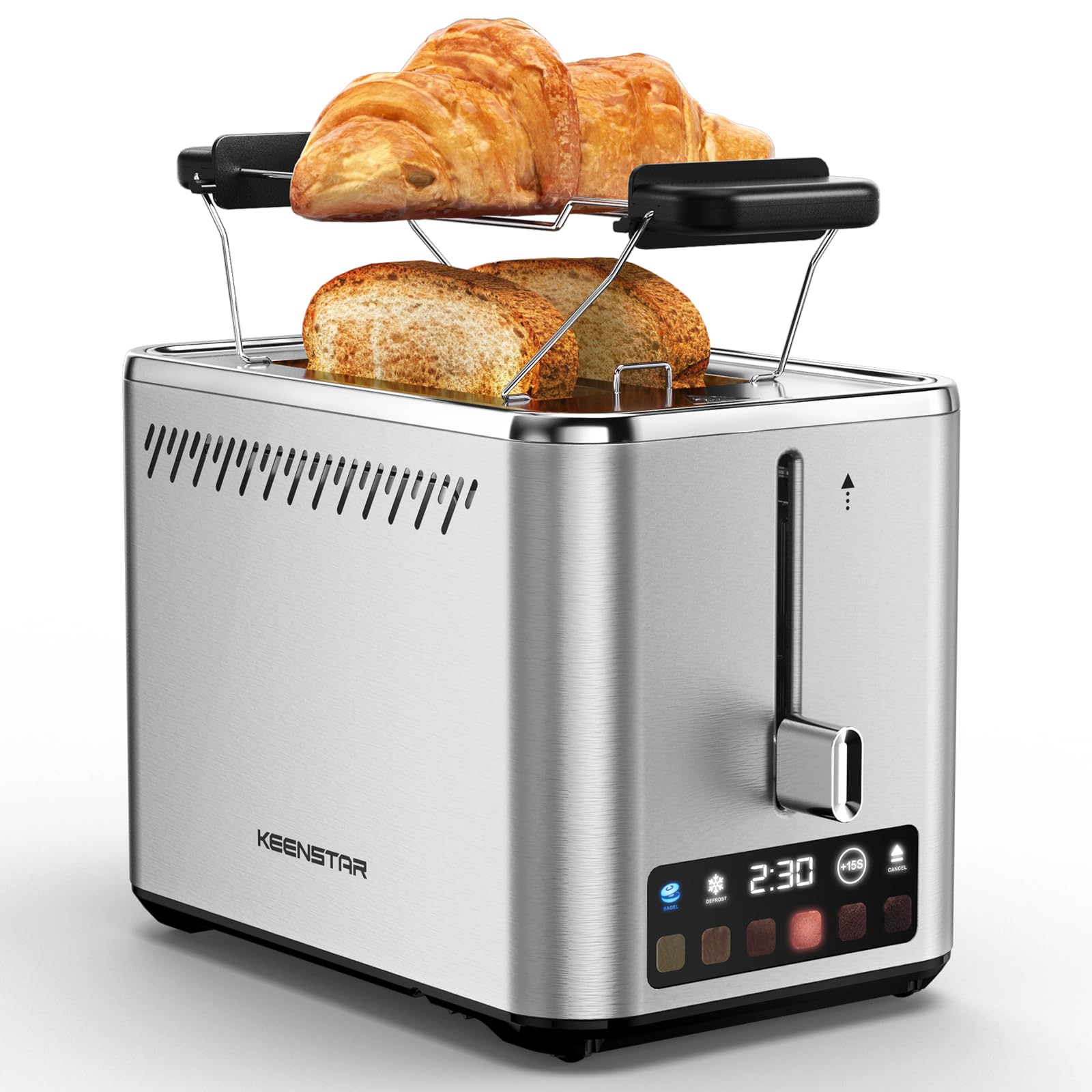
Image: KEENSTAR ST-265TC 2-Slice Toaster in silver stainless steel.
3. Opstelling
Uitpak
Carefully remove the toaster and all packaging materials from the box. Ensure all accessories, including the warming rack, are present.
Plasing
Plaas die broodrooster op 'n stabiele, plat, hittebestande oppervlak, weg van vlambare materiale soos gordyne of mure. Verseker voldoende ventilasie rondom die toestel.
Eerste gebruik
Before toasting food for the first time, operate the toaster without bread on the highest browning setting (level 6) to burn off any manufacturing residues. A slight odor or smoke may be present; this is normal and will dissipate.
4. Bedryfsinstruksies
Beheerpaneel oorview

Image: The toaster's smart touch control display showing 6 browning levels and extra functions like Bagel, Defrost, +15S, and Cancel.
Basiese Rooster
- Insert up to two slices of bread into the wide 1.5-inch slots.
- Select your desired browning level (1-6) by touching the corresponding icon on the display. Level 1 is the lightest, and Level 6 is the darkest.
- Press the lever down until it locks into place. The digital display will show a countdown timer.
- The toast will automatically pop up when the cycle is complete.

Image: Visual guide showing the steps for easy toaster operation: 1. Put bread in slots, 2. Select browning level and function, 3. Press the lever down, 4. Enjoy delicious bread.
Bagel funksie
This function is designed to toast the cut side of bagels while gently warming the outer side.
- Insert bagel halves into the slots with the cut side facing outwards.
- Kies jou verlangde bruiningsvlak.
- Raak die BAGEL button on the display. It will illuminate.
- Press the lever down until it locks.

Image: The toaster's display showing the illuminated BAGEL mode. BAGEL mode toasts one side only; place the cut side facing outward.
Ontdooiingsfunksie
Use this function to toast frozen bread without pre-thawing.
- Plaas bevrore brood in die gleuwe.
- Kies jou verlangde bruiningsvlak.
- Raak die ONTDOOIEN button on the display. It will illuminate.
- Press the lever down until it locks.

Image: The toaster's display showing the illuminated DEFROST mode. This mode allows you to cook frozen breads easily without guesswork.
+15S Function
If your toast is not quite browned enough after a cycle, you can add an additional 15 seconds of toasting time.
- After a toasting cycle, if more browning is desired, touch the +15S knoppie.
- The toaster will initiate a 15-second toasting cycle.
Kanselleer funksie
To stop the toasting cycle at any time, simply touch the KANSELLEER button. The lever will automatically raise, and the heating elements will turn off.

Image: The toaster's display highlighting the +15S button to increase baking time by 15 seconds, and the Cancel button to stop heating.
Verwarmingsrak
The included warming rack can be used to warm pastries, croissants, or other items that cannot be placed directly into the toaster slots.
- Place the warming rack securely on top of the toaster, aligning it over the slots.
- Place the item to be warmed on the rack.
- Start a toasting cycle (without bread in the slots) to generate heat. The heat rising from the toaster will warm the item on the rack.
- Monitor the item closely to prevent over-warming or burning.

Image: The removable warming rack attached to the toaster, with a croissant placed on it for warming.
Produkvideo's
Video: Demonstrates the touchscreen and warming tray features of the KEENSTAR toaster.
Video: 'n Gedetailleerde oorsigview of the KEENSTAR Smart 2-Slice Toaster, highlighting its touch screen and various functions.
Video: Explores the key features and functionalities of the KEENSTAR toaster.
5. Onderhoud en Skoonmaak
Algemene skoonmaak
Always unplug the toaster from the power outlet and allow it to cool completely before cleaning. Wipe the exterior with a soft, damp cloth. Do not use abrasive cleaners or metal scouring pads, as these can scratch the stainless steel finish.
Krummelbak
The removable crumb tray collects crumbs during toasting and should be emptied regularly to prevent fire hazards.
- Maak seker dat die broodrooster ontkoppel en heeltemal afgekoel het.
- Pull out the crumb tray located at the bottom rear of the toaster.
- Gooi krummels weg en vee die skinkbord skoon met advertensie.amp lap.
- Slide the crumb tray back into place until it clicks securely.

Image: The toaster's convenient design showing the removable crumb tray being pulled out and the cord storage area on the bottom.
Koordberging
For neat storage, the power cord can be wrapped around the designated area on the underside of the toaster.
6. Probleemoplossing
- Rooster skakel nie aan nie: Ensure the power cord is securely plugged into a working electrical outlet. Make sure the toast lever is fully pressed down.
- Ongelyke rooster: Ensure bread slices are centered in the slots. Try adjusting the browning level. Different types of bread may require different settings.
- Bread stuck in slots: Unplug the toaster immediately and allow it to cool. Gently remove the bread using non-metallic tongs. Never use metal utensils.
- Rook kom uit broodrooster: Unplug the toaster immediately. Remove any food particles or crumbs that may be lodged inside the slots or on the heating elements. Ensure the crumb tray is clean.
7. Spesifikasies
| Handelsmerk | KEENSTAR |
| Model | ST-265TC |
| Krag | 900 watt |
| Voltage | 120 Volt (AC) |
| Aantal snye | 2 |
| Materiaal | Vlekvrye staal |
| Produk Afmetings (D x B x H) | 10.39" x 7.1" x 6.1" |
| Slot breedte | 1.5 duim |
| Spesiale kenmerke | Cancel Function, LED Indicator, Removable Crumb Tray, Touchscreen, Warming Rack |

Image: Diagram showing the dimensions of the KEENSTAR ST-265TC toaster: 9.4 inches (24cm) length, 6.1 inches (15.6cm) width, 7 inches (18cm) height, and 1.5 inch (3.8cm) wide slots.
8. Waarborg en Ondersteuning
Waarborg
This KEENSTAR toaster comes with a 2-year warranty. Please refer to the warranty card included in the product packaging for detailed terms and conditions.
Kliënte ondersteuning
For any questions, technical assistance, or warranty claims, please contact KEENSTAR customer support. Contact information can typically be found on the warranty card or the official KEENSTAR webwebwerf.
Ask a question about this manual
Ask about setup, troubleshooting, compatibility, parts, safety, or missing instructions. Manuals+ will review the question and use this page’s manual context to help answer it.