
AT&T EL51403
AT&T EL51403 DECT 6.0 Cordless Home Phone System - 4 Handsets User Manual
Model: EL51403
Handelsmerk: AT&T
1. Inleiding
This manual provides instructions for the installation, operation, and maintenance of your AT&T EL51403 DECT 6.0 Cordless Home Phone System. This system includes a base unit and four cordless handsets, designed for clear communication and ease of use in your home or office environment.
Key features include DECT 6.0 technology for interference-free communication, a simulated full-duplex handset speakerphone, a backlit LCD display, a lighted keypad, and Caller ID/Call Waiting functionality.
2. Wat is in die boks
Verifieer dat jou pakket die volgende items bevat:
- Basis eenheid
- 4 Selfone
- 3 Adaptors (for charging cradles)
- 4 Batterypakke
- Telefoon lyn koord
- Vinnige begingids

Beeld: Oorview of the AT&T EL51403 4-handset cordless phone system, showing the main base unit with one handset and three additional charging cradles with their respective handsets.
3. Opstelling
3.1. Battery Installasie
- Maak die batteryklep aan die agterkant van elke handset oop.
- Koppel die batterypak se prop stewig aan die sok binne-in die kompartement.
- Plaas die batterypak met die etiket BO in die kompartement.
- Skuif die batteryklepdeksel terug in plek totdat dit klik.
3.2. Connecting the Base Unit and Charging Cradles
- Plug the large end of the base unit power adapter into an electrical outlet.
- Plug the small end of the base unit power adapter into the power jack on the back of the base unit.
- Plug one end of the telephone line cord into the telephone jack on the back of the base unit.
- Steek die ander kant van die telefoonlynkoord in 'n telefoonmuuraansluiting.
- For each additional handset, plug the power adapter into an electrical outlet and the charging cradle.
3.3. Aanvanklike laai
Place each handset in its respective base unit or charging cradle. The CHARGE light on the handset will illuminate. Allow the handsets to charge for at least 16 hours before initial use to ensure optimal battery performance.
4. Bedryfsinstruksies
4.1. Oproepe maak en beantwoord
- Om 'n oproep te maak: Druk TELEFOON / FLITS, skakel dan die nommer.
- Om 'n oproep te beantwoord: Druk as die telefoon lui TELEFOON / FLITS or any dialing key (0-9, *, #).
- Om 'n oproep te beëindig: Druk AF/KANSELLEER or place the handset back in the base/charger.
4.2. Gebruik van die luidsprekerfoon
Druk tydens 'n oproep op die SPREKER button to activate the speakerphone. Press it again to return to normal handset mode.
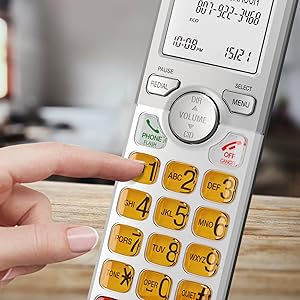
Image: A cordless handset on its base, with the speakerphone function active, illustrating a simulated full-duplex conversation between two individuals.
4.3. Aanpassing van volume
Tydens 'n oproep, druk VOLUME (DIR/CID) up or down to adjust the listening volume.
4.4. Telefoonboekgids
The phonebook can store up to 50 names and numbers. To access, add, or edit entries:
- Druk MENU/KIES wanneer die handtoestel ledig is.
- Scroll to "Phonebook" and press MENU/KIES.
- Follow the on-screen prompts to add, review, or edit entries.
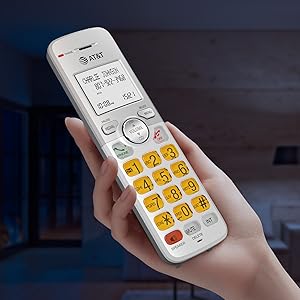
Image: A cordless handset on its base, with the screen showing a phonebook directory interface, indicating the ability to store up to 50 names and numbers.
4.5. Caller ID/Call Waiting
The handset displays the caller's name and number if you subscribe to Caller ID service. The phone stores up to 50 Caller ID records.
- Reviewing Caller ID History: Druk CID when the handset is idle. Scroll through the list using the DIR / VOLUME knoppies.
- To Call Back: Terwyl viewing a Caller ID entry, press TELEFOON / FLITS.

Image: A close-up of the cordless handset's screen showing an incoming call with caller ID information, including name and number.
5. Kenmerke
- DECT 6.0 Tegnologie: Provides superior sound quality, security, and range. This digital technology ensures calls are clear and interference-free, with an operating range of up to 1000 feet outdoors.
- Simulated Full-Duplex Handset Speakerphone: Allows both parties to speak and be heard simultaneously, enhancing natural conversation flow.
- ECO -modus: An energy-saving feature that intelligently manages power consumption, extending battery life and reducing energy usage.
- Backlit Screen and Lighted Keypad: The high-contrast white backlit LCD screen and illuminated keypad ensure easy readability and dialing in various lighting conditions, including low light.
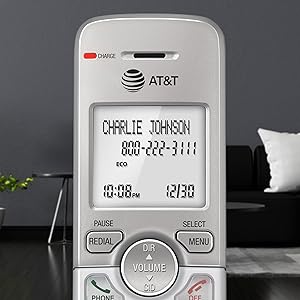
Image: A hand holding the cordless handset, clearly showing the illuminated keypad and the bright, backlit LCD screen in a dimly lit room.
- Extra-Large Display: The large text on the screen makes it easy to read caller ID information and navigate menus.
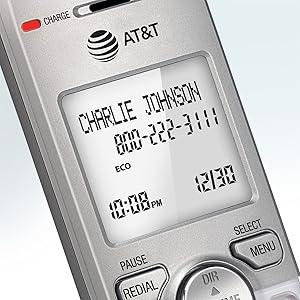
Beeld: 'n Nabyskoot view of the cordless handset's screen, highlighting the large, easy-to-read text for caller ID and time display.
- Groot knoppies: Features large font and extra-large backlit keys, which are particularly helpful for users with visual impairments.
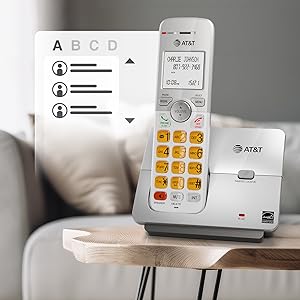
Image: A cordless handset on its base, showing the large, clearly visible, and backlit numeric keys. An inset image shows an elderly man comfortably using the phone.
- Wall-Mount Bracket Included: The base unit can be easily installed on a table or mounted on a wall for flexible placement options.
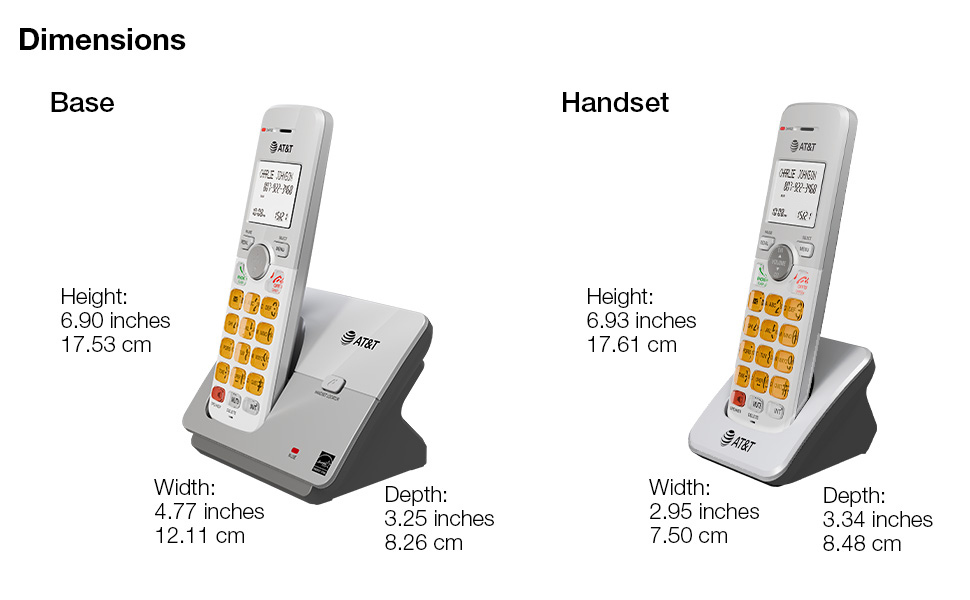
Image: The cordless phone base unit with a handset, shown mounted on a wall using the included bracket, demonstrating its versatile installation options.
6. Onderhoud
- Skoonmaak: Clean the phone and base unit with a soft, slightly damp lap. Moenie skoonmaaksproei of harde chemikalieë gebruik nie.
- Batterysorg: To maintain optimal battery life, fully charge the handsets for 16 hours before first use. If the phone will not be used for an extended period, remove the batteries.
- Omgewingstoestande: Vermy die plasing van die foon in direkte sonlig, naby hittebronne of in gebiede met oormatige vog of stof.
7. Probleemoplossing
7.1. Geen kiestoon nie
- Ensure the base unit's power adapter is securely plugged into an electrical outlet and the telephone line cord is connected to a working wall jack.
- Check if other phones on the same line are working. If not, contact your telephone service provider.
7.2. Handset Does Not Charge
- Verify the handset is correctly placed in the charging cradle and the CHARGE light is on.
- Ensure the battery pack is properly installed and connected inside the handset.
- Maak die laaikontakte op beide die handset en die houer skoon met 'n droë lap.
7.3. Poor Sound Quality or Interference
- Beweeg die toestel nader aan die basiseenheid.
- Avoid placing the base unit near other electronic devices (e.g., microwaves, computers, Wi-Fi routers) that may cause interference.
- If using a DSL service, ensure a DSL filter is installed on the telephone line.
7.4. Display is Blank or Handset Does Not Power On
- Ensure the battery pack is fully charged. Place the handset in the charger for at least 16 hours.
- Check that the battery pack is correctly installed.
8. Spesifikasies
| Produk afmetings | 4.76 x 3.29 x 6.81 duim |
|---|---|
| Item gewig | 2.59 pond |
| Modelnommer | EL51403 |
| Batterye | 4 Produkspesifieke batterye benodig (ingesluit) |
| Telefoon tipe | Koordloos |
| Materiaal | Plastiek |
| Kragbron | Elektries met koord |
| Dialer Tipe | Enkel sleutelbord |
| Tipe antwoordstelsel | Nee |
| Versoenbare toestelle | PSTN Landline Services |
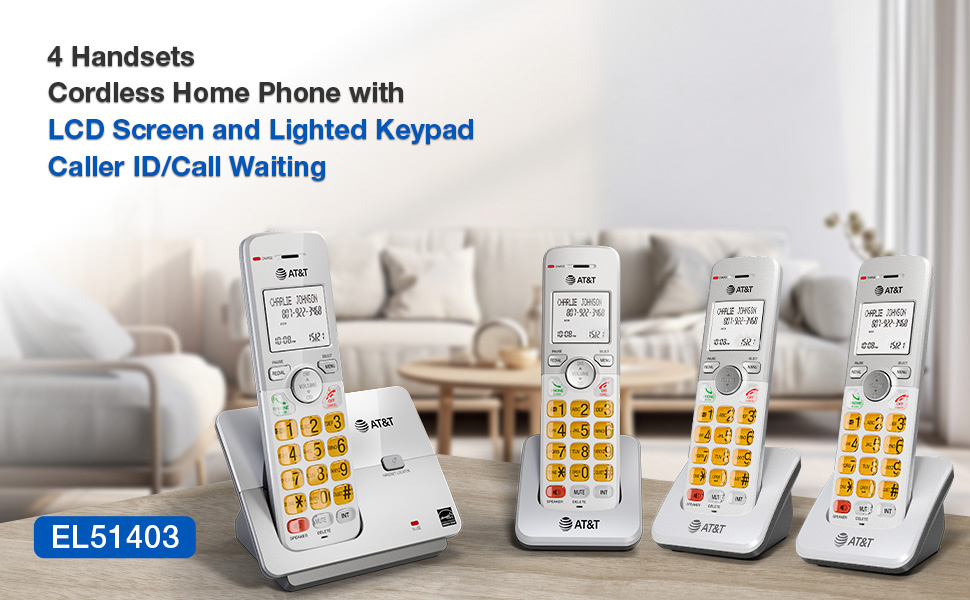
Image: A visual representation of the AT&T EL51403 base unit and a handset, detailing their respective height, width, and depth measurements.
9. Waarborg en Ondersteuning
AT&T products are manufactured by VTech Communications, Inc. A standard limited warranty typically covers defects in materials and workmanship under normal use for a specified period from the date of purchase. Please refer to the warranty card included in your product packaging or visit the official AT&T product support website for detailed warranty information and customer service contact options.
For technical support or warranty claims, please contact AT&T customer service. Keep your purchase receipt as proof of purchase.
Ask a question about this manual
Ask about setup, troubleshooting, compatibility, parts, safety, or missing instructions. Manuals+ will review the question and use this page’s manual context to help answer it.