
Inleiding
The Xiaomi Smart Camera C500 is an advanced indoor surveillance camera designed to provide comprehensive monitoring for your home. Featuring a dual-lens system, 4-megapixel resolution, and dual-band Wi-Fi 6 connectivity, it offers enhanced security features such as human tracking, crying detection, and pet tracking. This manual provides detailed instructions for setting up, operating, and maintaining your camera to ensure optimal performance.
Veiligheidsinligting
- Ensure the camera is installed in a stable location to prevent it from falling.
- Gebruik slegs die oorspronklike kragadapter wat saam met die toestel voorsien word.
- Moenie die kamera blootstel aan uiterste temperature, humiditeit of direkte sonlig nie.
- Keep the camera away from water or other liquids. This product is not water-resistant.
- Do not attempt to disassemble or repair the camera yourself. Contact authorized service personnel for assistance.
- Hou buite bereik van kinders.
Pakketinhoud
Verifieer dat alle items in jou pakket teenwoordig is:
- 1 × Xiaomi Smart Camera C500 4MP Dual Lens with Wi-Fi 6 Dual-Band
- Kragadapter
- Mounting Accessories (if applicable for ceiling/wall mount)
- Gebruikershandleiding
Produk verbyview
The Xiaomi Smart Camera C500 features a compact dome design with dual lenses for extended coverage. It includes a power port, status indicator light, and a microSD card slot for local storage.
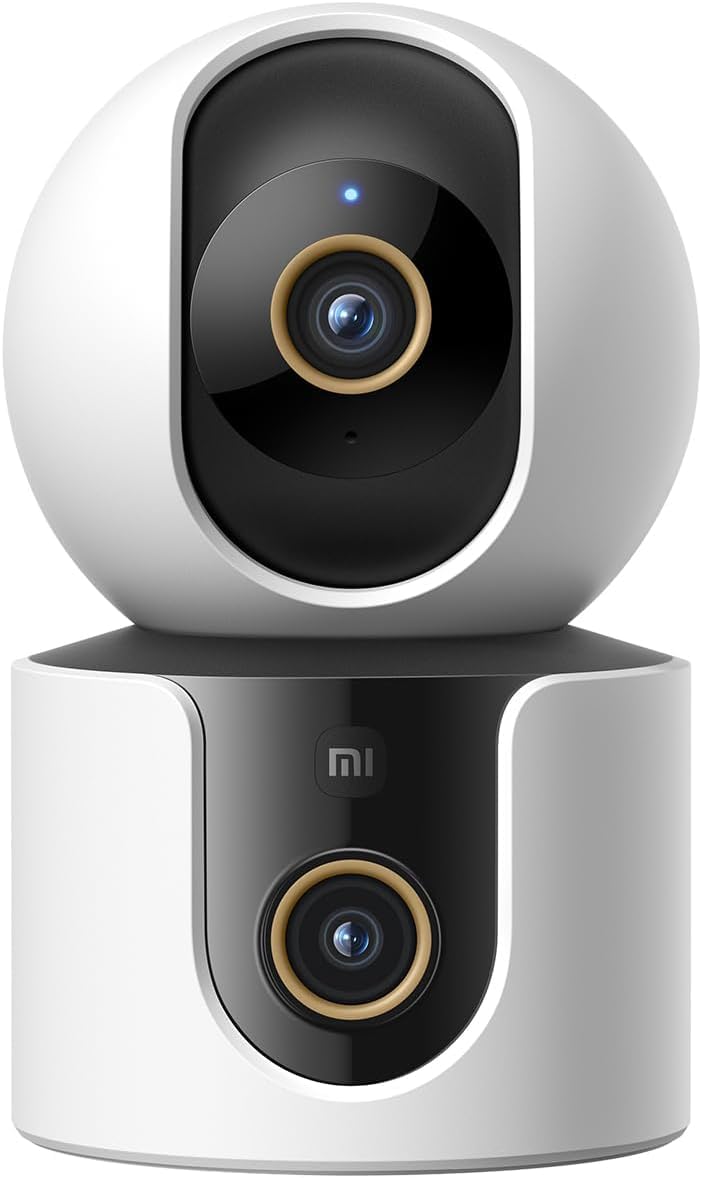
Figuur 1: Voorkant view of the Xiaomi Smart Camera C500, showing its dual-lens design and white and black casing.

Figuur 2: Bo-na-onder view of the Xiaomi Smart Camera C500, highlighting its spherical upper section and ventilation holes.

Figuur 3: Kant view of the Xiaomi Smart Camera C500, showing the power input and other ports on the base.
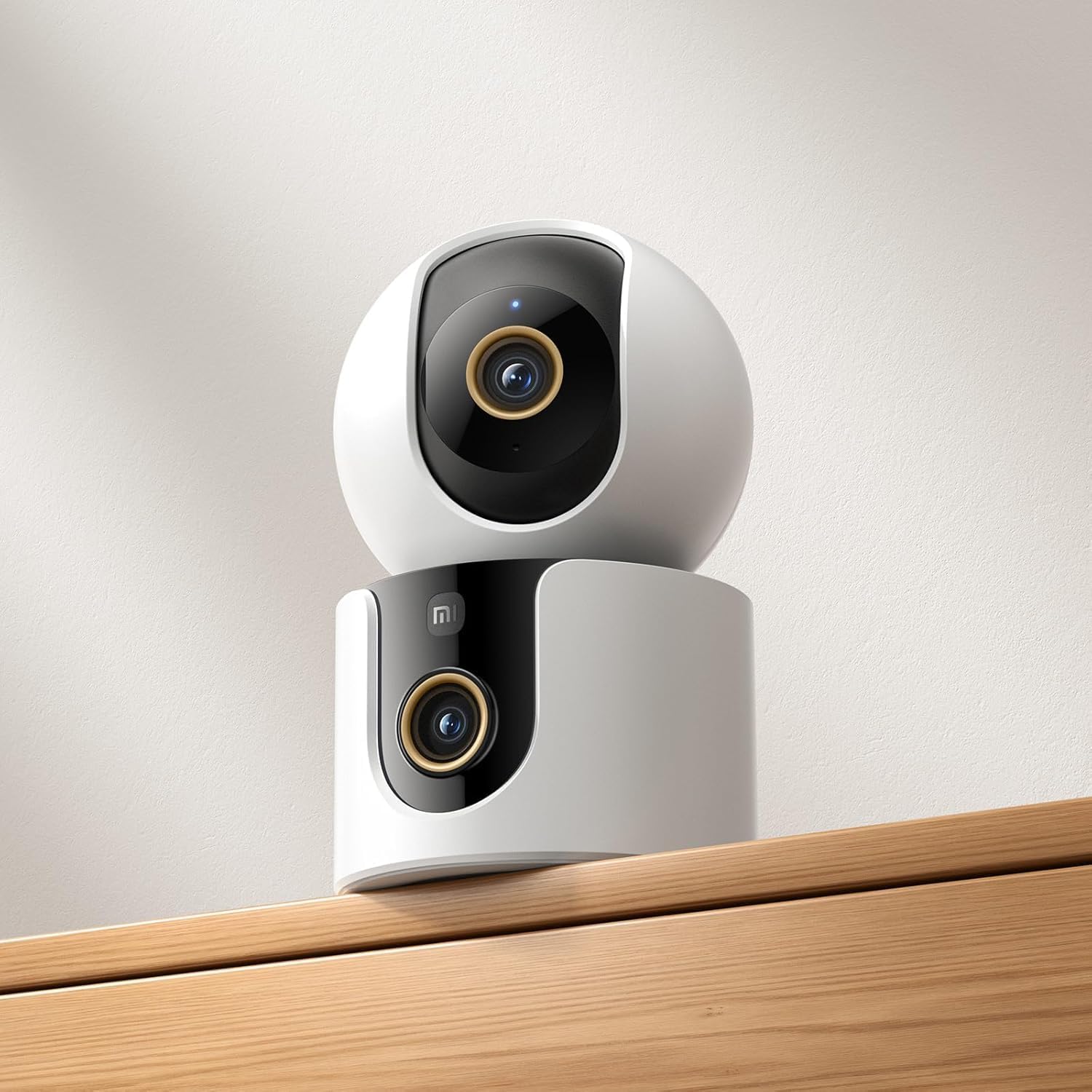
Figure 4: The Xiaomi Smart Camera C500 positioned on a wooden shelf, demonstrating its compact size and discreet placement.
Opstelling
1. Aanskakel
- Koppel die kragadapter aan die kamera se kragtoevoerpoort.
- Steek die kragadapter in 'n muuraansluiting.
- The camera will automatically power on, and the indicator light will begin to flash, indicating it is ready for connection.
2. App Installasie
- Laai die af Xiaomi Tuisblad app vanaf jou slimfoon se appwinkel (Google Play Winkel vir Android of Apple App Store vir iOS).
- Maak die toepassing oop en skep 'n Xiaomi-rekening of meld aan as jy reeds een het.
3. Koppeling met die toepassing
- In the Xiaomi Home app, tap the "+" icon in the top right corner to add a new device.
- Select the Xiaomi Smart Camera C500 from the list of available devices.
- Follow the on-screen instructions to connect the camera to your Wi-Fi network. Ensure your phone is connected to a 2.4GHz or 5GHz Wi-Fi network (the camera supports dual-band Wi-Fi 6).
- Scan the QR code displayed on your phone screen using the camera lens. You will hear a voice prompt confirming successful scanning.
- Sodra dit gekoppel is, kan jy jou kamera 'n naam gee en dit aan 'n spesifieke kamer toewys.
4. Monteer die kamera
The camera supports tabletop placement or ceiling/wall mounting.
- Tafelblad Mount: Plaas die kamera op 'n plat, stabiele oppervlak.
- Ceiling/Wall Mount: Use the provided mounting base and screws to secure the camera to a desired location. Ensure the camera is securely attached and has a clear field of view.
Bedryfsinstruksies
1. Leef View
Open the Xiaomi Home app and select your camera to view the live feed. You can pan and tilt the camera remotely using the controls in the app to achieve 360-degree coverage.
2. Opname en afspeel
- Plaaslike berging: Insert a microSD card (up to 256GB) into the camera's slot for continuous or event-triggered recording.
- Wolkberging: Optional cloud storage services may be available through the Xiaomi Home app for secure backup of recordings.
- Terugspeel: Toegang opgeneem footage through the app's playback feature, navigating by date and time.
3. Tweerigting-klank
Use the microphone and speaker icon in the live view interface to enable two-way communication. This allows you to speak through the camera and hear audio from its location.
4. Motion Detection and Human Tracking
The camera can detect motion and intelligently track human figures. Enable these features in the app settings to receive alerts and automatically record when activity is detected.
5. Crying Detection
For parents, the crying detection feature can be enabled to send instant notifications to your phone when a baby's cry is detected, allowing for quick response.
6. Pet Tracking
The camera can also track pets, providing alerts and recording their movements. This feature is useful for monitoring your furry companions throughout the day.
7. Nagvisie
The camera automatically switches to ultra-low light color mode or infrared night vision in dim conditions, ensuring clear visibility up to 15 meters even in complete darkness.
Onderhoud
- Skoonmaak: Vee die kameralens en -liggaam liggies af met 'n sagte, droë lap. Moenie harde chemikalieë of skuurmiddels gebruik nie.
- Firmware -opdaterings: Regularly check for and install firmware updates through the Xiaomi Home app to ensure optimal performance and access to new features.
- MicroSD kaart: If using a microSD card, periodically check its status and format it if necessary to maintain recording quality and prevent data corruption.
Probleemoplossing
| Kwessie | Moontlike Oplossing |
|---|---|
| Kamera kon nie aan Wi-Fi koppel nie | Ensure your Wi-Fi network is 2.4GHz or 5GHz. Check Wi-Fi password. Move camera closer to router. Reset camera and try pairing again. |
| Geen lewe nie view of opname | Check power connection. Ensure Wi-Fi is stable. Verify microSD card is inserted correctly and not full. Check app permissions. |
| Swak video kwaliteit | Clean the camera lens. Ensure adequate lighting. Check Wi-Fi signal strength. Adjust video resolution settings in the app. |
| Kennisgewings nie ontvang nie | Check app notification settings on your phone. Ensure motion/crying detection is enabled in the camera settings. Verify app has necessary permissions. |
| Tweerigting-oudio werk nie | Check microphone and speaker settings in the app. Ensure phone volume is up. Avoid placing camera in noisy environments. |
Spesifikasies
| Kenmerk | Detail |
|---|---|
| Handelsnaam | Xiaomi |
| Model Naam | Toesigkamera |
| Modelnommer | C500 Dubbel |
| Aanbevole gebruike vir produk | Binnenshuise sekuriteit |
| Verbindingstegnologie | Draadloos |
| Spesiale kenmerke | Hoë definisie |
| Binne/buiteluggebruik | Binneshuise |
| Versoenbare toestelle | Slimfoon |
| Kragbron | Elektries met koord |
| Kommunikasieprotokol | Wi-Fi-netwerk |
| Tipe beheerder | Amazon Alexa |
| Montage tipe | Tabletop Mount, Freestanding |
| Kleur | Wit |
| Vormfaktor | Koepel |
| Materiaal | Akrielnitril Butadieen Styreen (ABS) |
| Waterweerstandvlak | Nie waterbestand nie |
| Item Vorm | Koepel |
| Alerttipe | Oudio en Beweging |
| Soort kamer | Kantoor |
| Ligbron | Infrarooi |
| Beeldsensorresolusie | 4 megapixels |
| Beheer metode | Via App |
| Voltage | 5.0 |
| Wattage | 10.0 |
| Batterye benodig? | Nee |
| Aantal kanale | 2 |
| Video-enkodering | H.265 |
| Video-opname-formaat | MPEG-4 |
| Nagsigreeks | 15 XNUMX meter |
| Nagvisie | Nag kleur |
| Number of Infrared LED Lights | 10 |
| Tipe flitsgeheue | Mikro SD |
| Maximum Supported Flash Memory Size | 256 GB |
| Aantal items | 1 |
| Spesifieke Produkgebruike | 360 grade dekking, toesig |
| Vervaardiger | Xiaomi |
| Draadlose kommunikasietegnologie | Wi-Fi |
| Video-opname-resolusie | 1080p |
| Raamtempo | 25 rame per sekonde |
| Viewing Hoek | 360 grade |
| Fokus Tipe | Outofokus |
| Beeldsensortegnologie | CMOS |
| Item afmetings | 7.8 x 7.8 x 11.5 cm |
| Item gewig | 327 gram |
| Eenheidtelling | 1.0 Tel |
Waarborg en Ondersteuning
Vir waarborginligting, verwys asseblief na die waarborgkaart wat in u produkverpakking ingesluit is of besoek die amptelike Xiaomi-webwerf website. For technical support, troubleshooting assistance, or to report issues, please contact Xiaomi customer service through their official channels or the Xiaomi Home app.
You can find additional resources and FAQs on the Xiaomi official support page.