
Inleiding
This manual provides instructions for the AWEI H25 Smart Watch. Please read this manual carefully before using the device to ensure proper operation and maintenance.

Figure 1: AWEI H25 Smart Watch in use.
1. Opstelling
1.1 Pakketinhoud
Maak seker dat die volgende items in jou pakket ingesluit is:
- AWEI H25 Smart Watch
- Laai kabel
- Gebruikershandleiding (hierdie dokument)
1.2 Laai die toestel
Before first use, fully charge the smart watch. Connect the charging cable to the charging port on the back of the watch and to a standard USB power adapter (not included).
- 'n Volle laai neem gewoonlik 2-3 uur.
- The watch has a 230mAh battery capacity.
- Battery life is approximately 5-7 days with daily use, and up to 30 days in standby mode.

Figure 2: Battery life and performance overview.
1.3 App-aflaai en -koppeling
To utilize all features, download the companion app to your smartphone. Scan the QR code provided in the watch's interface or search for the app name (usually mentioned in the watch's initial setup screen or packaging) in your phone's app store.
- Aktiveer Bluetooth op jou slimfoon.
- Open the companion app and follow the on-screen instructions to create an account or log in.
- Kies "Voeg toestel by" of "Koppel toestel" binne die toepassing.
- The app will search for available devices. Select "AWEI H25" from the list.
- Bevestig die paringsversoek op beide jou horlosie en slimfoon.
1.4 Aanpassing van die horlosieskerm
The AWEI H25 features a 1.83-inch screen. You can customize the watch face through the companion app.
- Choose from multiple cloud-based watch faces.
- Upload your own photos to create a personalized watch face.
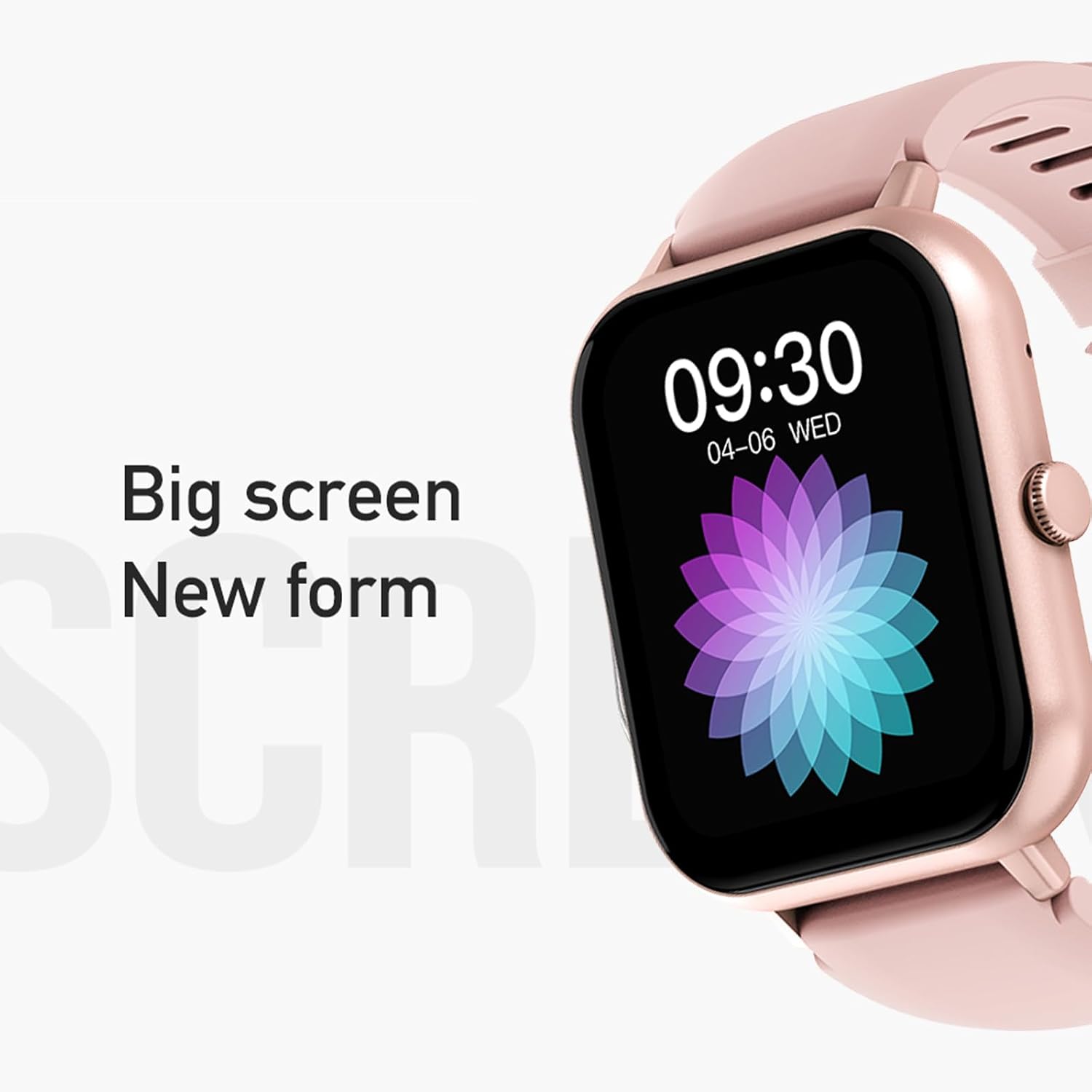
Figure 3: The 1.83-inch screen of the AWEI H25 Smart Watch.
2. Bedryfsinstruksies
2.1 Basiese navigasie
- Swiep op/af: Navigeer deur spyskaarte en kennisgewings.
- Swiep links/regs: Kry toegang tot vinnige funksies of widgets.
- Druk die syknoppie: Return to the home screen or access the app list.
- Langdruk syknoppie: Power on/off or access system settings.
2.2 Bluetooth-oproepfunksie
After successful pairing with your smartphone, the watch supports Bluetooth calls.
- Beantwoord oproepe: When a call comes in, tap the green icon on the watch screen.
- Maak oproepe: Gaan na die skakelaar of kontaklys op die horlosie om 'n oproep te begin.
2.3 Sportmodusse
The AWEI H25 offers over 100 sport modes to track your physical activity.
- Access the "Sports" menu on the watch.
- Select your desired activity (e.g., Running, Walking, Hiking, Basketball, Cycling, Yoga).
- The watch will track exercise time, calories burned, and other relevant metrics.

Figuur 4: oorview of available sport modes.
2.4 Gesondheidsmonitering
The watch provides monitoring for various health metrics:
- Hartslagmonitering: Continuous or on-demand heart rate measurement.
- Bloeddrukmonitering: Verskaf geskatte bloeddruklesings.
- Bloedsuurstofmonitering: Meet bloedsuurstofversadiging (SpO2).
- Vroulike Fisiologiese Siklus: Track and predict menstrual cycles (requires setup in the app).
- Sittende herinneringe: Waarsku jou om te beweeg na periodes van onaktiwiteit.
Let wel: The health monitoring features are for reference only and should not be used for medical diagnosis or treatment. Consult a medical professional for health concerns.
2.5 Slim Stemassistent
After binding the watch to the companion app, you can use the smart voice assistant function.
- Click the voice function icon on the watch's menu screen.
- Speak your command (e.g., "What's the weather today?", "Call [Contact Name]").

Figure 5: Smart Voice Assistant interface.
2.6 Bykomende kenmerke
- Musiekbeheer: Beheer musiekweergawe op jou slimfoon.
- Afgeleë fotografie: Gebruik die horlosie as 'n afstandbeheerder vir jou foon se kamera.
- Wekker: Stel alarms direk vanaf die horlosie.
- Tydvertoning: Standard time and date display.
- Wrist-Flip Display: Die skerm aktiveer wanneer jy jou pols oplig.
3. Onderhoud
3.1 Waterdigte gradering (IP67)
The AWEI H25 Smart Watch has an IP67 waterproof rating. This means it is protected against dust ingress and can withstand immersion in water up to 1 meter for up to 30 minutes.
- Suitable for daily use such as washing hands, face, or light rain.
- Nie geskik vir: Swimming, diving, hot showers, saunas, or high-pressure water activities.
- Avoid contact with hot water, steam, or corrosive liquids.
3.2 Skoonmaak en versorging
- Vee die horlosie en bandjie gereeld af met 'n sagte, droë lap.
- Indien nodig, gebruik 'n effense damp lap met sagte seep, en vee dan droog.
- Moenie harde chemikalieë, skuurmiddels of oplosmiddels gebruik nie.
- Hou die laaikontakte skoon en droog om behoorlike laai te verseker.
3.3 Batterysorg
- Vermy om die battery gereeld heeltemal te ontlaai.
- Do not expose the watch to extreme temperatures (very hot or very cold).
- If storing the watch for an extended period, charge it to about 50% and store in a cool, dry place.
4. Probleemoplossing
4.1 Toestel skakel nie aan nie
- Maak seker dat die horlosie volledig gelaai is. Koppel dit vir ten minste 30 minute aan die laaier.
- Try a long press (approx. 10-15 seconds) of the side button to force a power-on.
4.2 Kan nie met slimfoon koppel nie
- Maak seker dat Bluetooth op jou slimfoon geaktiveer is.
- Maak seker dat die horlosie binne Bluetooth-bereik is (gewoonlik 10 meter).
- Herbegin beide die horlosie en jou slimfoon.
- Vee die Bluetooth-kasgeheue op jou foon uit (indien van toepassing) en probeer weer koppel.
- Maak seker dat die metgesel-app na die nuutste weergawe opgedateer is.
4.3 Onakkurate Gesondheidslesings
- Maak seker dat die horlosie styf om jou pols gedra word, nie te styf of te los nie.
- Keep the sensor on the back of the watch clean and free from debris.
- Vermy oormatige beweging tydens metings.
- Remember that these readings are for reference and not medical grade.
4.4 Watch Not Receiving Notifications
- Check notification permissions for the companion app on your smartphone.
- Maak seker dat die horlosie via Bluetooth aan jou foon gekoppel is.
- Verify that "Do Not Disturb" mode is not active on either the watch or phone.
5. Spesifikasies
| Modelnommer | H25 |
| Handelsmerk | AWEI |
| Skerm grootte | 1.83 duim |
| Battery kapasiteit | 230 mAh |
| Konnektiwiteit | Bluetooth |
| Waterdigte gradering | IP67 |
| Spesiale kenmerke | 100+ sport modes, Multiple customizable dials, Smart voice assistant, Heart rate, Blood pressure, Blood oxygen monitoring, Bluetooth call function. |
| GPS | Geen GPS nie |
6. Waarborg en Ondersteuning
6.1 Produkwaarborg
The AWEI H25 Smart Watch comes with a one-year warranty from the date of purchase. This warranty covers manufacturing defects under normal use. It does not cover damage caused by misuse, accidents, unauthorized modifications, or failure to follow instructions in this manual.
Behou asseblief jou aankoopbewys vir waarborgeise.
6.2 Kliëntediens
If you encounter any issues not covered in the troubleshooting section or require further assistance, please contact AWEI customer support. Refer to the product packaging or the official AWEI webwebwerf vir die mees onlangse kontakinligting.