
Inleiding
Thank you for choosing BUGANI True Wireless Earbuds. This manual provides detailed instructions on how to set up, operate, and maintain your earbuds to ensure the best possible audio experience. Please read this manual carefully before use and keep it for future reference.

Image: BUGANI True Wireless Earbuds and their charging case.
Wat is in die boks
Your BUGANI True Wireless Earbuds package should contain the following items:
- 1 x BUGANI B09 Wireless Earbuds
- 1 x USB-C laaikabel
- 3 x Different Sizes of Eartips (S, M, L)
- 3 x Different Sizes of Silicone Earwings (S, M, L)
- 1 x Gebruikershandleiding (hierdie dokument)
Produk verbyview en sleutelkenmerke
The BUGANI B09 earbuds are designed for superior sound and user convenience. Here are some of their main features:
Immersive Sound Quality & Extra Deep Bass
Experience rich, powerful audio with oversized 10mm dynamic drivers. These earbuds deliver enhanced bass, clear trebles, and balanced mids for an immersive listening experience across music, movies, and games.

Beeld: 'n Ontplofte view of the earbud, highlighting its internal audio components and dynamic driver for superior sound.
ENC Enhanced Crystal-Clear Calls
Equipped with a BUGANI intelligent noise reduction algorithm and built-in dual microphones, these earbuds precisely pick up your voice while effectively blocking out background noise. This ensures clear communication during calls, video chats, and live sessions.

Image: A woman smiling while wearing the earbuds, illustrating their use for crystal-clear calls with the microphone highlighted.
Extended Playtime & IPX6 Water-Resistant
Enjoy up to 6 hours of listening on a single charge, with the compact charging case providing an additional 3 charges for a total of 24 hours of playtime. The IPX6 water-resistant rating protects your earbuds from sweat, splashes, and light rain, making them ideal for workouts and outdoor activities. Note: Do not submerge in water.

Image: The earbuds in their charging case, illustrating the 24-hour total playtime with the case and 6 hours on a single charge.

Image: A woman exercising, demonstrating the IPX6 waterproof and sweatproof capabilities of the earbuds.
Lightweight & Comfortable Fit
Designed ergonomically, these earbuds ensure comfortable wear for extended periods. They come with three sizes of ear tips and earwings (S, M, L) to help you find the perfect, secure fit for optimal sound performance.

Image: An earbud shown in an ear, alongside various ear tip and earwing sizes to illustrate the customizable and secure fit.
Bluetooth 5.3 and One-Step Pairing
Featuring the latest Bluetooth 5.3 technology, the earbuds offer improved transmission speed and a low-latency listening experience. They automatically connect to your device quickly after the initial pairing, thanks to their memory function.

Image: Earbuds and their charging case positioned near a smartphone and laptop, illustrating the one-step pairing process and wide compatibility.
Opstelling
Laai die oordopjes en laaikas
Laai beide die oordopjes en die laaikas volledig voor die eerste gebruik.
- Plaas die oorfone in die laaikas. Maak seker dat hulle korrek in hul onderskeie gleuwe geplaas is (L vir links, R vir regs).
- Koppel die USB-C-laaikabel aan die laaipoort op die omhulsel en die ander kant aan 'n USB-kragadapter (nie ingesluit nie) of 'n rekenaar se USB-poort.
- The indicator lights on the charging case will show the charging status. Once fully charged, the lights will indicate completion or turn off.
- 'n Volle lading vir die houer neem ongeveer 1.5 uur.
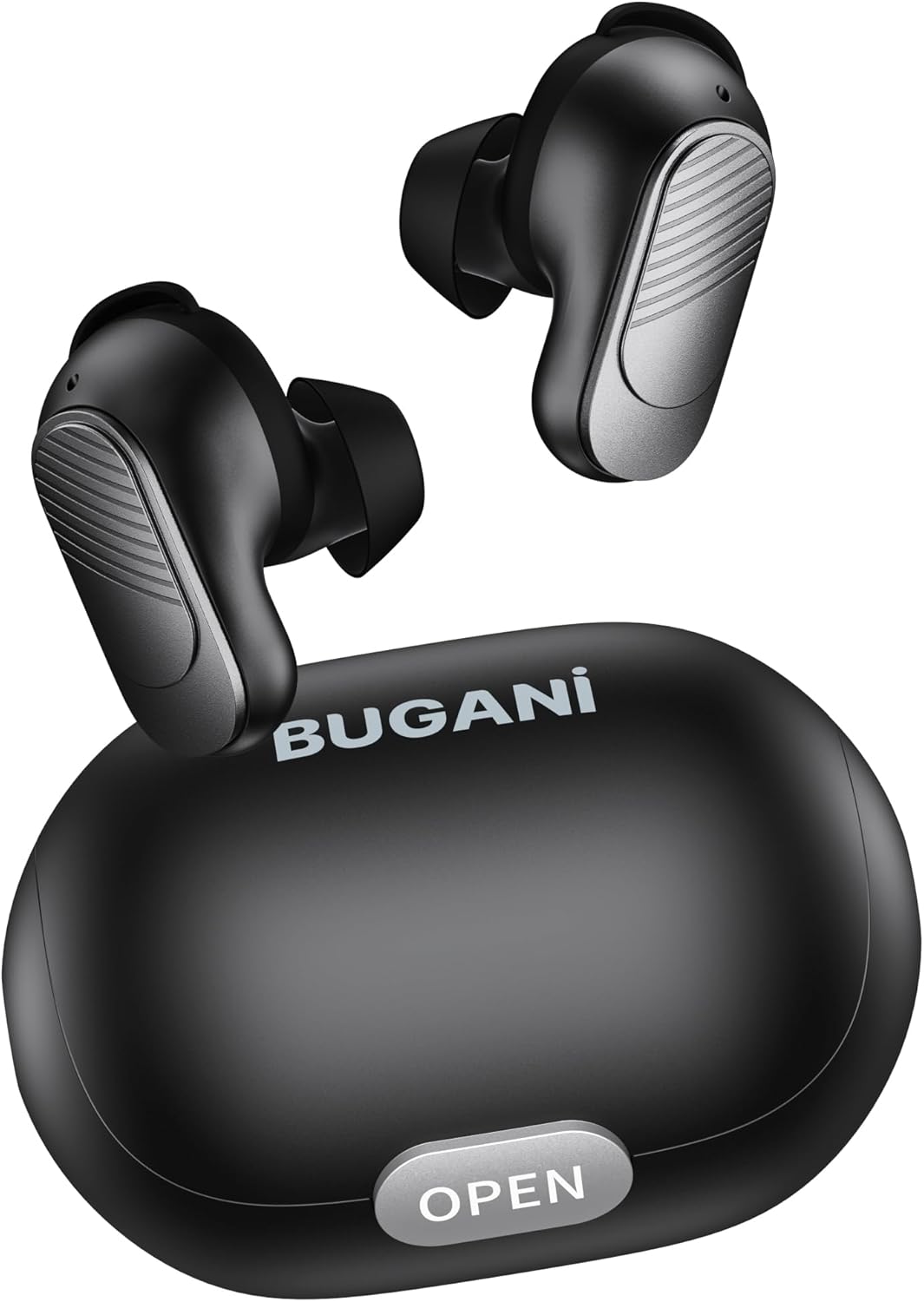
Image: The BUGANI earbuds placed inside their open charging case, ready for charging.
Koppel aan u toestel
Follow these steps for initial pairing:
- Maak seker dat die oordopjes gelaai is.
- Maak die laaikas oop. Die oorfone sal outomaties aanskakel en in paringsmodus gaan.
- Gaan na Bluetooth-instellings op jou slimfoon of Bluetooth-geaktiveerde toestel en skakel Bluetooth aan.
- Soek vir available devices. Select "BUGANI B09" from the list.
- Sodra dit gekoppel is, sal jy 'n bevestigingstoon hoor, en die oorfone se aanwyserliggies sal verander.
- Vir daaropvolgende gebruike sal die oordopjes outomaties aan die laaste gekoppelde toestel koppel wanneer dit uit die houer gehaal word.
Gebruik van jou oordopjes
Raak kontroles
The BUGANI B09 earbuds feature intuitive touch controls on each earbud. Refer to the diagram below for specific functions:

Image: A visual guide detailing the touch control functions for the BUGANI earbuds, including power, playback, call management, volume, and voice assistant.
- Krag aan: L/R Long press for 3 seconds.
- Skakel af: L/R Long press for 5 seconds.
- Speel/pouse: L/R Touch 1 quickly.
- Volgende liedjie: R Touch 2 quickly.
- Vorige liedjie: L Touch 2 quickly.
- Volume op: R Touch 3 quickly.
- Volume af: L Touch 3 quickly.
- Beantwoord oproep: L/R Touch 1 quickly.
- Bel oproep: L/R Touch 1 quickly.
- Verwerp oproep: L/R Touch 2 quickly.
- Stemassistent: L/R Long press for 2 seconds.
- Herstel: L & R Touch 5 quickly.
Onderhoud
To ensure the longevity and optimal performance of your BUGANI earbuds, follow these maintenance guidelines:
- Skoonmaak: Maak die oorfone en laaikas gereeld skoon met 'n sagte, droë, pluisvrye lap. Moenie harde chemikalieë of skuurmiddels gebruik nie.
- Oorwenke: Verwyder en maak die oordoppe gereeld skoon met 'n advertensie.amp lap. Maak seker dat hulle heeltemal droog is voordat hulle weer vasgemaak word.
- Laaipoort: Hou die USB-C-laaipoort vry van stof en puin.
- Berging: Wanneer dit nie gebruik word nie, bêre die oordopjes in hul laaikassie om hulle teen stof en skade te beskerm.
- Vermy uiterste toestande: Moenie die oorfone vir lang tye aan uiterste temperature, hoë humiditeit of direkte sonlig blootstel nie.
- Waterblootstelling: While IPX6 water-resistant, avoid submerging the earbuds in water. Dry them thoroughly if they get wet from sweat or splashes.
Probleemoplossing
If you encounter any issues with your BUGANI earbuds, try the following solutions:
- Oordopjes koppel nie:
- Maak seker dat beide oordopjes gelaai is.
- Skakel Bluetooth op jou toestel af en skakel dit dan weer aan.
- Forget/delete "BUGANI B09" from your device's Bluetooth list and try pairing again.
- Perform a factory reset on the earbuds (refer to 'Reset' in Touch Controls section).
- Slegs een oordoppie werk:
- Plaas albei oordopjes terug in die laaikas, maak die deksel toe, wag 'n paar sekondes en haal dit dan weer uit.
- Maak seker dat beide oordopjes gelaai is.
- Voer 'n fabrieksterugstelling uit.
- Geen geluid of lae volume:
- Verstel die volume op beide jou toestel en die oordopjes.
- Maak seker dat die oorfone behoorlik aan jou toestel gekoppel is.
- Maak enige puin van die oordopjes se gaas skoon.
- Laai kwessies:
- Kontroleer die laaikabel en adapter vir skade.
- Maak seker dat die laaipoort op die houer skoon is.
- Maak seker dat die oordopjes korrek in die laaikas geplaas is.
If the issue persists after trying these steps, please contact BUGANI customer support.
Spesifikasies
| Kenmerk | Detail |
|---|---|
| Model Naam | BUGANI B09 |
| Verbindingstegnologie | Draadloos (Bluetooth 5.3) |
| Oorplasing | In Oor |
| Tipe oudiobestuurder | Dinamiese drywer (10 mm) |
| Batterylewe (Oorfone) | Tot 6 uur |
| Totale speeltyd (met omhulsel) | Tot 24 uur |
| Laaityd (kas) | Ongeveer. 1.5 uur |
| Waterweerstandvlak | IPX6 (Waterbestand) |
| Tipe beheer | Raak Beheer |
| Mikrofone | Built-in 2 mics with ENC Noise Cancelling |
| Gewig | 4.2 ounces (total item weight) |
| Materiaal | Plastiek |
Waarborg en Ondersteuning
BUGANI products are designed for reliability and performance. For warranty information and customer support, please refer to the warranty card included in your package or visit the official BUGANI website. If you have any questions or require assistance, do not hesitate to contact our support team.
Thank you for choosing BUGANI.