
1. Inleiding
Dankie vir die aankoopasing the Bemkia H16 4K 48MP Digital Camera. This manual provides essential information for setting up, operating, and maintaining your camera. Please read it thoroughly before use to ensure optimal performance and longevity of your device.

Image: The Bemkia H16 camera, showcasing its compact size (104mm x 66mm) and 2.8-inch IPS screen, alongside a smartphone for scale. This image highlights the camera's portability and ease of carrying.
2. Pakketinhoud
Kontroleer asseblief die pakket vir die volgende items:
- Bemkia H16 Digital Camera
- 64GB Memory Card (SD Card)
- Kaartleser
- USB-C-kabel (vir laai en data-oordrag)
- Lanyard
- Gebruikershandleiding (hierdie dokument)
3. Camera Layout
Familiarize yourself with the camera's buttons and ports:
- Kragknoppie: Skakel die kamera aan/af.
- Ontspanknop: Half-press to focus, full-press to take a photo.
- Modusskakelaar/-knoppie: Switches between photo, video, and playback modes.
- Zoemhefboom (W/T): Adjusts digital zoom (Wide/Telephoto).
- Kieslys-knoppie: Kry toegang tot kamera-instellings.
- Rigtingblok: Navigeer deur spyskaarte en kies opsies.
- Display (DISP) Button: Veranderinge vertoon inligting.
- LED Vullig: Verskaf addisionele beligting in lae ligtoestande.
- USB-C-poort: Vir laai en koppeling aan 'n rekenaar.
- SD-kaartgleuf: Insert the memory card here.
- Battery kompartement: Plaas die herlaaibare battery.
4. Opstelling
4.1. Laai die battery
- Maak die batteryvakdeksel oop.
- Plaas die herlaaibare battery in en maak seker dat die polariteit korrek is.
- Maak die batterykompartement se deksel toe.
- Connect the camera to a USB power adapter (not included) or a computer using the provided USB-C cable.
- The charging indicator will illuminate. It will turn off or change color once charging is complete.
4.2. Die SD-kaart insit
- Vind die SD-kaartgleuf op die kamera.
- Insert the 64GB SD card with the metal contacts facing the correct direction (refer to the diagram near the slot).
- Druk die kaart liggies totdat dit in plek klik. Om te verwyder, druk dit weer totdat dit uitspring.
5. Bedien die kamera
5.1. Skakel aan/af
Druk en hou die Kragknoppie to turn the camera on or off.
5.2. Neem foto's
- Maak seker dat die kamera in fotomodus is.
- Frame your shot using the 2.8-inch IPS screen.
- Halfdruk die Ontspanknop to activate autofocus. The focus indicator will turn green when focused.
- Fully press the Ontspanknop to capture the image.

Image: A child holding the Bemkia H16 camera, demonstrating the autofocus feature by half-pressing the shutter button. The image also illustrates the 16X digital zoom capability with examples of 4X, 8X, and 16X zoom levels.
5.3. Opneem van video's
- Switch the camera to video mode.
- Druk die Ontspanknop to start recording. A red recording indicator will appear on the screen.
- Druk die Ontspanknop weer om op te hou opneem.

Image: A visual comparison demonstrating the superior clarity of 48MP images over 30MP and 4K video resolution over 2.7K, highlighting the camera's high-quality output for both photos and videos.
5.4. Digitale Zoom
Gebruik die Zoemhefboom (W/T) to digitally zoom in (T) or out (W) up to 16X.
5.5. LED Fill Light
In low-light conditions, activate the built-in LED-vullig via the menu settings to enhance brightness for photos and videos.

Image: Demonstrates the effect of the LED Fill Light in a dark environment, showing a brighter image when 'on' compared to 'off'. Also illustrates the Anti-Shake function, comparing a blurry image (off) with a clear image (on) during movement.
5.6. Anti-Shake Function
The camera features a digital anti-shake function to reduce blur caused by camera movement. Enable this feature in the camera settings for clearer shots, especially during handheld recording.
5.7. Other Functions (Menu Settings)
Druk die Kieslys-knoppie to access settings for:
- Selfontspanner: Set a delay before taking a photo (e.g., 2s, 5s, 10s).
- Gesigsherkenning: Automatically detects and focuses on faces.
- Deurlopende skietery: Neem verskeie foto's vinnig agtereenvolgens.
- Image Quality/Resolution: Pas foto- en videoresolusie aan.
- Blootstellingskompensasie: Adjust brightness of images.
- Witbalans: Pas kleurtemperatuur aan.
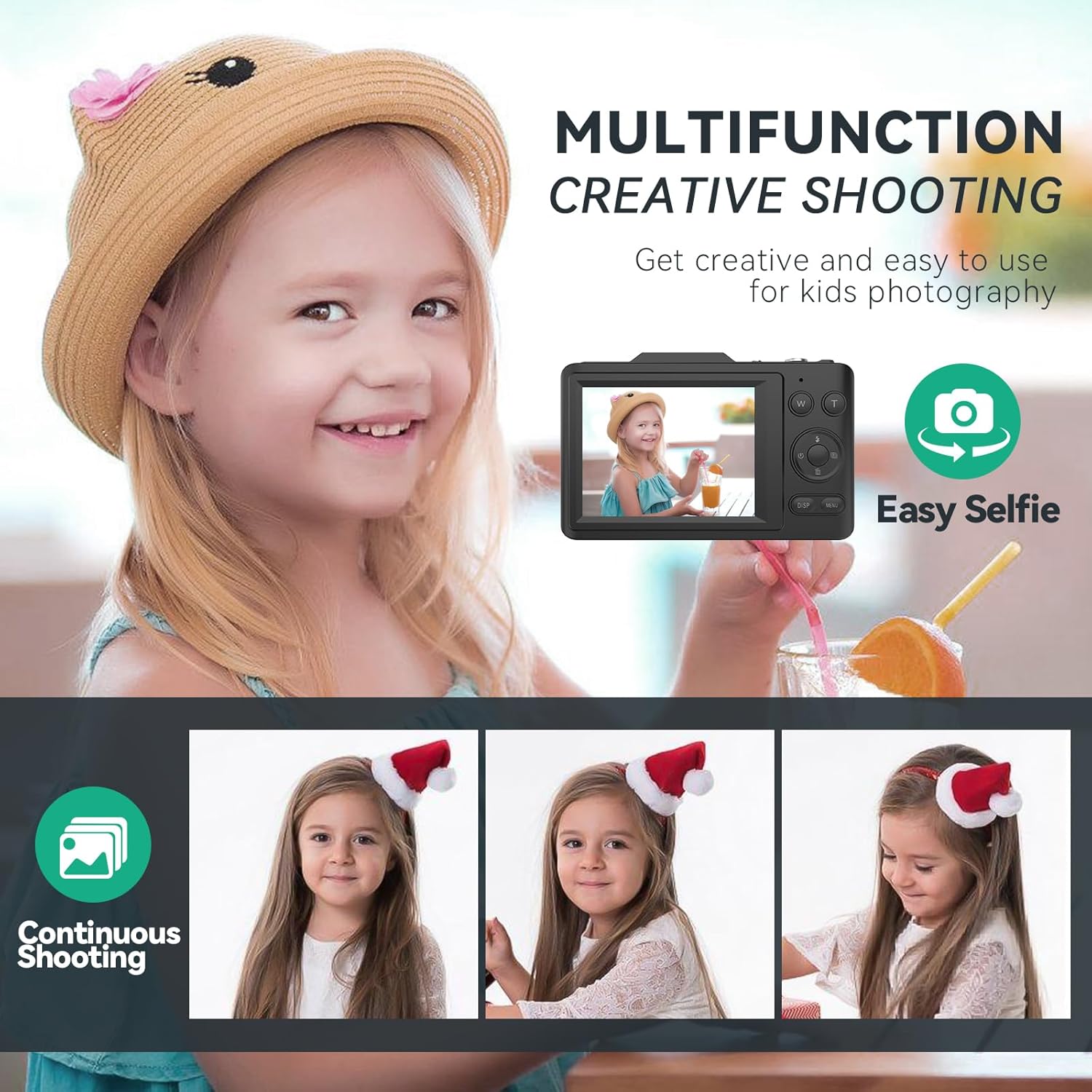
Image: A young girl smiling, illustrating the camera's 'Easy Selfie' function. Below, three sequential photos of a child demonstrate the 'Continuous Shooting' mode, capturing a series of moments.
6. Koppel aan 'n rekenaar
Om foto's en video's na jou rekenaar oor te dra:
- Maak seker dat die kamera aangeskakel is.
- Connect the camera to your computer using the provided USB-C cable.
- The camera should appear as a removable disk or device on your computer.
- Open the camera's folder to access and transfer your files.
- Alternatively, you can remove the SD card and use the included card reader to transfer files direk na jou rekenaar.
7. Onderhoud
- Keep the camera lens clean using a soft, lint-free cloth. Avoid abrasive materials.
- Do not expose the camera to extreme temperatures, humidity, or direct sunlight for extended periods.
- Vermy om die kamera te laat val of dit aan harde impakte bloot te stel.
- When not in use, store the camera in a dry, cool place.
- Remove the battery if the camera will not be used for a long time.
8. Probleemoplossing
| Probleem | Moontlike oorsaak | Oplossing |
|---|---|---|
| Kamera skakel nie aan nie. | Battery is low or not inserted correctly. | Laai die battery volledig. Maak seker dat die battery met die korrekte polariteit ingesit is. |
| Kan nie foto's/video's neem nie. | SD-kaart is vol, gesluit of nie ingesit nie. | Insert a formatted SD card. Unlock the SD card. Delete unnecessary files. |
| Beelde is vaag. | Kameraskudding, onsekerheid of vuil lens. | Hold the camera steady. Half-press shutter to focus. Enable anti-shake. Clean the lens. |
| Kan nie oordra nie files na rekenaar. | USB cable issue, camera not recognized. | Ensure USB-C cable is securely connected. Try a different USB port. Restart camera and computer. Use the card reader. |
9. Spesifikasies
| Kenmerk | Spesifikasie |
|---|---|
| Handelsmerk | Bemkia |
| Model Naam | H16 |
| Beeld resolusie | 48 megapixels |
| Video-resolusie | 4K UHD |
| Digitale zoom | 16X |
| Skerm grootte | 2.8-duim IPS LCD |
| Beeldsensor | CMOS, 1/2-inch |
| Beeldstabilisasie | Digitaal |
| File Formaat | JPEG (Images) |
| Aspekverhouding | 4:3 |
| Afmetings (ongeveer) | 2 x 10 x 6 cm |
| Gewig (ongeveer) | 310 gram |
10. Waarborg en Ondersteuning
For warranty information and technical support, please refer to the contact details provided with your purchase or visit the official Bemkia webwebwerf. Bewaar u bewys van aankoop vir waarborgeise.