
Inleiding
This manual provides essential information for setting up, operating, maintaining, and troubleshooting your HP 15.6" HD BrightView Touchscreen Laptop. Designed for clarity and ease of use, it covers key features such as the Intel Pentium Gold 7505 processor, 8GB RAM, 672GB storage (512GB SSD + 160GB Docking Station Set), numeric keypad, HD camera, HD audio, and Wi-Fi 5 connectivity, running on Windows 11 Home.
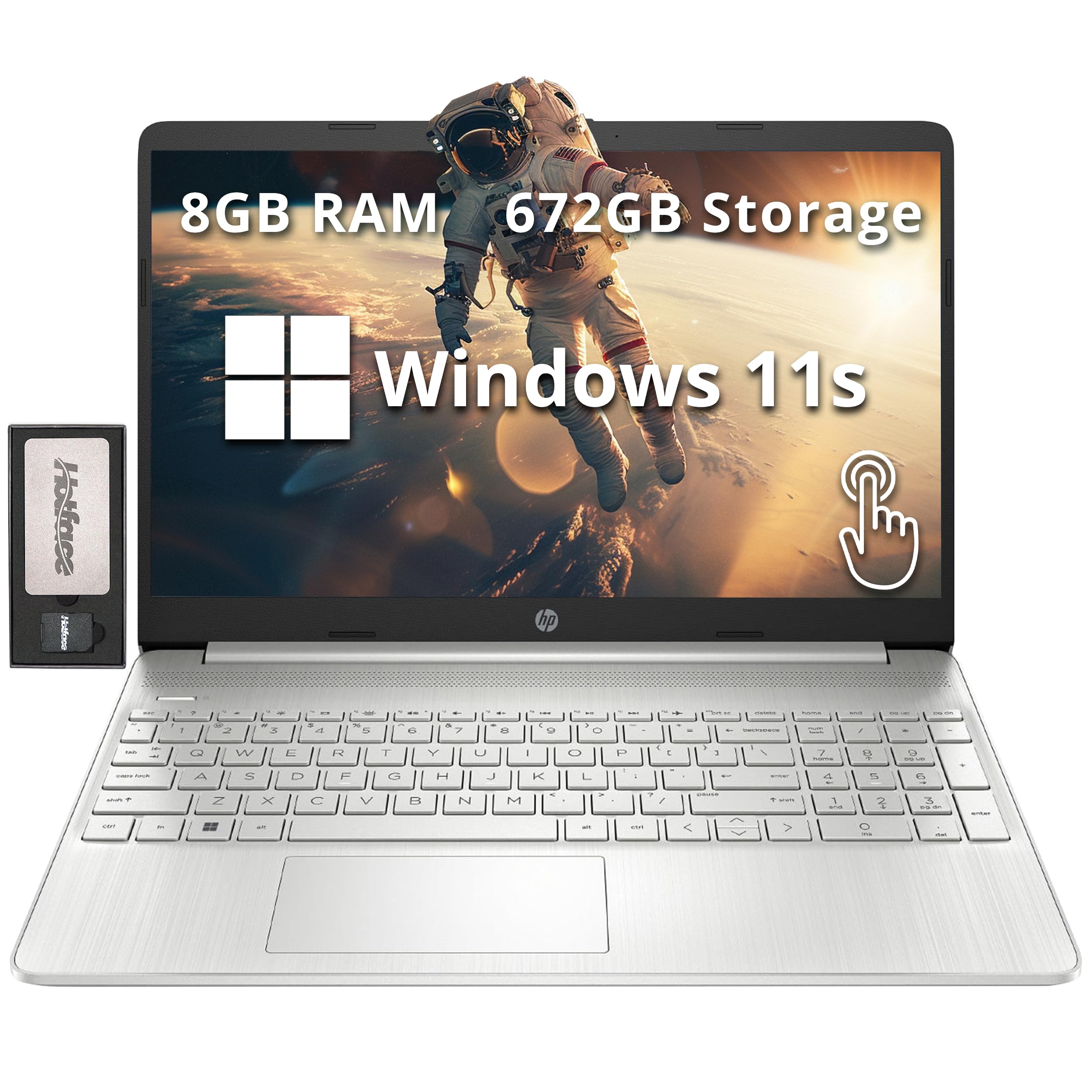
Image: The HP 15.6" HD BrightView Touchscreen Laptop, showcasing its sleek silver design and full-size keyboard.
Wat is in die boks
Verifieer dat alle items in u produkverpakking teenwoordig is:
- HP 15.6" HD BrightView Raakskerm skootrekenaar
- Kragadapter
- 7-in-1-dokkingstasie met 128 GB-berging
- 32GB MicroSD-kaart met adapter
- Tipe C-datakabel
- 3-in-1 laaikabel
- Suede Skoonmaakdoek

Image: A visual representation of the included accessories, highlighting the 7-in-1 docking station, 32GB MicroSD card, various cables, and a suede cleaning cloth.
Opstelling
- Pak die skootrekenaar uit: Verwyder die skootrekenaar en alle bykomstighede versigtig uit die verpakking.
- Koppel krag: Plug the power adapter into the laptop's power port and then into a wall outlet. Allow the battery to charge fully before first use.
- Aanvanklike krag aan: Open the laptop lid and press the power button. Follow the on-screen instructions to complete the Windows 11 Home setup, including language selection, network connection, and user account creation.
- Connect Docking Station (Optional): Connect the 7-in-1 docking station to a USB-C port on your laptop. You can then connect external displays, USB devices, and memory cards to the docking station.

Beeld: 'n Gedetailleerde view of the laptop's side, illustrating the various ports including USB Type-A, SD media card reader, Headphone/Microphone Combo, USB Type-C, and HDMI for connecting peripherals.
Bedryfsinstruksies
Basiese interaksie
- Raakskerm: Use gestures like tap, swipe, pinch-to-zoom directly on the 15.6" HD BrightView display for intuitive navigation.
- Keyboard and Numeric Keypad: Utilize the full-size keyboard for typing and the integrated numeric keypad for efficient data entry.
- Raakblad: The precision touchpad supports multi-touch gestures for scrolling, zooming, and navigating.
Konnektiwiteit
- Wi-Fi 5: Koppel aan draadlose netwerke vir internettoegang. Gaan na Instellings > Netwerk en internet > Wi-Fi om verbindings te bestuur.
- Bluetooth: Pair with Bluetooth-enabled devices like headphones, mice, or speakers. Access via Instellings > Bluetooth en toestelle.
- USB-poorte: Use the USB 3.2 Gen 1 Type-C and Type-A ports for connecting external storage, peripherals, and charging devices.
- HDMI: Connect to external monitors or TVs using the HDMI port for extended display options.
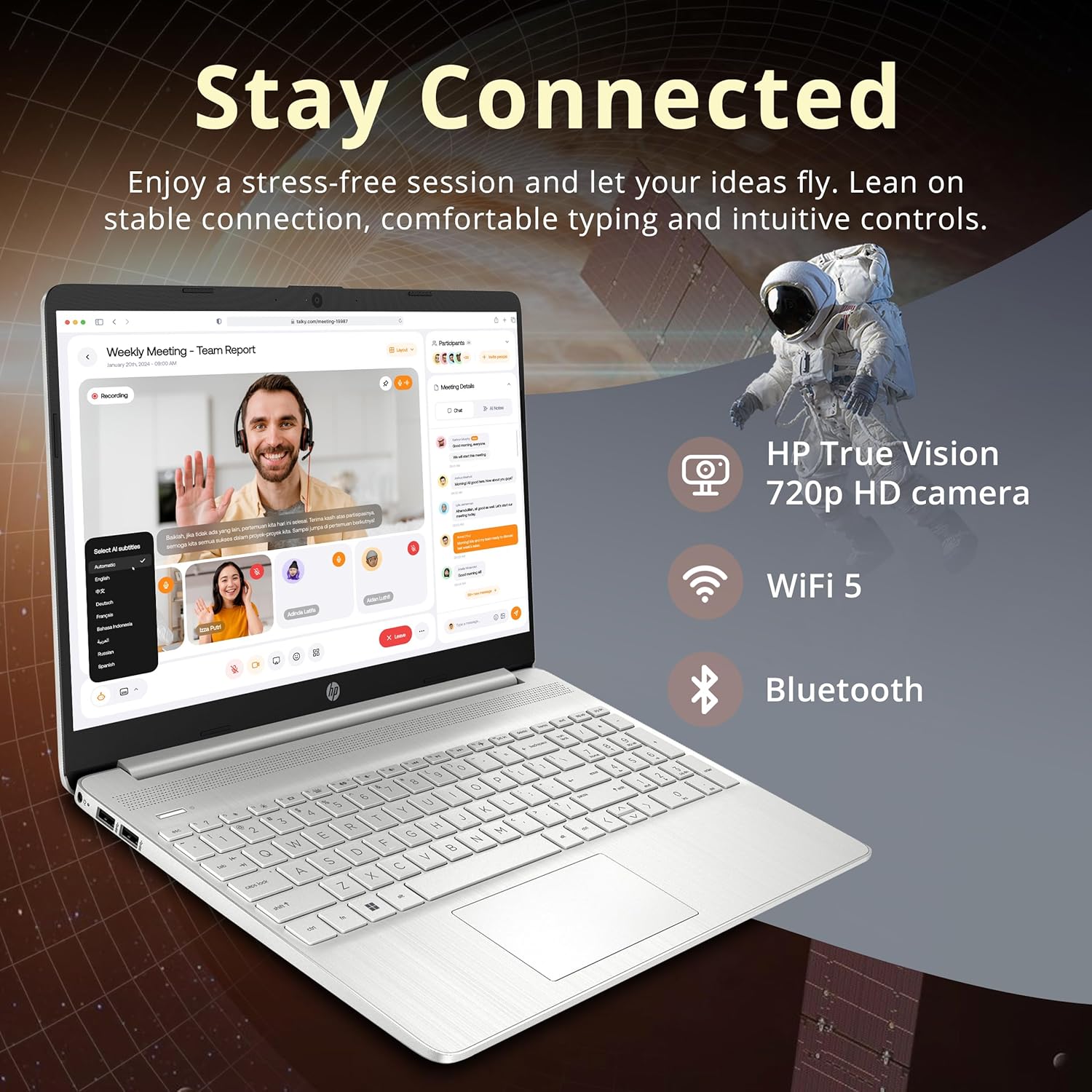
Image: The HP laptop open, displaying a video conference call, emphasizing its HD camera, Wi-Fi 5, and Bluetooth capabilities for staying connected.

Image: The HP laptop displaying several open applications simultaneously, demonstrating its capability for effortless multitasking.
Onderhoud
- Skoonmaak: Gebruik 'n sagte, pluisvrye lap effens dampSpoel die skerm skoon met water of 'n skermreiniger. Gebruik 'n droë, sagte lap vir die sleutelbord en onderstel. Vermy harde chemikalieë.
- Batterysorg: Om die batterylewe te verleng, vermy uiterste temperature. Dit word aanbeveel om die battery af en toe tot onder 20% te ontlaai en dit dan volledig te herlaai.
- Sagteware-opdaterings: Regularly check for and install Windows updates and HP driver updates to ensure optimal performance and security. Go to Instellings > Windows-opdatering.
- Bergingbestuur: Maak gereeld onnodige dinge skoon files and applications to maintain system speed and free up storage space.
Probleemoplossing
| Probleem | Moontlike Oplossing |
|---|---|
| Skootrekenaar skakel nie aan nie | Ensure the power adapter is securely connected and the outlet is functional. Check if the battery is charged. |
| Skerm is leeg of flikker | Restart the laptop. Check display settings. If connected to an external monitor, ensure the cable is secure. |
| Wi-Fi-verbindingskwessies | Restart your router and modem. Check Wi-Fi settings on the laptop and ensure Wi-Fi is enabled. Try forgetting and re-connecting to the network. |
| Stadige prestasie | Maak onnodige toepassings toe. Kontroleer vir agtergrondprosesse. Maak seker dat daar voldoende vrye stoorplek is. Voer 'n stelselskandering vir wanware uit. |
| Raakskerm reageer nie | Restart the laptop. Ensure display drivers are up to date. |
Indien u probleme ondervind wat nie hier gedek word nie, verwys asseblief na die ondersteuningsafdeling vir verdere hulp.
Spesifikasies

Image: A graphic detailing the key specifications of the HP laptop, including processor, graphics, RAM, and storage.
| Kenmerk | Detail |
|---|---|
| Handelsmerk | HP |
| Model Naam | HP |
| Skerm grootte | 15.6 Inches HD BrightView Raakskerm |
| Resolusie | 1366 x 768 piksels |
| Verwerker | Intel Pentium Gold 7505 (2 GHz, 2 Cores) |
| Grafika | Intel UHD Grafika (Geïntegreerd) |
| RAM | 8 GB DDR4 (3200 MHz) |
| Berging | 512GB PCIe SSD + 160GB Docking Station Set |
| Bedryfstelsel | Windows 11 Tuis |
| Konnektiwiteit | Wi-Fi 5 (802.11ac), Bluetooth |
| Hawens | 1x USB 3.2 Gen 1 Type-C, 2x USB 3.2 Gen 1 Type-A, 1x Headphone/mic combo, 1x HDMI, Media Card Reader |
| Spesiale kenmerke | Numeric Keypad, HD Camera |
| Afmetings (L x B x H) | 14.11 x 9.53 x 0.71 duim |
| Gewig | 3.75 pond |
Waarborg inligting
Your HP laptop comes with a 1-jaar vervaardigerwaarborg on original components. Additionally, any upgraded RAM/SSD components provided by Snow Bell are covered by a separate 1-Year Warranty from Snow BellBewaar asseblief u bewys van aankoop vir waarborgeise.
For extended coverage, optional protection plans are available for purchase separately. Refer to your retailer for details on 2-Year or 4-Year protection plans.
Ondersteuning
For technical assistance, driver downloads, or further product information, please visit the official HP support website. You can typically find support resources by searching for your specific model number (HP) on their webwebwerf.
For issues related to the upgraded RAM/SSD components, please contact Snow Bell directly through your purchase platform or their provided contact information.