
artfone G3
artfone G3 4G Senior Mobile Phone User Manual
Model: G3 | Brand: artfone
Inleiding
The artfone G3 is a 4G flip mobile phone designed for seniors, prioritizing ease of use and essential communication features. It includes large keys, a clear display, an SOS emergency button, and a convenient charging station. This manual provides detailed instructions for setup, operation, and maintenance to ensure optimal use of your device.

Image: The artfone G3 4G Senior Mobile Phone, shown open with its large screen and keypad, highlighting its 4G capability.
Wat is in die boks
Kontroleer asseblief die inhoud van die pakket na uitpak:
- 1x artfone G3 Senior Mobile Phone
- 1x 1300mAh-battery
- 1x USB-C kabel
- 1x EU Charger
- 1x Laaistasie
- 1x Gebruikershandleiding

Image: All items included in the artfone G3 package, neatly arranged on a surface.

Image: The artfone G3 retail box alongside the phone, charging dock, and accessories.
Opstelling
1. Die SIM-kaart en battery installeer
- Verwyder die agterkant van die foon versigtig.
- Insert your Nano SIM card(s) into the designated slot(s) as indicated.
- If desired, insert a microSD card (up to 64GB) into the memory card slot.
- Insert the 1300mAh battery, ensuring the contacts align correctly.
- Plaas die agterste deksel terug totdat dit stewig in plek klik.

Beeld: 'n Gedetailleerde view of the artfone G3's interior, illustrating the correct placement for the Nano SIM card, Micro SD card, and 1300mAh battery.
Video: This video demonstrates the step-by-step process of how to correctly insert the SIM card into the artfone G3 mobile phone.
2. Aanvanklike laai
Before first use, fully charge the phone. You can charge it directly via the USB-C cable or by placing it in the charging station.
- Connect the USB-C cable to the phone or the charging station.
- Steek die laaier in 'n kragaansluiting.
- Die battery-aanwyser op die skerm sal die laaivordering wys.

Image: The artfone G3 phone resting in its charging dock, illustrating the 1300mAh battery capacity and convenient USB-C charging.

Image: The artfone G3 can be charged directly via a USB-C cable or by placing it in the included charging station.
3. Skakel aan/af
- Om aan te skakel: Press and hold the red 'End Call' button until the screen lights up.
- Om af te skakel: Press and hold the red 'End Call' button until the power-off options appear, then confirm.
Bedryfsinstruksies
1. Maak en Ontvang Oproepe
- Om 'n oproep te maak: Dial the number using the large keypad and press the green 'Call' button.
- Om 'n oproep te beantwoord: Press the green 'Call' button when the phone rings.
- Om 'n oproep te beëindig: Press the red 'End Call' button.

Image: The artfone G3 with its flip-open design, showcasing large font on the screen and clearly backlit keys for enhanced visibility and ease of use.
2. SOS-noodknoppie
The SOS button is located on the back of the phone for quick access in emergencies.
- Opstelling: You can program up to 5 emergency contacts in the phone settings.
- Aktivering: Press and hold the SOS button for 3 seconds to automatically dial the programmed emergency contacts and send an emergency SMS.
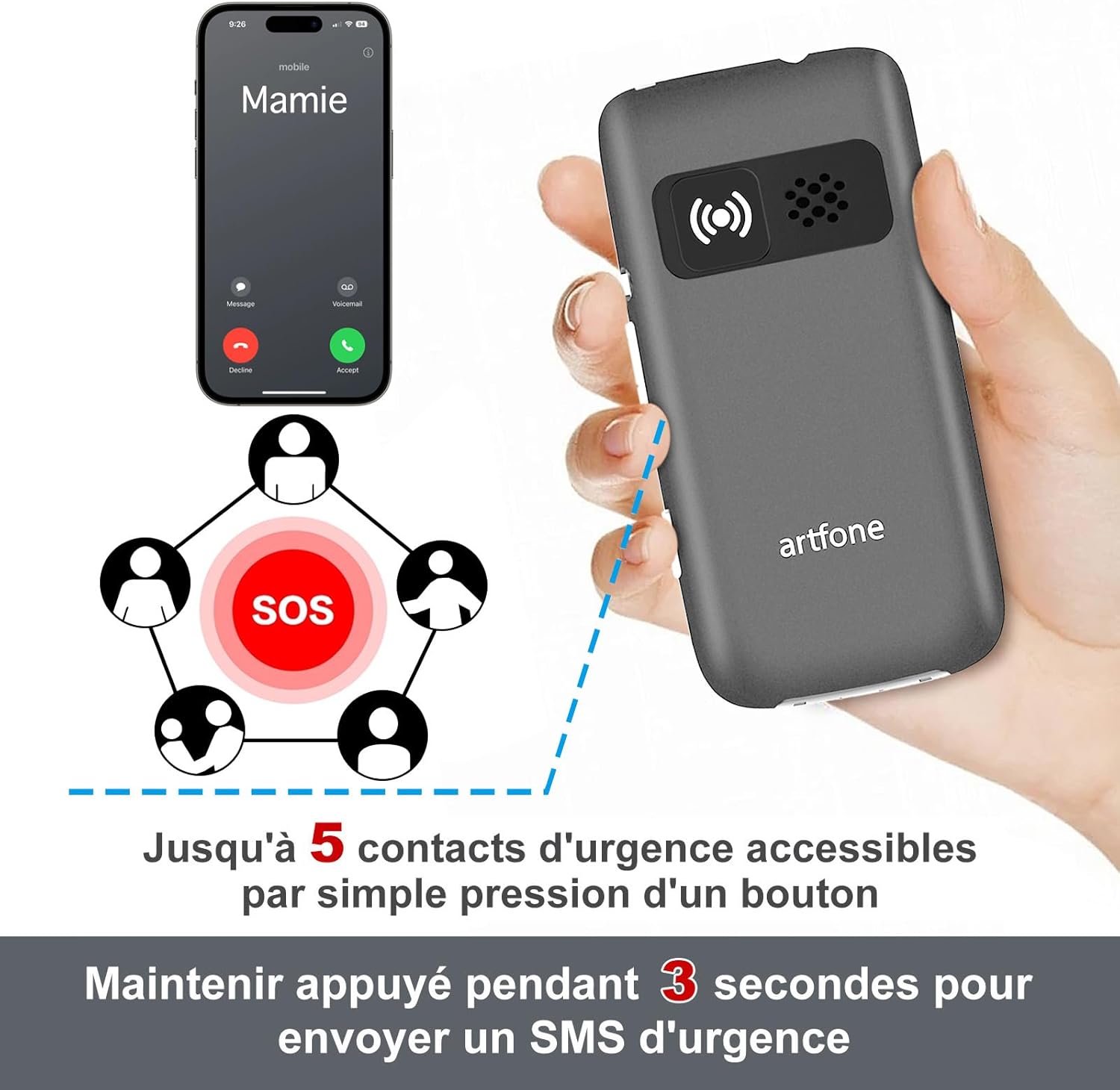
Image: The artfone G3's rear view, highlighting the SOS button and its capability to contact up to 5 emergency numbers with a single press.
3. Quick Dial
The phone supports quick dial functions for frequently called numbers.
- Assign contacts to specific keys (e.g., M1, M2, M3, or number keys).
- Press and hold the assigned key to dial the contact.
4. Volumebeheer
The artfone G3 features a loud speaker and powerful ringtones, adjustable up to 130dB for users with hearing difficulties.
- Use the volume buttons on the side of the phone to adjust call and ringtone volume.

Image: A visual comparison highlighting the artfone G3's maximum volume of 130dB against another phone's 80dB, emphasizing its loud audio output.
5. Flitslig
The integrated flashlight can be activated via a dedicated button on the side of the phone.
- Druk die flitsligknoppie om dit aan/af te skakel.
6. Other Useful Functions
The artfone G3 includes several practical features:
- FM Radio: Luister na jou gunsteling radiostasies.
- Wekker: Stel verskeie alarms vir herinnerings.
- Kalender: Bly op hoogte van belangrike datums.
- sakrekenaar: Voer basiese rekenkunde uit.
- Mp3 speler: Enjoy music stored on your microSD card.
- Time Announcement: Press and hold the '+' button for two seconds to hear the current time announced.
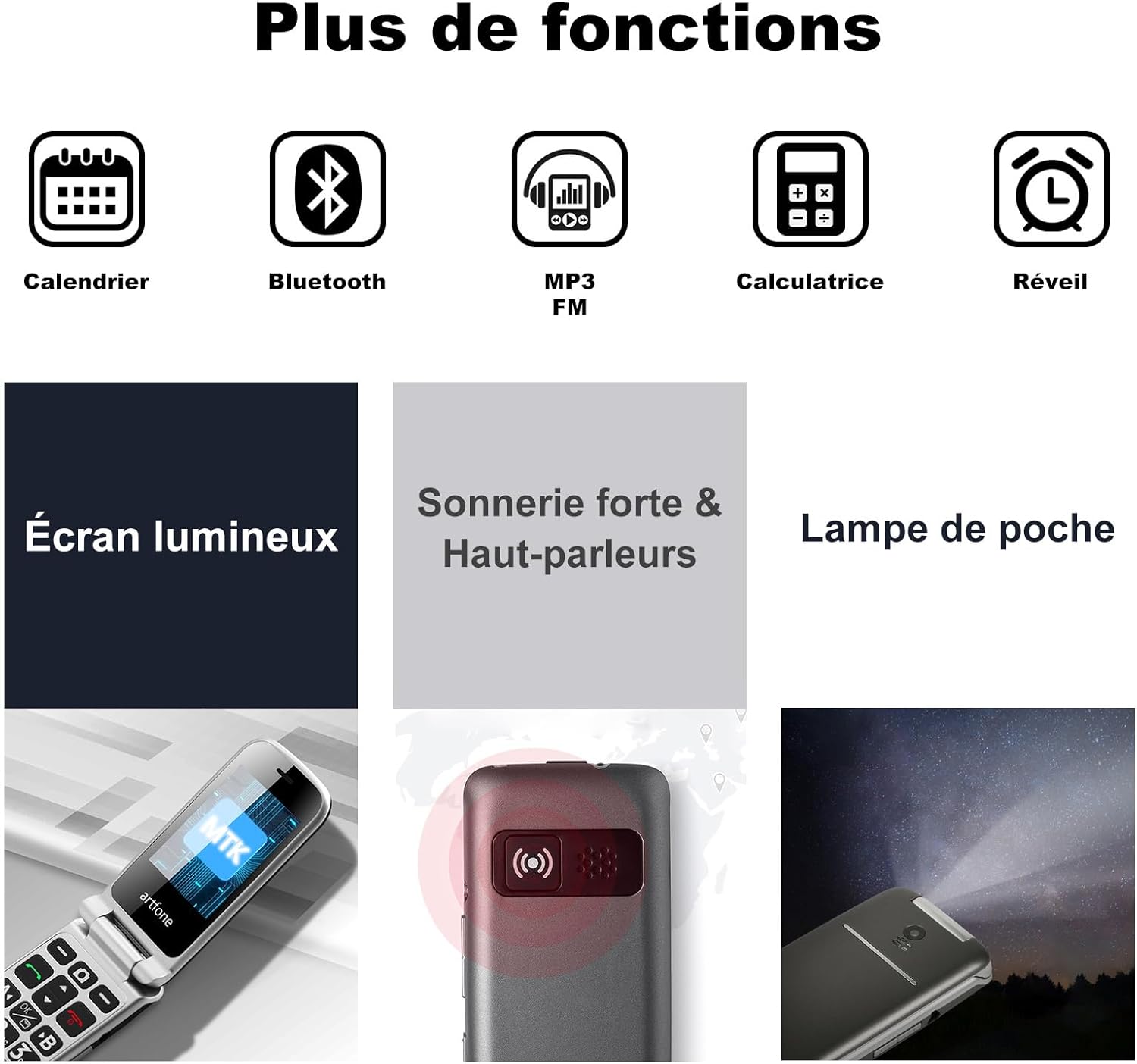
Image: A visual representation of the artfone G3's additional features, including Calendar, Bluetooth, MP3/FM radio, Calculator, Alarm, Bright Screen, Loud Ringtone, and Flashlight.

Image: A woman using the artfone G3, demonstrating the time announcement feature activated by pressing the '+' button.
Onderhoud
1. Batteryversorging
- Om batterylewe te verleng, vermy uiterste temperature.
- Moenie die foon vir lang tye heeltemal ontlaai laat nie.
- Use only the original artfone charger and battery.
2. Skoonmaak
- Wipe the phone with a soft, dry cloth.
- Vermy die gebruik van harde chemikalieë of skuurmateriaal.
3. Berging
- Store the phone in a cool, dry place away from direct sunlight.
- If storing for a long time, ensure the battery is partially charged (around 50%).
Probleemoplossing
| Probleem | Moontlike oorsaak | Oplossing |
|---|---|---|
| Foon skakel nie aan nie | Lae battery; Battery nie korrek geïnstalleer nie | Laai die battery; Plaas die battery korrek terug |
| Kan nie oproepe maak/ontvang nie | No SIM card; SIM card not inserted correctly; No network signal | Insert SIM card; Reinsert SIM card; Move to an area with better signal |
| Swak oproepkwaliteit | Weak network signal; Obstructions | Move to an area with better signal; Avoid using in enclosed spaces |
| Battery raak vinnig leeg | High usage; Background apps; Old battery | Reduce screen brightness; Close unused applications; Consider replacing battery if old |
| SOS-knoppie werk nie | Emergency contacts not set; Button malfunction | Program emergency contacts in settings; Contact support if button is faulty |
Spesifikasies
| Kenmerk | Detail |
|---|---|
| Handelsmerk | artfone |
| Model Naam | G3 |
| Bedryfstelsel | artfone OS |
| Sellulêre Tegnologie | 4G |
| Skerm grootte | 3 duim |
| Skermresolusie | 320 x 240 piksels |
| RAM | 48 MB |
| Max Flash Memory Supported | 64 GB (MikroSD) |
| Battery kapasiteit | 1300 mAh |
| Gemiddelde batterylewe (bystand) | 240 uur |
| Praat Tyd | 300 minute |
| Verbindingstegnologie | Bluetooth, USB (Type C) |
| SIM-kaartgleuwe | Dubbele SIM |
| Koptelefoonaansluiting | 3.5 mm |
| Waterweerstandvlak | Nie waterdig nie |
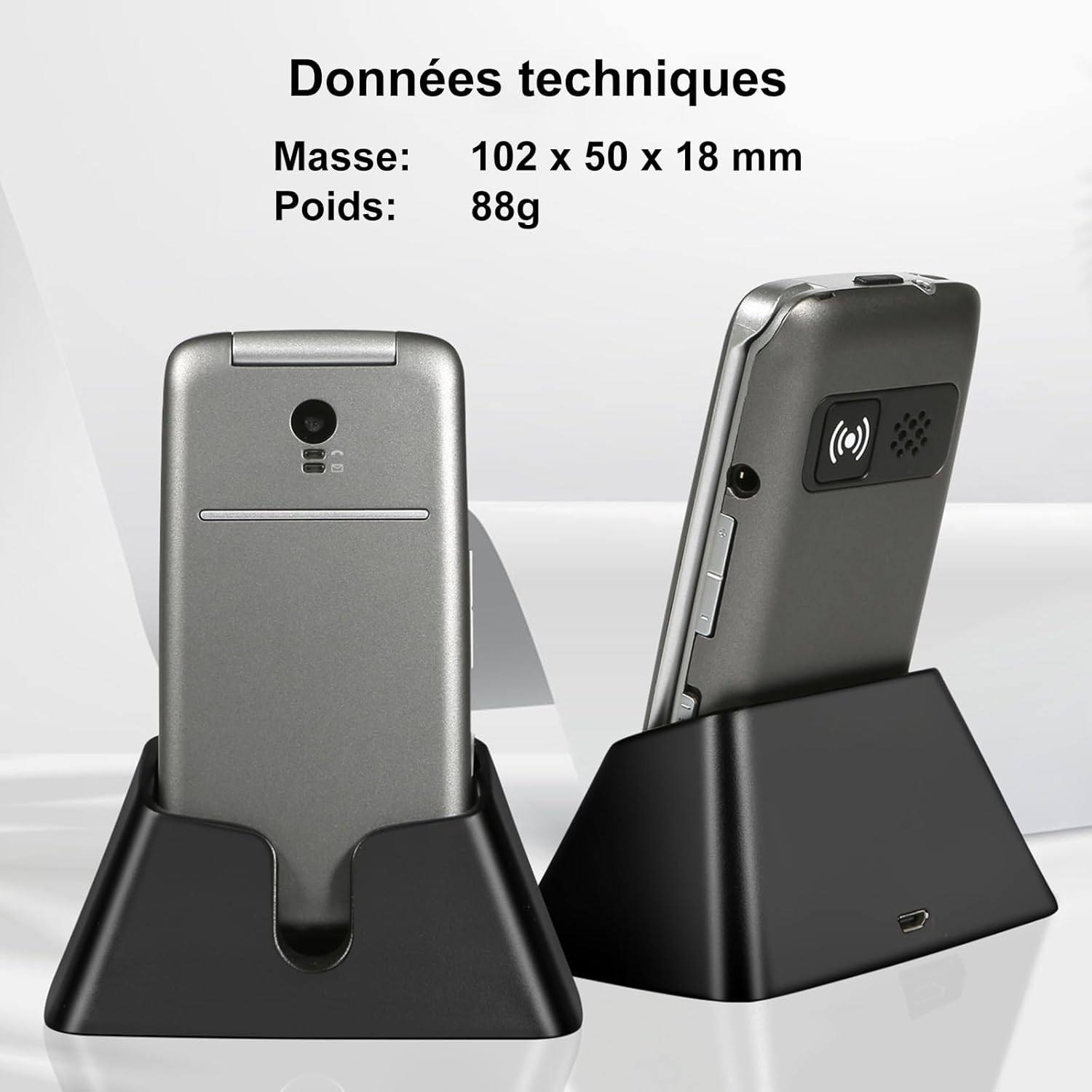
Image: The artfone G3 in its charging dock, accompanied by technical specifications for its dimensions (102 x 50 x 18 mm) and weight (88g).
Waarborg en Ondersteuning
Waarborg inligting
The artfone G3 comes with a 2 jaar waarborg from the date of purchase. This warranty covers manufacturing defects and material faults under normal use. It does not cover damage caused by misuse, accidents, unauthorized repairs, or normal wear and tear.
Kliënte ondersteuning
For any questions, technical assistance, or warranty claims, please contact artfone customer support through the following channels:
- Verwys na die kontakbesonderhede wat in u produkverpakking verskaf word.
- Visit the official artfone webwebwerf vir ondersteuningsbronne en kontakbesonderhede.
Additional Product Videos
Video: 'n Oorview of the GSM Flip Senior Mobile Phone, showcasing die kenmerke en ontwerp daarvan.
Video: A demonstration of the 4G Senior Mobile Phone, highlighting its key functionalities.
Video: A summary video of the product, detailing its various features and benefits.
Ask a question about this manual
Ask about setup, troubleshooting, compatibility, parts, safety, or missing instructions. Manuals+ will review the question and use this page’s manual context to help answer it.