
Inleiding
This manual provides comprehensive instructions for the installation, operation, and maintenance of your Zomolither Android 13 Car Radio. This unit is designed for specific Dodge Ram models (2013-2019 1500, 2500, 3500 with Auto AC) and features a 9-inch HD touchscreen, wireless CarPlay and Android Auto, GPS navigation, Wi-Fi connectivity, Bluetooth, DSP audio processing, and steering wheel control compatibility. Please read this manual thoroughly before installation and use to ensure proper function and safety.
Veiligheidsinligting
- Professionele installasie word aanbeveel: Due to the complexity of vehicle electrical systems, professional installation is highly recommended to prevent damage to the unit or vehicle.
- Kragtoevoer: Maak seker dat die eenheid aan 'n 12V GS-kragtoevoer met negatiewe aarding gekoppel is.
- Bedrading: Incorrect wiring can cause damage. Follow the wiring diagram carefully.
- Bestuur veiligheid: Moenie die eenheid so gebruik dat dit jou aandag van die bestuur aflei nie. Prioritiseer altyd padveiligheid.
- Temperatuur: Vermy die blootstelling van die eenheid aan uiterste temperature of direkte sonlig vir lang tydperke.
- Skoonmaak: Use a soft, dry cloth for cleaning the screen and unit. Avoid abrasive cleaners.
Pakketinhoud
Verifieer dat alle items in die pakket teenwoordig is:
- Android Car Stereo Unit (9-inch touchscreen)
- AHD-rugsteunkamera
- Installasie Gereedskap
- Microphone & Canbus Decoder
- RCA Cable Set
- Kragkabel
- 6Pin USB Cable & 4Pin USB Cable
- Camera Input & Radio Antenna
- GPS Antenna & Original USB Cable
- Accessories (Mounting brackets, screws)
- Gebruikershandleiding (Hierdie dokument)

Verenigbaarheid
This Zomolither Android 13 Car Radio is specifically designed for the following vehicle models:
- Dodge Ram 1500 (Years: 2013, 2014, 2015, 2016, 2017, 2018, 2019)
- Dodge Ram 2500 (Years: 2013, 2014, 2015, 2016, 2017, 2018, 2019)
- Dodge Ram 3500 (Years: 2013, 2014, 2015, 2016, 2017, 2018, 2019)
It is compatible with vehicles equipped with Auto AC. Please compare your car's center console and dashboard layout with the product images to ensure proper fitment before installation.

Opstelling en installasie
1. Pre-installasie tjeks
- Ontkoppel die voertuig se negatiewe batteryklem voordat u enige elektriese werk begin.
- Ensure all components listed in the "Package Contents" section are present.
- Confirm compatibility with your vehicle model and AC type.
2. Bedradingsverbindings
The unit comes with a plug-and-play wiring harness and Canbus for simplified installation. Refer to the detailed wiring diagram below for all connections. Ensure each wire is securely connected to its corresponding terminal.
- Krag kabel: Connect the main power harness to the vehicle's power supply.
- RCA-kabels: For external audio/video devices or amplewendes.
- USB kabels: For data transfer, charging, and wired CarPlay/Android Auto connections.
- Canbus Plug: Connect the 8-pin Canbus plug to the host unit to enable vehicle-specific functions like steering wheel controls and HVAC integration.
- Agterkamera-invoerkabel: Connect the AHD backup camera.
- Radio antenna: Koppel die voertuig se radio-antenna.
- GPS-antenna: Monteer die GPS-antenna op 'n plek met 'n duidelike view van die lug vir optimale seinontvangs.

3. Eenheid Installasie
After completing all wiring, carefully mount the head unit into the dashboard opening using the provided accessories and brackets. Ensure all cables are tucked away neatly and do not interfere with moving parts or vehicle controls. Reconnect the vehicle's negative battery terminal once installation is complete.
Bedryfsinstruksies
1. Aanvanklike aanskakeling en stelselopstelling
Upon first power-on, the unit will boot into the Android 13 operating system. Follow any on-screen prompts for initial setup, such as language selection and time zone. Connect to a Wi-Fi network to enable online features and download updates.
2. Draadlose CarPlay en Android Auto
This unit supports wireless Apple CarPlay and Android Auto. To connect:
- Maak seker dat Bluetooth en Wi-Fi op jou slimfoon geaktiveer is.
- On the car radio, open the CarPlay or Android Auto application.
- Soek vir your phone via Bluetooth on the car radio, or initiate pairing from your phone.
- Bevestig die paringskode op beide toestelle.
- Once connected via Bluetooth, the system will prompt to establish a Wi-Fi connection for wireless CarPlay/Android Auto functionality.
This allows access to navigation, calls, messages, and music directly from your phone's interface on the car radio screen.

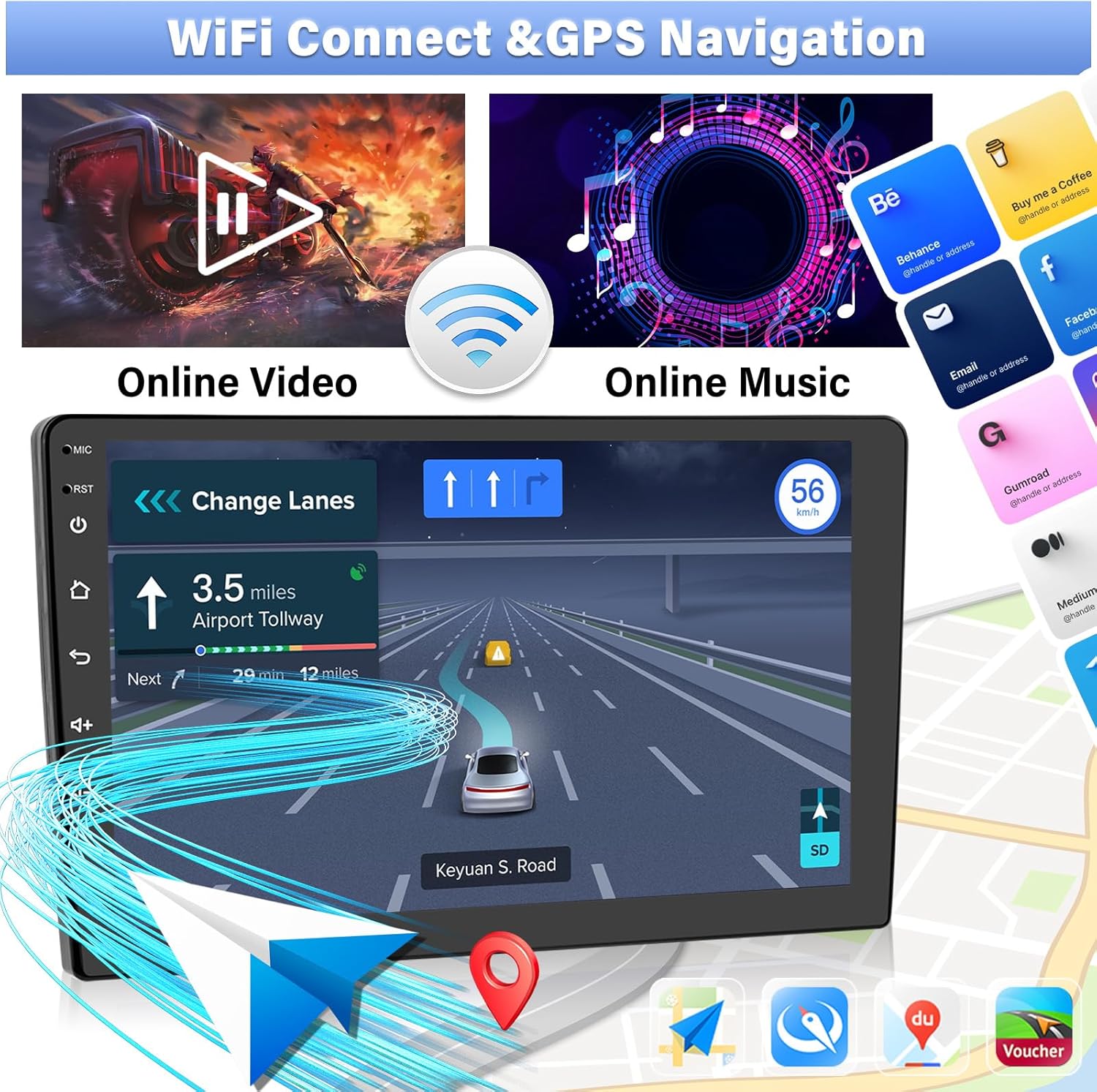
3. GPS Navigation & Wi-Fi Connectivity
The unit includes a built-in GPS function with pre-installed offline maps (e.g., "Here We GO" for North America). For online navigation and other internet services:
- Wi-Fi-verbinding: Connect the unit to a Wi-Fi hotspot (e.g., from your smartphone) to access online maps, stream videos, browse the internet, and download apps from the Play Store.
- GPS-gebruik: Open the navigation application of your choice. Ensure the GPS antenna is properly installed for accurate positioning.
4. Bluetooth-funksies
Pair your smartphone via Bluetooth for hands-free calling and audio streaming:
- Go to the Bluetooth settings on the car radio.
- Aktiveer Bluetooth op jou foon en soek vir beskikbare toestelle.
- Select the car radio from your phone's list and confirm pairing.
- Once connected, you can make/receive calls and play music from your phone through the car's speakers.
5. FM/RDS Radio
Access the FM radio application to listen to local radio stations. The RDS (Radio Data System) feature provides additional information like station name and song titles where available.
6. 32-Band DSP Equalizer
The built-in Digital Signal Processing (DSP) with a 32-band EQ allows for precise audio customization. Access the EQ settings to adjust frequency bands, bass boost, and noise reduction to achieve your preferred sound profile.

7. Stuurwielbeheer (SWC)
The unit supports your vehicle's original steering wheel controls. After installation, you may need to configure the SWC settings within the unit's menu. This typically involves a learning process where you assign functions (e.g., volume up, next track, answer call) to your steering wheel buttons.
To complete SWC learning:
- Navigate to the Steering Wheel Control settings in the unit's menu.
- Select "Start" or "Learn" mode.
- Press and hold a button on your steering wheel, then select the corresponding function on the screen (e.g., press "Volume Up" on the steering wheel, then tap "VOL+" on the screen).
- Repeat for all desired buttons. Select "Save" when finished.
8. Backup Camera
The included AHD night vision backup camera automatically displays the rear view on the 9-inch screen when the vehicle is shifted into reverse. Ensure the camera is properly wired to the reversing light positive and the trigger wire is connected to the unit.

9. Spieëlskakel
Mirror Link allows you to display your smartphone's screen directly on the car radio. For Android phones, connect via Wi-Fi or USB using the "Androidlink" app. For iOS phones, connect via Wi-Fi using the "Airplay" app.
Onderhoud
- Skerm skoonmaak: Gebruik 'n sagte, pluisvrye lap om die raakskerm saggies af te vee. Vir hardnekkige vlekke, vee dit effens af.ampen the cloth with water or a screen-safe cleaner. Do not spray liquids directly onto the screen.
- Sagteware-opdaterings: Periodically check for system updates via Wi-Fi to ensure optimal performance and access to new features.
- Algemene sorg: Avoid placing heavy objects on the unit or exposing it to excessive moisture or dust.
Probleemoplossing
Indien u probleme ondervind, raadpleeg die volgende algemene stappe vir probleemoplossing:
| Probleem | Moontlike oorsaak | Oplossing |
|---|---|---|
| Geen krag / Eenheid skakel nie aan nie | Los kragverbinding, geblaasde sekering, verkeerde bedrading. | Check power cable connections. Inspect vehicle fuses. Verify wiring against the diagram. |
| Geen klank van luidsprekers nie | Volume too low, amplifier app settings, incorrect speaker wiring. | Increase volume. Check the unit's amplifier or sound settings (e.g., DSP app) to ensure output levels are not set to zero. Verify speaker wiring. |
| Agteruitkamera vertoon nie | Incorrect camera wiring, loose connection, wrong input selected. | Ensure the camera's power and video cables are correctly connected. Verify the trigger wire is connected to the reverse light. In settings, confirm the correct camera input is selected. |
| Steering Wheel Controls Not Working | SWC not configured, Canbus issue, incorrect wiring. | Perform the SWC learning process as described in the "Operating Instructions" section. Ensure the Canbus decoder is correctly connected. |
| GPS Signal Weak or Inaccurate | GPS antenna placement, antenna obstruction. | Ensure the GPS antenna is mounted in a location with a clear, unobstructed view van die lug. Kontroleer die antennaverbinding. |
| Wireless CarPlay/Android Auto Connection Issues | Bluetooth/Wi-Fi interference, phone settings, app issues. | Ensure Bluetooth and Wi-Fi are active on both devices. Restart phone and car radio. Forget and re-pair the Bluetooth connection. Update phone OS and car radio software. |
| HVAC Controls Not Functioning (if applicable) | Canbus configuration, software version. | Ensure the Canbus decoder is correctly installed and configured for your specific vehicle trim (e.g., "Low version, Middle version, or High version" if prompted). Contact support if issues persist. |
Spesifikasies
| Kenmerk | Detail |
|---|---|
| Model Naam | Zomolither (ASIN: B0DJ6RN34F) |
| Bedryfstelsel | Android 13 |
| RAM | 4 GB |
| Interne berging | 64 GB |
| Skerm grootte | 9 duim |
| Vertoon resolusie | 1280*720 HD |
| Konnektiwiteit | Bluetooth, WiFi |
| Spesiale kenmerke | Wireless CarPlay, Android Auto, Mirror Link, GPS Navigation, 32EQ DSP, Steering Wheel Control, AHD Backup Camera, FM/RDS Radio, 3 Split Screen, Voice Control |
| Kaarttipe | North America, Worldwide (offline maps via "Here We GO" APK) |
| Klankuitvoermodus | Stereo |
| Montage tipe | Houer van paneelbord |
| Pakkie Dimensies | 29.7 x 28.3 x 9.7 cm |
| Gewig | 1.54 kg |
Waarborg en Ondersteuning
Waarborg: This product comes with a 1-year manufacturer's warranty from the date of purchase, covering defects in materials and workmanship.
Kliëntediens: For technical assistance, troubleshooting, or warranty claims, please contact Zomolither customer service. We provide 24-hour professional customer service and lifetime technical support.
Online Support Email: Zomolither@126.com
Please have your product model (B0DJ6RN34F) and purchase details ready when contacting support.