
1. Inleiding
This manual provides essential information for the safe and effective use of your XIAOMI Night Light 3. Please read it thoroughly before operating the device and retain it for future reference.
The XIAOMI Night Light 3 is designed to provide comfortable ambient lighting, featuring smart dual sensor detection and effortless switching between sensor and constant light modes. Its versatile design allows for placement in various locations throughout your home.
2. Veiligheidsinligting
- Moenie die toestel blootstel aan uiterste temperature, direkte sonlig of hoë humiditeit nie.
- Hou die toestel weg van water en ander vloeistowwe.
- Do not attempt to disassemble, repair, or modify the device yourself. Contact qualified service personnel if needed.
- Gooi batterye weg volgens plaaslike regulasies. Moenie batterye verbrand nie.
- Ensure the mounting surface is clean, dry, and smooth before applying the adhesive base.
- The adhesive on the base is designed for one-time use only. Plan placement carefully.
3. Produk verbyview
The XIAOMI Night Light 3 features a minimalist, round design with integrated motion and light sensors. It includes a magnetic base for flexible placement and a switch for mode selection.

Figuur 1: Bo view of the XIAOMI Night Light 3, showing its round shape and central XIAOMI logo.

Figuur 2: Kant view of the night light, illustrating the magnetic attachment to its base.
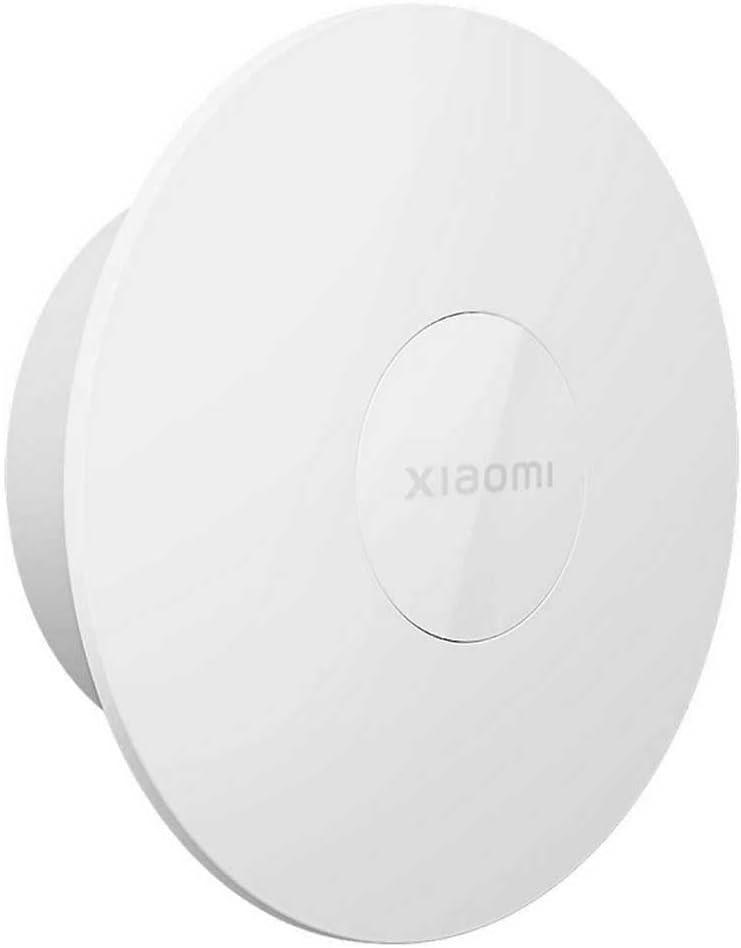
Figuur 3: 'n Hoekige view of the XIAOMI Night Light 3, highlighting its compact design.
4. Opstelling
4.1 Battery installasie
The XIAOMI Night Light 3 requires 2 Lithium Ion batteries, which are included with the product.
- Gently twist or slide open the battery compartment cover, typically located on the back or side of the light unit.
- Insert the 2 Lithium Ion batteries, ensuring correct polarity (+ and -) as indicated inside the compartment.
- Maak die batterykompartement se deksel stewig toe.
4.2 Montering van die Naglig
The night light offers versatile mounting options using its built-in magnet or the included 3M adhesive base.
Magnetiese aanhegting:
The night light can effortlessly adhere to magnetic surfaces such as refrigerators or other metallic furniture without the need for the adhesive base.
Using the 3M Adhesive Base:
For non-magnetic surfaces, use the provided 3M adhesive base. Please note that the adhesive is designed for one-time use only. Choose your location carefully before affixing.
- Kies ligging: Identify a suitable, smooth, clean, and dry surface. Recommended surfaces include wood, coated metal, or tiles. Avoid painted walls as the adhesive may damage the paint upon removal.
- Berei oppervlak voor: Clean the chosen surface thoroughly to remove any dust, grease, or moisture.
- Dien gom toe: Peel the protective backing from the 3M adhesive on the base.
- Affix Base: Press the base firmly onto the prepared surface. Apply consistent pressure for several seconds.
- Uithardingstyd: Allow the adhesive to cure for 24 uur before attaching the magnetic light unit to the base. Pressing firmly during application can shorten the wait time.
- Temperatuuroorweging: For optimal adhesion, apply the adhesive within a temperature range of 21°C to 38°C (70°F to 100°F). If the temperature is below 10°C (50°F), gently warm the adhesive before use.
5. Bedryfsinstruksies
The XIAOMI Night Light 3 features a switch to select between different operating modes: OFF, ON (constant light), and AUTO (sensor mode).

Figure 4: The physical switch for selecting operating modes.
5.1 Moduskeuse
- AF: The light is completely off and will not activate.
- OP: The light remains constantly on, providing continuous illumination.
- AUTO (Sensor Mode): The night light automatically switches on when it detects human movement in a dark environment.
5.2 Sensor Mode Operation (AUTO)
In AUTO mode, the night light utilizes both a motion sensor and a light sensor for intelligent activation:
- Aktiveringsvoorwaardes: The light activates only when it detects human movement AND the ambient brightness level is below 10 lux (i.e., in a dark environment).
- Outo-af: If no human activity is detected for 15 seconds, the light will automatically switch off to conserve battery power.
- Sensorreeks: The human body can be detected within a 120° angle centered around the XIAOMI logo. The detection range is approximately 5 meters (16.4 feet) in front and 3 meters (9.8 feet) to the side of the product.
- Factors Affecting Sensor: The effectiveness of the sensor is dependent on ambient temperature, brightness, human body size, and movement speed.
- Montage hoogte: The sensor range provided is based on testing with the night light mounted at a height of 1.2 meters (3.9 feet), with the XIAOMI logo positioned as shown in Figure 1. The sensor range may vary with different mounting heights.
6. Onderhoud
- Skoonmaak: Vee die oppervlak van die nagliggie af met 'n sagte, droë lap. Moenie skuurmiddels of oplosmiddels gebruik nie.
- Battery vervanging: When the light dims or stops functioning, replace the batteries with new Lithium Ion batteries. Ensure correct polarity.
- Sensorarea: Keep the sensor area clear of obstructions to ensure optimal performance of the motion and light sensors.
7. Probleemoplossing
| Probleem | Moontlike oorsaak | Oplossing |
|---|---|---|
| Die lig skakel nie aan in AUTO-modus nie. |
|
|
| Light stays on constantly in AUTO mode. |
|
|
| Lig is dof of flikker. |
|
|
| Adhesive base does not stick properly. |
|
|
8. Spesifikasies
| Kenmerk | Detail |
|---|---|
| Modelnommer | Xiaomi Night Light 3 GL58251 |
| Handelsmerk | XIAOMI |
| Produk afmetings | 4.06 cm L x 4.06 cm B x 2.24 cm H |
| Item gewig | 4.1 onse |
| Materiaal | Allooi staal |
| Kleur | Wit |
| Kragbron | Battery aangedrewe |
| Battery Tipe | 2 Litium-ioon batterye (ingesluit) |
| Tipe gloeilamp | LED |
| Wattage | 2.5 watt |
| Beheer metode | Switch (OFF, ON, AUTO) |
| sensor Tegnologie | Bewegingsensor, Ligsensor |
| Bewegingsensorreeks | 120° angle, up to 5m front, 3m side (at 1.2m mounting height) |
| Light Sensor Threshold | Below 10 lux for AUTO mode activation |
| Outo-af-timer | 15 seconds (in AUTO mode, after no motion detected) |
| Montage tipe | Magnetic, Tabletop, 3M Adhesive Base |
| Spesiale kenmerke | Smart Functionality, Dual Sensor Detection |
| Gebruik | Ambient Lighting, Decorative Lighting, Nighttime Navigation |
9. Waarborg en Ondersteuning
Vir waarborginligting en kliëntediens, verwys asseblief na die waarborgkaart wat by u produk ingesluit is of besoek die amptelike XIAOMI-webwerf. webwebwerf. Bewaar u aankoopbewys as bewys van aankoop.
If you encounter any issues not covered in the troubleshooting section, please contact XIAOMI customer service for assistance.