
AWEI T78
AWEI T78 Mini Wireless Earbuds User Manual
Model: T78
Inleiding
Thank you for choosing the AWEI T78 Mini Wireless Earbuds. These earbuds are designed to provide an immersive audio experience with advanced Bluetooth 5.4 technology, clear call performance, and a lightweight, ergonomic design. This manual will guide you through the setup, operation, and maintenance of your new earbuds to ensure optimal performance and longevity.

Image: AWEI T78 earbuds and charging case, highlighting immersive stereo sound.
Wat is in die boks
- AWEI T78 draadlose oordopjes
- Laaikas
- USB-laaikabel (tipe-C)
- Gebruikershandleiding
- Oordoppe
Produk verbyview
The AWEI T78 earbuds consist of two lightweight earbuds and a portable charging case. The earbuds feature touch-sensitive controls for easy operation, while the charging case provides extended battery life on the go.
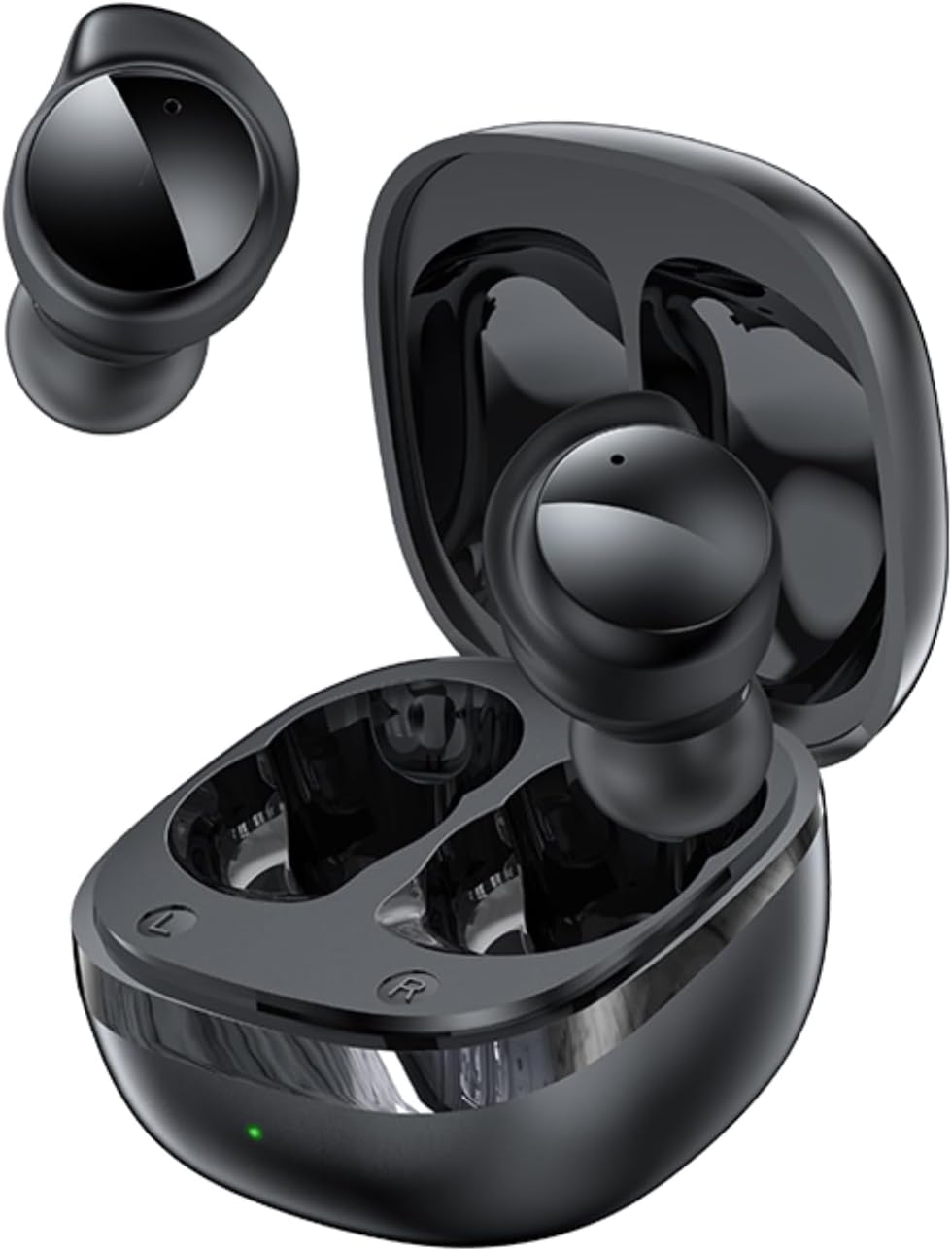
Image: AWEI T78 Mini Wireless Earbuds and Charging Case.

Image: Internal components of an AWEI T78 earbud, showcasing the 13mm speaker.
Opstelling
1. Laai die oordopjes en houer
Before first use, fully charge the charging case and earbuds. Connect the provided Type-C USB cable to the charging port on the case and a power source. The charging indicator light will show the charging status.
- Laaikas-battery: 200mAh
- Laaityd (geval): Ongeveer 1 uur
- Earbud Play Time: Up to 4 hours per charge
- Earbud Talk Time: Up to 3 hours per charge
- Total Playback with Charging Case: Up to 30 hours (dual-ear mode), up to 52 hours (single-ear alternating mode)

Image: Battery life details for AWEI T78 earbuds.
2. Koppeling met jou toestel
- Maak seker dat die oordopjes gelaai is.
- Maak die laaikas oop. Die oorfone sal outomaties aanskakel en in paringsmodus gaan.
- Aktiveer Bluetooth op jou toestel (slimfoon, tablet, skootrekenaar).
- Soek vir available Bluetooth devices and select "AWEI T78" from the list.
- Sodra dit gekoppel is, sal jy 'n bevestigingsgeluid hoor, en die oorfone sal gereed wees vir gebruik.
The earbuds feature Bluetooth 5.4 for a fast, stable, and low-latency connection up to 10 meters (33 feet). They will automatically reconnect to the last paired device when taken out of the case.

Image: AWEI T78 earbuds demonstrating Bluetooth 5.4 connectivity.
Bedryf
Krag aan/af
- Krag aan: Maak die laaikas oop en die oordopjes sal outomaties aanskakel.
- Skakel af: Plaas die oorfone terug in die laaikas en maak die deksel toe. Hulle sal outomaties afskakel en begin laai.
Raak kontroles
The AWEI T78 earbuds feature intuitive touch controls on each earbud. The functions are as follows:
- Speel/pouse: Tap once on either L/R earbud.
- Volgende liedjie: Tap twice on either L/R earbud.
- Vorige liedjie: Tap thrice on either L/R earbud.
- Beantwoord/hang af: Tap once on either L/R earbud.
- Verwerp oproep: Touch for 1 second on either L/R earbud.
- Aktiveer stemassistent: Long touch for 2 seconds on either L/R earbud.

Image: Detailed diagram of AWEI T78 earbud touch controls.
Enkele oordopmodus
You can use either the left or right earbud independently. Simply take one earbud out of the case, and it will automatically connect to your device. The other earbud can remain in the case or be used later.

Image: AWEI T78 earbud worn, emphasizing its lightweight design.
Onderhoud
Skoonmaak
Maak jou oordopjes en laaikas gereeld skoon om optimale werkverrigting en higiëne te handhaaf.
- Gebruik 'n sagte, droë, pluisvrye lap om die oorfone en laaikas af te vee.
- Gently remove any earwax or debris from the earbud mesh and charging contacts using a clean, dry cotton swab or a small, soft brush.
- Moenie skuurmiddels, alkohol of chemiese oplosmiddels gebruik nie.
Waterweerstand (IPX5)
The AWEI T78 earbuds are IPX5 waterproof, meaning they are protected against low-pressure water jets from any direction. This makes them suitable for workouts and light rain. However, they are not designed for submersion in water or for use during swimming or showering.
Berging
When not in use, store the earbuds in their charging case to protect them from dust and damage, and to keep them charged.
Probleemoplossing
- Oorfone koppel nie met toestel nie:
- Maak seker dat Bluetooth op jou toestel geaktiveer is.
- Make sure the earbuds are charged and out of the charging case.
- Try forgetting "AWEI T78" from your device's Bluetooth list and re-pairing.
- Restart your device and try again. - Slegs een oordoppie werk:
- Place both earbuds back into the charging case, close the lid, and then take them out again.
- Maak seker dat beide oorfone gelaai is.
- If the issue persists, try resetting the earbuds (refer to manufacturer's webwebwerf vir spesifieke herstelinstruksies indien nodig). - Geen klank nie:
- Check the volume level on both your device and the earbuds.
- Ensure the earbuds are properly connected to your device.
- Try playing audio from a different application or source. - Laaikas laai nie:
- Maak seker dat die laaikabel stewig aan beide die kas en die kragbron gekoppel is.
- Probeer 'n ander laaikabel of kragadapter.
- Check if the charging port on the case is clean and free of debris.
Spesifikasies
| Model Naam | T78 |
| Handelsmerk | AWEI |
| Verbindingstegnologie | Draadloos (Bluetooth 5.4) |
| Bluetooth-reeks | Tot 10 meter (33 voet) |
| Waterweerstandvlak | IPX5 |
| Oorplasing | In Oor |
| Tipe beheer | Raak Beheer |
| Laaipoort | Tipe-C |
| Laaikas battery | 200mAh |
| Luidsprekergrootte | 13 mm |
| Impedansie | 32 ohm |
| Geraasbeheer | Aktiewe geraaskansellasie |
Waarborg en Ondersteuning
For warranty information and technical support, please refer to the warranty card included with your product or visit the official AWEI website. If you encounter any issues not covered in this manual, please contact AWEI customer service for assistance.
Ask a question about this manual
Ask about setup, troubleshooting, compatibility, parts, safety, or missing instructions. Manuals+ will review the question and use this page’s manual context to help answer it.