
1. Inleiding
Thank you for choosing the AWEI T58 Wireless Bluetooth Earbuds. These earbuds are designed to provide a high-quality audio experience with advanced features such as Bluetooth 5.3 connectivity, IPX6 waterproofing, and intuitive touch controls. This manual will guide you through the setup, operation, and maintenance of your new earbuds.

Image: The AWEI T58 Wireless Bluetooth Earbuds with their transparent charging case, showcasing hul ontwerp.
2. Wat is in die boks
Kontroleer asseblief die inhoud van die pakket om seker te maak dat alle items teenwoordig is:
- Draadlose oordopjes (links en regs)
- Laaikas
- USB-laaikabel (tipe-C)
- Oordoppe (verskillende groottes)
- Gebruikershandleiding (hierdie dokument)
3. Opstelling
3.1 Laai die oordopjes en houer
Laai die oordopjes en die laaikassie volledig voor die eerste gebruik.
- Connect the provided USB Type-C cable to the charging port on the case and to a USB power adapter (not included).
- The LED indicators on the charging case will show the charging status. Red lights indicate charging, and blue lights indicate decorative ambient lighting.
- Place the earbuds into the charging case. Ensure they are properly seated; the earbuds will automatically begin charging.
- A full charge for the case takes approximately 1.5 hours. The earbuds provide up to 7 hours of continuous use per charge. The charging case extends total playtime to 35 hours in dual-ear mode, or up to 70 hours in single-ear mode by alternating earbuds.

Image: The AWEI T58 charging case displaying its LED ambient and charging lights.
3.2 Koppeling met jou toestel
The earbuds utilize Bluetooth 5.3 technology for a stable and efficient connection.
- Maak die laaikas oop. Die oorfone sal outomaties in paringsmodus gaan.
- Gaan na die Bluetooth-instellings op jou slimfoon, tablet of ander Bluetooth-geaktiveerde toestel.
- Soek vir available devices and select "AWEI T58" from the list.
- Sodra dit gekoppel is, sal jy 'n hoorbare bevestiging hoor, en die oorfone sal gereed wees vir gebruik.
- Die oorfone sal outomaties weer aan die laaste gekoppelde toestel koppel wanneer dit uit die houer verwyder word, indien Bluetooth op die toestel geaktiveer is.
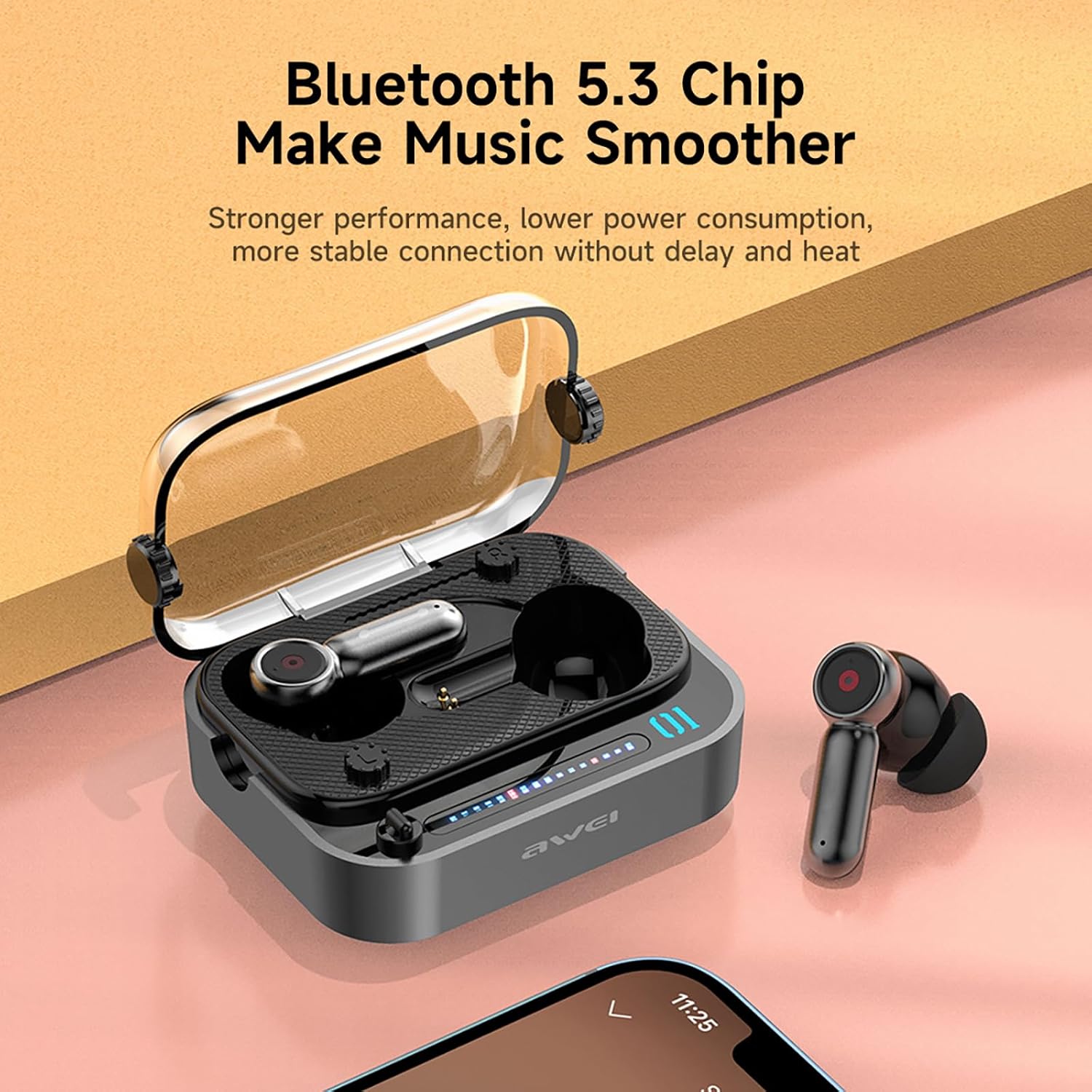
Image: The AWEI T58 earbuds in their charging case, highlighting the Bluetooth 5.3 chip for stable connection.
3.3 Dra van die oordopjes
Vir optimale klankgehalte en gemak, maak seker dat dit behoorlik pas.
- Select the eartip size that best fits your ear canal.
- Gently insert each earbud into your ear, twisting slightly until it feels secure and comfortable.
- The ergonomic design is intended for a snug fit without discomfort.
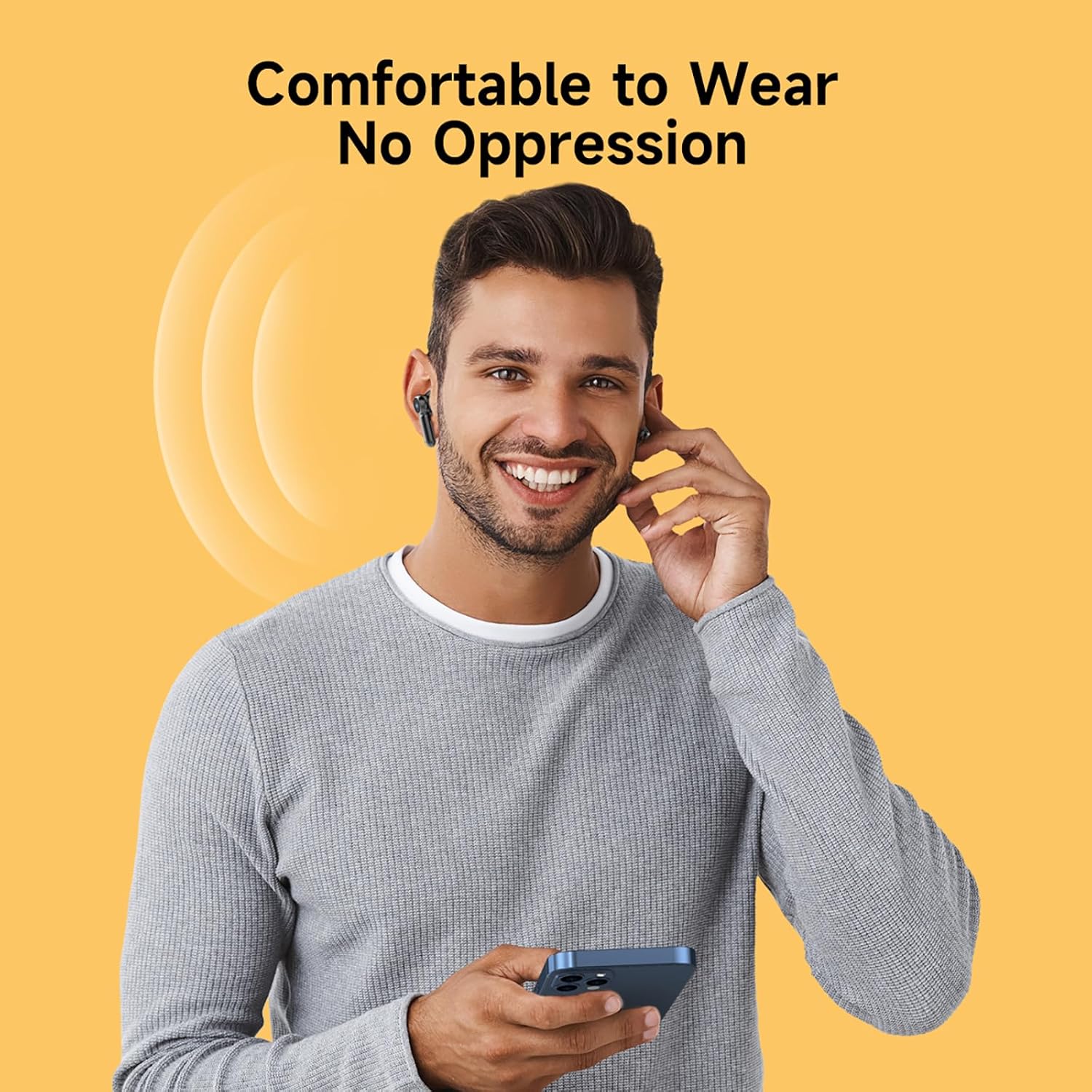
Image: A person wearing the AWEI T58 earbuds, demonstrating their comfortable and secure fit.
4. Bediening van die oordopjes
4.1 Raak kontroles
The AWEI T58 earbuds feature sensitive touch controls on both the left and right earbuds for easy management of audio and calls.
| Aksie | Linker oorknoppie | Regter Oordop |
|---|---|---|
| Speel / Pouse | Enkele kraan | Enkele kraan |
| Volgende Liedjie | Dubbeltik | Dubbeltik |
| Vorige Liedjie | Drievoudige Tik | Drievoudige Tik |
| Beantwoord/beëindig oproep | Enkele kraan | Enkele kraan |
| Verwerp oproep | Lang druk (2s) | Lang druk (2s) |
| Aktiveer stemassistent | Lang druk (2s) | Lang druk (2s) |
| Volume op | NVT | Langdruk (Regs) |
| Volume af | Langdruk (Links) | NVT |

Image: The AWEI T58 earbuds illustrating the touch-sensitive control area.
4.2 Single and Dual Earbud Mode
The AWEI T58 earbuds support both single and dual earbud usage:
- Dual Earbud Mode: Beide oorfone koppel aan jou toestel vir stereoklank.
- Enkele oordopmodus: Either the left or right earbud can be used independently. Simply take one earbud out of the case, and it will connect to your device. The other earbud can remain in the case or be used by another person.
4.3 Hi-Fi Sound Quality and Noise Cancellation
Equipped with 13mm speakers, the earbuds deliver deep bass, clear vocals, and bright treble. The integrated ANC (Active Noise Cancellation) technology specifically enhances call clarity by reducing ambient noise during phone conversations, ensuring clear communication whether indoors or outdoors.
Video: 'n Oorview of the AWEI T58 Wireless Bluetooth Headset, demonstrating its features and design.
5. Onderhoud
5.1 Skoonmaak
Om optimale prestasie en higiëne te handhaaf:
- Maak die oordopjes en laaikas gereeld skoon met 'n sagte, droë, pluisvrye lap.
- Verwyder die oordoppe en maak dit skoon met sagte seep en water, droog dit dan deeglik af voordat jy dit weer vasmaak.
- Vermy die gebruik van skuurmiddels, oplosmiddels of harde chemikalieë.
5.2 Waterbestandheid (IPX6)
The AWEI T58 earbuds are rated IPX6 waterproof, meaning they are protected against high-pressure water jets from any direction. This makes them suitable for use during workouts or in light rain.
- Moenie die oorfone in water dompel nie.
- Ensure the charging port on the case is dry before charging.
- The IPX6 rating applies to the earbuds, not the charging case.

Image: The AWEI T58 earbuds and case with water droplets, illustrating their IPX6 waterproof capability.
5.3 Berging
Wanneer dit nie gebruik word nie, bêre die oordopjes in hul laaikassie om hulle te beskerm en gelaai te hou.
6. Probleemoplossing
If you encounter issues with your AWEI T58 earbuds, please refer to the following common solutions:
- Oordopjes koppel nie:
- Maak seker dat beide oordopjes gelaai is.
- Skakel Bluetooth op jou toestel af en skakel dit dan weer aan.
- Forget "AWEI T58" in your device's Bluetooth settings and attempt to pair again.
- Plaas die oorfone terug in die houer, maak die deksel toe, wag 'n paar sekondes en maak dit dan oop om weer in paringsmodus te gaan.
- Slegs een oordoppie werk:
- Maak seker dat beide oordopjes gelaai is.
- Place both earbuds back into the charging case, close the lid, then open it again. This often resets the connection between them.
- If the issue persists, try resetting the earbuds (refer to manufacturer's webwebwerf vir spesifieke herstelinstruksies indien nie hier gedek nie).
- Geen geluid of lae volume:
- Kontroleer die volumevlak op beide jou toestel en die oordopjes.
- Maak seker dat die oorfone behoorlik aan jou toestel gekoppel is.
- Maak enige puin van die oordopjes se luidsprekers skoon.
- Laai kwessies:
- Verifieer dat die laaikabel stewig aan beide die kas en die kragbron gekoppel is.
- Probeer 'n ander USB-kabel of kragadapter.
- Maak seker dat die laaikontakte op die oordopjes en binne-in die houer skoon en vry van puin is.
7. Spesifikasies
| Kenmerk | Spesifikasie |
|---|---|
| Model Naam | T58 |
| Handelsmerk | AWEI |
| Bluetooth weergawe | 5.3 |
| Bluetooth-reeks | Tot 10 meter (33 voet) |
| Oorplasing | In Oor |
| Tipe beheer | Raak Beheer |
| Luidsprekergrootte | 13 mm |
| Oortelefoon Speeltyd | Tot 7 uur (enkele lading) |
| Totale speeltyd (met omhulsel) | Up to 35 hours (dual-ear mode), 70 hours (single-ear alternating) |
| Laaikas battery | 300mAh |
| Laaityd (kas) | Ongeveer 1.5 uur (Tipe-C) |
| Waterweerstand | IPX6 (slegs oordopjes) |
| Geraasonderdrukking | ANC for calling |
| Bykomende kenmerke | Fast Charging, Lightweight, Rechargeable Battery, Touch Control |
8. Waarborg en Ondersteuning
8.1 Waarborginligting
The AWEI T58 Wireless Bluetooth Earbuds come with a 1-year manufacturer's warranty. This warranty covers defects in materials and workmanship under normal use. It does not cover damage caused by misuse, accidents, unauthorized modifications, or normal wear and tear.
8.2 Kliëntediens
For technical assistance, warranty claims, or further inquiries, please contact AWEI customer support through their official website or the retailer from whom you purchased the product. Please have your product model number (T58) and proof of purchase ready.