
1. Inleiding
Thank you for choosing the Edifier X1 Lite True Wireless Earbuds. This manual provides detailed instructions for setting up, operating, and maintaining your new earbuds to ensure optimal performance and longevity. Please read this manual thoroughly before use.

Image: Edifier X1 Lite True Wireless Earbuds in their open charging case.
2. Wat is in die boks
The Edifier X1 Lite package includes the following components:
- Edifier X1 Lite True Wireless Earbuds (Left and Right)
- Laaikas
- USB-laaikabel
- Gebruikershandleiding (hierdie dokument)
3. Opstelling
3.1 Aanvanklike laai
Laai die oordopjes en die laaikassie volledig voor die eerste gebruik.
- Plaas albei oordopjes in die laaikas.
- Koppel die USB-laaikabel aan die laaipoort op die kas en aan 'n kragbron (bv. USB-muuradapter, rekenaar se USB-poort).
- The indicator light on the charging case will show charging status. Refer to the LED indicator section for details.
- 'n Volle lading neem gewoonlik ongeveer 1.5 uur vir die houer en oorfone.
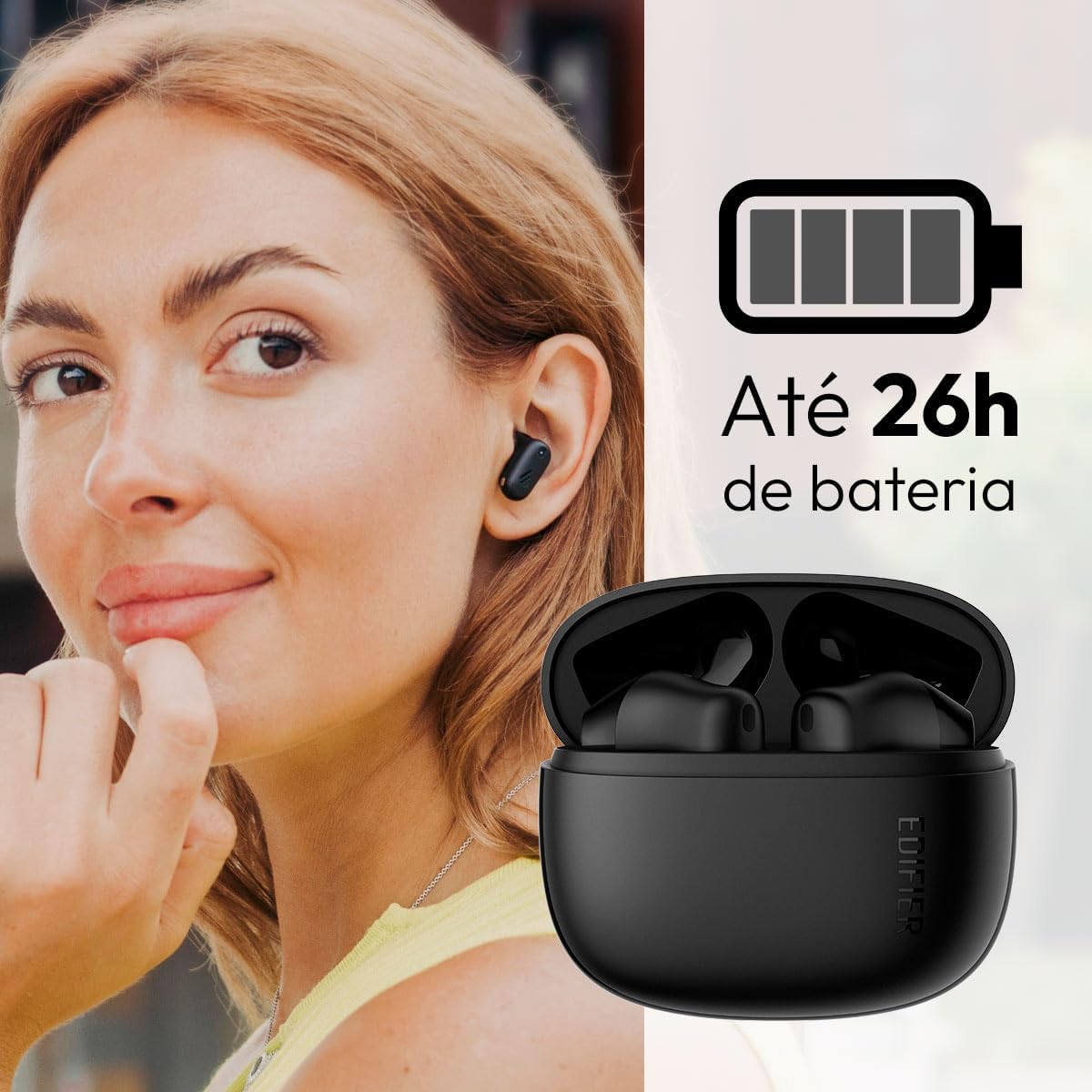
Image: Woman wearing an earbud, with the charging case and a battery icon indicating charging.
Fast Charging Feature:
A 15-minute quick charge can provide approximately 1.5 hours of playtime for the earbuds.

Beeld: Visuele voorstelling van batterylewe en vinnige laaivermoëns.
3.2 Bluetooth -koppeling
Follow these steps to pair your Edifier X1 Lite earbuds with your device:
- Eerste keer saamparing: Open the charging case. The earbuds will automatically power on and enter pairing mode. The indicator light on the earbuds will flash rapidly.
- Aktiveer Bluetooth op jou toestel (slimfoon, tablet, skootrekenaar).
- Soek vir "EDIFIER X1 Lite" in die lys van beskikbare Bluetooth-toestelle.
- Select "EDIFIER X1 Lite" to connect. Once connected, the indicator lights on the earbuds will turn off, and you will hear a confirmation tone.
- Re-pairing/Connecting to a New Device: If the earbuds are already connected to another device, disconnect them first. Alternatively, with the earbuds in the case and the lid open, press and hold the button on the charging case for 3 seconds to enter pairing mode.

Image: Man using earbuds, highlighting Bluetooth 5.4 connectivity.
3.3 Edifier ConneX App Installation
For enhanced features and customization, download the EDIFIER ConneX app:
- Scan the QR code provided in the image below or visit the official Edifier app download page.
- Installeer die app op u slimfoon of tablet.
- Open the app and follow the on-screen instructions to connect your X1 Lite earbuds.
- The app allows for sound effect customization, game mode activation, and touch control settings.

Image: EDIFIER ConneX app interface with QR code. Download the Edifier ConneX App
4. Bedryfsinstruksies
4.1 Dra van die oordopjes
Proper fit ensures optimal sound quality and comfort:
- Identifiseer die linker (L) en regter (R) oordopjes.
- Steek elke oordopje versigtig in die ooreenstemmende oorkanaal.
- Draai die oordopje effens totdat dit veilig en gemaklik voel.

Image: Man demonstrating proper earbud placement.
4.2 Krag aan/af
- Krag aan: Die oorfone skakel outomaties aan wanneer dit uit die laaikas verwyder word.
- Skakel af: Die oordopjes skakel outomaties af en begin laai wanneer dit terug in die laaikas geplaas word en die deksel toegemaak word.
4.3 Raak kontroles
The Edifier X1 Lite earbuds feature touch-sensitive controls on each earbud. These controls can be customized via the EDIFIER ConneX app.
| Aksie | Linkeroordop (L) | Regter oordopjes (R) |
|---|---|---|
| Beantwoord/beëindig oproep | Dubbeltik | Dubbeltik |
| Verwerp oproep | Drievoudige Tik | Drievoudige Tik |
| Speel/Pause Musiek | Dubbeltik | Dubbeltik |
| Volgende Snit | N/A (Customize via App) | Drievoudige Tik |
| Vorige Snit | Drievoudige Tik | N/A (Customize via App) |
| Spelmodus aan/af | Viervoudige Tik | Viervoudige Tik |
Note: These are default settings. Functions can be reconfigured using the EDIFIER ConneX app.

Image: Visual guide to earbud touch controls.
5. Onderhoud
5.1 Skoonmaak
- Maak die oordopjes en laaikas gereeld skoon met 'n sagte, droë, pluisvrye lap.
- Moenie skuurmiddels, alkohol of chemiese oplosmiddels gebruik nie.
- Maak seker dat die laaikontakte op beide die oordopjes en die omhulsel skoon en vry van puin is om behoorlike laai te handhaaf.
5.2 Waterbestandheid (IP54)
The Edifier X1 Lite earbuds are IP54 rated, meaning they are protected against dust ingress and splashing water from any direction. This makes them suitable for workouts and light rain.
- Moenie die oorfone in water dompel nie.
- Die laaikas is nie waterbestand nie. Hou dit droog.
- If earbuds get wet, wipe them dry completely before placing them back in the charging case to prevent damage.

Image: Demonstrating IP54 sweat resistance during exercise.
5.3 Batterysorg
- Vermy die blootstelling van die oordopjes en omhulsel aan uiterste temperature (warm of koud).
- Berg die toestel op 'n koel, droë plek wanneer dit nie gebruik word nie.
- Charge the device regularly, even if not used frequently, to maintain battery health.
6. Probleemoplossing
If you encounter issues with your Edifier X1 Lite earbuds, refer to the following common problems and solutions:
6.1 Geen klank of onderbroke verbinding
- Gaan battery na: Maak seker dat beide die oorfone en die laaikas voldoende gelaai is.
- Herpaar: Disconnect the earbuds from your device's Bluetooth settings and then re-pair them.
- Afstand: Ensure the earbuds are within the Bluetooth range (typically 10 meters) of your device.
- Inmenging: Move away from strong Wi-Fi signals or other Bluetooth devices that might cause interference.
- Herstel: Place both earbuds in the charging case, close the lid, wait a few seconds, then open the lid and try pairing again.
6.2 Oorfone laai nie
- Kontroleer kabel: Ensure the USB charging cable is securely connected to both the case and the power source.
- Kragbron: Probeer 'n ander USB-poort of muuradapter.
- Maak kontakte skoon: Clean the charging contacts on the earbuds and inside the charging case with a dry cotton swab.
- Behoorlike plasing: Maak seker dat die oorfone korrek in die laaikas geplaas is.
6.3 Swak oproepkwaliteit
- Mikrofoonobstruksie: Ensure the microphone on the earbuds is not covered.
- Omgewing: Move to a quieter environment if possible. The AI algorithm helps, but extreme noise can still affect clarity.
- Verbindingstabiliteit: Verseker 'n stabiele Bluetooth-verbinding.

Image: Man using earbuds for a clear call, highlighting AI voice pick-up technology.
6.4 Probleme met toepassingverbinding
- Bluetooth aan: Ensure Bluetooth is enabled on your device and the earbuds are connected.
- Programtoestemmings: Check if the EDIFIER ConneX app has necessary Bluetooth and location permissions.
- Herbegin program/toestel: Maak die toepassing toe en maak weer oop, of herbegin jou slimfoon.
- Programopdatering: Maak seker dat die toepassing opgedateer is na die nuutste weergawe.
7. Spesifikasies
| Kenmerk | Detail |
|---|---|
| Model Naam | X1 Lite |
| Verbindingstegnologie | Draadloos (Bluetooth) |
| Bluetooth weergawe | 5.4 |
| Tipe oudiobestuurder | Dynamic Driver (Φ13mm) |
| Frekwensiereeks | 20Hz-20kHz |
| Batterylewe | Tot 7 uur (oordopjes), tot 26 uur (met laaikas) |
| Vinnige laai | 15 minute laai vir 1.5 uur speeltyd |
| Lae vertraging | 60 ms |
| Waterweerstand | IP54 (Slegs oordopjes) |
| Mikrofoon | Single Mic AI algorithm voice pick-up |
| Beheer metode | Touch Control, App (EDIFIER ConneX) |
| Materiaal | Plastiek |
| Oordopjesgewig | Ongeveer 4 g per oordoppie |
| Kleur | Swart |
8. Waarborg en Ondersteuning
Edifier products are designed with quality and reliability in mind. For warranty information and customer support, please refer to the official Edifier webwebwerf of kontak hul kliëntediens direk.
- Amptelik Webwebwerf: Besoek www.edifier.com vir produkregistrasie, algemene vrae en ondersteuningsbronne.
- Kliëntediens: Contact Edifier customer support for technical assistance or warranty claims. Contact details can typically be found on the official webwebwerf of in die produkverpakking.
Bewaar asseblief u aankoopbewys vir waarborgdoeleindes.