
1. Inleiding
Dankie vir die aankoopasing the RUIZU X66 64GB MP3 Player. This portable digital audio player is designed for high-quality music playback, featuring Bluetooth 5.3 connectivity, a built-in voice recorder, FM radio, and a convenient clip design. This manual provides detailed instructions on how to set up, operate, and maintain your device.
Video: Verbyview of RUIZU X66 MP3 Player features.
2. Pakketinhoud
Merk asseblief die blokkie vir die volgende items:
- RUIZU X66 MP3 Player
- Bedrade oorfone
- USB-C-adapterkabel
- Geskenk boks
- Gebruikershandleiding

Image: Contents of the RUIZU X66 MP3 Player package.
3. Toesteluitleg
Familiarize yourself with the buttons and ports on your RUIZU X66 MP3 Player.

Beeld: Oorview of the RUIZU X66 MP3 Player's multi-functional features and layout.
- Vertoon skerm: Shows menus, track information, and settings.
- Beheerknoppies: Navigation, play/pause, volume up/down.
- USB Tipe C-poort: For charging and data transfer. Features a magnetic cap.
- 3.5 mm koptelefoonaansluiting: For wired headphone connection.
- Recording Slide Button: Quick access to voice recording.
- Knip: For attaching the player to clothing or bags.
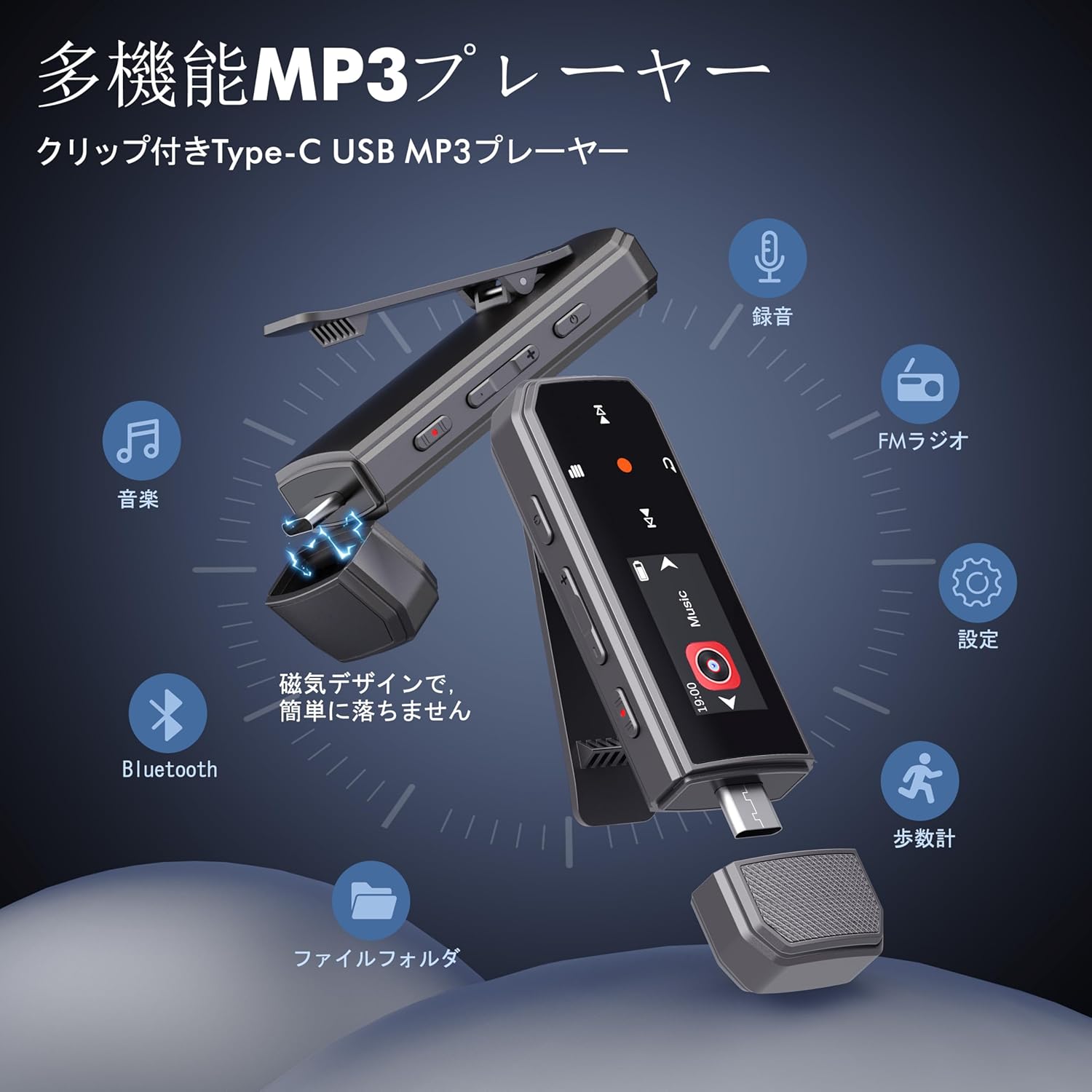
Image: RUIZU X66 MP3 Player highlighting its compact dimensions and clip.
4. Aan die gang
4.1. Laai die toestel
Before first use, fully charge your MP3 player. The device has a built-in rechargeable battery that provides up to 20 hours of playback time on a 2-hour charge.
- Remove the magnetic cap from the USB Type-C port.
- Connect the included USB-C adapter cable to the player.
- Steek die ander kant van die kabel in 'n USB-kragbron (bv. rekenaar, muuradapter).
- Die battery-ikoon op die skerm sal laaistatus aandui.

Image: Magnetic cap of the RUIZU X66 MP3 Player.
4.2. Musiek oordra Files
The RUIZU X66 has 64GB of internal storage. You can transfer music files from your computer or compatible smartphone.
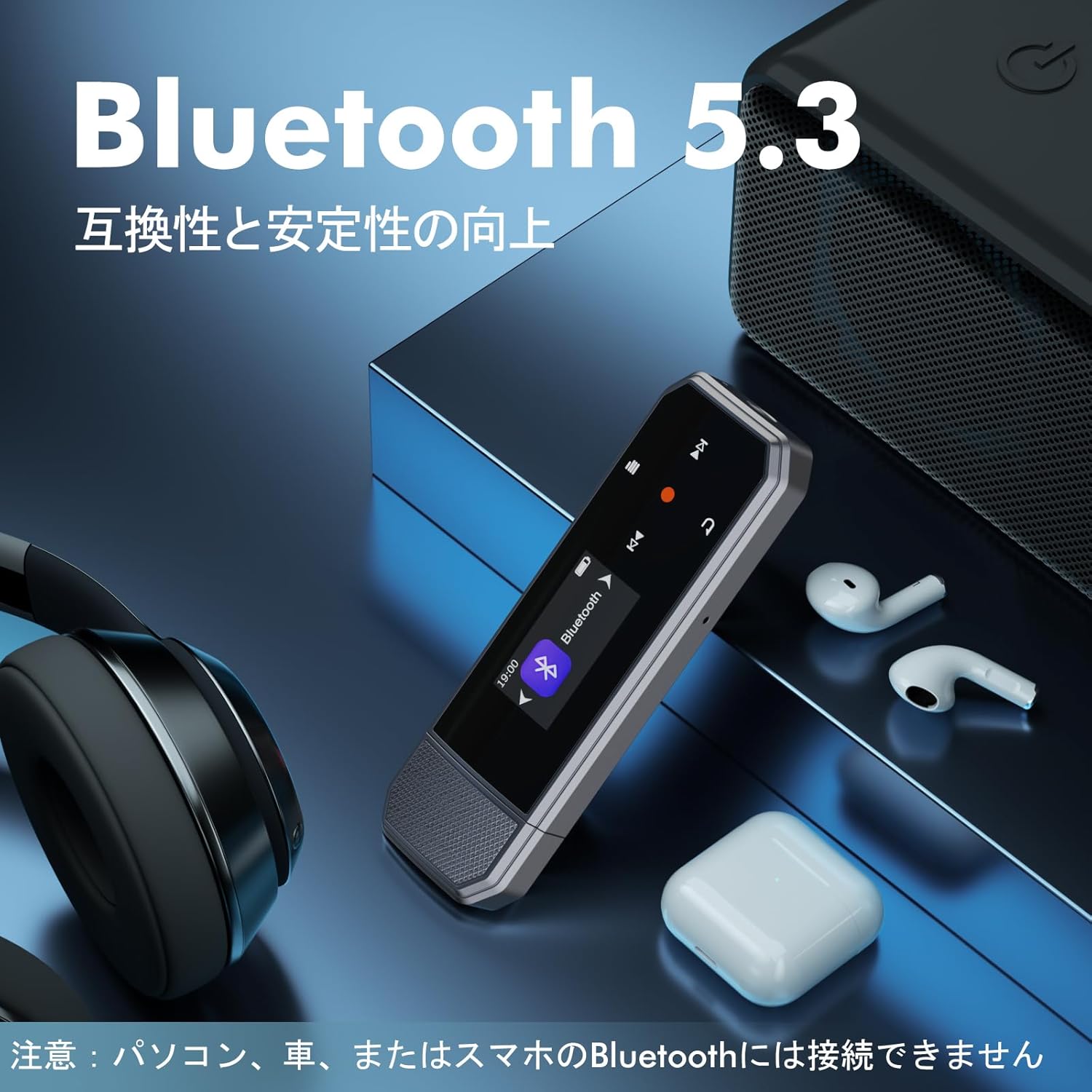
Image: Key specifications of the RUIZU X66 MP3 Player.
4.2.1. Via Computer (USB Connection)
- Connect the MP3 player to your computer using the USB-C adapter cable.
- The player will appear as a removable disk drive.
- Sleep en los jou musiek files (MP3, WMA, APE, FLAC, WAV, M4A, OGG) into the player's storage.
- Safely eject the device from your computer before disconnecting.
4.2.2. Via Smartphone (OTG Function)
The player supports OTG (On-The-Go) for direct file transfer from compatible Android smartphones.
- Connect the MP3 player directly to your Android smartphone's Type-C port.
- Your phone will recognize the player as external storage.
- Use your phone's file manager to transfer music files.
Note: OTG file transfer is not supported on iOS devices. Batch transfer is limited to 1GB at a time.

Prent: File transfer options for the RUIZU X66 MP3 Player.
5. Basiese werking
5.1. Skakel aan/af
- To power on: Press and hold the Power button until the screen lights up.
- Om af te skakel: Druk en hou die aan/af-knoppie in totdat die toestel afskakel.
5.2. Musiekweergawe
- Navigate to the 'Music' menu using the control buttons.
- Select a song or folder to play.
- Gebruik die Speel/Pause-knoppie om afspeel te begin of te onderbreek.
- Use the Next/Previous buttons to skip tracks.
5.2.1. Terugspeelmodusse
The player supports various playback modes:
- Sequential Playback: Plays songs in order.
- Skommel terugspeel: Plays songs in a random order.
- Herhaal een: Repeats the current song.
- Herhaal alles: Repeats all songs in the current folder/playlist.
5.3. Volumebeheer
Use the dedicated Volume Up and Volume Down buttons on the side of the device to adjust the audio level.
5.4. Bluetooth-verbinding
Connect your RUIZU X66 to Bluetooth headphones or speakers for wireless audio.

Image: RUIZU X66 MP3 Player demonstrating Bluetooth 5.3 connectivity.
- Skakel jou Bluetooth-oorfone of -luidspreker aan en stel dit in paringsmodus.
- On the MP3 player, navigate to the 'Bluetooth' menu.
- Kies 'Soek vir devices' or 'Pair new device'.
- Choose your device from the list to connect.
Note: The RUIZU X66 cannot connect to car Bluetooth, computer Bluetooth, or smartphone Bluetooth for audio output.
6. Gevorderde kenmerke
6.1. Stemopname
The RUIZU X66 features a one-button recording function.

Image: Activating the voice recording function on the RUIZU X66 MP3 Player.
- To start recording: Slide the red recording button on the side of the device upwards.
- To save recording: Slide the red recording button downwards.
- Opgeneem files are saved in the 'Record' folder and can be played back from the device.
6.2. FM Radio
Luister na jou gunsteling FM-radiostasies.

Image: Using the FM radio feature with wired headphones.
- Connect wired headphones to the 3.5mm jack (they act as the antenna).
- Navigate to the 'FM Radio' menu.
- Use the auto-tune function to scan for available stations or manually tune.
6.3. pedometer
Track your steps during exercise.
- Navigate to the 'Pedometer' menu to start tracking.
- The device records step count, distance, and time.
- Review your activity history within the pedometer menu.
6.4. Ander funksies
- Gelykmaker: Pas klankpro aanfiles na jou voorkeur.
- Boekmerke: Mark specific points in audio files for quick return.
- Volumebeperking: Set a maximum volume level to protect hearing.
- File Vouers: Organize and browse your music by folders.
- USB Flash Drive: The device can also function as a portable USB storage drive.
7. Onderhoud
- Skoonmaak: Use a soft, dry cloth to clean the device. Avoid liquid cleaners.
- Berging: Bêre die speler op 'n koel, droë plek weg van direkte sonlig en uiterste temperature.
- Batterysorg: Om die batterylewe te verleng, vermy om die battery gereeld heeltemal te ontlaai. Laai gereeld.
- Skermbeskerming: The screen is susceptible to scratches. Handle with care.
8. Probleemoplossing
| Probleem | Moontlike Oplossing |
|---|---|
| Toestel skakel nie aan nie. | Maak seker dat die battery gelaai is. Koppel aan 'n kragbron en probeer weer. |
| Kan nie oordra nie files na die toestel. | Check USB cable connection. Ensure the device is properly recognized by your computer/phone. For OTG, confirm your phone is Android and supports OTG. |
| Bluetooth-verbinding onstabiel of nie gekoppel nie. | Ensure your Bluetooth accessory is in pairing mode and within range. Restart both devices. Remember, the player cannot connect to car, PC, or phone Bluetooth for audio output. |
| Geen geluid uit oorfone nie. | Kontroleer die oorfone se verbinding. Maak seker dat die volume nie gedemp of te laag is nie. Toets met verskillende oorfone. |
| FM-radio werk nie. | Wired headphones must be connected as they act as the antenna. Ensure you are in an area with good signal reception. |
9. Spesifikasies
- Handelsmerk: RUIZU
- Model: X66
- Geheue berging kapasiteit: 64 GB
- Verbindingstegnologie: Bluetooth 5.3, USB Type-C, 3.5mm AUX
- Ondersteunde oudioformate: MP3, WMA, APE, FLAC, WAV, M4A, DRM, ACELP, OGG
- Batterylewe: Tot 20 uur (terugspeel)
- Laai tyd: Ongeveer 2 uur
- Gewig: 26g
- Afmetings: 8.1 x 2.5 x 1.3 cm
- Kenmerke: FM Radio, Voice Recorder, Pedometer, Equalizer, Clip Design
10. Waarborg en ondersteuning
RUIZU offers a 1-year warranty for product defects or malfunctions from the date of purchase. For any product issues, please contact our customer support for free refunds or exchanges.
If you have any questions about the product, please feel free to contact us. Refer to the "Product Packaging" for detailed contact information.