
Inleiding
Thank you for choosing the Claiks Electric Height Adjustable Desk. This manual provides essential information for the safe and efficient assembly, operation, and maintenance of your new desk. Please read these instructions carefully before use and retain them for future reference.
Veiligheidsinligting
Waarskuwing:
Please use the desk with caution, especially during height adjustment and assembly. Ensure the desk is properly anchored before use. Observe weight restrictions and use the desk only for its intended purpose. Keep children and pets away from the desk during operation to prevent injury. Do not place hands or objects near moving parts during height adjustment.
Pakketinhoud
Voor montering, verifieer dat alle komponente teenwoordig en onbeskadig is. Indien enige onderdele ontbreek of beskadig is, kontak asseblief kliëntediens.
- Lessenaarraam (pote en dwarsbalk)
- Tabletop (Multi-part)
- Beheerpaneel met geheuevoorinstellings
- Kragadapter en kabel
- Monteringshardeware (skroewe, inbussleutels)
- Cable Management Tray and Hooks
- Gebruikershandleiding
Monteer-instruksies
Assembly typically takes approximately 15 minutes. A screwdriver is required (not included). Follow these steps carefully:
- Pak komponente uit: Verwyder alle dele versigtig uit die verpakking en lê dit op 'n skoon, sagte oppervlak om skrape te voorkom.
- Monteer die lessenaarraam: Bevestig die lessenaarpote aan die dwarsbalk met die meegeleverde skroewe. Maak seker dat alle verbindings stewig is.
- Heg die tafelblad aan: Place the tabletop sections onto the assembled frame. Align the pre-drilled holes and secure the tabletop to the frame using the designated screws. Note that the tabletop may consist of multiple sections.
- Installeer die beheerpaneel: Mount the control panel to the underside of the tabletop in the desired position.
- Koppel bedrading: Connect the motor cables from the legs to the control box, and then connect the control panel cable to the control box. Finally, connect the power adapter to the control box and plug it into a power outlet.
- Installeer bykomstighede: Attach the cable management tray and hooks to the underside of the desk as desired.

Bedryfsinstruksies
Hoogte verstelling
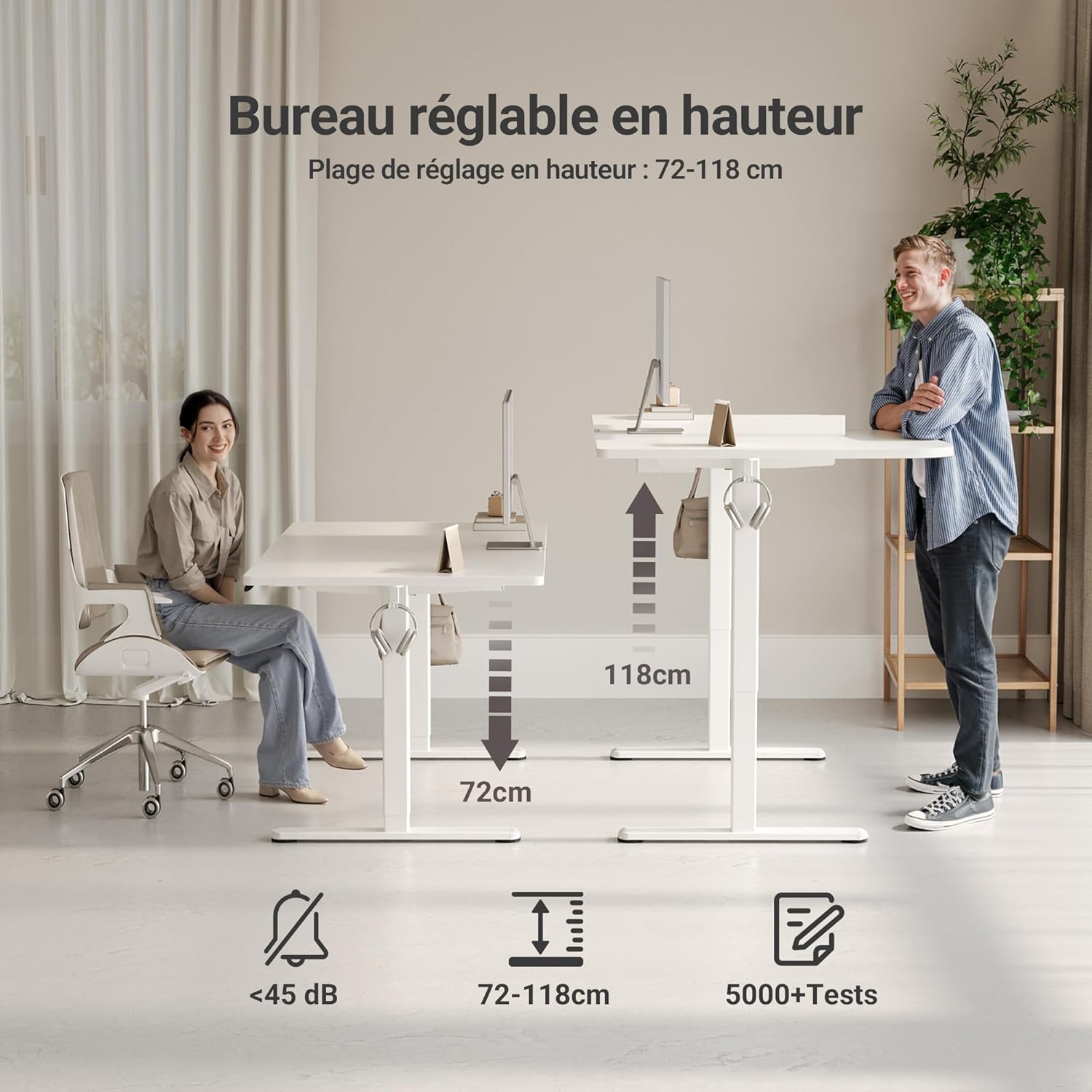
The desk features an electric motor for smooth height adjustment between 72 cm and 118 cm. Use the up and down arrow buttons on the control panel to adjust the desk to your desired height.
Geheuevoorinstellings
The control panel includes three memory preset buttons (1, 2, 3) to save your preferred sitting and standing heights.
- Om 'n geheuevoorinstelling in te stel: Adjust the desk to your desired height using the up/down arrows. Press the 'M' or 'Set' button (if available, otherwise hold the number button) followed by the desired number button (1, 2, or 3). The display will show 'S-' or a beep will confirm the setting.
- Om 'n geheuevoorinstelling te gebruik: Simply press the corresponding number button (1, 2, or 3) to automatically move the desk to the saved height.


Sleutel kenmerke
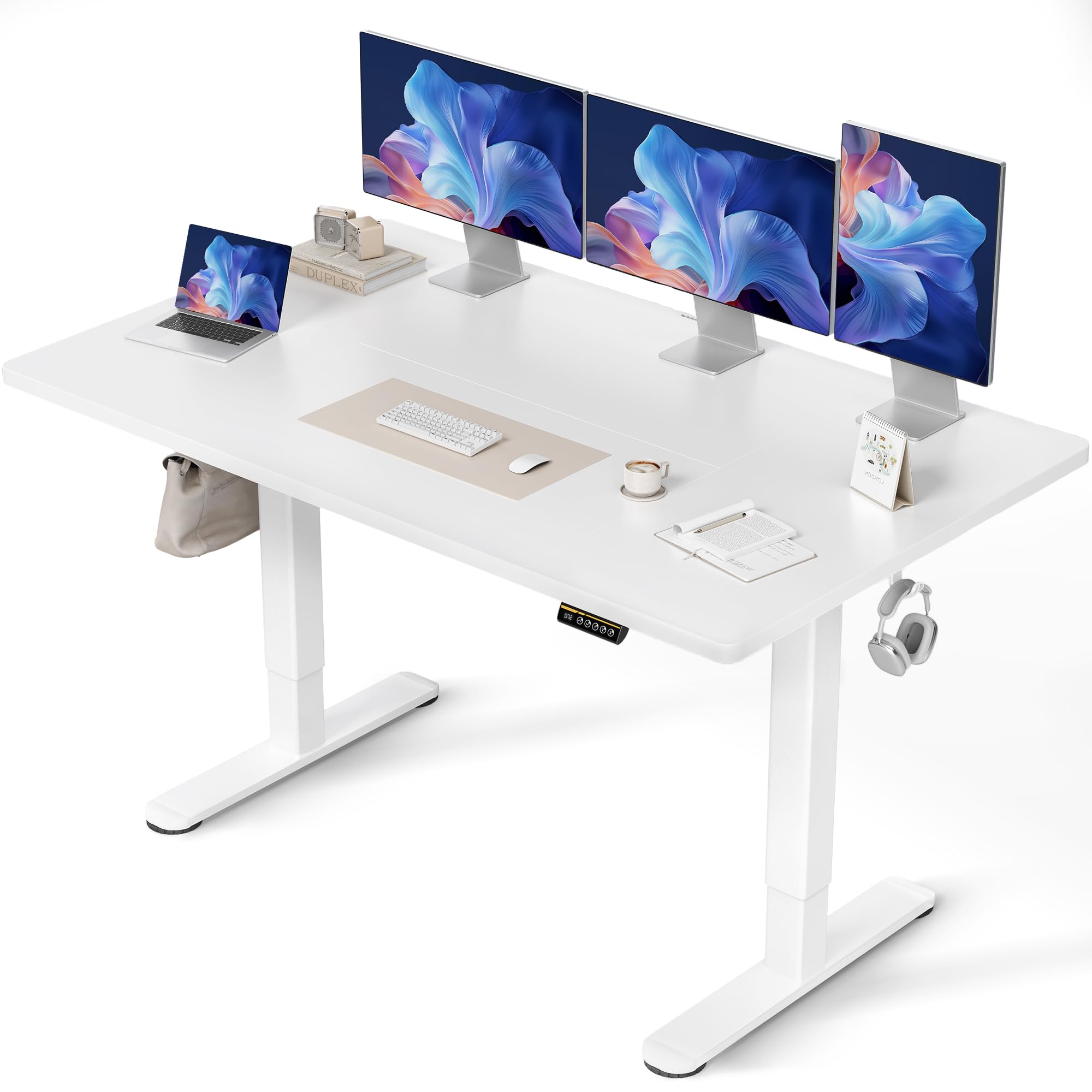
- FSC Certified Tabletop: The desk features an FSC-certified engineered wood tabletop, promoting responsible forest management.
- Ruim werkoppervlak: Verskaf ample space for multiple monitors and office supplies.
- Silent Motor: Operates quietly (under 45 dB) for minimal disruption in any environment.
- Robuuste konstruksie: Stable steel frame supports up to 120 kg, ensuring stability even at maximum height.
- Geïntegreerde kabelbestuur: Includes cable pass-throughs and hooks to keep your workspace organized.
- Duursame oppervlak: The tabletop is resistant to dirt and water, and features rounded, scratch-resistant edges.

Onderhoud
To ensure the longevity and optimal performance of your Claiks desk, follow these maintenance guidelines:
- Skoonmaak: Vee die lessenaaroppervlak af met 'n sagte, damp lap. Vermy skuurmiddels of harde chemikalieë wat die afwerking kan beskadig.
- Kabelbestuur: Periodically check and organize cables to prevent tangles and ensure smooth operation during height adjustments.
- Motorversorging: The motor is designed for durability. Avoid overloading the desk beyond its maximum weight capacity (120 kg) to prevent strain on the motor.
- Gereelde tjeks: Periodically inspect all screws and connections to ensure they remain tight and secure.
Probleemoplossing
Indien u enige probleme met u lessenaar ondervind, raadpleeg die volgende algemene probleme en oplossings:
| Probleem | Moontlike oorsaak | Oplossing |
|---|---|---|
| Lessenaar beweeg nie | Power cable disconnected, motor error, overload | Check power connections. Unplug and replug the power cable. Reduce weight on the desk. Perform a reset (refer to control panel instructions). |
| Ongelyke hoogteverstelling | Obstruction, uneven load | Ensure no objects are obstructing the desk legs. Distribute weight evenly on the tabletop. |
| Beheerpaneel reageer nie | Loose connection, power issue | Check the control panel cable connection to the control box. Verify power supply. |
| Lessenaar stop midde-aanpassing | Overheat protection, obstruction | Allow the motor to cool down for 20 minutes. Remove any obstructions. |
If the problem persists after attempting these solutions, please contact Claiks customer support.
Spesifikasies
| Eienskap | Detail |
|---|---|
| Handelsmerk | Claiks |
| Modelnommer | P1.01.016 |
| Kleur | Wit |
| Produkafmetings (L x B x H) | 70 x 140 x 75 cm |
| Item gewig | 25 kilogram |
| Materiaal | Engineered Wood (Tabletop), Metal (Base) |
| Hoogteaanpassingsreeks | 72 cm - 118 cm |
| Maksimum vragkapasiteit | 120 kg |
| Kenmerke | Ergonomic, Adjustable, Scratch-resistant, Silent Motor, Memory Presets, Cable Management |
| Voltooi Tipe | Gelak |
Waarborg en Ondersteuning
The Claiks Electric Height Adjustable Desk comes with a 5 jaar waarborg on the motor and frame, covering manufacturing defects and malfunctions under normal use. Please retain your proof of purchase for warranty claims.
For technical assistance, troubleshooting not covered in this manual, or warranty inquiries, please contact Claiks customer support through the retailer where you purchased the product or visit the official Claiks webwebwerf vir kontakinligting.