
1. Inleiding
Thank you for choosing the MGI Ai 500 GPS Electric Golf Cart. This manual provides essential information for the safe and efficient operation, maintenance, and troubleshooting of your new golf cart. The MGI Ai 500 is designed with an integrated GPS system built into a super responsive, high-resolution 4-inch full-color all-weather touchscreen display, connecting you to over 40,000 courses worldwide. Please read this manual thoroughly before using the product.

Figure 1: MGI Ai 500 GPS Electric Golf Cart, front-side view.
2. Veiligheidsinligting
Neem altyd die volgende veiligheidsmaatreëls in ag om beserings of skade aan die produk te voorkom:
- Read all instructions before operating the golf cart.
- Do not operate the cart in adverse weather conditions or on excessively steep terrain.
- Keep hands and feet clear of moving parts, especially wheels and folding mechanisms.
- Ensure the battery is securely installed and charged according to instructions.
- Do not attempt to modify the cart or its components. Use only MGI-approved parts and accessories.
- Store the cart in a dry, secure location away from extreme temperatures.
3. Pakketinhoud
Verifieer dat alle items in die pakket teenwoordig is:
- MGI Ai 500 GPS Electric Golf Cart
- Lithium Battery (36 Hole)
- Batterylaaier
- Drink Holder (DH)
- Umbrella Holder (UH)
- Wheels (Pre-installed or requiring attachment)
- Gebruikershandleiding (hierdie dokument)
- Vinnige Begingids
- Wipe (for cleaning)
4. Produk verbyview
The MGI Ai 500 features a robust design with integrated GPS and a user-friendly interface. Familiarize yourself with the main components:
- Hanteer: Ergonomies ontwerp vir gemaklike greep en beheer.
- 4" Full Color Touchscreen Display: Integrated GPS, scorecard, and settings.
- Battery kompartement: Houses the Click & Go Lithium Battery System.
- Vou meganisme: Single Action Zip Fold Technology for compact storage.
- Wiele: Durable rear and front wheels for various terrains.
- Accessory Mounts: For Drink Holder and Umbrella Holder.
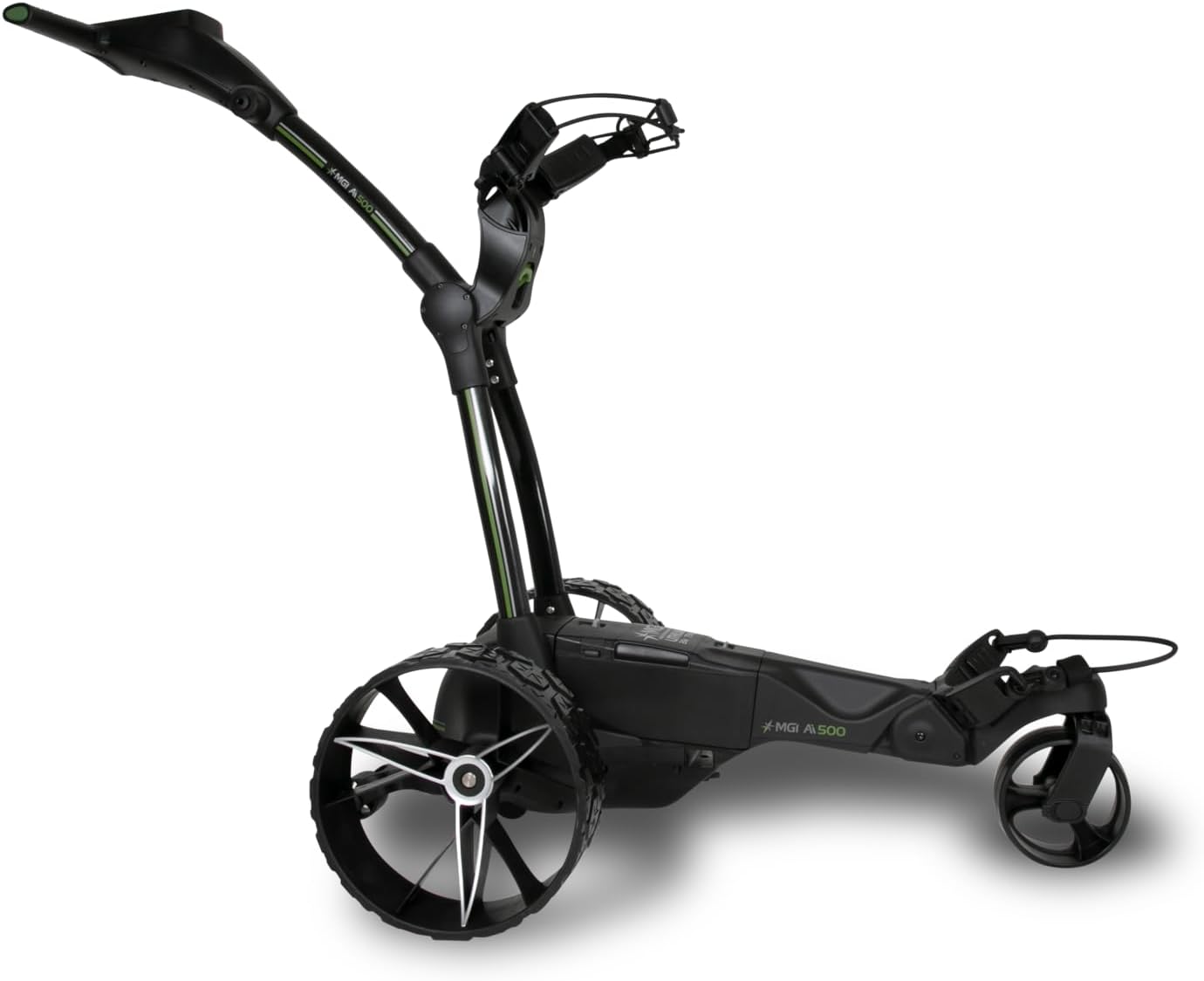
Figuur 2: Kant view of the MGI Ai 500 GPS Electric Golf Cart, highlighting its structure.

Figuur 3: Agter view of the MGI Ai 500 GPS Electric Golf Cart, showing the wheel design.
5. Opstelling
5.1 Unfolding the Cart
- Place the folded cart on a flat, stable surface.
- Locate the main folding release mechanism (refer to quick start guide for exact location).
- Engage the release and gently extend the frame until it locks into the open position.
- Maak seker dat alle sluitmeganismes stewig vas is voordat u voortgaan.

Figure 4: MGI Ai 500 GPS Electric Golf Cart in its compact, folded state.
5.2 Batteryinstallasie en -laai
- Aanvanklike heffing: Before first use, fully charge the lithium battery. Connect the color-coded charger (Red-Charging, Green-Full Charge) to the battery and a power outlet.
- Installasie: Once charged, slide the battery horizontally into the center battery compartment of the cart until it clicks securely into place. This ensures an improved center of gravity and stability.
- Verbinding: Connect the battery cable to the cart's power port, ensuring the color-coded ports (Red & Black) match.
Let wel: The MGI Ai 500 uses a Zip High Performance Lithium 36 Hole Battery, designed to be light, compact, and powerful.
6. Bedryfsinstruksies
6.1 Aan-/afskakel
- Krag aan: Press and hold the power button located on the handle until the display illuminates.
- Skakel af: Press and hold the power button until the display shuts down.
6.2 GPS System Operation
The integrated 4-inch full-color touchscreen display provides comprehensive GPS functionality:
- Course Recognition: The cart automatically recognizes golf courses within a 5KM/5M radius.
- Gat View: Displays total distance from the selected tee, stroke index, and hole shaping.
- Interactive Distances: Touch the screen to get exact numbers to bunkers and hazards (front edge & back edge).
- Groen View: Shows total distance to the front, middle, and back of the green. Interactive pin allows for precise distance measurement.
- Automatic Hole Advancement: The system automatically advances to the next hole once the cart reaches it.
- Digitale Tellingkaart: Track Gross, Net, and Stableford scores directly on the display.
- Round Summary & Stat Tracking: Monitor Greens Hit %, Average # of Putts, Fairways Hit %, and % Missed Left or Right.
- Kompetisie -modus: Toggle on/off as required.
- Verbinding: Features Wi-Fi and Bluetooth for updates and connectivity.

Figure 5: The MGI Ai 500's integrated display, showing GPS and interface capabilities.
6.3 Driving the Cart
- Use the controls on the handle to adjust speed and direction.
- Always maintain a safe distance from other golfers and obstacles.
- Engage the brake when stopping on inclines or uneven ground.
6.4 Folding for Transport/Storage
To fold the cart for transport or storage:
- Ensure the cart is powered off and the battery is removed.
- Engage the folding mechanism (reverse of unfolding).
- Compress the cart until it locks into its folded position.
- The rear wheels can be inverted on the axle to further reduce the footprint.
Folded Dimensions (Inverted Rear Wheels): 25 x 17.3 x 13.3 Inches.
6.5 MGI Sureshot App
The MGI Ai 500 is compatible with the complimentary MGI Sureshot App. Refer to the app's documentation for specific features and connectivity instructions.
7. Onderhoud
7.1 Skoonmaak
- Regularly wipe down the cart with a damp lap en sagte skoonmaakmiddel.
- Avoid using abrasive cleaners or solvents that could damage the finish or electronic components.
- Ensure the display screen is cleaned with a soft, lint-free cloth.
7.2 Batterysorg
- Always fully charge the battery after each use, even if only for a short period.
- Berg die battery in 'n koel, droë plek wanneer dit nie gebruik word nie.
- Moenie die battery aan uiterste temperature blootstel nie.
- If storing for an extended period, charge the battery every 1-2 months to maintain its health.
7.3 Algemene inspeksie
- Periodically check all fasteners and connections to ensure they are secure.
- Inspect wheels for wear and tear.
- Maak seker dat die voumeganisme glad werk.
8. Probleemoplossing
This section addresses common issues you might encounter with your MGI Ai 500 GPS Electric Golf Cart.
| Probleem | Moontlike oorsaak | Oplossing |
|---|---|---|
| Cart does not power on. | Battery nie gelaai of nie behoorlik gekoppel nie. | Ensure battery is fully charged and securely connected to the cart. Check battery cable connection. |
| GPS not acquiring signal or course. | Poor satellite reception; Wi-Fi/Bluetooth off; out of range. | Move to an open area for better signal. Ensure Wi-Fi/Bluetooth is enabled in settings. Check if course is within the 5KM/5M auto-recognition radius. |
| Cart moves slowly or inconsistently. | Low battery charge; obstruction in wheels. | Recharge the battery. Inspect wheels and axles for debris or obstructions. |
| Die voumeganisme is styf. | Gebrek aan smering; puin in meganisme. | Clean the mechanism and apply a small amount of silicone-based lubricant if necessary. |
If you encounter issues not listed here, please refer to the MGI website for additional support or contact customer service.
9. Spesifikasies
| Kenmerk | Detail |
|---|---|
| Model Naam | MGI Ai 500 GPS Electric Golf Cart - 36 Hole Battery (Drink & Umbrella Holder) |
| Deelnommer | AI500-B |
| Handelsmerk | MGI |
| Kleur | Swart |
| Materiaal | Plastiek |
| Itemafmetings (LxBxH) | 31.5 x 23.2 x 40.9 duim |
| Itemgewig (met battery) | 31.3 pond |
| Folded Dimensions (Inverted Rear Wheels) | 25 x 17.3 x 13.3 duim |
| Pakket gewig | 19.14 kilogram |
| GPS-kenmerke | 4" Full Color Touchscreen, 40,000+ pre-loaded courses, Hole View, Groen View, Interactive Pin, Digital Scorecard, Stat Tracking, Auto Course/Hole Recognition |
| Battery Tipe | Lithium (36 Hole) |
| Konnektiwiteit | Wi-Fi, Bluetooth |
| Datum Eerste Beskikbaar | 4 September 2024 |
10. Waarborg en Ondersteuning
Waarborgbeleid: MGI offers a 3-year manufacturer warranty on manufacturing defects for all parts, including the lithium battery and charger. This warranty is valid if the product is registered within 30 days of purchase. Please refer to the official MGI website or the online user manual for complete terms and conditions.
Ondersteuning: MGI is committed to customer satisfaction. They offer warranty spare parts delivered at no charge and comprehensive DIY videos for common issues. In certain circumstances, authorization may be given to send the cart to a preferred service center for repair, freight-free. The cart is expected to be sent in its original carton for such services.
For further assistance, please visit the official MGI webwebwerf of kontak hul kliëntediens.


