
Inleiding
This manual provides essential instructions for the safe and effective use of your Sony PXW-Z200 4K XDCAM Camcorder. The PXW-Z200 is designed for professional video production, offering UHD 4K60 HDR capture, advanced autofocus, and versatile recording and streaming capabilities. Please read this manual thoroughly before operating the camcorder and retain it for future reference.
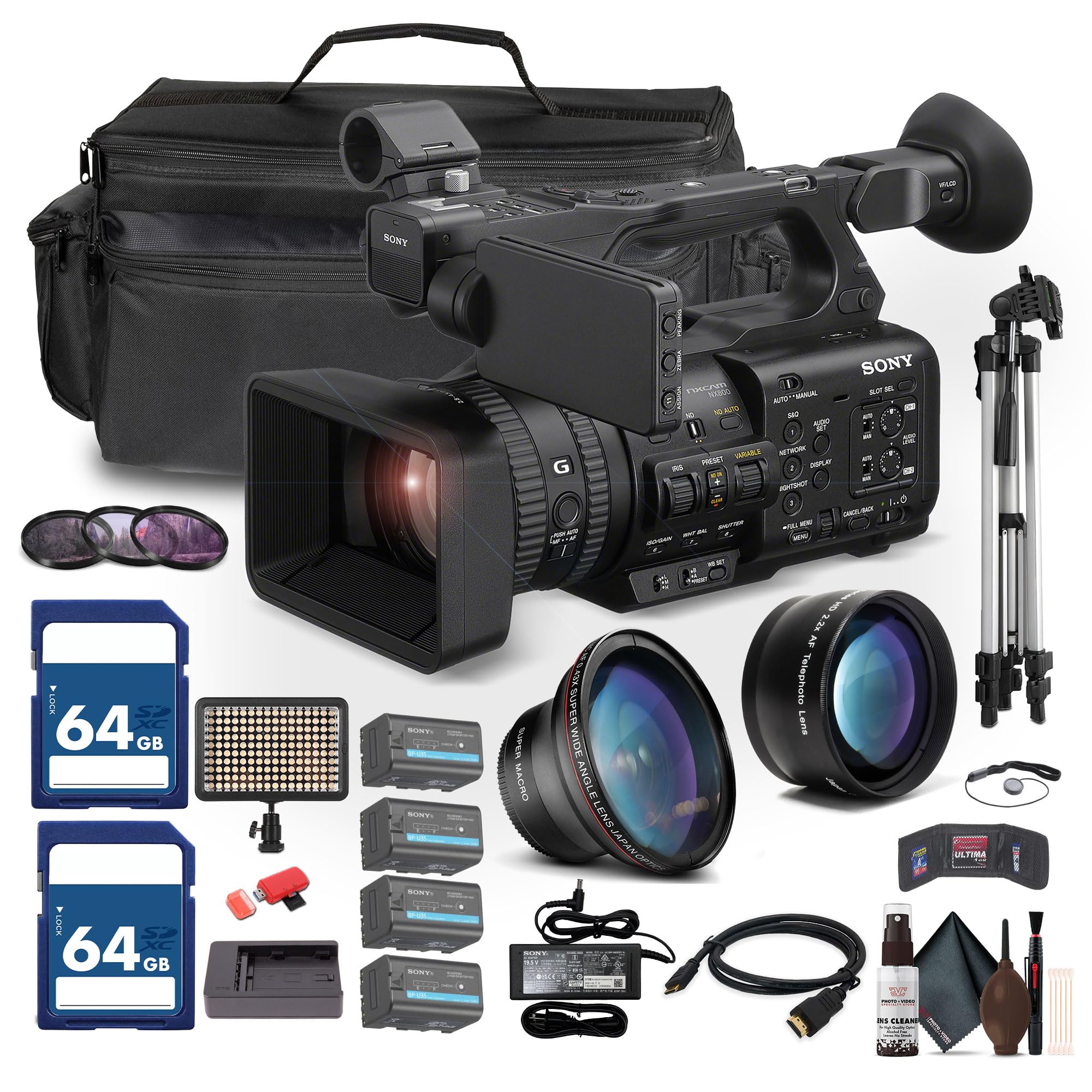
Figure 1: Sony PXW-Z200 4K XDCAM Camcorder, showing the lens, handle, and main body.
Opstelling
1. Uitpak en Kontrole van Inhoud
Carefully unpack all items and ensure the following components are present. If any item is missing or damaged, contact your dealer.
- Sony PXW-Z200 4K 1" CMOS Sensor XDCAM Camcorder
- AC Adapter
- Kragkoord
- Batterylaaier
- Battery Pack (BP-U35 or similar)
- LCD Hood
- Lenskap
- Oogkoppie
- Mikrofoonhouer
- Cold Shoe Kit
2. Bevestiging van die lenskap
Align the lens hood with the front of the lens and twist gently until it locks into place. The lens hood helps to reduce flare and protect the lens.
3. Installering van die Battery Pack
- Maak seker dat die videokamera afgeskakel is.
- Locate the battery compartment on the rear of the camcorder.
- Slide the battery pack (e.g., BP-U35) into the compartment until it clicks securely into place.
- Om te verwyder, druk die battery-ontgrendelingsknoppie en skuif die battery uit.

Figuur 2: Linkerkant view of the camcorder, showing the battery compartment area.
4. Geheuekaarte insit
The PXW-Z200 supports dual CFexpress Type-A/SD card slots.
- Maak die geheuekaartgleufdeksel oop.
- Insert the CFexpress Type-A or SD card into the appropriate slot with the correct orientation until it clicks.
- Maak die geheuekaartgleufdeksel toe.
- Format new memory cards in the camcorder before first use to ensure optimal performance. Refer to the "Operating" section for formatting instructions.
5. Connecting the AC Adapter
Connect the supplied AC adapter to the camcorder's DC IN jack and then to a wall outlet to power the camcorder or charge the battery while installed.
Die gebruik van die videokamera
1. Skakel aan/af
Om die videokamera aan te skakel, skuif die AAN-skakelaar na die AAN-posisie. Om af te skakel, skuif dit na die AF-posisie.
2. Basiese Opname
- Maak seker dat 'n geformateerde geheuekaart ingesit is.
- Set the desired shooting mode (e.g., Automatic, Manual) using the mode dial or menu settings.
- Raam jou skoot met die viewfinder or the flip-out LCD monitor.
- Druk die REC START/STOP knoppie om opname te begin. Die opname-aanwyser sal brand.
- Druk die REC START/STOP weer om die opname te stop.

Figure 3: The PXW-Z200 camcorder being used to record an event, demonstrating its operational context.
3. Fokusbeheer
The PXW-Z200 offers both automatic and manual focus options.
- Outomatiese fokus: The camcorder features AI-powered autofocus. Ensure the AUTO/MANUAL switch for focus is set to AUTO.
- Handmatige fokus: To manually adjust focus, set the AUTO/MANUAL switch to MANUAL and rotate the focus ring on the lens.

Figure 4: Detail of the camcorder's control panel, showing the AUTO/MANUAL switch for focus and other settings.
4. Zoembewerking
Use the zoom rocker on the handle or the zoom ring on the lens to adjust the focal length. The camcorder features a 20x optical zoom and a 30x Clear Image Zoom in 4K.
5. Opnameformate en -instellings
The PXW-Z200 supports various recording formats including XAVC S-I, HS-L, S-L, and HD/QFHD. Access the menu system to select your desired format, frame rate (up to 4K120 and 1080p240), and color profiles (S-Cinetone, ITU709, 709tone, HLG).
6. Audio Input and Monitoring
The camcorder features 4-channel audio input. Connect external microphones via the XLR inputs. Monitor audio levels on the LCD screen and through headphones connected to the headphone jack.
7. Connectivity and Streaming
The PXW-Z200 offers multiple connectivity options:
- 12G-SDI Output: For high-quality video output to professional monitors or switchers.
- HDMI-uitset: For connecting to consumer displays or recorders.
- Wi-Fi/Ethernet: Utilize the integrated 2.4/5 GHz Wi-Fi or Ethernet port for live streaming via RTMP/RTMPS, SRT, and FTP.
- Sony Monitor & Control App: Use the dedicated app for remote monitoring and control of the camcorder via a compatible smartphone or tablet.
Onderhoud
Behoorlike onderhoud verseker die lang lewensduur en optimale werkverrigting van jou videokamera.
- Lens skoonmaak: Use a soft, lint-free cloth and a specialized lens cleaning solution to gently clean the lens surface. Avoid touching the lens with bare fingers.
- Liggaam skoonmaak: Wipe the camcorder body with a dry, soft cloth. For stubborn dirt, slightly dampMaak die lap met water skoon. Moenie sterk skoonmaakmiddels of oplosmiddels gebruik nie.
- Sensor skoonmaak: Sensor cleaning should ideally be performed by authorized service personnel. Avoid attempting to clean the sensor yourself unless you are experienced.
- Batterysorg: Store batteries in a cool, dry place. Avoid fully discharging or overcharging batteries frequently to prolong their lifespan.
- Berging: When not in use, store the camcorder in a dry, dust-free environment, preferably in a padded case to protect it from impacts.
Probleemoplossing
If you encounter issues with your PXW-Z200, refer to the following common troubleshooting steps:
| Probleem | Moontlike oorsaak/oplossing |
|---|---|
| Videokamera skakel nie aan nie. |
|
| Kan nie video opneem nie. |
|
| Image is out of focus. |
|
| Geen klankopname nie. |
|
For more detailed troubleshooting or persistent issues, please refer to the official Sony support webwebwerf of kontak Sony-kliëntediens.
Spesifikasies
Key technical specifications for the Sony PXW-Z200 Camcorder:
| Kenmerk | Detail |
|---|---|
| Handelsmerk | Sony |
| Model Naam | PXW-Z200 |
| Fotosensortegnologie | CMOS |
| Video-opname-resolusie | 4K, 720p, 480p |
| Maksimum brandpuntsafstand | 154.21 millimeter |
| Maksimum diafragma | 1.8 f |
| Video-opname-formaat | XAVC S-I |
| Ondersteunde oudioformaat | Dolby Digital/AC-3 |
| Verbindingstegnologie | HDMI |
| Optiese zoom | 20 x |
| Soort sensor | CMOS |
| Waterweerstandvlak | Nie waterbestand nie |
| Beeldstabilisasie | Nee |
| Item gewig | 4.32 pond |
| Lens tipe | Wide Angle, Zoom |
| Fokus Tipe | Outofokus |
| Skietmodusse | Automatic, Landscape, Low Light, Manual, Night, Portrait, Slow Motion, Sports |
| Beeld-aspekverhouding | 16:9 |
| File Formaat | XAVC S-I, HS-L, S-L, HD/QFHD |
| Effektiewe video-resolusie | 3840 piksels |
| Versoenbare toestelle | Smartphone, Laptop, Personal Computer, Tablet, Devices with SDI input, Devices with HDMI input |
| Tipe videokamera | Video kamera |
| Maksimum vertoonresolusie | 4K UHD |
| Zoem | Opties, Digitaal |
Waarborg en Ondersteuning
The Sony PXW-Z200 Camcorder is manufactured by Sony. For detailed warranty information, product registration, software updates, and technical support, please visit the official Sony support webwebwerf. Bewaar u aankoopbewys as bewys van aankoop vir waarborgeise.
Amptelike Sony-ondersteuning Webwebwerf: https://www.sony.com/electronics/support
For video tutorials and additional resources, please check the official Sony Professional YouTube channel or their product pages.