
1. Inleiding
This manual provides detailed instructions for setting up, operating, and maintaining your THOMSON 40-inch FHD Fire TV. Please read this manual thoroughly before using the television to ensure proper functionality and safety. Keep this manual for future reference.
2. Veiligheidsinligting
Volg altyd basiese veiligheidsmaatreëls wanneer u hierdie produk gebruik om die risiko van brand, elektriese skok en besering te verminder.
- Moenie die TV aan reën of vog blootstel nie.
- Moenie ventilasie-openinge blokkeer nie.
- Verseker behoorlike aarding vir die kragprop.
- Ontkoppel die TV tydens weerligstorms of wanneer dit vir lang tye nie gebruik word nie.
- Verwys alle diens na gekwalifiseerde dienspersoneel.
3. Pakketinhoud
Verifieer dat alle items in jou pakket ingesluit is:
- THOMSON 40-inch FHD Fire TV
- Afstandsbediening (met batterye)
- Kragkoord
- TV-staander (2 stukke)
- Skroewe vir TV-staander
- Gebruikershandleiding (hierdie dokument)

Image: The product box illustrating the TV, remote control, and various features like Fire TV, Alexa, and Dolby Audio.
4. Produk verbyview
Familiarize yourself with the components and connections of your THOMSON Fire TV.
4.1 Voorkant View

Image: The front of the TV, showcasing its slim bezel and the Fire TV smart interface with popular streaming applications.
4.2 Kant View en afmetings
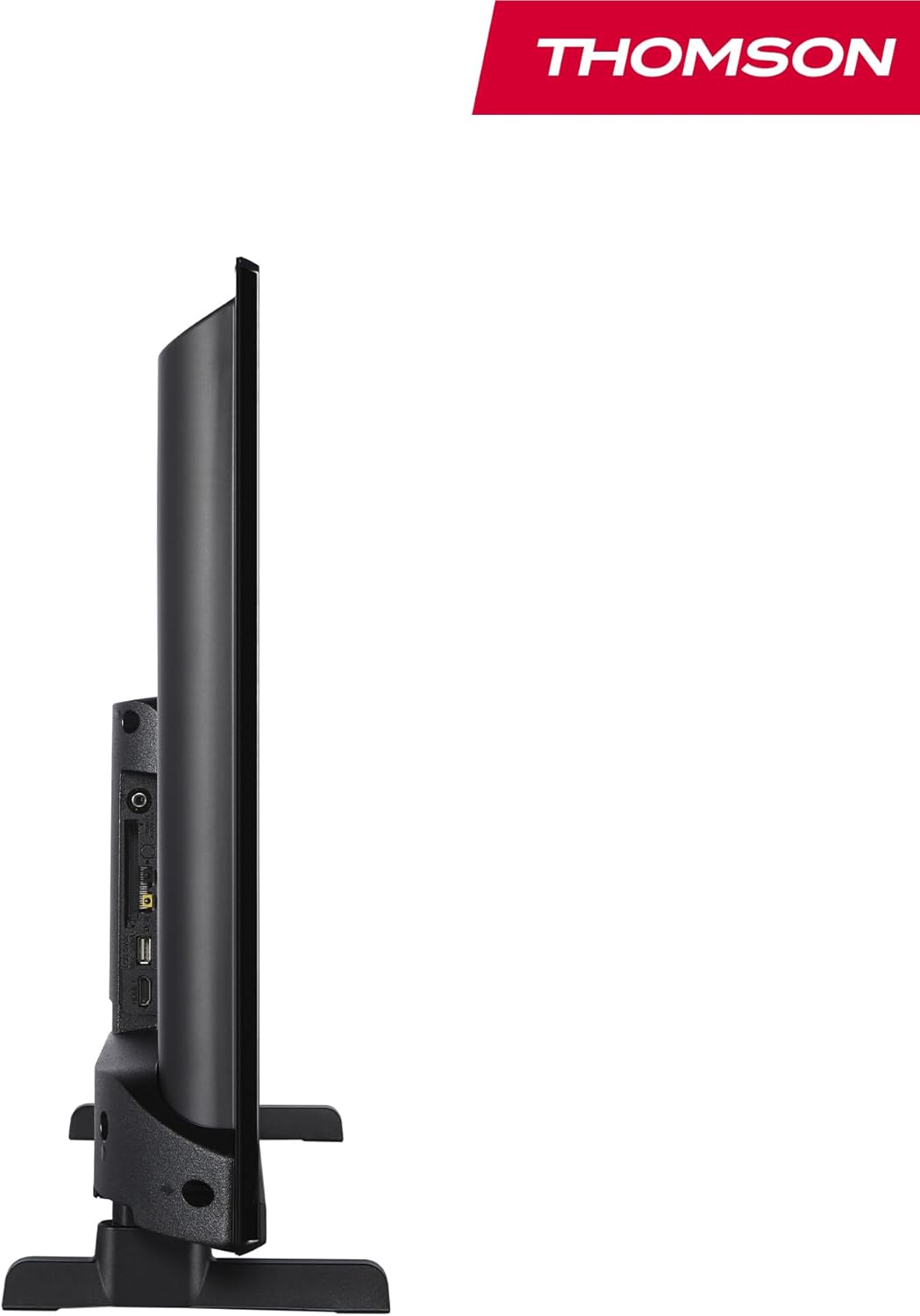
Beeld: 'n Kant view of the television, demonstrating its thin profile.

Image: A diagram illustrating the physical dimensions of the TV, including width, height, and depth with the stand.
4.3 Agter View en Hawens
The rear panel of your TV features various input and output ports for connecting external devices.

Beeld: 'n Gedetailleerde view of the TV's rear panel, highlighting all connectivity ports such as HDMI, USB, Audio Out, CI+, and antenna inputs.
- Klankuitgang: Vir die koppeling van eksterne klankstelsels.
- CI+: Common Interface Plus-gleuf vir voorwaardelike toegangsmodules.
- Oorfone: 3.5 mm-aansluiting vir privaat luister.
- AV IN: Vir die koppeling van ouer toestelle met saamgestelde video en stereo-klank.
- USB 2.0: Vir mediaweergawe vanaf USB-skywe.
- HDMI 1.4 (x2): High-Definition Multimedia Interface for connecting Blu-ray players, game consoles, etc.
- Antenna: For connecting a terrestrial antenna (DVB-T2).
- Satelliet: Vir die koppeling van 'n satellietskottel (DVB-S2).
- LAN: Ethernet-poort vir bedrade netwerkverbinding.
5. Opstelling
5.1 Bevestig die TV-staander
- Plaas die TV versigtig met die gesig na onder op 'n sagte, plat oppervlak om skermskade te voorkom.
- Rig die staanderstukke met die ooreenstemmende gleuwe aan die onderkant van die TV.
- Bevestig die staanplekke met die meegeleverde skroewe.
5.2 Aanvanklike aanskakeling en netwerkverbinding
- Koppel die kragkabel aan die TV en 'n muursok.
- Druk die aan/af-knoppie op die TV of afstandbeheerder om dit aan te skakel.
- Follow the on-screen instructions for initial setup, including language selection and network connection (Wi-Fi or Ethernet).
- Log in with your Amazon account to activate Fire TV features.
5.3 Tuner Setup (Triple-Tuner)
Your TV is equipped with a triple-tuner for DVB-C (cable), DVB-S2 (satellite), and DVB-T2 (terrestrial) reception.

Image: The DVB-T2/C/S2 tuner inputs, allowing connection to various broadcast sources.
- Connect your antenna or satellite cable to the appropriate input on the TV.
- Navigate to the TV settings and select 'Channel Scan' or 'Tuner Setup'.
- Choose your broadcast type (Antenna, Cable, or Satellite) and follow the prompts to scan for available channels.
6. Bedryfsinstruksies
6.1 Fire TV-koppelvlak
The Fire TV interface provides easy access to your favorite streaming services, apps, and live TV.
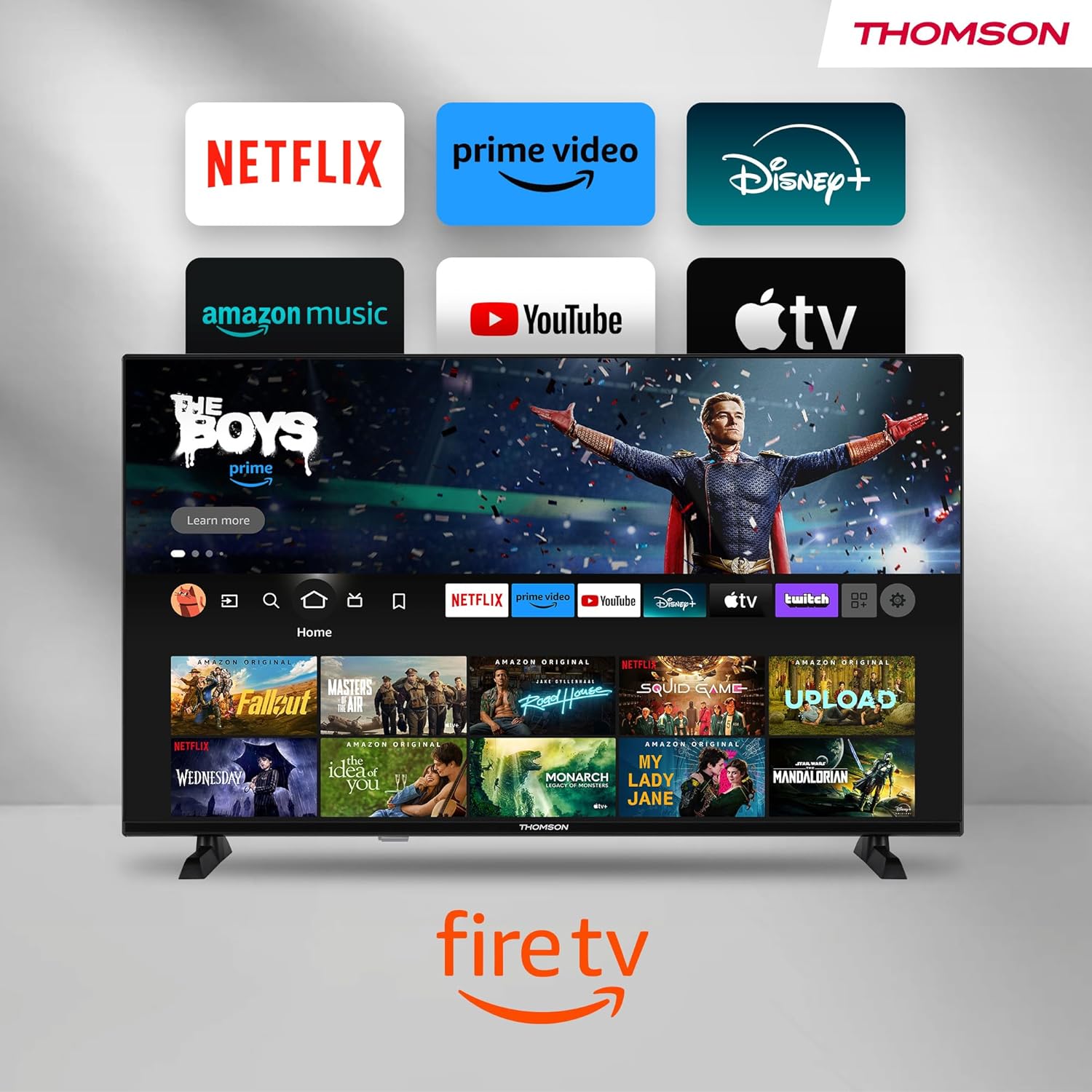
Image: The Fire TV home screen, showing a selection of popular streaming apps and content recommendations.
Navigate using the remote control's directional pad. The home screen provides personalized recommendations and quick access to your installed applications.
6.2 Alexa-stembeheer
Use the integrated Alexa voice control for hands-free operation.
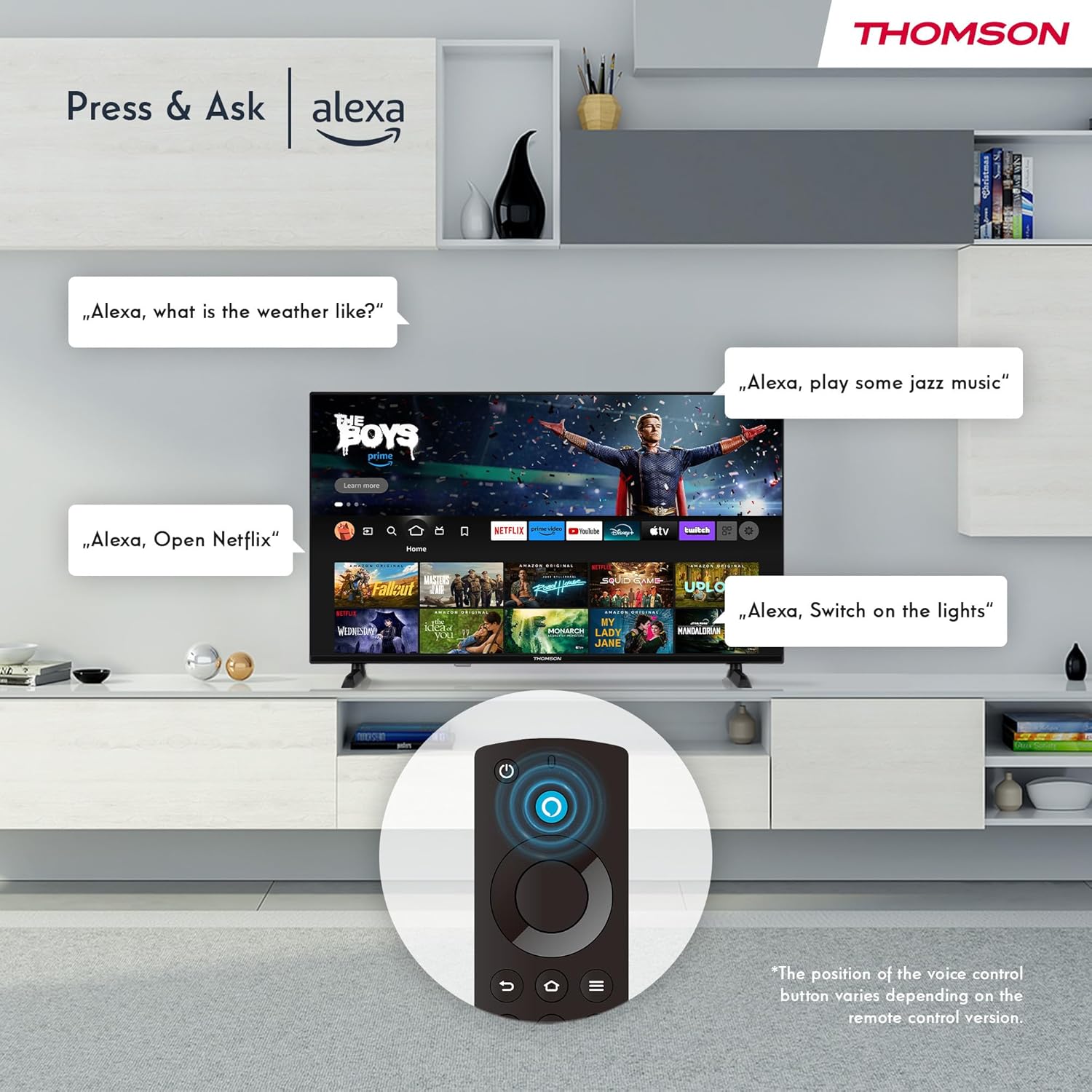
Image: Demonstrating Alexa voice commands for controlling the TV, searching content, and managing smart home devices.
Press the Alexa button on your remote and speak your command. You can ask Alexa to:
- Soek vir movies or TV shows.
- Begin toepassings.
- Control playback (pause, play, skip).
- Gaan die weer of nuus na.
- Beheer versoenbare slimhuistoestelle.
6.3 Slimhuis-integrasie
Manage your connected smart home devices directly from your TV's integrated dashboard.

Image: The Smart Home dashboard, providing a centralized control panel for various smart devices in your home.
Access the Smart Home dashboard to monitor and control devices such as cameras, lights, and plugs.
6.4 AirPlay Functionality
Stream content directly from your Apple devices (iPhone, iPad, Mac) to your THOMSON Fire TV using AirPlay.

Image: A demonstration of Apple AirPlay, showing content being mirrored from an iOS device to the television screen.
Ensure both your Apple device and the TV are connected to the same Wi-Fi network. Select the AirPlay icon on your Apple device and choose your THOMSON TV from the list of available devices.
6.5 Creating User Profiles
Skep verskeie gebruikers profiles for personalized content recommendations and settings.

Image: The user profile selection screen on Fire TV, allowing different users to have their own personalized viewondervinding.
From the Fire TV home screen, navigate to the profile selection to add or switch profiles. Elke profile can have its own watch history and app preferences.
6.6 HDR10 and Dolby Audio
Experience enhanced picture quality with HDR10 and immersive sound with Dolby Audio.

Image: A visual comparison demonstrating the improved contrast and color vibrancy offered by HDR10 technology.

Image: A graphic illustrating the immersive sound experience provided by Dolby Audio.
HDR10 provides a wider range of colors and contrasts, while Dolby Audio delivers rich, clear, and powerful sound.
6.7 afstandbeheer
The ergonomic Bluetooth remote control provides easy navigation and direct access to key features.
- Alexa Button: Druk en hou in om stemopdragte te aktiveer.
- Navigasieblok: For moving through menus and selecting items.
- Netflix/Prime Video-knoppies: Direkte toegang tot hierdie stromingsdienste.
- Amazon Silk Button: Direkte toegang tot die web blaaier.
7. Onderhoud
Om die lang lewensduur en optimale werkverrigting van jou TV te verseker, volg hierdie onderhoudsriglyne:
- Skoonmaak van die skerm: Vee die skerm liggies af met 'n sagte, pluisvrye lap. Vir hardnekkige merke, gebruik 'n skermskoonmaker wat spesifiek vir TV's ontwerp is, en wend dit op die lap aan, nie direk op die skerm nie.
- Maak die kabinet skoon: Gebruik 'n sagte, droë lap om die TV-kas af te vee. Moenie skuurmiddels of oplosmiddels gebruik nie.
- Ventilasie: Maak seker dat die ventilasie-openinge aan die agterkant van die TV nie geblokkeer is om oorverhitting te voorkom nie.
- Kragkabel: Kontroleer die kragkabel gereeld vir enige skade. Indien beskadig, vervang dit onmiddellik.
8. Probleemoplossing
As jy probleme met jou TV ondervind, raadpleeg die volgende algemene probleme en oplossings:
| Probleem | Moontlike oorsaak/oplossing |
|---|---|
| Geen krag nie | Check if the power cord is securely plugged into the TV and the wall outlet. Ensure the outlet is active. |
| Geen beeld nie, maar klank is teenwoordig | Check input source. Ensure external devices are properly connected and powered on. |
| Geen klank nie, maar beeld is teenwoordig | Check volume level. Ensure Mute is not activated. Check audio cables for external devices. |
| Afstandbeheer werk nie | Check batteries. Ensure there are no obstructions between the remote and the TV. Re-pair the Bluetooth remote if necessary. |
| Kan nie aan Wi-Fi koppel nie | Ensure Wi-Fi is enabled on the TV. Check Wi-Fi password. Restart your router. Move TV closer to router. |
| Programme is stadig of vries | Restart the TV. Clear app cache or data in settings. Ensure sufficient internet speed. |
Indien die probleem voortduur, kontak asseblief kliëntediens.
9. Spesifikasies
| Kenmerk | Detail |
|---|---|
| Modelnommer | 40FF2S34 |
| Skerm grootte | 40.0 duim (100 cm) |
| Vertoon tegnologie | LED |
| Resolusie | 1080p (Volle HD) |
| Herlaaitempo | 60 Hz |
| Aspekverhouding | 16:9 |
| Konnektiwiteit | Wi-Fi, Bluetooth 5.0, 2x HDMI 1.4, USB 2.0, AV IN, Audio Out, CI+, LAN |
| Tuners | DVB-C, DVB-S2, DVB-T2 |
| Spesiale kenmerke | Fire TV, Alexa Voice Control, AirPlay, HDR10, Dolby Audio, Smart Home Dashboard, User Profiles |
| Afmetings (met staander) | 90.2 x 55.4 x 17.5 cm (B x H x D) |
| Gewig | 9 kg |
| Energiedoeltreffendheidgradering | E |
| Ingesluit komponente | Afstandbeheer |
| Ondersteunde tale | Spanish, French, English, Italian, Germanic languages |
10. Waarborg en Ondersteuning
Your THOMSON Fire TV comes with a manufacturer's warranty. Please refer to the warranty card included in your package for specific terms and conditions.
For technical support, troubleshooting assistance, or warranty claims, please visit the official THOMSON support website or contact their customer service line. Keep your purchase receipt and model number (40FF2S34) handy when contacting support.
Aanlyn ondersteuning: www.thomsonconsumer.com/support