
SIMATE K3
SIMATE 6.5" Self-Balancing Scooter Instruction Manual
Model: K3
1. Inleiding
Dankie vir die aankoopasing the SIMATE 6.5" Self-Balancing Scooter. This manual provides essential information for the safe operation, maintenance, and troubleshooting of your scooter. Please read this manual thoroughly before first use and retain it for future reference.
2. Veiligheidsinligting
Your safety is paramount. Always wear appropriate safety gear, including a helmet, knee pads, and elbow pads, when operating the scooter. Ensure you understand and comply with all local laws and regulations regarding the use of self-balancing scooters.
- This product is UL2272 Safety Certified, ensuring compliance with U.S. safety regulations.
- Moenie die bromponie onder die invloed van alkohol of dwelms gebruik nie.
- Avoid riding on uneven surfaces, steep slopes (over 15 degrees), or in wet conditions.
- Handhaaf 'n veilige afstand van voetgangers en ander voertuie.
- Children should be supervised by an adult during operation.
- Maximum load capacity is 220 lbs. Do not exceed this limit.
3. Pakketinhoud
Verifieer dat alle items in jou pakket teenwoordig is:
- SIMATE 6.5" Self-Balancing Scooter
- Lader
- Instructiehandleiding (hierdie dokument)
4. Produk verbyview
The SIMATE 6.5" Self-Balancing Scooter features dual 250W motors, LED lights, and a self-balancing control system. It is designed for ease of use and enjoyment.

Beeld 4.1: Voorkant view of the SIMATE 6.5" Self-Balancing Scooter in white.
Sleutel kenmerke:
- Self-Balancing System: Assists in maintaining balance for easier learning and riding.
- LED ligte: Includes head lights and central lights for enhanced visibility and aesthetics.
- Bluetooth Music Speaker: Allows connection to a device for audio playback.
- APP-beheer: Compatible with the "XsCar" app for advanced control and monitoring.
- Dubbele 250W-motors: Provides power for speeds up to 7.5 mph and a range of 7.5 miles.

Image 4.2: Diagram illustrating the self-balancing function and basic movement controls (Go Ahead, Back, Self-Balancing).
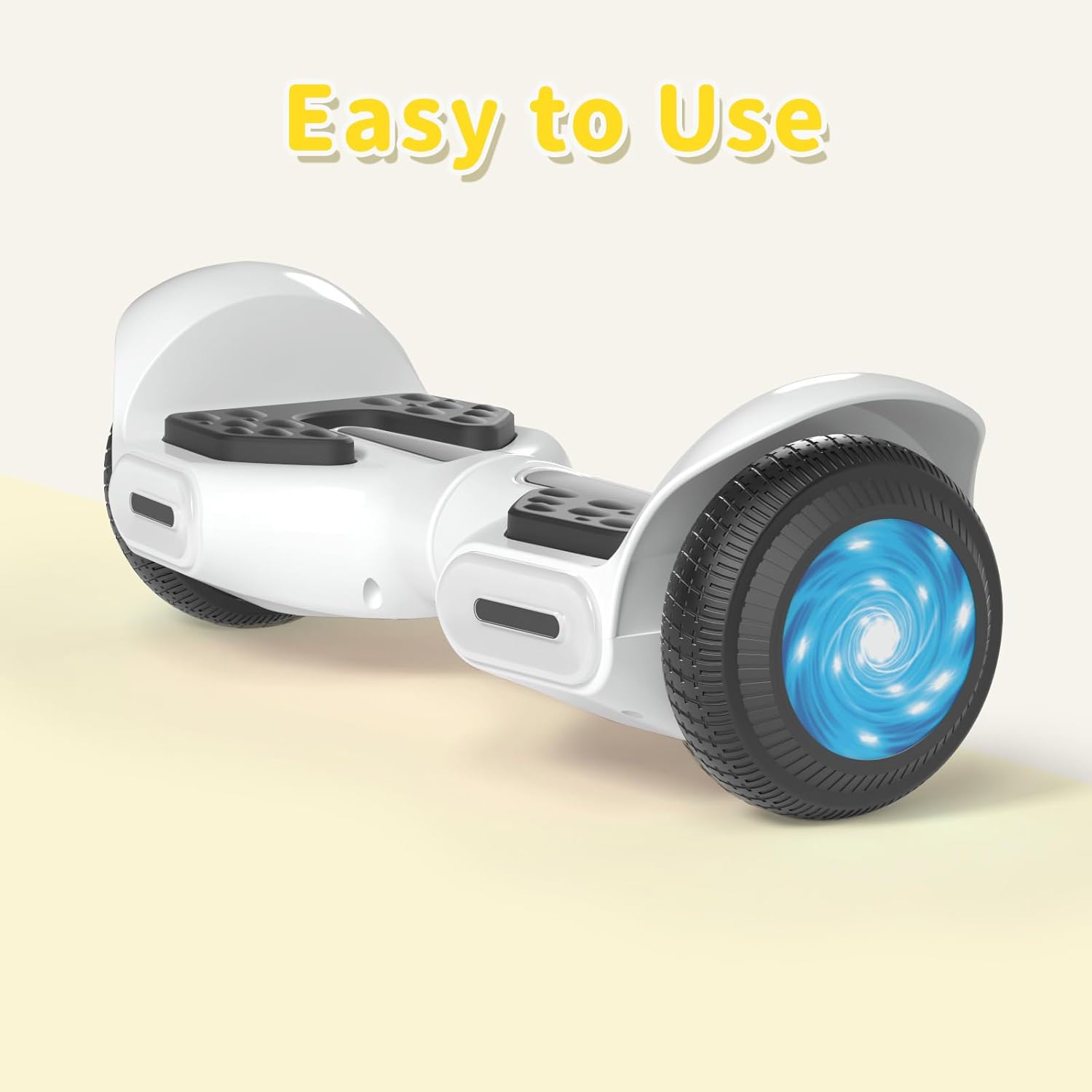
Beeld 4.3: Nabyskoot view of the head and central LED lights on the scooter.
5. Opstelling
5.1 Aanvanklike laai
- Before first use, fully charge the scooter. Connect the charger to the charging port on the scooter and then to a power outlet.
- The indicator light on the charger will change (e.g., from red to green) when charging is complete. Charging typically takes 2-3 hours.
- Moenie die battery oorlaai nie. Ontkoppel die laaier sodra die laai voltooi is.
5.2 Krag aan/af
- To power on, press and hold the power button located on the scooter.
- Om af te skakel, druk en hou die kragknoppie weer in.
6. Bedryfsinstruksies
6.1 First Ride Guidelines
- Place the scooter on a flat, level surface.
- Step onto one footpad, then quickly and confidently step onto the other footpad. Use a wall or another person for support initially.
- Lean slightly forward to move forward, and lean backward to slow down or move in reverse.
- To turn, apply gentle pressure with your left foot to turn right, and with your right foot to turn left.
- To dismount, step off one foot at a time, ensuring the scooter remains stable.
Video 6.1: Demonstration of basic riding techniques and self-balancing features for the SIMATE Kids Scooter.
6.2 spoedmodusse
The scooter features three adjustable speed modes:
- Veilige modus: Maximum speed 5 mph (suitable for beginners).
- Beginnermodus: Maximum speed 6.5 mph (suitable for novices).
- Sportmodus: Maximum speed 8.5 mph (suitable for proficient users).

Image 6.2: Visual representation of the three speed modes: Safe, Beginner, and Sports.
6.3 App Control ("XsCar")
Download the exclusive "XsCar" app to unlock additional features and control options:
- Scan the QR code (if provided on packaging or scooter) or search for "XsCar" in your device's app store.
- Pair your scooter with the app via Bluetooth.
- Deur die app kan jy:
- Power on/off the scooter.
- Adjust LED lights.
- Monitor speed and battery power.
- Set speed modes.
- Access other control features.

Image 6.3: Illustration of the "XsCar" app interface and its control capabilities for lights, speed, and battery.
6.4 Bluetooth Music Speaker
To use the built-in Bluetooth speaker:
- Maak seker dat die bromponie aangeskakel is.
- Aktiveer Bluetooth op jou mobiele toestel.
- Soek vir available Bluetooth devices and select "SIMATE Scooter" (or similar name).
- Once paired, you can play music through the scooter's speaker.
7. Onderhoud
7.1 Skoonmaak
- Vee die bromponie met advertensie afamp cloth after use. Avoid using excessive water or harsh cleaning agents.
- Moenie hoëdrukwaterstrale gebruik om die bromponie skoon te maak nie, aangesien dit elektroniese komponente kan beskadig.
7.2 Batterysorg
- Laai die battery gereeld, selfs al is die bromponie nie in gebruik nie, om die battery se gesondheid te handhaaf.
- Bêre die bromponie op 'n koel, droë plek weg van direkte sonlig en uiterste temperature.
- If the scooter will not be used for an extended period, charge it to approximately 50% before storage.
7.3 Berging
- Store the scooter indoors to protect it from weather elements.
- Hou die bromponie weg van vlambare materiale.
8. Probleemoplossing
| Probleem | Moontlike oorsaak | Oplossing |
|---|---|---|
| Scooter skakel nie aan nie. | Lae battery of aan/af-knoppie nie korrek gedruk nie. | Charge the scooter fully. Ensure the power button is pressed and held for a few seconds. |
| Scooter is not balancing. | Rider weight distribution is incorrect or surface is uneven. | Ensure feet are centered on the footpads. Practice on a flat, smooth surface. |
| Bluetooth-luidspreker koppel nie. | Bluetooth not enabled on device or scooter, or device is too far. | Ensure scooter is on and Bluetooth is enabled on your device. Move device closer to the scooter. Re-pair if necessary. |
| Verminderde reikafstand of spoed. | Low battery, heavy load, or riding on inclines. | Charge the battery fully. Reduce load. Avoid steep inclines. |
9. Spesifikasies
| Kenmerk | Detail |
|---|---|
| Model Naam | 6.5" Scooter (K3) |
| Handelsmerk | SIMATE |
| Wiel Grootte | 6.5 duim |
| Motor Krag | Dubbele 250W-motors |
| Maksimum spoed | 7.5 mph (3 adjustable speed modes) |
| Maksimum reikwydte | 7.5 myl |
| Maksimum vrag | 220 pond |
| Laai tyd | 2-3 uur |
| Materiaal | Aluminium, rubber |
| Spesiale kenmerke | Built-In Bluetooth speaker, LED Lights, App Control |
| Veiligheid Sertifisering | UL2272 |
10. Waarborginligting
The SIMATE 6.5" Self-Balancing Scooter comes with a 1 jaar waarborg vanaf die aankoopdatum. Hierdie waarborg dek vervaardigingsdefekte onder normale gebruik. Dit dek nie skade wat veroorsaak word deur misbruik, ongelukke, ongemagtigde wysigings of normale slytasie nie.
Behou asseblief jou aankoopbewys vir waarborgeise.
11. Kliëntediens
For any questions, technical assistance, or warranty claims, please contact SIMATE customer support:
- Aanlyn diens: SIMATE provides 7*24 hours online service.
- Kontak: Refer to the contact information provided on the product packaging or the official SIMATE webwebwerf vir die mees onlangse ondersteuningskanale.

Image 11.1: Illustration of a customer support representative, symbolizing available assistance.
Ask a question about this manual
Ask about setup, troubleshooting, compatibility, parts, safety, or missing instructions. Manuals+ will review the question and use this page’s manual context to help answer it.