
Inleiding
Thank you for choosing the Vieta Pro Way 4 Headband Headphones. These headphones are designed to provide a superior audio experience with advanced features such as Bluetooth 5.4 connectivity, an integrated microphone, a dedicated gaming mode, and dual pairing capabilities. This manual will guide you through the setup, operation, and maintenance of your new headphones.
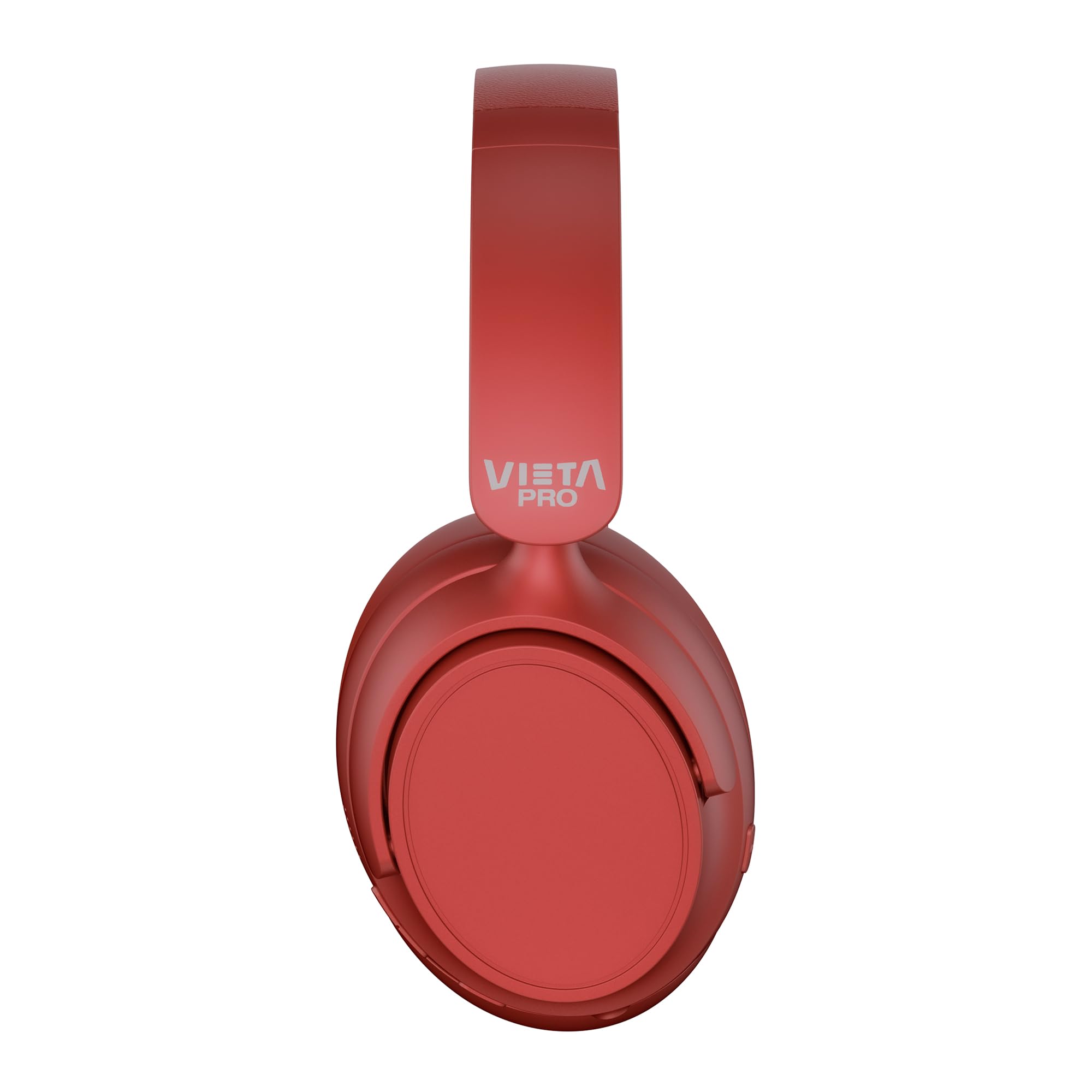
Beeld: Voorkant view of the Vieta Pro Way 4 Headband Headphones in red.
Pakketinhoud
Kontroleer asseblief dat alle items in die pakket teenwoordig is:
- Vieta Pro Way 4 Headband Headphones
- USB-laaikabel
- 3.5mm Audio Cable with integrated microphone
- Gebruikershandleiding (hierdie dokument)
Produk verbyview
Familiarize yourself with the various parts and controls of your headphones.

Image: Right earcup with power button, volume controls, USB-C charging port, and 3.5mm audio jack.
- Kragknoppie: Word gebruik om aan/af te skakel en Bluetooth-paring te begin.
- Volume op/Volgende snit-knoppie: Press briefly to increase volume, press and hold for next track.
- Volume Verlaag/Vorige Liedjie Knoppie: Press briefly to decrease volume, press and hold for previous track.
- Multifunksie-knoppie: For play/pause, answer/end calls, activate voice assistant.
- USB-C-laaipoort: Vir die laai van die oorfone.
- 3.5 mm oudio-aansluiting: Vir bedrade verbinding met behulp van die ingeslote klankkabel.
- Geïntegreerde mikrofoon: For calls and voice assistant commands.

Image: Left earcup and adjustable headband of the Vieta Pro Way 4 headphones.
Opstelling
1. Laai die oorfone
Laai jou oorfone volledig voor die eerste gebruik.
- Koppel die USB-laaikabel aan die USB-C-poort op die oorfone.
- Koppel die ander kant van die kabel aan 'n USB-kragadapter (nie ingesluit nie) of 'n rekenaar se USB-poort.
- Die LED-aanwyser sal die laaistatus wys (bv. rooi vir laai, blou/af vir volledig gelaai).
- 'n Volle lading bied tot 50 uur se speeltyd.
2. Skakel aan/af
- Om aan te skakel: Druk en hou die aan/af-knoppie vir ongeveer 3 sekondes in totdat die LED-aanwyser flikker.
- Om af te skakel: Druk en hou die aan/af-knoppie vir ongeveer 3 sekondes totdat die LED-aanwyser afskakel.
3. Bluetooth-koppeling
Koppel jou oorfone met jou toestel vir draadlose klank.
- Maak seker dat die oorfone afgeskakel is.
- Druk en hou die aan/af-knoppie vir ongeveer 5-7 sekondes totdat die LED-aanwyser afwisselend rooi en blou flikker, wat paringsmodus aandui.
- Aktiveer Bluetooth op jou toestel (slimfoon, tablet, rekenaar) en soek vir beskikbare toestelle.
- Select "Vieta Pro Way 4" from the list of found devices.
- Once connected, the LED indicator will flash blue slowly or turn solid blue.
4. Dubbele paring
The Vieta Pro Way 4 headphones support dual pairing, allowing simultaneous connection to two devices (e.g., phone and computer).
- Pair the headphones with the first device as described in "Bluetooth Pairing".
- Deaktiveer Bluetooth op die eerste toestel. Die oorfone sal weer in paringsmodus gaan.
- Koppel die oorfone met die tweede toestel.
- Aktiveer Bluetooth weer op die eerste toestel. Die oorfone behoort outomaties aan beide toestelle te koppel.
- Audio will play from the device that is actively transmitting.
5. Wired Connection (Aux-in)
Use the included 3.5mm audio cable for a wired connection. This is useful when the battery is low or for devices without Bluetooth.
- Connect one end of the 3.5mm audio cable to the Aux-in port on the headphones.
- Koppel die ander kant aan die 3.5 mm-klankaansluiting van jou toestel.
- The headphones will automatically switch to wired mode. The integrated microphone on the cable can be used for calls in this mode.
Bedryfsinstruksies
Musiek afspeel
- Speel/pouse: Druk een keer op die Multifunksie-knoppie.
- Volume op: Druk die Volume Up-knoppie een keer.
- Volume af: Druk een keer die Volume Down-knoppie.
- Volgende snit: Druk en hou die Volume Op-knoppie.
- Vorige snit: Druk en hou die Volume Down-knoppie.
Belbestuur
- Beantwoord/beëindig oproep: Druk een keer op die Multifunksie-knoppie.
- Verwerp oproep: Druk en hou die multifunksieknoppie vir 2 sekondes in.
- Herbel laaste nommer: Dubbeldruk die multifunksieknoppie.
Stemassistent
- Aktiveer Stemassistent (Siri, Google Assistent, ens.): Druk drie keer op die multifunksieknoppie.
Speelmodus
Activate Gaming Mode to reduce Bluetooth latency for an optimized gaming experience.
- Activate/Deactivate Gaming Mode: Press the Power button twice quickly. The headphones will provide an audio cue.
Onderhoud
- Skoonmaak: Vee die oorfone af met 'n sagte, droë lap. Moenie skuurmiddels of oplosmiddels gebruik nie.
- Berging: Store the headphones in a cool, dry place. The foldable design allows for compact storage.
- Batterysorg: Om die batterylewe te verleng, vermy om die oorfone gereeld heeltemal te ontlaai. Laai hulle gereeld.
- Waterweerstand: Hierdie oorfone is nie waterdig nie. Vermy blootstelling aan water of oormatige vog.

Image: The Vieta Pro Way 4 headphones in their foldable configuration, demonstrating portability.
Probleemoplossing
| Probleem | Moontlike oorsaak | Oplossing |
|---|---|---|
| Oorfone skakel nie aan nie. | Lae battery. | Laai die oorfone ten volle. |
| Kan nie via Bluetooth koppel nie. | Headphones not in pairing mode; Bluetooth disabled on device; too far from device. | Ensure headphones are in pairing mode (flashing red/blue). Enable Bluetooth on your device. Move headphones closer to the device (within 10 meters). |
| Geen geluid of lae volume nie. | Volume too low on headphones or device; incorrect audio source selected; headphones not connected. | Increase volume on both headphones and device. Check Bluetooth connection or 3.5mm cable connection. Ensure the correct audio output is selected on your device. |
| Mikrofoon werk nie. | Microphone muted on device; incorrect input device selected; issue with 3.5mm cable microphone. | Check device settings to ensure microphone is not muted and "Vieta Pro Way 4" is selected as input. If using wired connection, ensure the cable's microphone is enabled/functional. |
| Audio delay in games. | Gaming Mode is not activated. | Activate Gaming Mode by double-pressing the Power button. |
Spesifikasies
| Model Naam | Vieta Pro Way 4 |
| Modelnommer | Stilte 3 |
| Konnektiwiteit | Bluetooth 5.4, 3.5mm Aux-in |
| Batterylewe | Tot 50 uur |
| Mikrofoon | Integrated (for Bluetooth), In-line (for 3.5mm cable) |
| Spesiale kenmerke | Gaming Mode, Dual Pairing, Foldable Design, Passive Noise Reduction |
| Impedansie | 32 ohm |
| Oorplasing | Over-ear (Circumaural) |
| Materiaal | Plastiek |
| Waterweerstand | Nie waterdig nie |
| Versoenbare toestelle | Mobile devices, computers, game consoles |
Waarborg en Ondersteuning
For warranty information and technical support, please refer to the warranty card included in your product packaging or visit the official Vieta Pro webwebwerf.
Bewaar asseblief u aankoopbewys vir enige waarborgaansprake.