
1. Inleiding
Thank you for choosing the Philips Rechargeable Flashlight Model 8607. This professional-grade flashlight delivers exceptional brightness and versatility for various applications. Designed with durability and user-friendliness in mind, it features a powerful 13000-lumen output, an innovative ignition focusing lens, multiple lighting modes with stepless dimming and smart memory, and a robust waterproof construction.
This manual provides essential information for the safe and effective operation, maintenance, and troubleshooting of your new flashlight. Please read it thoroughly before first use and retain it for future reference.
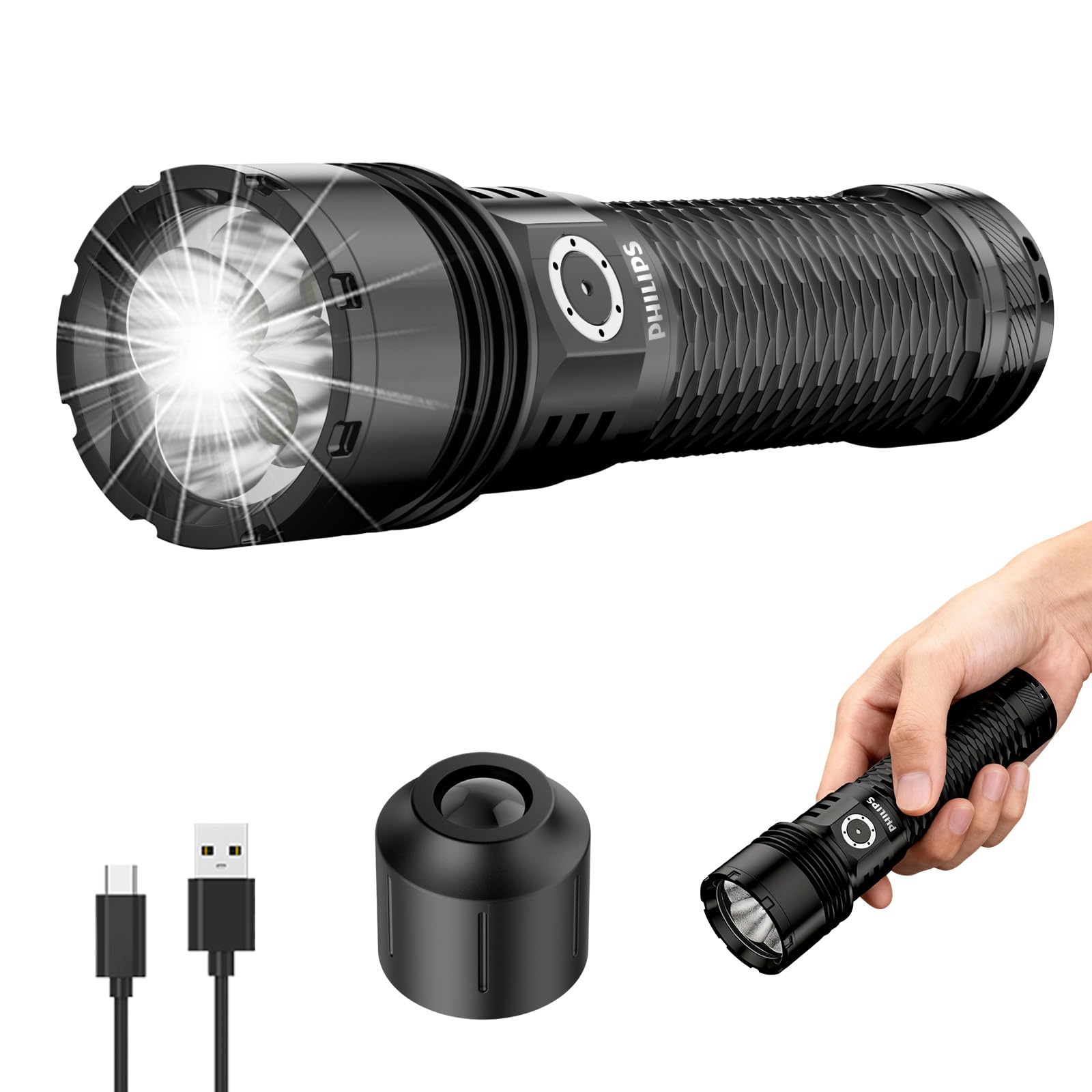
Figure 1: Philips Rechargeable Flashlight Model 8607.
2. Wat is in die boks
Your Philips Rechargeable Flashlight package includes the following items:
- Rechargeable Flashlight (Model 8607)
- 5500mAh herlaaibare battery
- Ignition Focusing Lens
- Type-C laaikabel
- Draagbare sak
- Tactical Lanyard
3. Opstelling
3.1 Initial Battery Preparation
Before first use, ensure you remove the transparent insulating film from the rechargeable battery. This film prevents accidental discharge during shipping.

Figure 2: Remove transparent insulating film from the battery before use.
3.2 Charging the Flashlight
The Philips Flashlight is equipped with a Type-C USB charging port for convenient recharging. The power button LED indicator will show the charging status:
- Rooi lig: Laai aan die gang.
- Groen Lig: Ten volle gelaai.
Connect the provided Type-C charging cable to the flashlight's charging port and a compatible USB power source. A full charge can take several hours. For optimal battery life, ensure the battery is fully charged before its first use.

Figure 3: Connect the Type-C cable to charge the flashlight. The indicator light shows charging status.
4. Bedryfsinstruksies
4.1 Basic Operation & Modes
The flashlight features multiple modes for various lighting needs:
- Single-click (from OFF): Turns the flashlight ON to the last used brightness setting (Smart Memory).
- Single-click (from ON): Turns the flashlight OFF.
- Long Press (from ON): Activates Stepless Dimming. Hold the button to cycle through brightness levels. Release to set.
- Double-click (from OFF): Activates Strobe Mode.
- Double-click (from ON): Activates Turbo Mode (maximum brightness).
- Triple-click (from ON): Activates SOS Mode.

Figuur 4: oorview of flashlight operating modes including continuous dimming, strobe, and SOS.
4.2 Spotlight & Floodlight Adjustment
The flashlight head can be extended or retracted to adjust the beam from a focused spotlight to a wide floodlight. Pull the head forward for a tight, long-distance beam, or push it back for broad area illumination.
4.3 Slimgeheuefunksie
The flashlight remembers the last used brightness setting (excluding Strobe and SOS modes) and will return to that setting when turned on again.
4.4 Uitsluitingsfunksie
To prevent accidental activation, the flashlight features a lockout function:
- Om te sluit: Voer a pentacle-click (five rapid clicks) on the power button. The flashlight will blink to confirm, and all functions will be disabled.
- Om te ontsluit:
- Voer a pentacle-click when locked.
- Connect the flashlight for charging (automatic unlock).
- Installeer die battery weer.

Figure 5: Instructions for locking and unlocking the flashlight to prevent accidental activation.
4.5 Videodemonstrasie
Video 1: A demonstration of the Philips Flashlight's features, including various light modes and functions.
5. Ignition Lens Feature
The Philips Flashlight includes a unique ignition focusing lens, designed to help start fires in emergency or outdoor situations. Use with extreme caution.
5.1 How to Use the Ignition Lens
- Ensure Manual Security: The focusing lens must be manually secured in place by hand during use.
- Aktiveer Turbo-modus: Turn on the flashlight with a single click, then double-click to enter ultra-bright (Turbo) mode.
- Heg lens aan: Carefully attach the ignition lens to the front of the flashlight.
- Select Combustible Material: Choose dark-colored, dry combustible materials (e.g., tinder, dry leaves).
- Focus Light: Place the flashlight with the attached focusing lens over the combustible material. Adjust the distance to achieve the smallest, most intense light spot.
- Ontsteking: Maintain focus until sparks appear and the material ignites. A puff of air may help start the fire.

Figure 6: Step-by-step guide on how to use the ignition focusing lens.
5.2 Safety Precautions for Ignition Lens
- Do not point the flashlight with the ignition lens at people or animals.
- Do not leave unattended during ignition.
- Hou buite bereik van kinders.
- Ensure the focusing lens is securely held to prevent accidental movement.
- Only use in appropriate, safe environments away from flammable materials.
6. Onderhoud
6.1 Skoonmaak
Vee die flitsliggaam af met 'n sagte, damp lap. Moenie skuurmiddels of oplosmiddels gebruik nie. Hou die lens skoon vir optimale liguitset.
6.2 Water Resistance & Durability
The Philips Flashlight is designed to be waterproof and shock-resistant, capable of withstanding drops from up to 1.2 meters. While it is water-resistant, avoid prolonged submersion or high-pressure water jets.

Figure 7: The flashlight is designed to be water resistant and drop-resistant for reliable performance in various conditions.
6.3 Berging
Store the flashlight in a cool, dry place away from direct sunlight and extreme temperatures. If storing for extended periods, partially charge the battery (around 50%) and recharge every 3-6 months to maintain battery health.
7. Probleemoplossing
| Probleem | Moontlike oorsaak | Oplossing |
|---|---|---|
| Flitslig skakel nie aan nie. | Battery is depleted or insulating film not removed. Flashlight is in lockout mode. | Charge the battery. Remove insulating film. Unlock the flashlight (pentacle-click, charge, or reinstall battery). |
| Flashlight is dim or not reaching full brightness. | Battery is low. Not in Turbo mode. | Fully charge the battery. Double-click to activate Turbo mode. |
| Charging indicator light is red but battery doesn't seem to fully charge. | Initial charge cycles may require multiple re-connections to reach full voltage. | Disconnect and reconnect the charging cable multiple times until the green indicator light stays on consistently, indicating a full 4.20V charge. |
| Ignition lens not working effectively. | Incorrect focus or material. | Ensure the flashlight is in Turbo mode. Adjust the distance to create the smallest, most intense light spot. Use dry, dark-colored combustible materials. |
8. Spesifikasies
- Handelsmerk: Philips
- Modelnommer: PHILIPS Flashlights (Style Name: PHILIPS Flashlights High Lumens-8607)
- Ligbrontipe: LED
- Wit helderheid: 13000 Lumen
- Lig pad afstand: 500 meter
- Kragbron: Battery aangedrewe
- Battery tipe: 5500mAh Rechargeable Lithium Battery (Other Than Listed)
- Looptyd: Tot 20 uur (afhangende van modus)
- Laai: Tipe C-USB
- Materiaal: Duursame aluminiumlegering
- Kleur: Swart
- Waterweerstandvlak: Waterdig
- Skokweerstand: Withstands drops from up to 1.2 meters
- Itemafmetings (L x B x H): Ongeveer 2.2 cm L x 1.6 cm B x 4.7 cm H
- Spesiale kenmerke: Ignition Focusing Lens, Multiple Modes, Stepless Dimming, Smart Memory
9. Waarborg en ondersteuning
9.1 Vervaardigerwaarborg
The Philips Rechargeable Flashlight comes with a Lewenslange waarborg. Hierdie waarborg dek defekte in materiaal en vakmanskap onder normale gebruik.
9.2 Kliëntediens
For any issues, questions, or warranty claims, please contact the seller (Philips Flashlight) via Amazon. We provide 12-hour customer service and offer free return and exchange services for product problems.
If you have suggestions for improving our flashlight, please contact the seller via Amazon. Accepted suggestions may lead to an invitation to freely try our new flashlight models.