
Inleiding
Thank you for choosing the TROND Desk Clamp Power Strip. This manual provides essential information for the safe and efficient use of your new power strip. This device is designed to provide convenient power access and charging capabilities directly on your desk, reducing clutter and improving accessibility.

Image: TROND Desk Clamp Power Strip in use, providing power to a laptop and charging a smartphone.
Veiligheidsinligting
- For indoor use only. Do not expose to liquids or excessive moisture.
- Do not exceed the maximum power rating of 1625W (13A, 125V).
- Ensure the power strip is properly grounded.
- Moenie die toestel uitmekaar haal of verander nie.
- Hou buite bereik van kinders.
- The built-in 1700J surge protection helps safeguard your electronics from power surges.
- This product is made of UL94 V-0 flame-retardant material for enhanced safety.
Pakketinhoud
- 1 x TROND Desk Clamp Power Strip (Model TD-PS-US28S)
- 1 x Gebruikershandleiding
Produk Kenmerke
- 4 AC-aansluitings: Widely spaced to accommodate larger power adapters.
- 2 USB-C-poorte: Power Delivery (PD) 20W Max for fast charging compatible devices.
- 2 USB-A Ports: Quick Charge (QC) 18W Max for fast charging compatible devices.
- 1700 Joule Surge Protection: Beskerm gekoppelde toestelle teen voltage spykers.
- 6ft Flat Plug Extension Cord: Lae profile 0.33in flat plug with a 45° right-angled design, made with 16 AWG pure copper.
- Lessenaar Clamp Ontwerp: Easily mounts to tabletops up to 1.97 inches thick, no drilling required.
- Stroombreker skakelaar: Controls AC power and provides overload protection.
- ETL gelys: Certified for safety and quality.
Opstel instruksies
- Kies Monteerplek: Select a suitable edge on your desk or table. The clamp fits tabletops up to 1.97 inches (5cm) thick.
- Heg die Clamp: Position the power strip on the desired edge. Turn the knob on the bottom of the clamp clockwise to tighten it securely to the table. Ensure the clamp is firm and the power strip does not wobble.
- Koppel aan muuraansluiting: Plug the 6ft flat plug extension cord into a standard 125V AC wall outlet. The 45° right-angled flat plug is designed to fit in tight spaces without blocking other outlets.
- Aktiveer krag: Press the circuit breaker switch on the power strip to the 'ON' position. The indicator light will illuminate, confirming power is supplied.

Image: Visual guide for clamping the power strip to a desk edge or table leg, highlighting the maximum desk thickness.
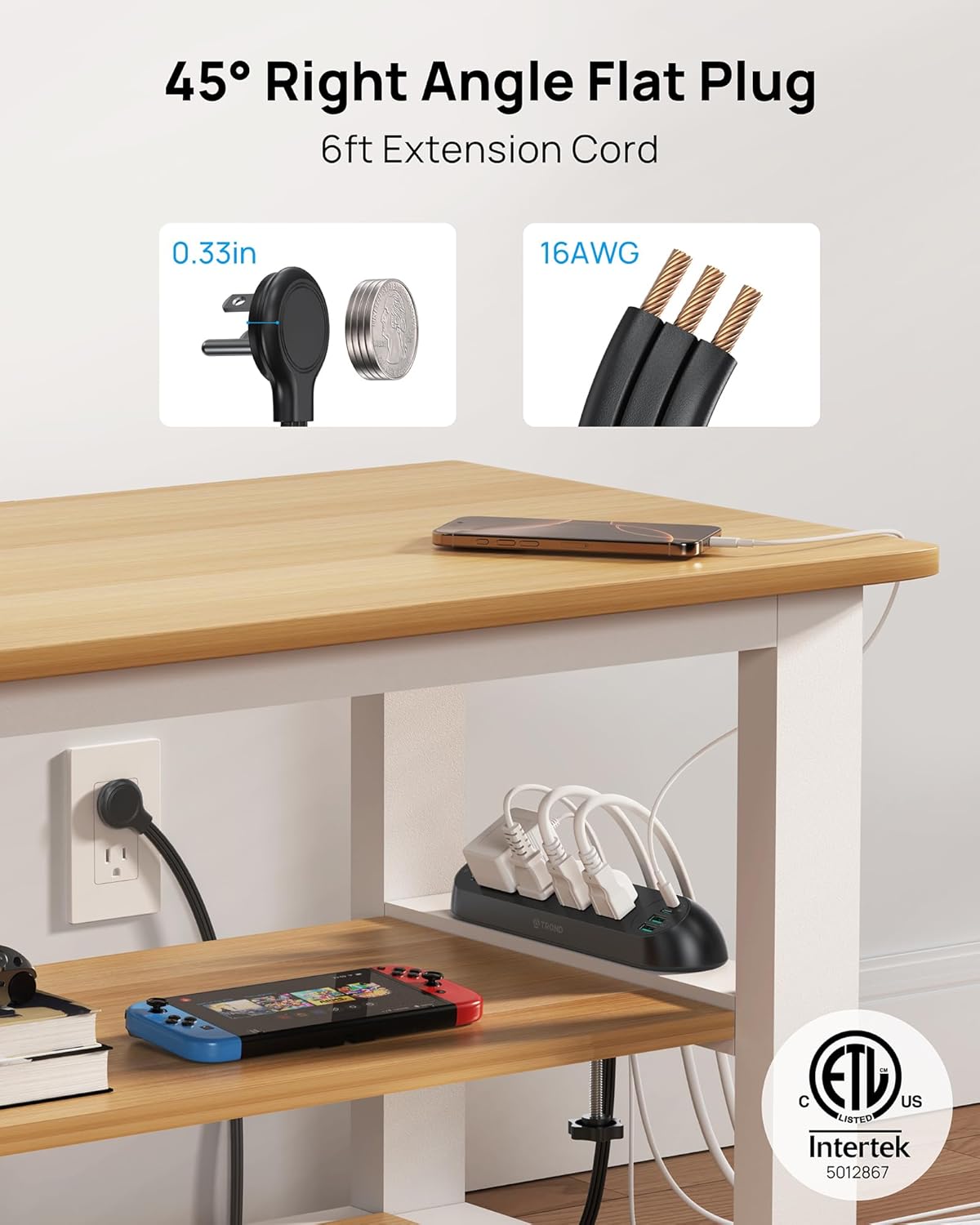
Image: Detail of the space-saving 45° right-angle flat plug and the robust 16 AWG cord.
Video: Short demonstration of installing the TROND Desk Clamp Power Strip on a desk.
Bedryfsinstruksies
Once installed and powered on, the TROND Desk Clamp Power Strip is ready for use. Its design provides easy access to all ports, eliminating the need to reach under your desk.
- AC afsetpunte: Plug your AC-powered devices into the 4 widely spaced outlets. The wide spacing ensures that larger power adapters do not obstruct adjacent outlets.
- USB-poorte: Connect your USB-powered devices (smartphones, tablets, etc.) to the USB-C or USB-A ports for charging.
- Krag skakelaar: Use the integrated circuit breaker switch to turn the entire power strip on or off. This switch also acts as an overload protector.

Image: The power strip on a nightstand, illustrating the wide spacing of AC outlets.
Video: Verbyview of the TROND Desk Clamp Power Strip in various home and office settings.
Laai vermoëns
The power strip features advanced charging technology for your mobile devices:
- USB-C Power Delivery (PD 20W): Each USB-C port can deliver up to 20W of power when used individually, providing rapid charging for compatible smartphones and tablets.
- USB-A Quick Charge (QC 18W): Each USB-A port can deliver up to 18W of power when used individually, offering fast charging for compatible devices.
- Multiple USB Ports (15W Max Shared): When two or more USB ports are used simultaneously, the total output is shared, with a maximum combined power of 15W.

Image: A smartphone charging rapidly via the USB-C PD 20W port on the power strip.

Image: Detailed breakdown of power output for single, dual, and multiple USB port usage.
Spanningsbeskerming
The TROND Desk Clamp Power Strip is equipped with 1700 Joules of surge protection to shield your valuable electronics from damaging power surges and spikes. The ETL listing confirms its compliance with safety standards.
- The surge protector automatically detects and diverts excess voltage away from connected devices.
- A dedicated indicator light on the power strip will show the status of the surge protection. If the light is off, the surge protection may have been compromised and the unit should be replaced.
- The integrated circuit breaker switch provides additional overload protection, automatically cutting power if the connected load exceeds the maximum rating.

Image: Visual representation of the surge protection feature and circuit breaker switch.
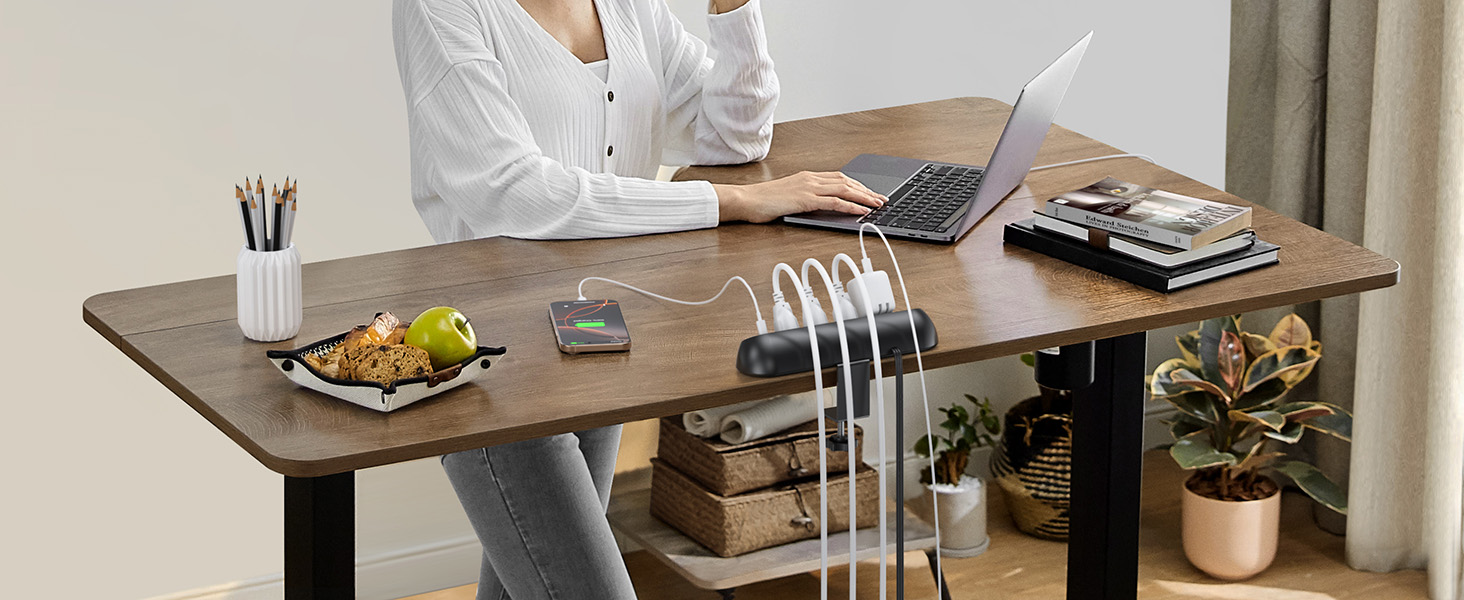
Image: Internal components illustrating the 1700J surge protection mechanism.
Video: 'n Omvattende oorsigview of the TROND Desk Clamp Power Strip, including its features and benefits.
Onderhoud
- Always disconnect the power strip from the wall outlet before cleaning.
- Vee die buitekant af met 'n sagte, droë lap. Moenie vloeibare skoonmaakmiddels of skuurmiddels gebruik nie.
- Ensure all ports are free from dust and debris to maintain optimal performance.
Probleemoplossing
- Geen krag na toestelle nie:
- Check if the power strip's circuit breaker switch is in the 'ON' position.
- Ensure the power strip is securely plugged into a functioning wall outlet.
- Verify that the wall outlet itself has power by testing with another device.
- Devices Not Charging via USB:
- Ensure the USB cables are properly connected to both the power strip and the device.
- Check if the device's charging port is clean and undamaged.
- Some devices may require specific charging protocols; ensure compatibility.
- If multiple USB devices are connected, the shared power output might reduce individual charging speeds.
- Power Strip Shuts Off Automatically:
- This indicates that the overload protection has been activated. Disconnect some devices to reduce the load.
- Reset the circuit breaker switch by turning it 'OFF' and then 'ON' again.
Spesifikasies
| Modelnommer | TD-PS-US28S |
| Produk afmetings | 9.53 x 2.5 x 0.1 duim |
| Item gewig | 1 pond |
| Kleur | Swart |
| WS-afsetpunte | 4 (Widely Spaced) |
| USB-C-poorte | 2 (PD 20W Max per port, 15W Max shared) |
| USB-A-poorte | 2 (QC 18W Max per port, 15W Max shared) |
| Invoer Voltage | 125 Volt AC |
| Maksimum krag gradering | 1625W / 13A |
| Spanningsbeskerming | 1700 Joule |
| Lengte van verlengkoord | 6 voet (16 AWG) |
| Tipe prop | 45° Right-angled Flat Plug |
| Max Tabletop Thickness | 1.97 duim |
| Materiaal | UL94 V-0 Flame-Retardant |
| Sertifiserings | ETL gelys |
Waarborg en Ondersteuning
For warranty information and customer support, please refer to the official TROND website or contact TROND customer service directly. Keep your purchase receipt for warranty claims.