
1. Inleiding
This manual provides detailed instructions for the safe and efficient operation of your VGKE Mini Projector, model TS-6. Please read this manual thoroughly before using the projector and retain it for future reference.
The VGKE Mini Projector TS-6 is a portable Full HD projector designed for home entertainment, offering versatile connectivity options including WiFi and Bluetooth for seamless integration with various devices.
2. Produk verbyview
2.1 Sleutelkenmerke
- Full HD 1080p Native Resolution (Supports 4K Sources)
- Built-in WiFi 6 for fast wireless connectivity
- Bluetooth 5.2 for external audio devices
- Portable design with a retractable stand
- 90-degree flip adjustment for ceiling projection
- Electric Focus and Keystone Correction (Auto Keystone 15° Vertical Only, 4-Direction, 4-Point Correction)
- 60-100% Zoom function
- Wide compatibility with Android, iOS, Laptops, TV Sticks, HDMI, and USB devices

Figure 1: VGKE Mini Projector TS-6. This image displays the compact and portable design of the projector.

Figure 2: Key features of the VGKE Mini Projector, including high brightness, Full HD resolution, 4K source support, and a retractable stand.
2.2 Pakketinhoud
Kontroleer asseblief die pakket vir die volgende items:
- VGKE Mini Projector TS-6
- Kragadapter
- Afstandbeheer
- Gebruikershandleiding
- HDMI-kabel (kan per streek/pakket verskil)
3. Opstelling
3.1 Plasing
Position the projector on a stable, flat surface. Ensure adequate ventilation around the device. The projector features a 90-degree flip adjustment, allowing for flexible placement, including ceiling projection.

Figure 3: Projector demonstrating 90-degree flip adjustment for versatile projection angles, including ceiling projection.
3.2 Kragverbinding
- Koppel die kragadapter aan die projektor se kragtoevoerpoort.
- Steek die kragadapter in 'n muuraansluiting.
- Druk die kragknoppie op die projektor of afstandbeheerder om die toestel aan te skakel.
3.3 Initial Focus and Keystone Adjustment
Upon initial power-on, adjust the focus and keystone to achieve a clear, rectangular image.
- Elektriese fokus: Use the remote control to adjust the focus until the image is sharp.
- Keystone-korreksie: The projector supports auto 15° vertical keystone correction. Manual 4-direction and 4-point correction are also available via the settings menu for precise image alignment.

Figure 4: Illustration of the Electric Focus and various Keystone Correction options available on the projector.
4. Bedryfsinstruksies
4.1 Koppel toestelle
Die projektor bied verskeie konnektiwiteitsopsies:
- HDMI: Connect laptops, TV sticks, gaming consoles (Switch/PS5), or TV boxes via the HDMI ports.
- USB: Insert USB sticks or external storage devices into the USB ports for media playback.
- Klankpoort: Sluit koptelefoon of eksterne luidsprekers aan.
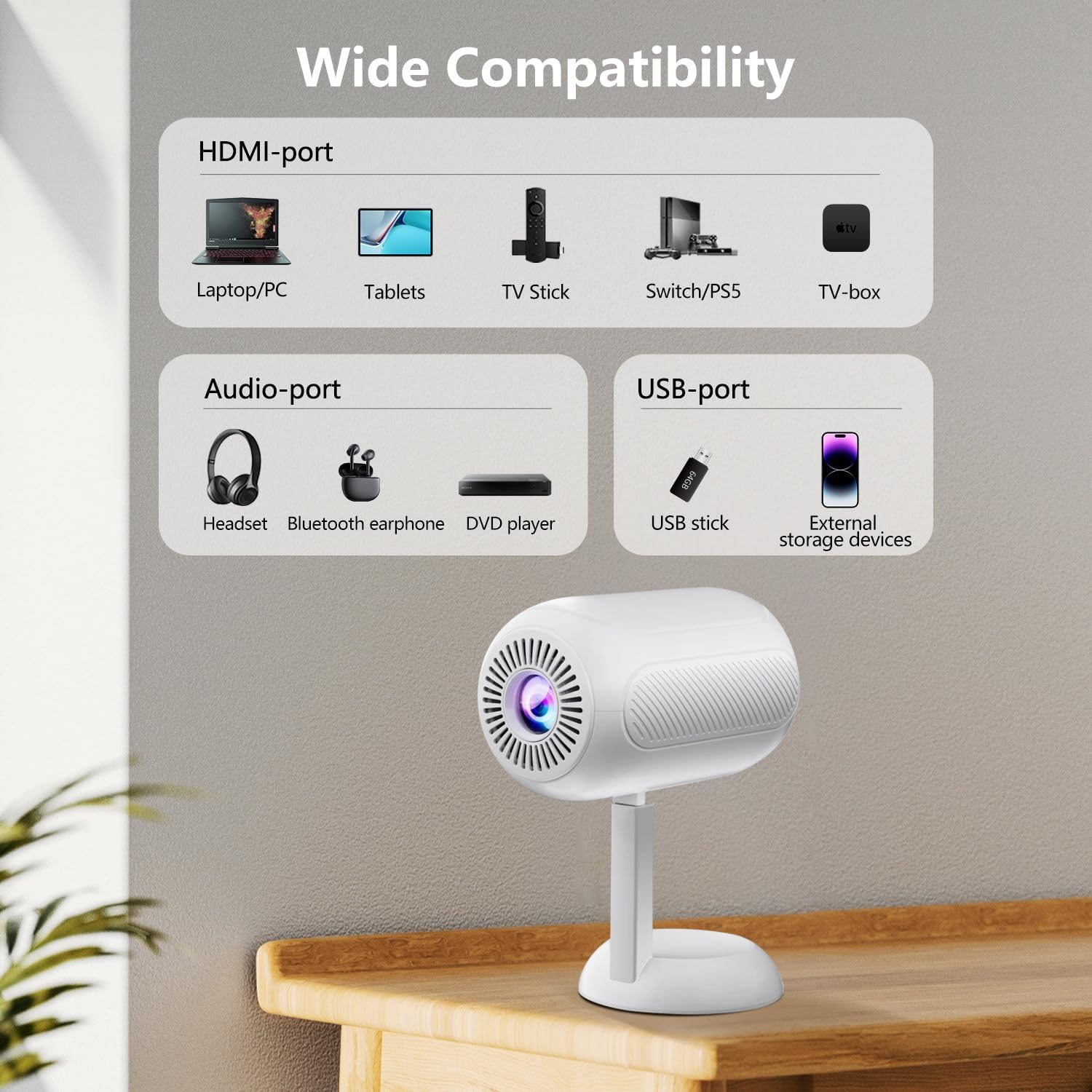
Figuur 5: oorview of the projector's connectivity ports, including HDMI, USB, and Audio ports.
4.2 Draadlose konnektiwiteit (WiFi en Bluetooth)
The projector supports WiFi 6 and Bluetooth 5.2 for wireless connections.
- WiFi -verbinding:
- Navigate to the projector's settings menu.
- Select "Network" or "WiFi Settings".
- Choose your desired WiFi network and enter the password.
- Once connected, you can use screen mirroring features.
- Bluetooth-verbinding:
- Go to the projector's settings menu.
- Kies "Bluetooth-instellings".
- Aktiveer Bluetooth en soek vir beskikbare toestelle.
- Select your Bluetooth speaker or headphones to pair.

Figure 6: The projector connected wirelessly via WiFi and Bluetooth, demonstrating compatibility with iOS, Android, and Windows devices.
4.3 Skermspieëling
The projector supports screen mirroring from Android, iOS, and Windows devices. Ensure your device and the projector are connected to the same WiFi network.
- Vir iOS-toestelle:
- On the projector, select the "iOS Cast" or "Screen Mirroring" option.
- Maak Beheersentrum oop op jou iOS-toestel en tik op "Skermspieëling".
- Kies die projektor uit die lys van beskikbare toestelle.
- Vir Android-toestelle:
- On the projector, select the "Android Cast" or "Screen Mirroring" option.
- On your Android device, enable "Wireless Display," "Smart View," or "Cast" (names may vary by device).
- Kies die projektor uit die lys van beskikbare toestelle.
Let wel: Due to HDCP copyright protocols, certain streaming services (e.g., Netflix, Disney+, Prime Video, Hulu) may not support direct screen mirroring. For these services, it is recommended to use a TV Stick (e.g., Amazon Fire Stick, Roku) connected via HDMI.
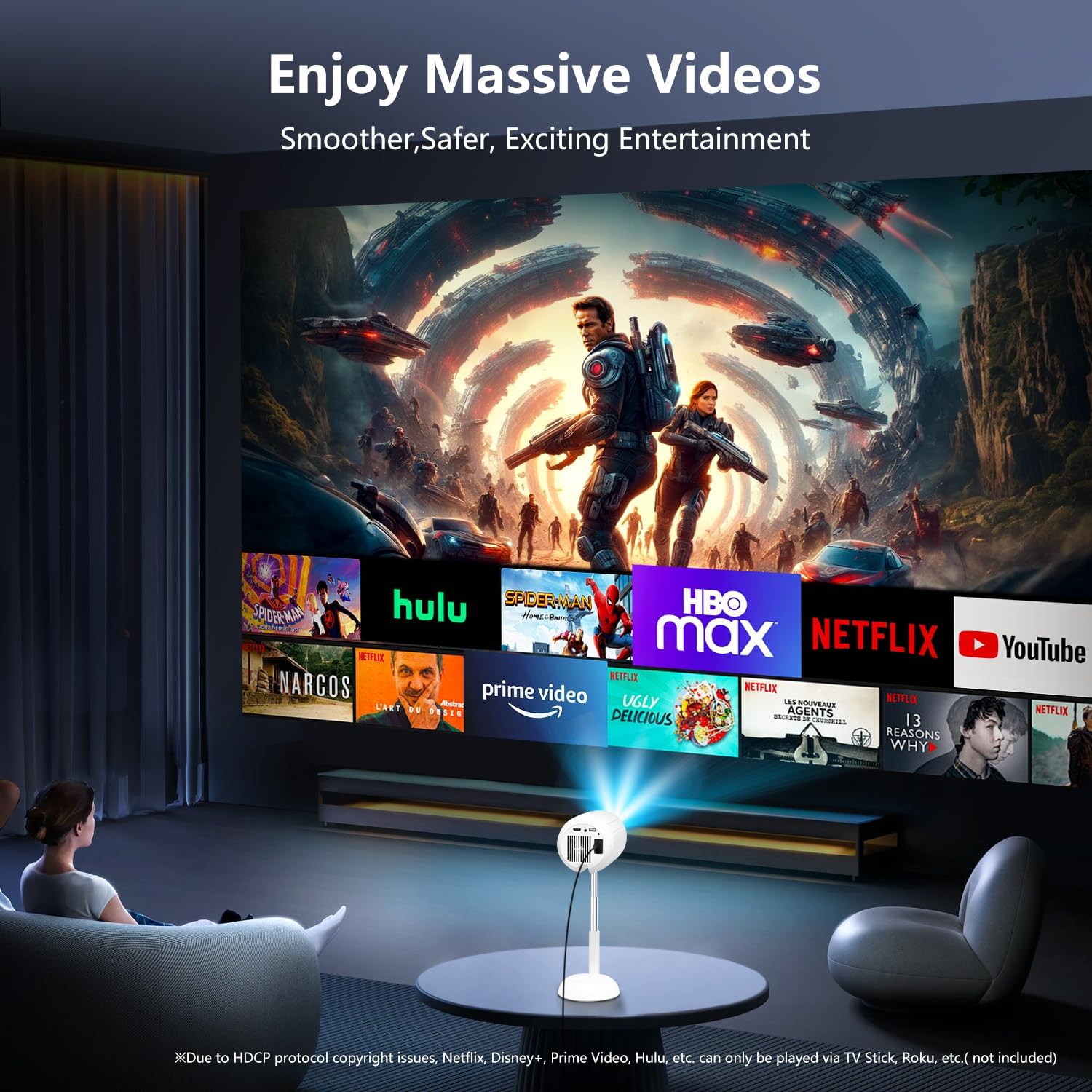
Figure 7: The projector displaying content from various streaming services, highlighting the use of external devices for copyrighted content.
5. Onderhoud
5.1 Skoonmaak van die lens
Gebruik 'n sagte, pluisvrye lap wat spesifiek vir optiese lense ontwerp is om die projektorlens saggies af te vee. Vermy die gebruik van skuurmiddels of oormatige krag, aangesien dit die lens kan krap.
5.2 Skoonmaak van die Projektorbehuising
Wipe the exterior of the projector with a soft, dry cloth. Do not use liquid cleaners or solvents, as they may damage the finish.
5.3 Ventilasie
Ensure the ventilation openings are clear of dust and obstructions to prevent overheating. Do not block the air vents during operation.
6. Probleemoplossing
| Probleem | Moontlike oorsaak | Oplossing |
|---|---|---|
| Geen prent word vertoon nie | Power cable disconnected; incorrect input source; device not connected properly. | Check power connection; select correct input source (HDMI, USB, etc.); ensure cables are securely connected. |
| Vervaagde beeld | Out of focus; incorrect keystone adjustment. | Adjust electric focus using the remote; perform keystone correction. |
| Geen klank nie | Volume too low; external audio device not connected/paired; projector muted. | Increase volume; connect/pair Bluetooth device; unmute projector. |
| Skermspieëling werk nie | Devices not on same WiFi network; HDCP restrictions; WiFi signal weak. | Ensure both devices are on the same WiFi; use HDMI for restricted content; check WiFi signal strength. |
7. Spesifikasies
| Kenmerk | Detail |
|---|---|
| Handelsmerk | VGKE |
| Modelnommer | TS-6 |
| Vertoon resolusie | 1920 x 1080 (Vol HD) |
| Verbindingstegnologie | Bluetooth, HDMI, USB, Wi-Fi |
| Spesiale kenmerke | Built-In Wi-Fi, Bluetooth |
| Produk afmetings | 4.93 x 4.93 x 8.45 duim |
| Item gewig | 2.88 pond |
| Aanbevole gebruike | Tuisbioskoop |
8. Waarborg en Ondersteuning
For warranty information and technical support, please refer to the contact details provided on the VGKE official webwebwerf of u aankoopdokumentasie. Bewaar u bewys van aankoop vir waarborgeise.
For further assistance, you may contact VGKE customer service through their official channels.


