
1. Inleiding
The Darmoshark M3PROMAX Wireless Gaming Mouse is engineered for high-performance gaming and versatile use across multiple platforms. Featuring tri-mode connectivity, an ultra-sensitive PAW3950 optical sensor, and a lightweight ergonomic design, this mouse is designed to enhance your gaming and productivity experience.
Sleutel kenmerke:
- Latest Three Modes Connection: Supports 2.4G wireless, USB-C wired, and Bluetooth modes for broad compatibility with various devices and scenarios.
- PAW3950 Optiese Sensor: Delivers up to 30000 DPI resolution, 750 IPS tracking speed, 8000Hz response rate, and 50G acceleration for superior accuracy and speed.
- Programmeerbare knoppies: Features 7 programmable buttons, allowing for custom DPI settings, key functions, and macro configurations via dedicated software.
- 54g Ultralight Ergonomic Design: Pure right-handed ergonomic design weighing approximately 54g, crafted for comfort and reduced wrist fatigue during extended use.
- Reliable Wired & Wireless Options: Offers both zero-lag wired connections and convenient Bluetooth connectivity.
2. Opstelling
2.1. Pakketinhoud
Upon unboxing your Darmoshark M3PROMAX Wireless Gaming Mouse, please ensure all the following items are present:
- Darmoshark M3PROMAX Wireless Gaming Mouse
- USB-C laai-/datakabel
- 2.4G USB-ontvanger
- Gebruikershandleiding (hierdie dokument)
- Grip Tape (optional for enhanced grip)

Image: The Darmoshark M3PROMAX mouse, USB-C cable, and 2.4G receiver neatly packaged.
2.2. Konnektiwiteitsmodusse
The M3PROMAX offers three versatile connection options:
- 2.4G draadlose modus:
For optimal gaming performance with minimal latency, use the included 2.4G USB receiver. Plug the receiver into an available USB port on your computer. Ensure the switch on the bottom of the mouse is set to the '2.4G' position. The mouse should automatically connect. - Bluetooth-modus:
For general use and connecting to devices without a USB port, switch the mouse to 'BT' mode. On your device, navigate to Bluetooth settings and search for 'Darmoshark M3PROMAX'. Select it to pair. This mode is ideal for multi-device work, allowing connection to up to 3 devices simultaneously. - USB-C Bedrade Modus:
Connect the mouse directly to your computer using the provided USB-C cable. This mode provides a stable, zero-lag connection and simultaneously charges the mouse. The mouse functions immediately upon connection.

Image: Visual representation of the tri-mode connection options on the Darmoshark M3PROMAX mouse.
2.3. Aanvanklike laai
Before first use, it is recommended to fully charge your mouse. Connect the USB-C cable to the mouse and to a powered USB port on your computer or a USB wall adapter. The mouse features a built-in 300 mAh lithium polymer battery, offering extended usage times.

Image: The Darmoshark M3PROMAX mouse connected via USB-C cable for charging.
3. Bedryfsinstruksies
3.1. DPI-aanpassing
The M3PROMAX mouse features a PAW3950 optical sensor with adjustable DPI settings up to 30000 DPI. You can adjust the DPI sensitivity directly on the mouse using the dedicated DPI Adjustment Key, or through the downloadable software for more precise control.
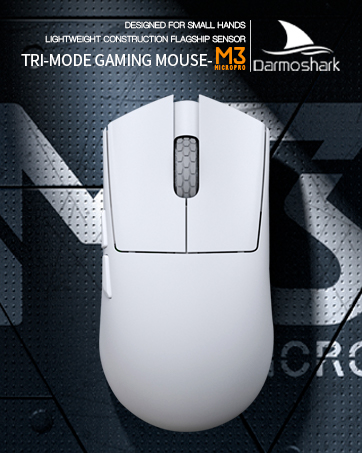
Image: The underside of the Darmoshark M3PROMAX mouse, indicating the DPI adjustment button.
3.2. Programmeerbare knoppies
The mouse is equipped with 7 programmable buttons. To customize these buttons, download the official Darmoshark software. The software allows you to set DPI levels, assign key functions, and configure player macro settings to optimize your gaming and workflow.

Image: The Darmoshark M3PROMAX mouse showcasing its programmable buttons.
3.3. Stemmingsyfer
The M3PROMAX supports an 8000Hz polling rate, ensuring extremely fast response times and minimal input lag. This high polling rate is crucial for competitive gaming, providing a seamless and responsive experience.

Image: The Darmoshark M3PROMAX mouse highlighting its 8K wireless support for high polling rates.
3.4. Ergonomics and Grip
Designed with a pure right-handed ergonomic shape, the M3PROMAX mouse weighs approximately 54g. Its lightweight construction and comfortable body design are intended to reduce palm sweating and wrist fatigue during long gaming sessions or work. Optional grip tape is included for users who prefer additional tactile feedback and secure handling.
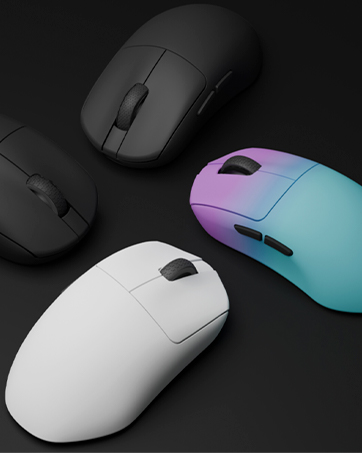
Image: The ergonomic design of the Darmoshark M3PROMAX mouse, emphasizing comfort and grip.
4. Onderhoud
4.1. Skoonmaak
Om optimale werkverrigting en higiëne te handhaaf, maak jou muis gereeld skoon. Gebruik 'n sagte, droë lap om die oppervlak af te vee. Vir hardnekkige vuiligheid, gebruik 'n effens droë lap.amp 'n Lap met sagte seep kan gebruik word om te verseker dat geen vog die interne komponente binnedring nie. Vermy harde chemikalieë of skuurmiddels.
4.2. Batteryversorging
The M3PROMAX features a built-in rechargeable battery. To prolong battery lifespan:
- Vermy om die battery gereeld heeltemal te ontlaai.
- Bêre die muis op 'n koel, droë plek wanneer dit nie vir lang tye gebruik word nie.
- Use the provided USB-C cable for charging to ensure compatibility and safety.
5. Probleemoplossing
If you encounter any issues with your Darmoshark M3PROMAX mouse, please refer to the following common solutions:
- Verbindingskwessies:
Ensure the mouse is switched to the correct mode (2.4G, BT, or Wired). For 2.4G, verify the USB receiver is securely plugged in. For Bluetooth, ensure your device's Bluetooth is enabled and the mouse is paired. Try re-pairing if necessary. For wired mode, check the USB-C cable connection. - DPI verander nie:
Press the DPI adjustment button on the underside of the mouse. If using software, ensure the software is running and the settings are applied correctly. - Knoppies reageer nie:
Check the battery level. If low, charge the mouse. Ensure the mouse is properly connected in your chosen mode. If using custom settings, verify they are correctly configured in the software. - Mouse Cursor Lag/Stutter:
Ensure the 2.4G receiver is not obstructed and is close to the mouse. Avoid interference from other wireless devices. For Bluetooth, ensure your device's Bluetooth drivers are up to date.
6. Spesifikasies
Below are the detailed specifications for the Darmoshark M3PROMAX Wireless Gaming Mouse:
| Kenmerk | Detail |
|---|---|
| Model | M3PROMAX |
| Verbindingstegnologie | Tri-Mode (2.4G Wireless, USB-C Wired, Bluetooth) |
| Sensor | PAW3950 Optiese Sensor |
| DPI-resolusie | Tot 30000 DPI |
| Spoedspoed | 750 IPS |
| Versnelling | 50G |
| Stemmingskoers | Up to 8000Hz (with separate 4K receiver required for higher rates) |
| Programmeerbare knoppies | 7 |
| Gewig | Ongeveer 54 g (1.83 onse) |
| Battery | 300 mAh Litiumioon (ingesluit) |
| Afmetings | 129.5 mm (Lengte) x 66.2 mm (Breedte) x 39.6 mm (Hoogte) |
| Kleur | Rooi |
| Vervaardiger | Darmoshark |

Beeld: Oorview of the Darmoshark M3PROMAX mouse highlighting its features and specifications.
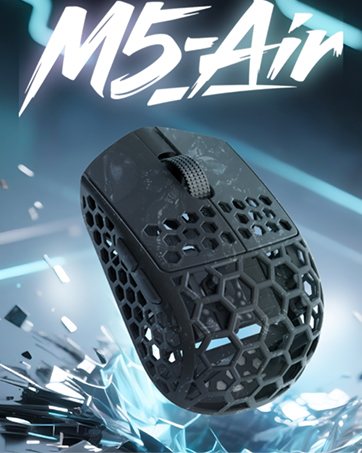
Image: Detailed product parameters including dimensions and button layout for the Darmoshark M3PROMAX mouse.

Beeld: 'n Ontplofte view diagram of the Darmoshark M3PROMAX mouse, showing internal components like the PAW3950 sensor, battery, and switches.
7. Waarborg en ondersteuning
7.1. Waarborginligting
Darmoshark products are covered by a limited warranty against defects in materials and workmanship. Please refer to the warranty card included in your package or visit the official Darmoshark webwebwerf vir gedetailleerde waarborgbepalings en -voorwaardes.
7.2. Kliëntediens
For technical assistance, troubleshooting, or any product-related inquiries, please contact Darmoshark Customer Support through their official webwebwerf of die kontakinligting wat in u produkverpakking verskaf word.
8. Amptelike produkvideo's
Darmoshark M3PROMAX Wireless Gaming Mouse Overview
Video: 'n Amptelike oorwinningview of the Darmoshark M3PROMAX Wireless Gaming Mouse, showcasing its features and design. This video is provided by Darmoshark US.