
1. Inleiding
This manual provides detailed instructions for the proper operation, maintenance, and troubleshooting of the INSTRUKART Lutron TU-2016 Turbidity Meter. Please read this manual thoroughly before using the device to ensure accurate measurements and safe operation.
The Lutron TU-2016 is designed for measuring turbidity in various water sources, including lakes, water tanks, rivers, and mangroves. It features a wide measurement range, high resolution, and a user-friendly interface, adhering to ISO 7027 standards.
2. Veiligheidsinligting
- Always handle the meter and its components with care to prevent damage.
- Moenie die toestel vir lang tye aan uiterste temperature, humiditeit of direkte sonlig blootstel nie.
- Ensure the battery compartment is properly sealed to prevent water ingress.
- Keep the exterior of the test bottle clean and dry before insertion into the meter.
- Use only specified standard solutions for calibration.
- Dispose of batteries and solutions according to local regulations.
3. Pakketinhoud
Upon unpacking, verify that all items listed below are present and in good condition:
- 1 Unit of TU-2016 Turbidity Meter
- 0 NTU standard solution
- 10 NTU standard solution
- Empty testing bottle (sample cuvette)
- Hard Carrying case
- Instruksie Handleiding
- Fabriekskalibrasiesertifikaat
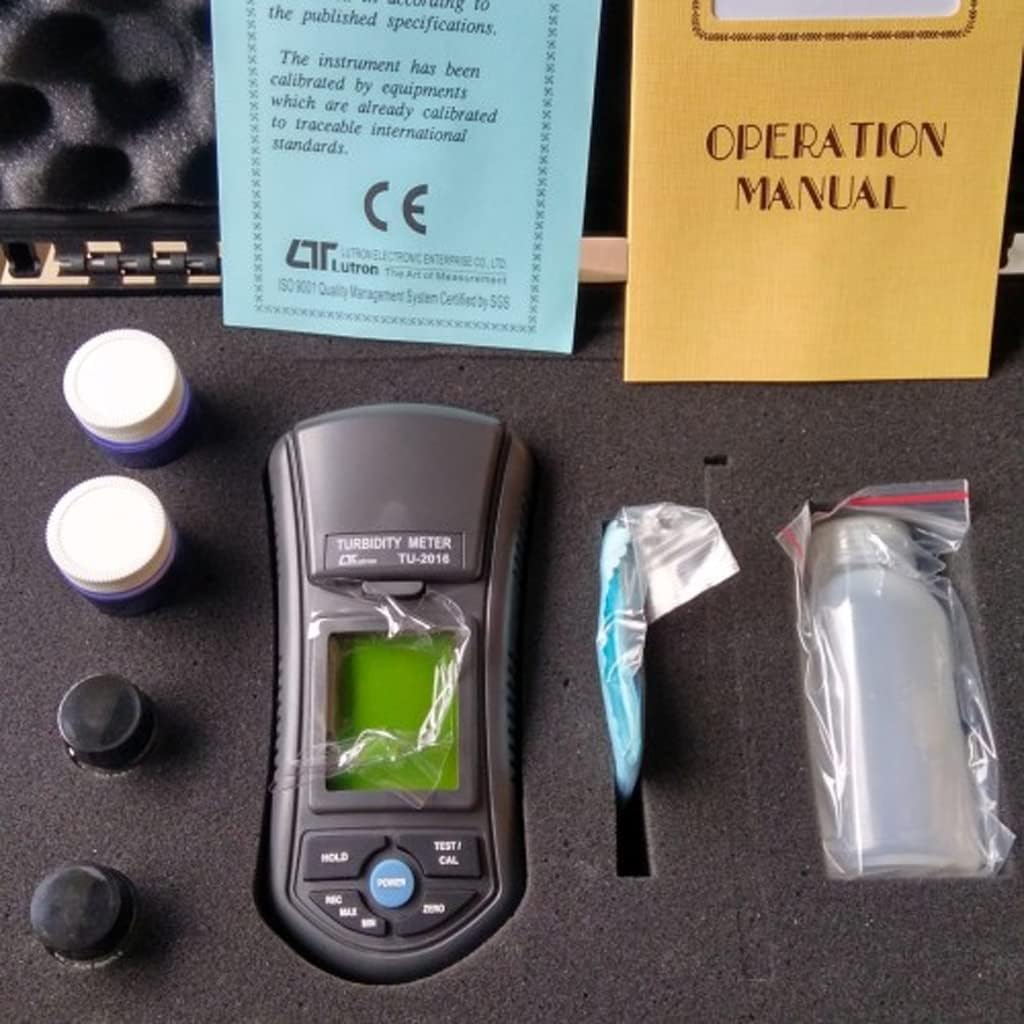
Figuur 3.1: Contents of the TU-2016 Turbidity Meter package, neatly organized within its hard carrying case.

Figuur 3.2: The TU-2016 Turbidity Meter along with its essential accessories for measurement and maintenance.
4. Produk verbyview
The Lutron TU-2016 Turbidity Meter is a portable, microprocessor-controlled device designed for precise turbidity measurements. Key features include:
- ISO 7027-nakoming: Designed to meet international standards for turbidity measurement.
- Meeteenheid: NTU (Nephelometric Turbidity Unit).
- Wide Auto Measurement Range: 0 tot 1,000 XNUMX NTU.
- Hoë resolusie: 0.01 NTU (for 0.00 to 50.00 NTU range) and 1 NTU (for 50 to 1,000 NTU range).
- Unique Optics Structure: Enables accurate readings from low to high turbidity levels.
- Gebruikersvriendelike koppelvlak: Four operation buttons and three calibration points for easy use.
- Jumbo LCD-skerm: Large display for clear and easy readability.
- Microprocessor Circuit: Ensures maximum accuracy and provides special functions.
- Battery aangedryf: Ideal for field and on-site testing.
- Data hou funksie: Freezes the displayed value.
- Herroep geheue: Records and recalls Maximum and Minimum readings.
- Outo-afskakel: Bewaar batterylewe.
- Duursame ontwerp: Heavy-duty and compact housing with a hard carrying case.

Figuur 4.1: Voorkant view of the TU-2016 Turbidity Meter, highlighting the display and control panel.

Figuur 4.2: The TU-2016 Turbidity Meter held in hand, illustrating its compact and portable design.
5. Opstelling
5.1 Battery installasie
The meter operates on six DC 1.5 V AAA (UM4) batteries. To install or replace batteries:
- Vind die batteryklepdeksel aan die agterkant van die meter.
- Open the cover and insert six AAA batteries, observing the correct polarity (+/-).
- Maak die batterykompartement se deksel stewig toe.
5.2 Aanvanklike aanskakeling
Druk die KRAG button to turn on the meter. The LCD display will illuminate and show a brief self-test before entering measurement mode.
6. Bedryfsinstruksies
6.1 Preparing a Sample
- Ensure the empty testing bottle (cuvette) is clean and dry. Wipe the exterior with a lint-free cloth.
- Fill the testing bottle with the water sample to be measured. Avoid air bubbles.
- Securely cap the bottle.
6.2 Neem 'n meting
- Maak die s oopample compartment lid on the top of the meter.
- Insert the prepared sample bottle into the compartment, ensuring it is seated correctly.
- Maak die s toeample kompartement deksel.
- Druk die TEST/CAL button to initiate a measurement. The turbidity reading will appear on the LCD display.
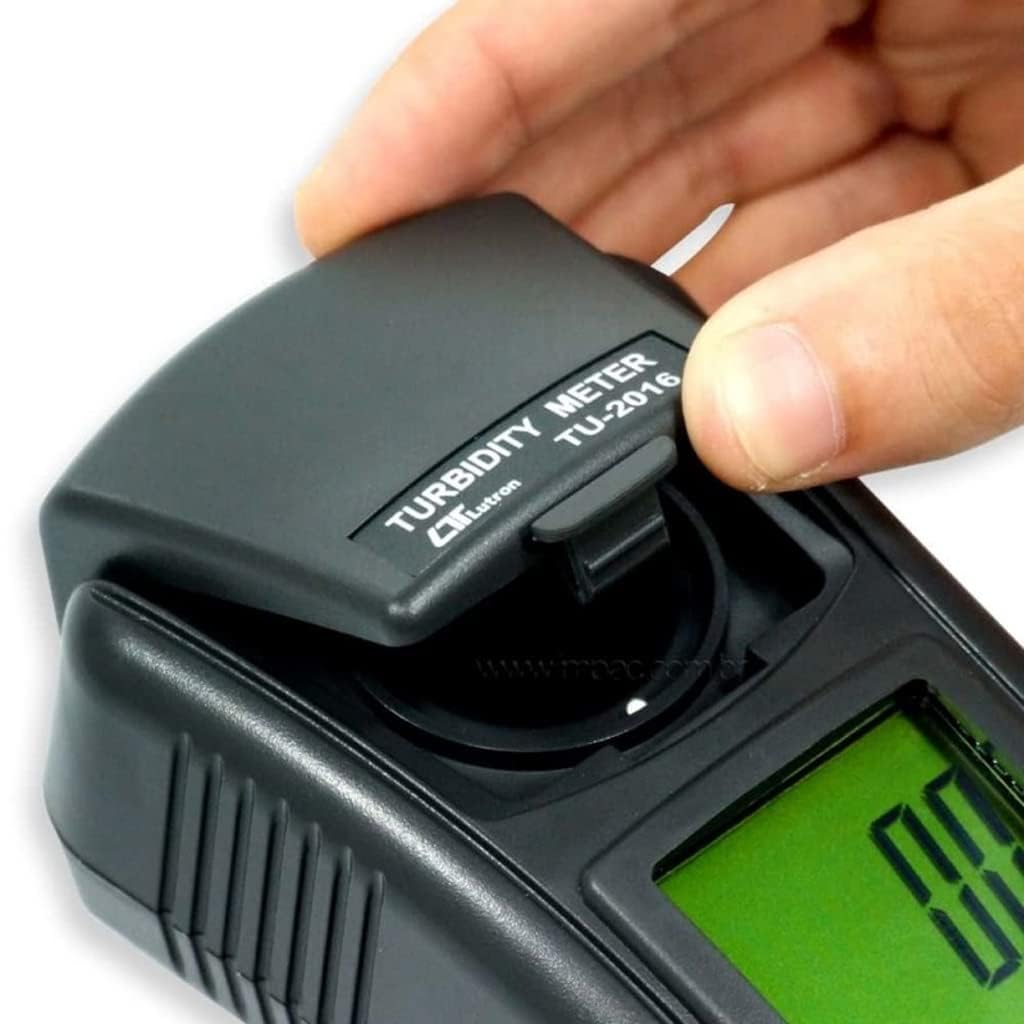
Figuur 6.1: Opening the sample kompartement deksel.

Figuur 6.2: Inserting a sample bottle into the meter.
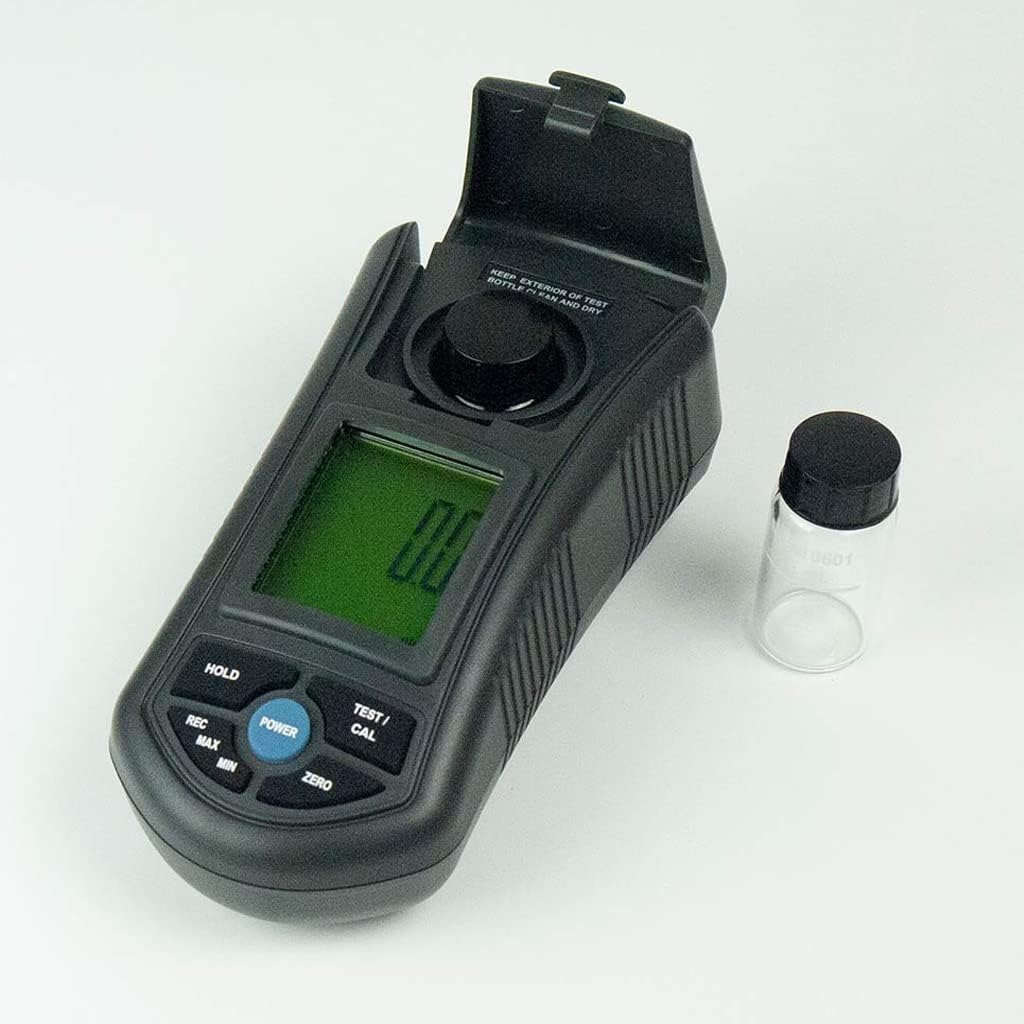
Figuur 6.3: The meter with the sample compartment open, ready for sample insertion.
6.3 Data Vashou Funksie
To freeze the current reading on the display, press the HOU button. Press it again to release and resume live measurement.
6.4 Memory Recall (MAX/MIN)
The meter can record and recall the maximum and minimum turbidity readings:
- Druk die REC button once to display the maximum recorded value.
- Druk die REC button again to display the minimum recorded value.
- Druk die REC button a third time to exit memory recall mode.
6.5 Outomatiese Afskakeling
The meter features an auto shut-off function to conserve battery life. If no button is pressed for a certain period, the meter will automatically power off. This can be manually overridden by pressing the KRAG knoppie om die toestel af te skakel.
7. Kalibrasie
The TU-2016 features a three-point push-button calibration system. Regular calibration ensures the accuracy of your measurements. Use the provided 0 NTU and 10 NTU standard solutions for calibration.
- Skakel die meter aan.
- Insert the 0 NTU standard solution into the sample kompartement.
- Druk en hou die TEST/CAL button until the calibration mode is indicated on the display. Follow the on-screen prompts to calibrate the 0 NTU point.
- Remove the 0 NTU solution and insert the 10 NTU standard solution.
- Repeat the calibration process for the 10 NTU point.
- The third calibration point (if applicable) can be performed similarly with a higher NTU standard solution if available and required for your specific application.
- After successful calibration, the meter will return to measurement mode.
Note: Refer to the Factory Calibration Certificate for details on the initial calibration performed by the manufacturer.
8. Onderhoud
8.1 Cleaning the Meter
- Vee die buitekant van die meter af met 'n sagte, damp lap. Moenie skuur skoonmaakmiddels of oplosmiddels gebruik nie.
- Hou die sample compartment clean and free of debris.
- Ensure the exterior of the test bottles are always clean and dry before use.
8.2 Berging
- When not in use, store the meter and its accessories in the provided hard carrying case.
- Berg in 'n koel, droë plek, weg van direkte sonlig en uiterste temperature.
- If storing for extended periods, remove the batteries to prevent leakage.
9. Probleemoplossing
| Probleem | Moontlike oorsaak | Oplossing |
|---|---|---|
| Meter skakel nie aan nie. | Dooie of verkeerd geïnstalleerde batterye. | Vervang batterye en maak seker dat die polariteit korrek is. |
| Onakkurate lesings. |
|
|
| Display shows "Err" or similar error. | Measurement range exceeded or internal error. | Verseker sample is within 0-1000 NTU range. Power cycle the device. If error persists, contact support. |
10. Spesifikasies
| Parameter | Detail |
|---|---|
| Kring | Custom one-chip of microprocessor LSI circuit |
| Vertoon | LCD-grootte: 41 mm x 34 mm |
| Meetreeks | 0.00 to 50.00 NTU, 50 to 1,000 NTU (Auto range) |
| Resolusie | 0.01 NTU (0.00 to 50.00 NTU), 1 NTU (50 to 1,000 NTU) |
| Akkuraatheid | ± 5 % F.S. or ± 0.5 NTU, whichever is greater |
| Ligbron | LED, 850 nm |
| Aanwyser | Foto diode |
| Standaardnakoming | Meet ISO 7027 |
| Reaksie Tyd | Minder as 10 sekondes |
| Sample Volume Needed | 10 ml |
| Data hou | Vries die skermlesing |
| Herroep geheue | Maksimum en minimum waarde |
| Vertoon Sampling Tyd | Ongeveer 1 sekonde |
| Krag af | Outomatiese afskakel of handmatig af met drukknop |
| Bedryfstemperatuur | 0 tot 50°C |
| Bedryfshumiditeit | Minder as 85% RH |
| Kragtoevoer | DC 1.5 V battery (UM4, AAA) x 6 PCs |
| Power Current (Standby) | Ongeveer. DC 3.5 mA |
| Power Current (Testing) | Ongeveer. DC 36 mA |
| Gewig | 320 g Approx. (0.71 lbs) |
| Afmetings | 155 x 76 x 62 mm (6.1 x 2.99 x 2.44 duim) |
11. Ondersteuning en waarborg
For technical assistance, troubleshooting beyond this manual, or warranty inquiries, please contact INSTRUKART customer support. Refer to your purchase documentation for specific warranty terms and contact information.
The product comes with a Factory Calibration Certificate, ensuring its initial accuracy and compliance with international standards.