
1. Produk verbyview
The Vieta Pro VM-BS1000WH is a portable, battery-powered Bluetooth speaker designed for high-quality audio playback. Its elegant design allows it to integrate seamlessly into various environments, while its robust features make it suitable for both indoor and outdoor use.
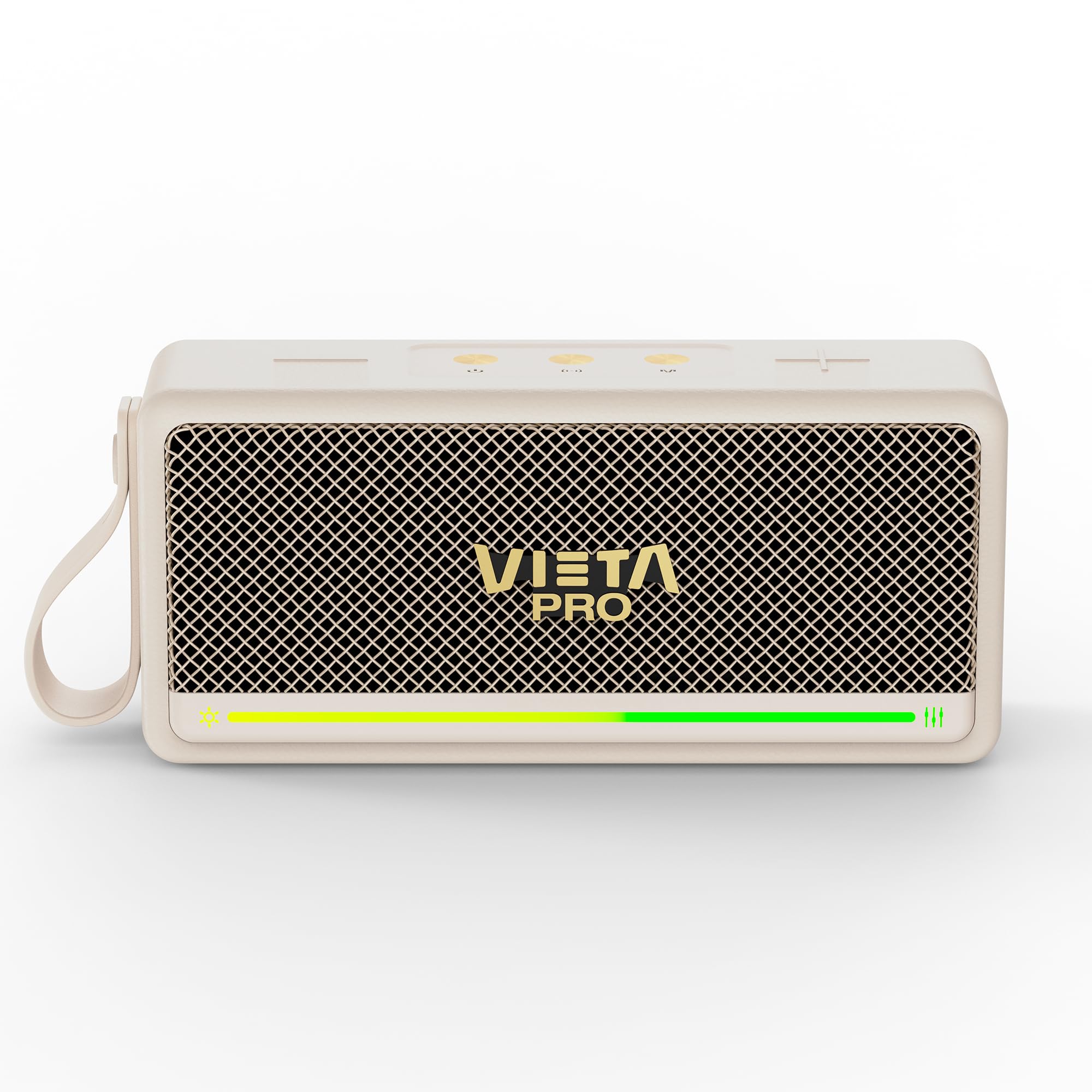
Figuur 1: Voorkant view of the Vieta Pro VM-BS1000WH Portable Bluetooth Speaker.
2. Sleutel kenmerke
- Bluetooth 5.3: Advanced wireless technology for fast and stable connections.
- TWS (True Wireless Stereo)-modus: Enables a true wireless stereo sound experience for immersive listening.
- IPX7 Waterweerstand: Certified to withstand splashes and brief immersion in water.
- USB-speler: Allows direct music playback from a USB drive.
- 10-uur batterylewe: Provides extended use without frequent recharging.
- Shock-resistant design: Enhanced durability for active lifestyles.
- Raakbeheer: Intuitive control method for ease of use.
3. Opstelgids
3.1. Laai die luidspreker op
Before initial use, fully charge the speaker. Connect the provided USB charging cable to the speaker's charging port and a compatible USB power adapter (not included). The charging indicator light will illuminate during charging and turn off when fully charged. A full charge provides up to 10 hours of playback.
3.2. Skakel aan/af
To power on the speaker, press and hold the power button located on the control panel until you hear an audible prompt and the indicator light turns on. To power off, press and hold the power button again until the indicator light turns off.

Figuur 2: Kant view van die luidspreker, wat die beheerpaneel en poorte uitlig.
4. Bedryfsinstruksies
4.1. Bluetooth-koppeling
- Maak seker dat die luidspreker aangeskakel en in Bluetooth-paringsmodus is (aangedui deur 'n flikkerende LED).
- Aktiveer Bluetooth op jou toestel (slimfoon, tablet, skootrekenaar) en soek vir beskikbare toestelle.
- Select "Vieta Pro VM-BS1000WH" from the list of devices.
- Sodra dit gekoppel is, sal die luidspreker 'n hoorbare bevestiging uitstraal, en die LED-aanwyser sal solied word.
4.2. TWS (True Wireless Stereo) Mode
To achieve a true wireless stereo experience, you can pair two VM-BS1000WH speakers together:
- Maak seker dat beide luidsprekers aangeskakel is en nie aan enige ander Bluetooth-toestel gekoppel is nie.
- On one speaker, press and hold the TWS button (refer to the control panel diagram) until you hear a pairing tone.
- The two speakers will automatically connect to each other. Once connected, one speaker will act as the master and the other as the slave.
- Now, connect your device to the master speaker via Bluetooth as described in section 4.1. Audio will play in stereo through both speakers.
4.3. USB-terugspeel
Insert a USB drive containing MP3 audio files into the USB port on the speaker. The speaker will automatically detect the USB drive and begin playing music. Use the playback controls to navigate tracks.
4.4. Volume and Playback Control
The speaker features touch controls for volume adjustment and music playback:
- Volume op: Tik die '+'-knoppie.
- Volume af: Tik die '-'-knoppie.
- Speel/pouse: Tap the Play/Pause button.
- Volgende snit: Druk en hou die '+'-knoppie in.
- Vorige snit: Druk en hou die '-' knoppie in.
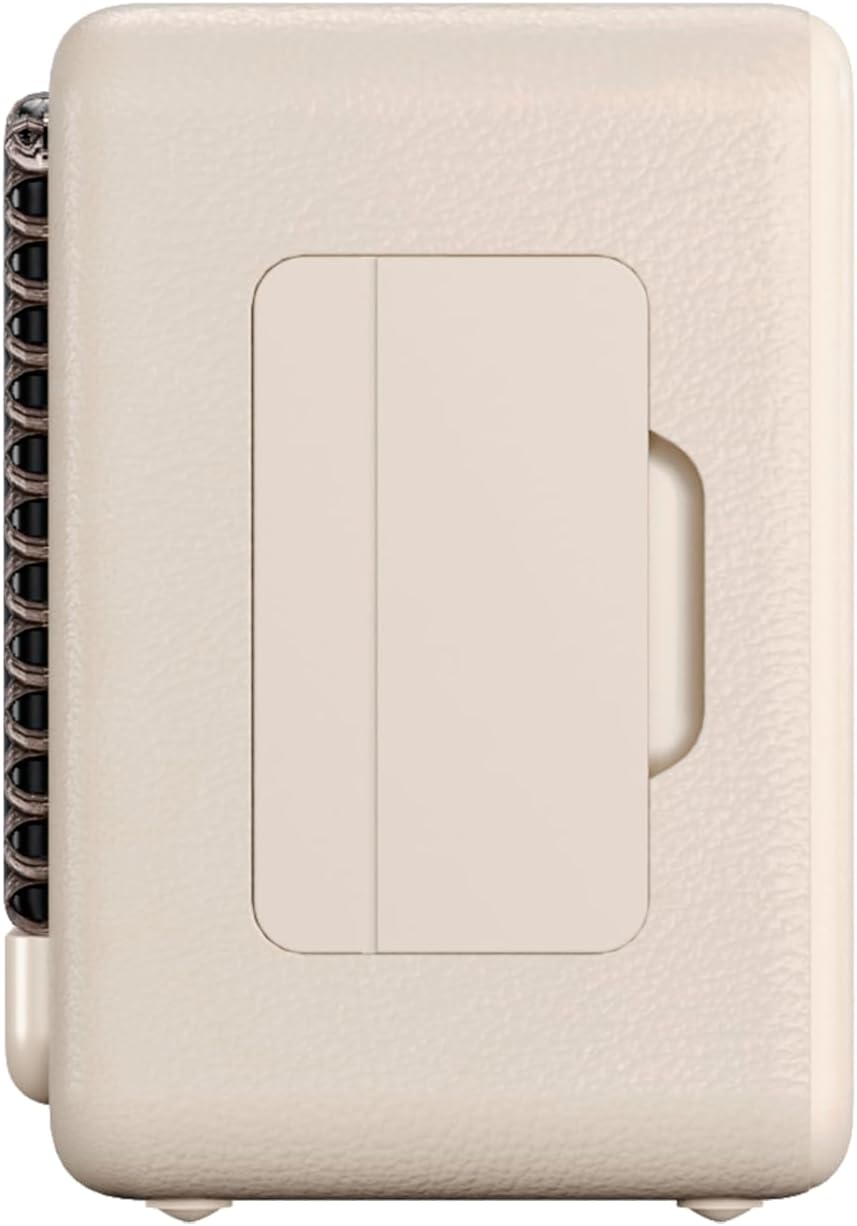
Figuur 3: Syprofile of the speaker, illustrating its compact design.
5. Onderhoud
5.1. Skoonmaak
Wipe the speaker with a soft, dry cloth. Do not use abrasive cleaners, alcohol, or chemical solvents, as these may damage the surface. Ensure all ports are dry before charging or connecting other devices.
5.2. Waterbestandheid (IPX7)
The VM-BS1000WH speaker is IPX7 water-resistant, meaning it can be immersed in water up to 1 meter for up to 30 minutes. However, it is not designed for continuous underwater use. Always ensure the charging port cover is securely closed before exposing the speaker to water. After exposure to water, dry the speaker thoroughly before charging.
6. Probleemoplossing
- Geen krag: Maak seker dat die luidspreker gelaai is. Koppel dit aan 'n kragbron en probeer weer.
- Kan nie Bluetooth koppel nie: Make sure the speaker is in pairing mode and within range of your device. Disconnect from any previously paired devices. Try restarting both the speaker and your device.
- Geen klank: Kontroleer die volumevlakke op beide die luidspreker en jou gekoppelde toestel. Maak seker dat die luidspreker behoorlik gekoppel is.
- Swak klankgehalte: Beweeg die luidspreker nader aan jou Bluetooth-toestel om steuring te verminder. Maak seker dat daar geen obstruksies tussen die luidspreker en die toestel is nie.
- USB Playback Not Working: Ensure the USB drive is formatted correctly (FAT32) and contains compatible audio files (MP3). Try a different USB drive.
7. Tegniese spesifikasies
| Kenmerk | Spesifikasie |
|---|---|
| Handelsnaam | Vieta Pro |
| Model Naam | VM-BS1000WH |
| Tipe luidspreker | Draagbare Bluetooth-luidspreker |
| Maksimum luidspreker-uitsetkrag | 25 Watt |
| Verbindingstegnologie | Bluetooth |
| Bluetooth weergawe | 5.3 |
| Klankuitvoermodus | Stereo |
| Waterweerstandvlak | IPX7 (Waterbestand) |
| Batterylewe | Tot 10 uur |
| Kragbron | Battery-aangedrewe (1 C-battery ingesluit) |
| Beheer metode | Raak |
| Luidsprekergrootte | 7.5 cm |
| Produk Afmetings (D x B x H) | 7.7 x 5.6 x 17.1 cm |
| Versoenbare toestelle | Slimfoon, tablet, skootrekenaar, MP3-speler |
| Spesiale kenmerke | Shock-resistant, Wireless speakers, USB port |
8. Waarborg en Ondersteuning
8.1. Beperkte waarborg
This Vieta Pro VM-BS1000WH speaker comes with a Limited Warranty. Please refer to the warranty card included in the product packaging for detailed terms and conditions, including coverage period and limitations. Keep your proof of purchase for warranty claims.
8.2. Kliëntediens
For technical assistance, troubleshooting, or warranty inquiries, please contact FRAMASON AUDIO S.A., the manufacturer. Contact information can typically be found on the product packaging or the official Vieta Pro website. Please have your model number (VM-BS1000WH) and proof of purchase ready when contacting support.