
1. Inleiding
This manual provides detailed instructions for the operation and maintenance of your Docooler Digital Voice Recorder. Please read this manual thoroughly before using the device to ensure proper function and to maximize its capabilities. This device is designed for recording audio in various settings, including lectures, meetings, and interviews, featuring noise reduction and voice-activated recording.
2. Produk verbyview
The Docooler Digital Voice Recorder is a compact and portable audio recording device. It features a clear digital display, intuitive controls, and a robust design for reliable performance. Key features include intelligent noise cancellation, voice-activated recording, and a choice of 8GB or 32GB storage capacity.

Figuur 2.1: Voorkant view of the Docooler Digital Voice Recorder, showing the display and control buttons.

Figure 2.2: The compact size of the Docooler Digital Voice Recorder, shown held in a hand.

Figure 2.3: Illustration of the voice-activated recording feature, automatically starting when sound reaches a detectable level.
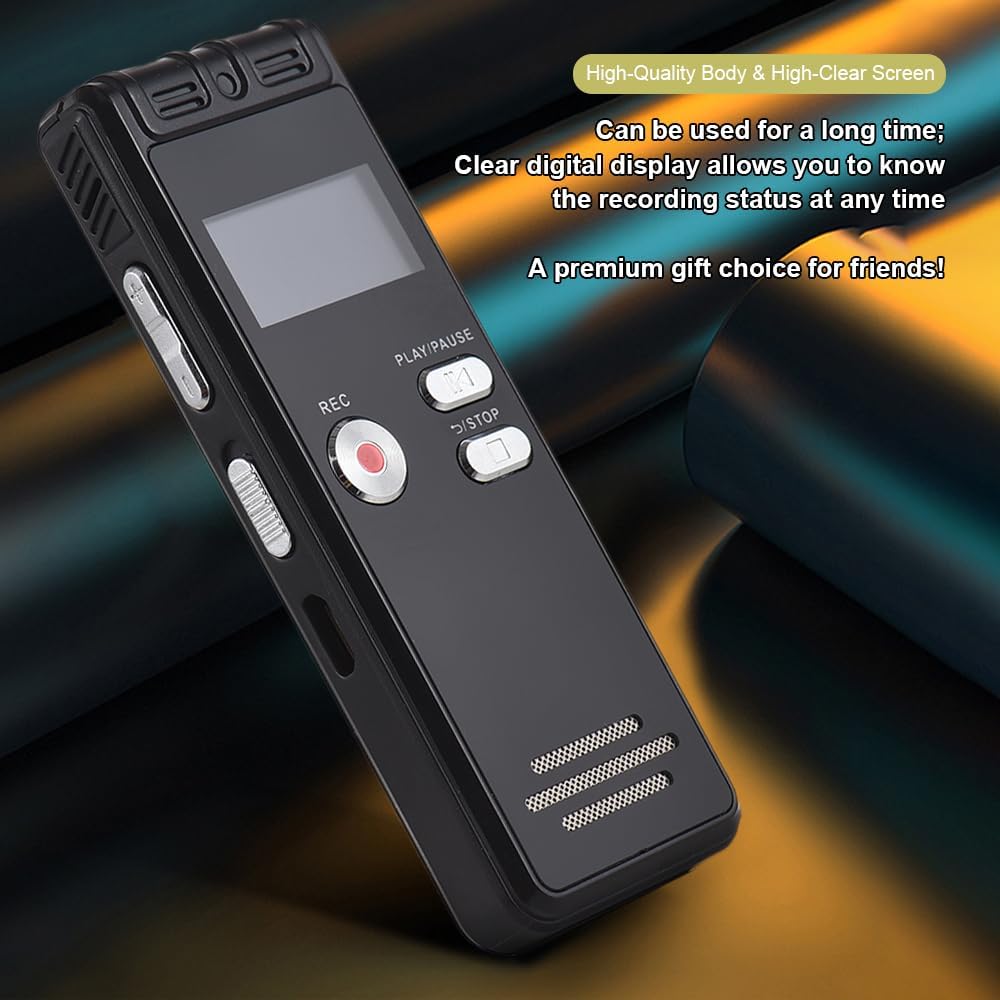
Figure 2.4: The durable construction and clear digital display of the recorder, providing real-time recording status.

Figure 2.5: The device features a built-in high-quality omnidirectional microphone for 360-degree panoramic sound capture.

Figure 2.6: The recorder's compact dimensions allow it to be easily carried in a pocket or bag.

Figure 2.7: The device supports one-click recording and saving, simplifying the recording process.

Figuur 2.8: Examples of various environments where the recorder can be effectively used, such as meetings, lectures, training sessions, and teaching.
3. Pakketinhoud
Verifieer asseblief dat al die items wat hieronder gelys word, in u pakket ingesluit is:
- 1x Voice Recorder
- 1x USB-kabel
- 1x koptelefoon
- 1x Adapters (likely phone line adapter)
- 1x Connect Cable (likely for phone recording)
- 1x Handleiding (hierdie dokument)

Figure 3.1: The Docooler Digital Voice Recorder shown with its complete set of accessories, including USB cable, headphones, and connection cables.
4. Opstelling
4.1 Laai die toestel
- Connect the included USB cable to the recorder's USB port.
- Plug the other end of the USB cable into a computer's USB port or a compatible USB wall adapter (not included).
- The device's screen will indicate charging status. A full charge typically takes approximately 2-3 hours.
4.2 Aan-/afskakel
- To power on: Press and hold the Power button until the screen illuminates.
- To power off: Press and hold the Power button until the screen turns off.
4.3 Koppel oorfone
Insert the included headphones into the 3.5mm headphone jack on the device for private playback of recordings.
5. Bedryfsinstruksies
5.1 Basiese Opname
- Maak seker dat die toestel aangeskakel is.
- Druk die REC knoppie om opname te begin. Die opname-aanwyser sal brand.
- Om opname te onderbreek, druk die SPEEL/POUSEER knoppie. Druk weer om te hervat.
- Om die opname te stop en te stoor file, druk die STOP button. The recording will be saved automatically.
5.2 Voice-Activated Recording (VOR)
This feature allows the recorder to automatically start recording when sound is detected and pause when silence occurs, conserving memory and battery life.
- Navigate to the VOR settings in the device menu.
- Enable the VOR function and adjust the sensitivity level as needed.
- Druk die REC button. The device will now record only when sound is present.
- Druk die STOP button to end the voice-activated recording session.
5.3 Afspeel
- From the main menu, select the 'Recordings' or 'Files' option.
- Use the navigation buttons to select the desired audio file.
- Druk die SPEEL/POUSEER knoppie om die afspeel te begin.
- Use the volume controls on the side of the device to adjust the playback volume.
- Druk die STOP knoppie om die terugspeel te beëindig.
5.4 Geraasvermindering
The device is equipped with an intelligent noise reduction feature. This function is typically active by default to enhance audio clarity. Refer to the device's settings menu for options to adjust or disable noise reduction if available.
6. Onderhoud
- Hou die toestel droog. Vermy blootstelling aan vog of vloeistowwe.
- Maak die toestel skoon met 'n sagte, droë lap. Moenie skuurmiddels of oplosmiddels gebruik nie.
- Vermy om die toestel te laat val of om dit aan sterk impakte te onderwerp.
- Bêre die toestel op 'n koel, droë plek weg van direkte sonlig en uiterste temperature.
- Regularly back up important recordings to a computer to prevent data loss.
7. Probleemoplossing
7.1 Toestel skakel nie aan nie
- Ensure the battery is charged. Connect the device to a power source using the USB cable and allow it to charge for at least 30 minutes.
- Press and hold the Power button for several seconds.
7.2 Poor Recording Quality
- Maak seker dat die mikrofoon nie geblokkeer word nie.
- Record in a quieter environment to minimize background noise.
- Check the microphone sensitivity settings in the device menu.
- Ensure the device is placed close enough to the sound source.
7.3 Cannot Play Back Recordings
- Verify that recordings exist in the device's memory.
- Check the volume level during playback.
- Ensure headphones are properly connected if using them.
7.4 Toestel word nie deur rekenaar herken nie
- Maak seker dat die USB-kabel stewig aan beide die toestel en die rekenaar gekoppel is.
- Probeer om aan 'n ander USB-poort op jou rekenaar te koppel.
- Herbegin jou rekenaar en probeer weer.
8. Spesifikasies
| Handelsmerk | Doenkoeler |
| Model | Digitale stemopnemer |
| Kapasiteit Opsies | 8 GB, 32 GB |
| Kleur | Swart |
| Materiaal | ABS |
| Battery | 300mAh |
| Item gewig | 2.38 onse (ongeveer 67.5 g) |
| Pakket afmetings | 4.65 x 3.23 x 0.59 duim (11.8 x 8.2 x 1.5 cm) |
| Vervaardiger | docooler |
| ASIN | B0D9WB349S (for 8GB variant) |
9. Waarborg en Ondersteuning
For warranty information and customer support, please refer to the documentation provided at the time of purchase or contact your retailer. Keep your purchase receipt as proof of purchase for any warranty claims.