
1. Inleiding
Dankie vir die aankoopasing the Deeyaple Portable Bluetooth Speaker A10. This compact and portable speaker is designed for outdoor use, featuring IPX7 waterproofing, Bluetooth 5.3 connectivity, True Wireless Stereo (TWS) pairing, and an RGB pulsating light. This manual provides essential information for setting up, operating, and maintaining your speaker.
2. Veiligheidsinligting
- Waterweerstand: The speaker is IPX7 waterproof, meaning it can be submerged in up to 1 meter of water for 30 minutes. Ensure the charging port cover is securely closed before exposure to water. Do not expose to saltwater or other chemicals.
- Temperatuur: Avoid exposing the speaker to extreme temperatures (hot or cold) to prevent damage to the battery and internal components.
- Laai: Use only the provided Type-C charging cable. Do not use damaged cables or chargers. Ensure the charging port is dry before charging.
- Skoonmaak: Maak die luidspreker skoon met 'n sagte, damp lap. Moenie skuur skoonmaakmiddels of oplosmiddels gebruik nie.
- demontage: Moenie probeer om die luidspreker uitmekaar te haal, te herstel of te wysig nie. Dit sal die waarborg ongeldig maak en kan skade of besering veroorsaak.
- Gehoorbeskerming: Vermy om vir lang tye teen hoë volumes te luister om gehoorskade te voorkom.
3. Pakketinhoud
Kontroleer asseblief die pakket vir die volgende items:
- Deeyaple Portable Bluetooth Speaker A10
- Type-C Charging Cable (Note: Power adapter not included)
- Gebruikershandleiding
4. Produk verbyview
Maak jouself vertroud met die luidspreker se komponente en kontroles.

Prent: Deeyaple A10 Portable Bluetooth Speaker with dimensions (10cm height, 8cm diameter) and control panel visible. The control panel includes power, volume down, volume up, and a multi-function button, along with a Type-C charging port at the bottom.
Beheerknoppies:
- Power Button (①): Druk en hou om aan/af te skakel. Druk kort om musiek te speel/onderbreek of oproepe te beantwoord/beëindig.
- Volume Down Button (<): Druk kort om die volume te verlaag. Druk lank vir die vorige snit.
- Volume Up Button (>): Druk kort om die volume te verhoog. Druk lank vir die volgende snit.
- Multi-function Button (∞): Short press to change RGB light mode. Long press to activate voice assistant.
Poorte:
- Tipe C-laaipoort: Word gebruik om die luidspreker te laai.
5. Opstelling
5.1 Laai die luidspreker
- Open the protective cover of the Type-C charging port.
- Connect the Type-C charging cable to the speaker's charging port and the other end to a USB power adapter (not included) or a computer's USB port.
- The LED indicator will show charging status. A full charge takes approximately 3-4 hours.
- Once fully charged, disconnect the cable and securely close the protective cover to maintain IPX7 waterproofing.
5.2 Aan-/afskakel
- Krag aan: Press and hold the Power Button (①) for 2-3 seconds until you hear an audible prompt and the LED indicator lights up.
- Skakel af: Press and hold the Power Button (①) for 2-3 seconds until you hear an audible prompt and the LED indicator turns off.
5.3 Bluetooth -koppeling
The speaker uses Bluetooth 5.3 for a fast and reliable connection.
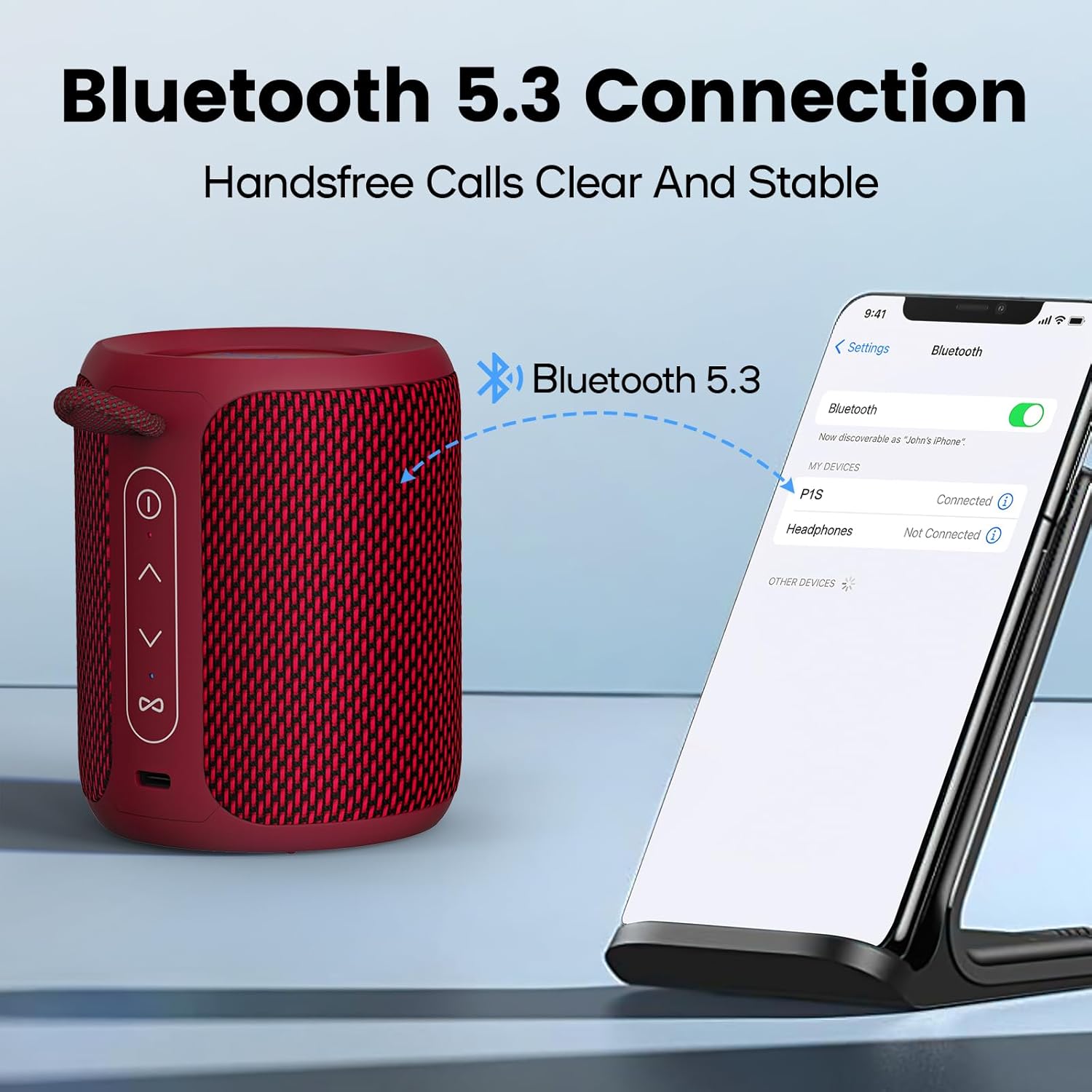
Prent: A Deeyaple A10 speaker shown next to a smartphone displaying its Bluetooth settings. The phone screen shows 'P1S' (an alternative model name) as a discoverable device, indicating a successful Bluetooth connection.
- Ensure the speaker is powered on and in Bluetooth pairing mode (LED indicator will flash).
- Gaan na die Bluetooth-instellings op jou slimfoon of ander Bluetooth-geaktiveerde toestel.
- Soek vir available devices and select "Deeyaple A10" (or similar name like "P1S") from the list.
- Once connected, you will hear an audible confirmation, and the LED indicator will stop flashing.
5.4 Ware Draadlose Stereo (TWS) Paring
You can pair two Deeyaple A10 speakers together for a 360° surround sound experience.

Prent: Two Deeyaple A10 speakers are positioned on a table, with a dotted line and music note icon indicating their wireless stereo connection. This illustrates the True Wireless Stereo (TWS) pairing feature.
- Ensure both Deeyaple A10 speakers are powered on and not connected to any other Bluetooth device.
- On one of the speakers (this will be the primary speaker), double-press the Power Button (①). The speaker will enter TWS pairing mode.
- The two speakers will automatically search for and connect to each other. You will hear an audible confirmation once TWS pairing is successful.
- Now, connect your device to the primary speaker via Bluetooth as described in section 5.3. Both speakers will play audio simultaneously.
6. Bedryfsinstruksies
6.1 Musiekweergawe
- Speel/pouse: Short press the Power Button (①).
- Volume op: Short press the Volume Up Button (>).
- Volume af: Short press the Volume Down Button (<).
- Volgende snit: Long press the Volume Up Button (>).
- Vorige snit: Long press the Volume Down Button (<).
6.2 Oproephantering
The built-in HD microphone allows for hands-free calls when connected to your smartphone.
- Beantwoord oproep: Short press the Power Button (①) when an incoming call rings.
- Beëindig oproep: Short press the Power Button (①) during a call.
- Verwerp oproep: Long press the Power Button (①) when an incoming call rings.
6.3 RGB Ligbeheer
The speaker features colorful LED lights that pulsate synchronously with music.

Prent: Three Deeyaple A10 speakers are shown with their top LED rings illuminated in green, red, and blue, demonstrating the dynamic RGB light feature. The background features large 'RGB' letters.
- Verander ligmodus: Short press the Multi-function Button (∞) to cycle through different light modes or colors.
- Skakel ligte af: Continue pressing the Multi-function Button (∞) until the lights turn off.
7. Onderhoud
- Skoonmaak: Vee die luidspreker af met 'n sagte, effens droë lapamp lap. Moenie harde chemikalieë, skoonmaakmiddels of sterk skoonmaakmiddels gebruik nie.
- Berging: Bêre die luidspreker op 'n koel, droë plek weg van direkte sonlig en uiterste temperature wanneer dit nie vir lang tye gebruik word nie.
- Batterysorg: Om die batterylewe te verleng, laai die luidspreker volledig voor die eerste gebruik en herlaai dit ten minste een keer elke drie maande indien dit nie gereeld gebruik word nie.
- Waterdigting: Always ensure the charging port cover is sealed tightly to maintain the IPX7 waterproof rating.
8. Probleemoplossing
| Probleem | Moontlike oorsaak | Oplossing |
|---|---|---|
| Luidspreker skakel nie aan nie. | Lae battery. | Laai die luidspreker vir 3-4 uur. |
| Kan nie met Bluetooth-toestel saambind nie. | Luidspreker is nie in paringsmodus nie. Bluetooth is off on your device. Die luidspreker is reeds aan 'n ander toestel gekoppel. Too far from the device. | Ensure speaker is powered on and LED is flashing. Skakel Bluetooth op jou toestel aan. Disconnect from other devices or restart the speaker. Beweeg die luidspreker nader aan jou toestel (binne 10 meter). |
| Geen geluid of lae volume nie. | Volume too low on speaker or device. Speaker not properly connected. | Verhoog die volume op beide die luidspreker en die gekoppelde toestel. Koppel die luidspreker weer met jou toestel. |
| TWS-paring misluk. | Luidsprekers is te ver uitmekaar. One speaker is already connected to a device. | Ensure speakers are close to each other. Disconnect both speakers from any Bluetooth devices before initiating TWS pairing. |
| RGB-ligte werk nie. | Ligte word afgeskakel. | Short press the Multi-function Button (∞) to cycle through light modes. |
9. Spesifikasies
| Kenmerk | Spesifikasie |
|---|---|
| Modelnommer | A10 |
| Bluetooth weergawe | 5.3 |
| Waterdigte gradering | IPX7 |
| Uitset krag | 15 watt (maksimum 24 watt) |
| Frekwensierespons | 20 KHz |
| Battery kapasiteit | 2500 mAh (Litium-ioon) |
| Laai tyd | 3-4 uur |
| Speeltyd | Ongeveer. 12 uur (teen 50% volume) |
| Wireless Range | Tot 10 meter (33 voet) |
| Produkafmetings (L x B x H) | 9 x 12 x 9 cm (3.54 x 4.72 x 3.54 duim) |
| Produk Gewig | 350 gram (0.77 lbs) |
| Klankuitvoermodus | Stereo |
| Ingesluit komponente | Microphone, Type-C Charging Cable |
| Versoenbare toestelle | Skootrekenaar, slimfoon, tablet, televisie |
| Materiaal | Synthetic (plastic) or similar |
10. Waarborg en Ondersteuning
Deeyaple products are designed and manufactured to the highest quality standards. This product is covered by a limited warranty from the date of purchase. Please refer to the warranty card included in your package for specific terms and conditions.
For technical support, troubleshooting assistance, or warranty claims, please contact our customer service team through the retailer where you purchased the product or visit the official Deeyaple webwebwerf vir kontakinligting.