
1. Inleiding
This manual provides essential information for setting up, operating, and maintaining your NIMO Mini-PC MPL2R. Please read it thoroughly before use to ensure optimal performance and longevity of your device.

Beeld 1.1: Voor en agter view of the NIMO Mini-PC MPL2R, showcasing sy kompakte ontwerp en verskeie poorte.
The NIMO Mini-PC MPL2R is a compact and powerful computing solution, equipped with a 12th Gen Intel N100 processor, 16GB DDR5 RAM, and 768GB storage (512GB M.2 SSD + 256GB Micro SD). It supports triple 4K display output, WiFi 6, and Bluetooth 5.2, making it suitable for a variety of applications from home entertainment to business and educational tasks.

Beeld 1.2: verbyview of key features including Intel 12th Gen N100 processor, 4K triple-screen display support, Bluetooth 5.2, LPDDR5 RAM, WiFi 6, and PCIe SSD.
2. Wat is in die boks
Nadat u die pakkie oopgemaak het, maak seker dat al die volgende items ingesluit is:
- NIMO Mini-PC MPL2R
- Kragadapter
- VESA Mount
- Gebruikersgids

Image 2.1: Visual representation of the items included in the NIMO Mini-PC MPL2R packaging: the Mini PC unit, power adapter, VESA mount, and user guide.
3. Opstelgids
3.1 Verbinding met 'n skerm
- Connect one end of an HDMI cable to an HDMI port on the NIMO Mini-PC.
- Connect the other end of the HDMI cable to an HDMI input on your monitor or TV.
- For triple display setup, use the second HDMI port and the full-function Type-C port with appropriate adapters/cables.

Image 3.1: The NIMO Mini-PC MPL2R connected to three external monitors, demonstrating its triple 4K display capability.
3.2 Aansluiting van randapparatuur
- USB-toestelle: Connect your keyboard, mouse, and other USB devices to the available USB 3.0 ports.
- Oudio: Connect speakers or headphones to the 3.5mm audio jack.
- Netwerk: For a wired connection, connect an Ethernet cable to the Gigabit Ethernet port.
3.3 Kragverbinding
- Connect the power adapter to the DC input port on the Mini-PC.
- Steek die kragadapter in 'n muuraansluiting.
3.4 VESA-monteringinstallasie (opsioneel)
The included VESA mount allows you to attach the Mini-PC to the back of a compatible monitor, saving desk space.
- Heg die VESA-monteringsbeugel aan die agterkant van jou monitor vas met die meegeleverde skroewe.
- Slide the NIMO Mini-PC onto the mounted bracket until it clicks securely into place.
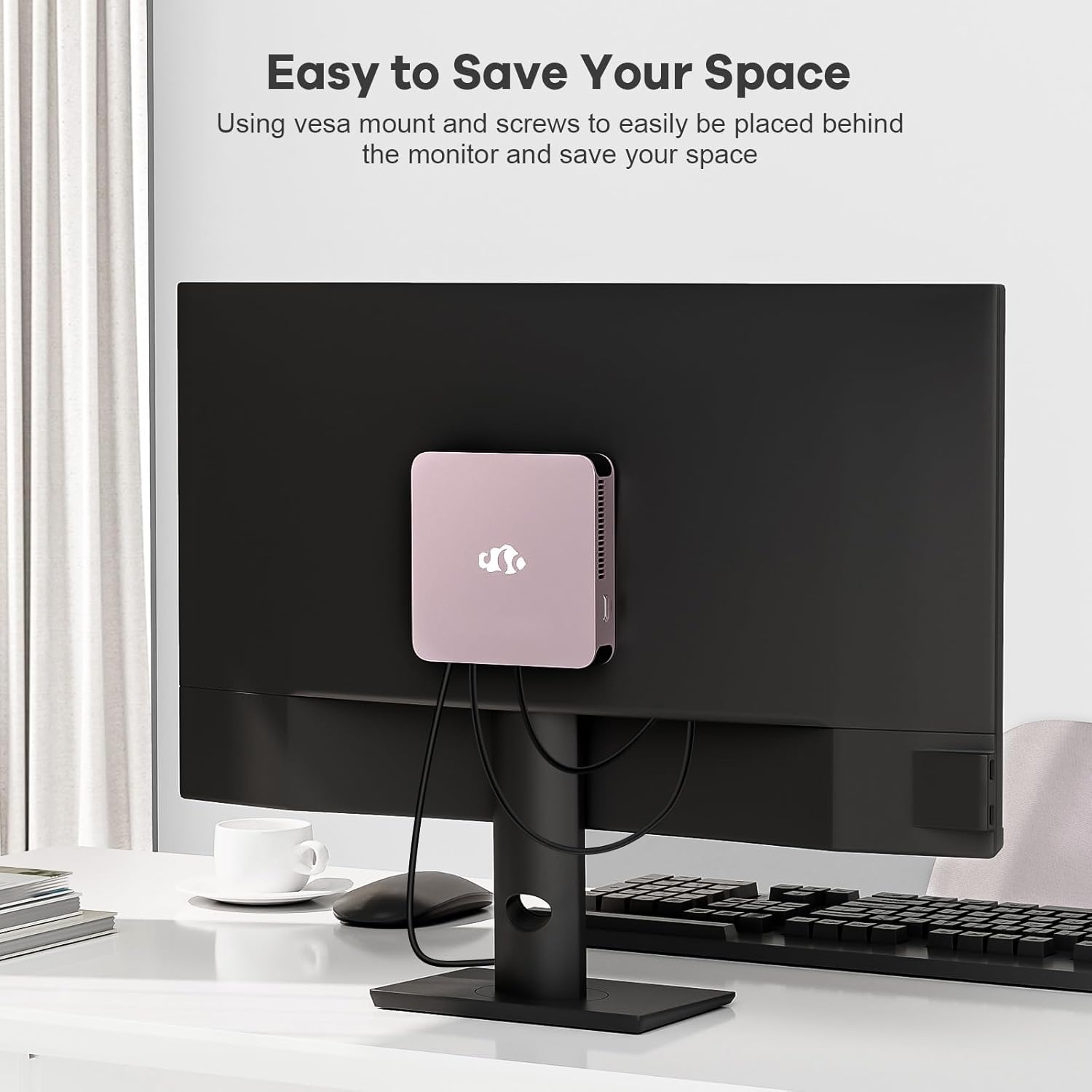
Image 3.2: The NIMO Mini-PC MPL2R shown mounted on the back of a monitor, illustrating its space-saving VESA mount capability.
4. Bedryfsinstruksies
4.1 Aan-/afskakel
- Krag aan: Press the power button located on the front of the Mini-PC. The power indicator light will illuminate.
- Skakel af: To shut down the system, use the operating system's shutdown function. For a forced shutdown, press and hold the power button for approximately 5 seconds.
4.2 Aanvanklike opstart en bedryfstelsel
The NIMO Mini-PC comes with a pre-installed operating system. Upon first boot, follow the on-screen instructions to complete the initial setup, including language selection, network configuration, and user account creation.
4.3 Draadlose verbinding
- WiFi 6: To connect to a wireless network, access the network settings in your operating system, select your desired WiFi network, and enter the password.
- Bluetooth 5.2: To pair Bluetooth devices (e.g., keyboard, mouse, headphones), enable Bluetooth in your operating system settings and follow the pairing instructions for your specific device.

Image 4.1: The NIMO Mini-PC MPL2R depicted in multiple usage scenarios, including business meetings, graphic design, home theater, and office work, highlighting its versatility.
5. Spesifikasies
Detailed technical specifications for the NIMO Mini-PC MPL2R:
| Kenmerk | Spesifikasie |
|---|---|
| Verwerker | Intel N100 (4 Cores, 4 Threads, up to 3.4GHz, 6MB Cache) |
| Grafika | Intel UHD Graphics (up to 750MHz) |
| RAM | 16GB DDR5 (LPDDR5) |
| Berging | 512GB M.2 SSD (PCIe x2) + 256GB Micro SD |
| Vertoon Uitset | 2x HDMI (4K@60Hz), 1x Full-function Type-C (4K@60Hz) - Triple Display Support |
| Draadlose konneksie | WiFi 6, Bluetooth 5.2 |
| Hawens | 4x USB 3.0, 1x Full-function Type-C, 2x HDMI, 1x Gigabit Ethernet, 1x 3.5mm Audio Jack, 1x Micro SD Card Slot |
| Bedryfstelsel | System (Pre-installed) |
| Afmetings (LxBxH) | 4.72 x 4.72 x 0.91 duim |
| Item gewig | 1.65 pond |
| Kragbron | DC |

Image 5.1: Dimensions of the NIMO Mini-PC MPL2R, illustrating its compact size relative to common objects like a pen and a coin.

Image 5.2: Diagram illustrating the internal cooling structure of the NIMO Mini-PC MPL2R, featuring a fan with speeds up to 5300 RPM for efficient heat dissipation.
6. Onderhoud
- Skoonmaak: Use a soft, dry cloth to clean the exterior of the Mini-PC. Avoid using liquid cleaners or abrasive materials. Ensure ventilation openings are free from dust and debris.
- Sagteware-opdaterings: Dateer jou bedryfstelsel en drywers gereeld op om optimale werkverrigting en sekuriteit te verseker.
- Ventilasie: Ensure the Mini-PC is placed in a well-ventilated area to prevent overheating. Do not block the air vents.
- Berging: Avoid placing heavy objects on the Mini-PC. Store it in a cool, dry environment when not in use.
7. Probleemoplossing
This section addresses common issues you might encounter with your NIMO Mini-PC.
7.1 Geen krag
- Ensure the power adapter is securely connected to both the Mini-PC and a working power outlet.
- Verifieer dat die kragaansluiting funksioneel is deur 'n ander toestel in te prop.
7.2 Geen skermuitvoer nie
- Check that the HDMI or Type-C cable is firmly connected to both the Mini-PC and the monitor.
- Maak seker dat die monitor aangeskakel is en op die korrekte invoerbron gestel is (bv. HDMI 1, HDMI 2).
- Try connecting to a different display or using a different cable to rule out faulty components.
7.3 Geen internetverbinding nie
- bedraad: Ensure the Ethernet cable is properly connected and your router is functioning.
- Draadloos: Verify that WiFi is enabled in the operating system, you are connected to the correct network, and the password is entered correctly. Restart your router if necessary.
7.4 Randapparatuur reageer nie
- Try connecting USB devices to different USB ports.
- For Bluetooth devices, ensure they are in pairing mode and Bluetooth is enabled on the Mini-PC.
- Check device drivers in the operating system's device manager.
8. Waarborg en Ondersteuning
NIMO is committed to providing reliable products and excellent customer service.
8.1 Waarborginligting
Your NIMO Mini-PC MPL2R comes with a 2-year technical support warranty. This warranty covers manufacturing defects and technical issues under normal use conditions.
8.2 Retourbeleid
A 90-dae terugkeerbeleid is offered, allowing for returns or exchanges within 90 days of purchase.
8.3 Tegniese Ondersteuning
If you encounter any problems or have questions regarding your NIMO Mini-PC, please contact our professional after-sales team. Our computer experts are available to provide technical support and repair services.
- Kontak e-pos: service@nimopc.com
- Diensbeskikbaarheid: 24-uur diens

Beeld 8.1: verbyview of NIMO's customer service, highlighting domestically partial assembly, 90-day returns, and 2-year support.