
AFEXOA ZH083K
AFEXOA ZH083K Digital Sunrise Alarm Clock User Manual
Model: ZH083K
Inleiding
Dankie vir die aankoopasing the AFEXOA ZH083K Digital Sunrise Alarm Clock. This device is designed to enhance your waking and sleeping experience with its natural sunrise simulation, customizable alarm sounds, multi-color night light, and sleep aid features. Please read this manual carefully to ensure proper use and optimal performance of your new alarm clock.
Pakketinhoud
- AFEXOA ZH083K Digital Sunrise Alarm Clock
- USB-kragkabel
- Gebruikershandleiding
Produk verbyview
Familiarize yourself with the components and controls of your AFEXOA ZH083K alarm clock.

Prent 1: Voorkant view of the AFEXOA ZH083K Digital Sunrise Alarm Clock, showing the digital time display and control buttons on the top panel. The light dome is visible above the fabric-covered speaker base.
Beheerknoppies:
- DOWWER: Adjusts the brightness of the clock display.
- TYD: Gebruik om die huidige tyd in te stel.
- Alarm: Used for setting and activating the alarm.
- ALARM AAN / AF: Skakel die alarmfunksie aan/uit.
- SLAAP TIMER: Activates and adjusts the sleep timer function.
- +/-: Adjusts values (time, brightness, volume) up or down.
- Gloeilamp-ikoon: Controls the night light/mood light.
- Sluimer-knoppie: Located on the bottom, activated by pressing down the clock.
Opstelling
1. Kragverbinding
Connect the provided USB power cable to the alarm clock and plug it into a suitable USB power adapter (not included) or a USB port. The clock display will illuminate.
2. Stel die huidige tyd in
- Druk en hou die TYD button until the hour display starts flashing.
- Gebruik die +/- knoppies om die uur aan te pas.
- Druk die TYD knoppie weer om die uur te bevestig en na die minuut-aanpassing oor te skakel.
- Gebruik die +/- knoppies om die minute aan te pas.
- Druk die TYD button once more to save the time setting.
Bedryfsinstruksies
1. Setting the Alarm and Sunrise Simulation
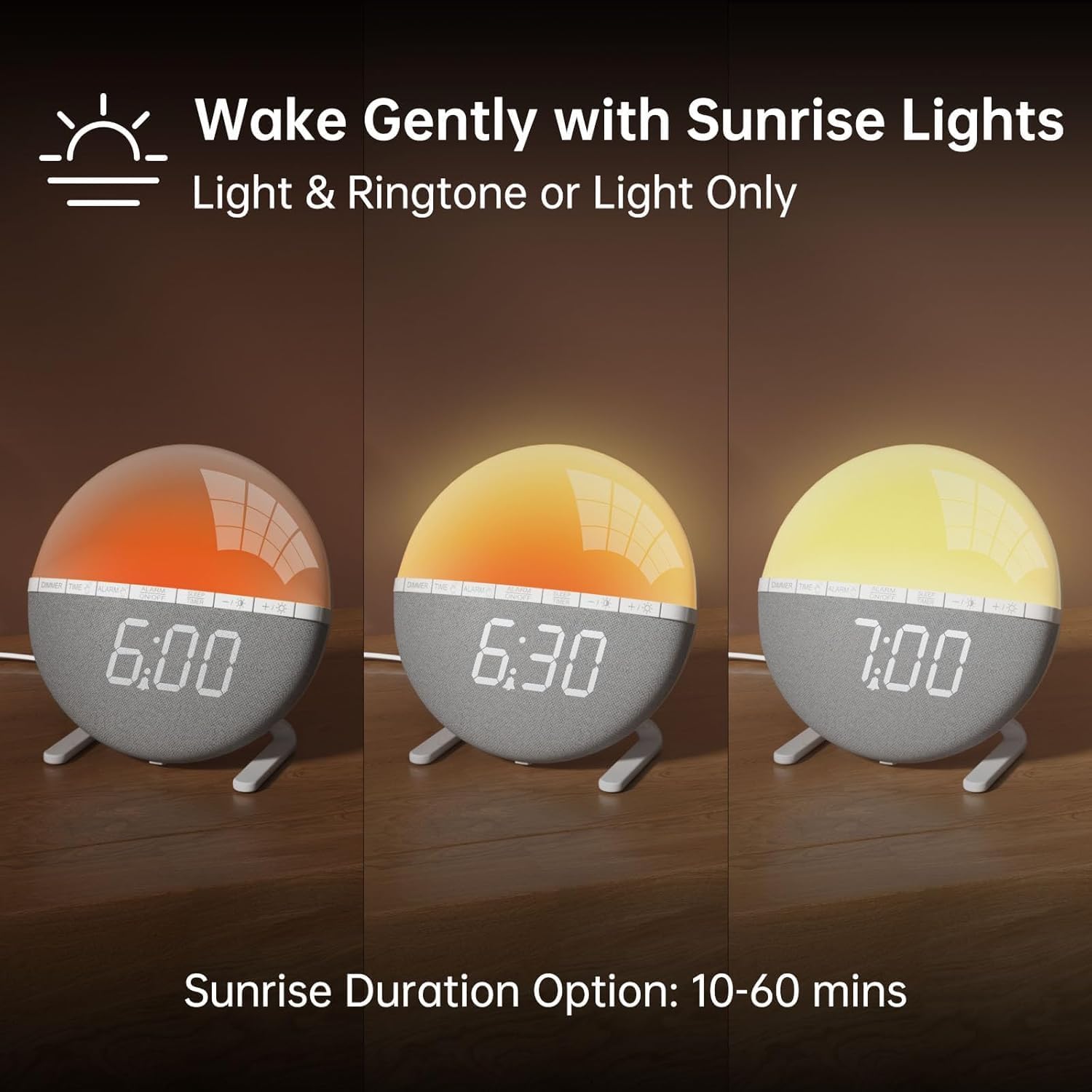
Prent 2: Illustration of the sunrise simulation feature, showing the light gradually changing from dim red to bright yellow over a period, with time indications of 6:00, 6:30, and 7:00.
- Druk en hou die ALARM button until the alarm time display starts flashing.
- Gebruik die +/- knoppies om die verlangde alarmuur in te stel.
- Druk die ALARM button to confirm the hour and move to minute adjustment.
- Gebruik die +/- knoppies om die verlangde alarmminute in te stel.
- Druk die ALARM button to confirm the minutes and proceed to sunrise duration setting.
- Gebruik die +/- buttons to select the sunrise simulation duration (10-60 minutes). This is the period before your set alarm time when the light will gradually brighten.
- Druk die ALARM button to confirm the duration and proceed to alarm sound selection.
- Gebruik die +/- buttons to cycle through the 7 available alarm sounds or select "OFF" for light-only alarm.
- Druk die ALARM button to confirm the sound and proceed to volume adjustment.
- Gebruik die +/- buttons to set the alarm volume (10 levels).
- Druk die ALARM button once more to save all alarm settings.
Om die alarm te aktiveer of deaktiveer, druk die ALARM AAN / AF button. An alarm icon will appear on the display when activated.

Prent 3: A visual representation of the seven built-in wake-up ringtones, including icons for Beep, Bell, Birds, and four types of Soft Music. It also shows a 10-level volume adjustment bar.
2. Sluimerfunksie
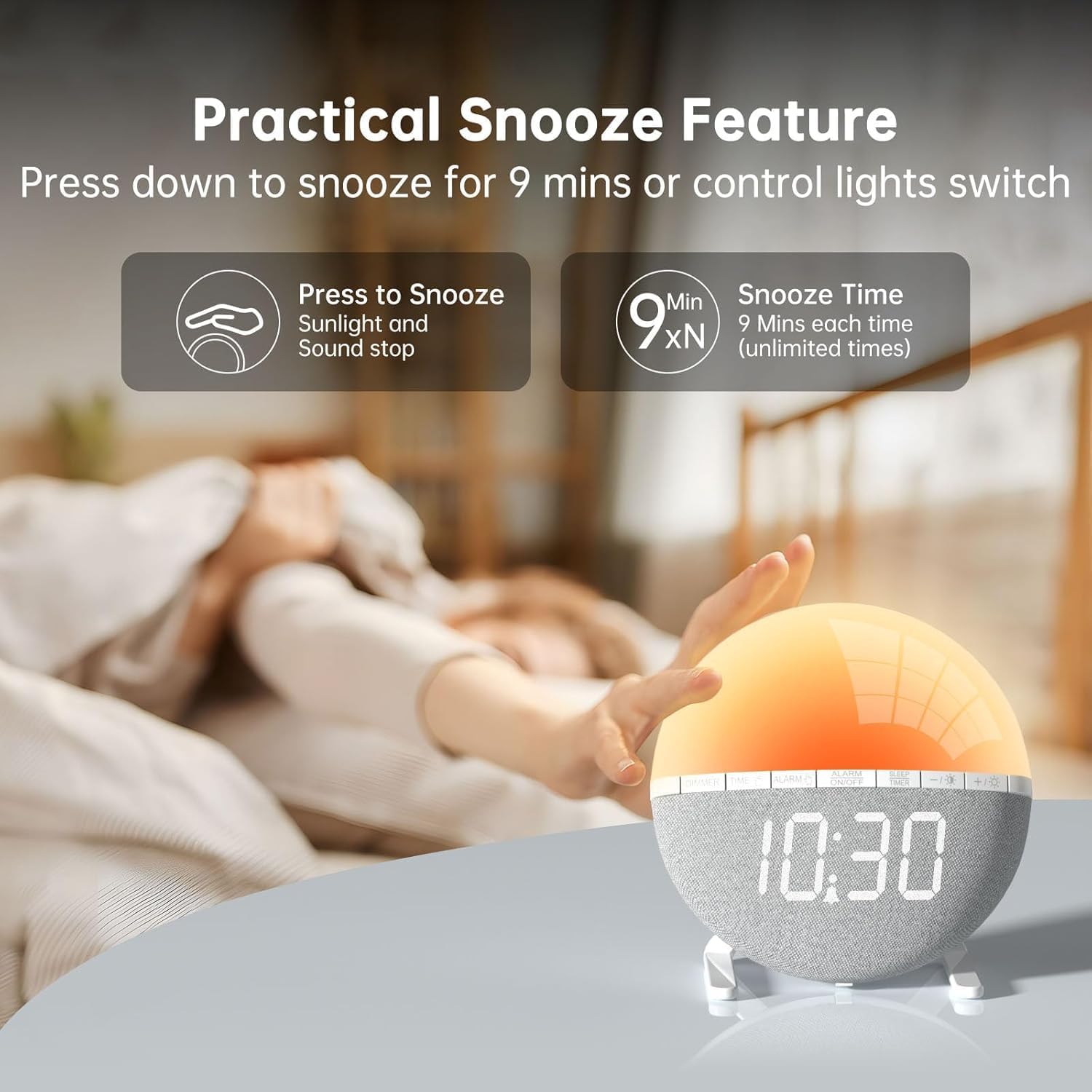
Prent 4: A hand pressing down on the top of the alarm clock to activate the snooze function. Text indicates that pressing down snoozes for 9 minutes and can also control the light switch.
When the alarm sounds, gently press down on the top of the alarm clock to activate the snooze function. The alarm will pause for 9 minutes and then sound again. This can be repeated an unlimited number of times.
3. Night Light / Mood Light

Prent 5: A display of the various solid color and RGB mood light options available on the alarm clock, shown as a spectrum of colors from light blue to purple, with the clock displaying each color.
- Druk die Gloeilamp-ikoon knoppie om die naglig aan te skakel.
- Druk die Gloeilamp-ikoon button repeatedly to cycle through the 7 solid colors and 2 mixed RGB mood light options.
- Gebruik die +/- buttons to adjust the brightness of the selected light (10 levels).
- Druk en hou die Gloeilamp-ikoon button to turn off the night light.
4. Slaaptimer

Prent 6: An image illustrating the sleep aid function with an auto-off timer, showing options for 15m, 30m, 60m, 90m, and 120m. The alarm clock is shown emitting a soft, warm light.
The sleep timer allows the light to gradually dim and turn off after a set period, aiding in sleep.
- Druk die SLAAP TIMER knoppie.
- Gebruik die +/- buttons to select the desired sleep timer duration (15, 30, 60, 90, or 120 minutes). The light will gradually dim and turn off after the selected time.
- Druk die. Om die slaaptimer te kanselleer SLAAP TIMER button repeatedly until the timer is off, or press and hold the button.
5. Vertoon helderheid aanpassing

Prent 7: Four images of the alarm clock demonstrating different display brightness levels, from off to full brightness, highlighting the dimmable and eye-caring features.
Druk die DOWWER button to cycle through the 4 display brightness levels: 0% (off), 5%, 50%, and 100%. This allows you to adjust the display visibility according to your preference, especially at night.
Onderhoud
- Maak die toestel skoon met 'n sagte, droë lap. Moenie skuurmiddels of oplosmiddels gebruik nie.
- Hou die toestel weg van water en hoë humiditeit.
- Vermy om die toestel te laat val of om dit aan sterk impakte te onderwerp.
- Moenie probeer om die toestel self uitmekaar te haal of te herstel nie. Kontak kliëntediens indien probleme ontstaan.
Probleemoplossing
| Probleem | Moontlike oorsaak | Oplossing |
|---|---|---|
| Die klokvertoning is af of werk nie. | No power connection or power adapter issue. Display brightness set to 0%. | Ensure the USB cable is securely connected and the power adapter is working. Press the DOWWER knoppie om die helderheid van die skerm te verhoog. |
| Die alarm lui nie. | Alarm not activated. Alarm volume set to 0 or sound option set to "OFF". | Druk ALARM AAN / AF to activate. Check alarm settings to ensure a sound is selected and volume is not 0. |
| Sunrise simulation does not work. | Sunrise duration not set or set to 0. | Verify the sunrise duration is set to a value between 10-60 minutes in the alarm settings. |
| Night light is not turning on. | Ligfunksie nie geaktiveer nie. | Druk die Gloeilamp-ikoon knoppie om die lig aan te skakel. |
Spesifikasies
- Model: ZH083K
- Handelsmerk: AFEXOA
- Afmetings: 9.5 x 3.81 x 9.5 cm
- Gewig: 400 g
- Materiaal: Plastiek
- Vertoon tipe: Digitaal
- Kragbron: Electric Cable (USB)
- Spesiale kenmerke: Sunrise Simulation, Mood Light, Color-Changing Night Light, Loud Alarm, Snooze, Sleep Timer, Dimmable Display
Waarborg en Ondersteuning
The AFEXOA ZH083K Digital Sunrise Alarm Clock comes with a standard manufacturer's warranty. For detailed warranty information, please refer to the product packaging or contact your retailer. If you encounter any issues or have questions regarding your product, please contact AFEXOA customer support through the retailer's platform or the official brand webwebwerf vir hulp.
Bewaar asseblief u aankoopbewys as bewys van aankoop vir waarborgeise.
Ask a question about this manual
Ask about setup, troubleshooting, compatibility, parts, safety, or missing instructions. Manuals+ will review the question and use this page’s manual context to help answer it.