
ToughTested TT-PBW-LED10
ToughTested Dubbele 10,000 mAh Sonkragbank Gebruikershandleiding
Model: TT-PBW-LED10
Inleiding
Thank you for choosing the ToughTested Dual 10,000 mAh Solar Power Portable Charger. This device is designed to provide reliable power on the go, featuring a high-capacity power bank, an integrated LED flashlight, and solar recharging capabilities. Its rugged, waterproof design makes it ideal for outdoor activities and emergency situations.
This manual provides essential information on setting up, operating, maintaining, and troubleshooting your power bank. Please read it thoroughly before use to ensure optimal performance and longevity of your device.
Wat is in die boks
- ToughTested Dual 10,000 mAh Solar Power Bank (Model: TT-PBW-LED10)
- Heavy Duty USB-A to USB-C Fast Charge Cable
- Gebruikersgids (Hierdie dokument)

The ToughTested power bank and its included heavy-duty USB-A to USB-C fast charge cable.
Produk verbyview

Voor en agter view of the ToughTested Dual 10,000 mAh Solar Power Bank, highlighting the solar panel on one side and the 18-LED flashlight panel on the other.
- 1. Kragknoppie: Activates the power bank and controls the flashlight modes.
- 2. LED -aanwysers: Displays battery charge level.
- 3. Solar Panel: For emergency solar recharging.
- 4. USB-C Port (PD 18W): For fast charging the power bank and compatible devices.
- 5. USB-A Port (Quick Charge 3.0): For charging other devices.
- 6. 18-LED Flashlight Panel: Provides bright illumination with multiple modes.
- 7. Integrated Carabiner Loop: For easy attachment and portability.
Opstelling en aanvanklike gebruik
Laai die Power Bank
Before first use, fully charge your ToughTested power bank using the included USB-C cable and a wall adapter (not included). A full charge ensures optimal performance and battery longevity.
- Connect the USB-C end of the included cable to the USB-C port on the power bank.
- Connect the USB-A end of the cable to a compatible USB wall adapter or computer USB port.
- The LED indicators will illuminate to show charging progress. All four LEDs will be solid when fully charged.
Let wel: While the solar panel provides emergency charging, it is significantly slower than wall charging and is intended for maintaining charge or emergency power in direct sunlight, not as a primary charging method.

The solar panel on the ToughTested power bank, designed for emergency recharging when conventional power sources are unavailable.
Bedryfsinstruksies
Laai jou toestelle
The power bank features both USB-C (Power Delivery) and USB-A (Quick Charge 3.0) ports for versatile device charging.
- Koppel jou toestel se laaikabel aan die toepaslike poort (USB-C of USB-A) op die kragbank.
- Verbind die ander punt van die kabel met u toestel.
- Press the power button once to begin charging. The LED indicators will show the remaining battery level.
- Disconnect your device once charging is complete. The power bank will automatically turn off after a period of inactivity.

The two charging ports on the ToughTested power bank: a USB-C 18W Power Delivery port and a USB Quick Charge 3.0 port, offering versatile charging options.
Gebruik die LED-flitslig
The integrated 18-LED flashlight offers multiple lighting modes for various situations.
- To turn on the flashlight: Dubbeldruk die aan/af-knoppie.
- To cycle through modes: Once the flashlight is on, single-press the power button to switch between:
- Steady (Full Brightness)
- SOS (Morse Code for distress)
- Strobe (Flashing light)
- To turn off the flashlight: Dubbeldruk weer die aan/uit-knoppie.

The 18-LED light panel of the ToughTested power bank, providing 550 lumens of high-output illumination.
Onderhoud
- Skoonmaak: Vee die kragbank af met 'n sagte, droë lap. Moenie harde chemikalieë of skuurmiddels gebruik nie.
- Berging: Store the power bank in a cool, dry place away from direct sunlight and extreme temperatures. For long-term storage, ensure the battery is charged to at least 50% to preserve battery health.
- Waterweerstand: The device has an IP44 waterproof rating, meaning it is protected against solid objects larger than 1mm and splashing water from any direction. Do not submerge the device in water. Ensure all ports are dry before charging.
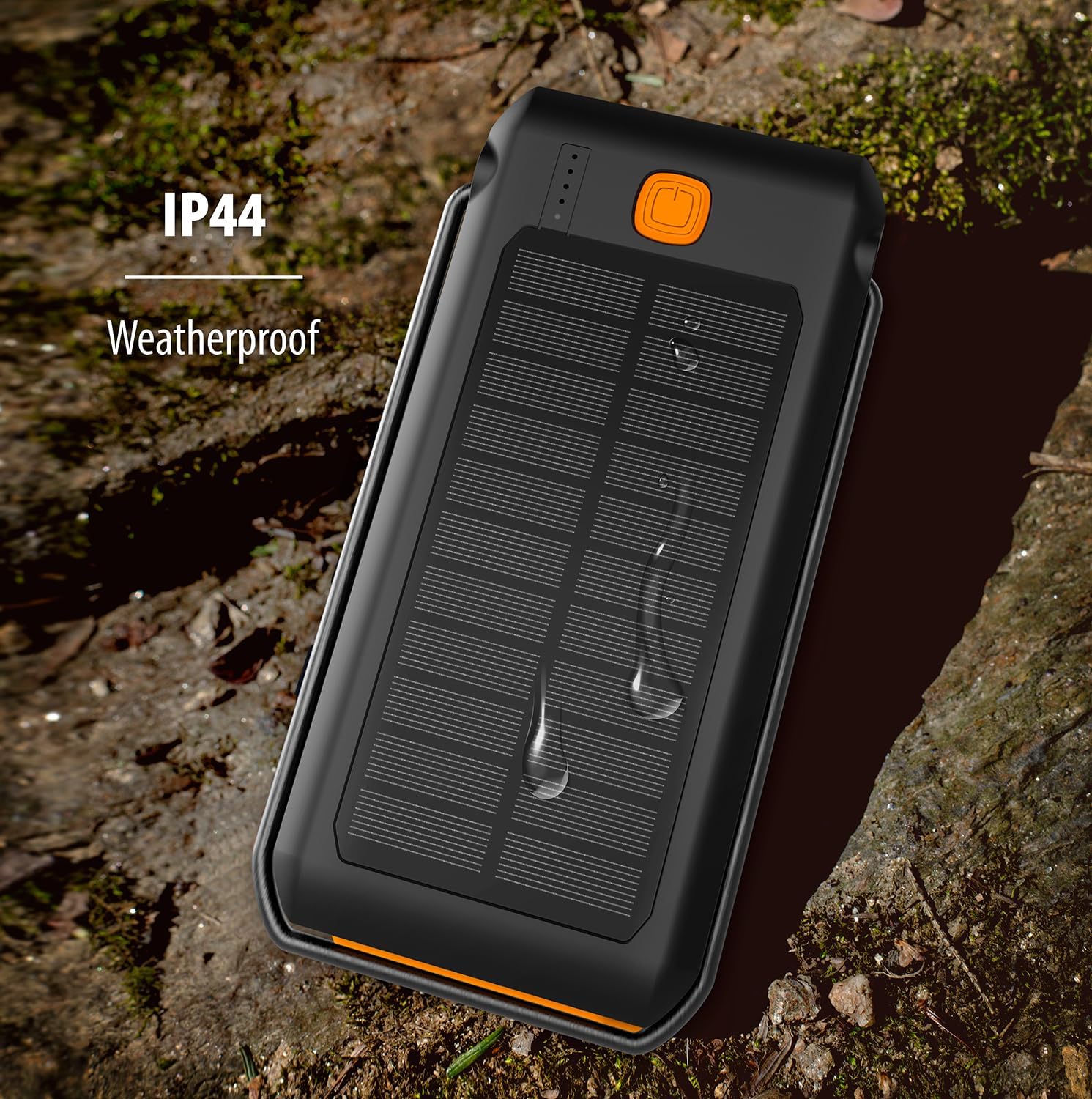
The ToughTested power bank demonstrating its IP44 weatherproof rating, indicating protection against splashing water.
Probleemoplossing
| Probleem | Moontlike oorsaak | Oplossing |
|---|---|---|
| Kragbank laai nie | Kabel nie behoorlik gekoppel nie; foutiewe kabel/adapter; kragbank heeltemal ontlaai. | Ensure cable is securely connected. Try a different cable or wall adapter. Allow a few minutes for the power bank to respond if fully discharged. |
| Toestel laai nie vanaf kragbank nie | Power bank low on charge; cable not connected properly; device not compatible; power bank in standby. | Recharge the power bank. Ensure cables are securely connected. Press the power button once to activate charging. Verify device compatibility. |
| Flitslig werk nie | Power bank low on charge; incorrect button press. | Recharge the power bank. Double-press the power button to turn on/off the flashlight. |
| Solar charging is slow | Solar charging is supplementary; insufficient direct sunlight. | Solar charging is designed for emergency use and is slower than wall charging. Ensure the solar panel is exposed to direct, strong sunlight. |
Spesifikasies
| Kenmerk | Detail |
|---|---|
| Modelnommer | TT-PBW-LED10 |
| Battery kapasiteit | 10,000 mAh (Litiumpolimeer) |
| Invoerpoorte | USB-C (vir die laai van die kragbank) |
| Uitsetpoorte | USB-C (18W Power Delivery), USB-A (Quick Charge 3.0) |
| Sonpaneeluitset | 275mA (for emergency/supplementary charging) |
| Flitslig | 18 LED, 550 Lumen, 3 Modes (Steady, SOS, Strobe) |
| Waterdigte gradering | IP44 (Beskerm teen spatwater) |
| Afmetings | 6.5 x 3.5 x 1 duim |
| Gewig | 10.4 onse |
| Kleur | Swart / Oranje |
Waarborg en Ondersteuning
The ToughTested Dual 10,000 mAh Solar Power Bank is backed by ToughTested's exclusive 5 jaar waarborg. Hierdie waarborg dek defekte in materiaal en vakmanskap onder normale gebruik.
For warranty claims, technical support, or any inquiries regarding your product, please refer to the official ToughTested webwebwerf of produkverpakking vir die mees onlangse kontakinligting.
Ask a question about this manual
Ask about setup, troubleshooting, compatibility, parts, safety, or missing instructions. Manuals+ will review the question and use this page’s manual context to help answer it.