
1. Inleiding
Thank you for choosing the PRIXTON Multisport DV800 Action Camera. This manual provides essential information for setting up, operating, and maintaining your device. Please read it thoroughly before use to ensure optimal performance and longevity of your camera.
2. Pakketinhoud
Verifieer dat al die items wat hieronder gelys word, in jou pakket ingesluit is:
- PRIXTON Multisport DV800 Action Camera
- Waterdigte tas
- Herlaaibare battery
- USB kabel
- Fiets Mount
- Knip
- Monteer adapter
- Three Helmet Mounts
- Strap/Bandage
- 3M kleefmiddels
- Gebruikershandleiding

Image: The PRIXTON DV800 Action Camera and its various accessories, including mounts, cables, and the waterproof case.
3. Produk verbyview
The PRIXTON DV800 features a compact design with dual screens for versatile shooting and monitoring. It is designed for capturing high-quality video and photos in various environments.
Sleutel kenmerke:
- Dubbele skerms: Front screen for selfies and a rear screen for camera control.
- 5K videoresolusie: Up to 5K at 30 frames per second (FPS).
- 24 MP Photo Resolution: High-quality still images.
- 6-AXIS EIS Optical Stabilizer: For smooth and stable footage.
- Waterdig: Up to 30 meters with the included waterproof case.
- Verbinding: Built-in Wi-Fi for mobile app control and content transfer.
- Berging: Supports MicroSD cards up to 128 GB.

Image: The PRIXTON DV800 Action Camera, showcasing its dual-screen capability and the waterproof housing, alongside several mounting accessories.
4. Opstelling
4.1. Battery Installasie
- Vind die batterykompartement op die kamera.
- Maak die kompartement se deksel oop.
- Plaas die herlaaibare battery in en maak seker dat die polariteit korrek is.
- Maak die batterykompartement se deksel stewig toe.
4.2. MicroSD-kaartinvoeging
A MicroSD card (up to 128 GB, not included) is required to store recordings and photos.
- Vind die MicroSD-kaartgleuf aan die kant van die kamera.
- Gently insert the MicroSD card with the contacts facing the correct direction until it clicks into place.
- Om te verwyder, druk die kaart na binne totdat dit uitspring.
4.3. Bevestiging van die waterdigte omhulsel
For underwater use or protection against impacts, place the camera inside the waterproof case.
- Maak die grendel op die waterdigte kas oop.
- Plaas die kamera versigtig in die houer en maak seker dat dit styf pas.
- Close the latch firmly to seal the case. Ensure no debris is caught in the seal.
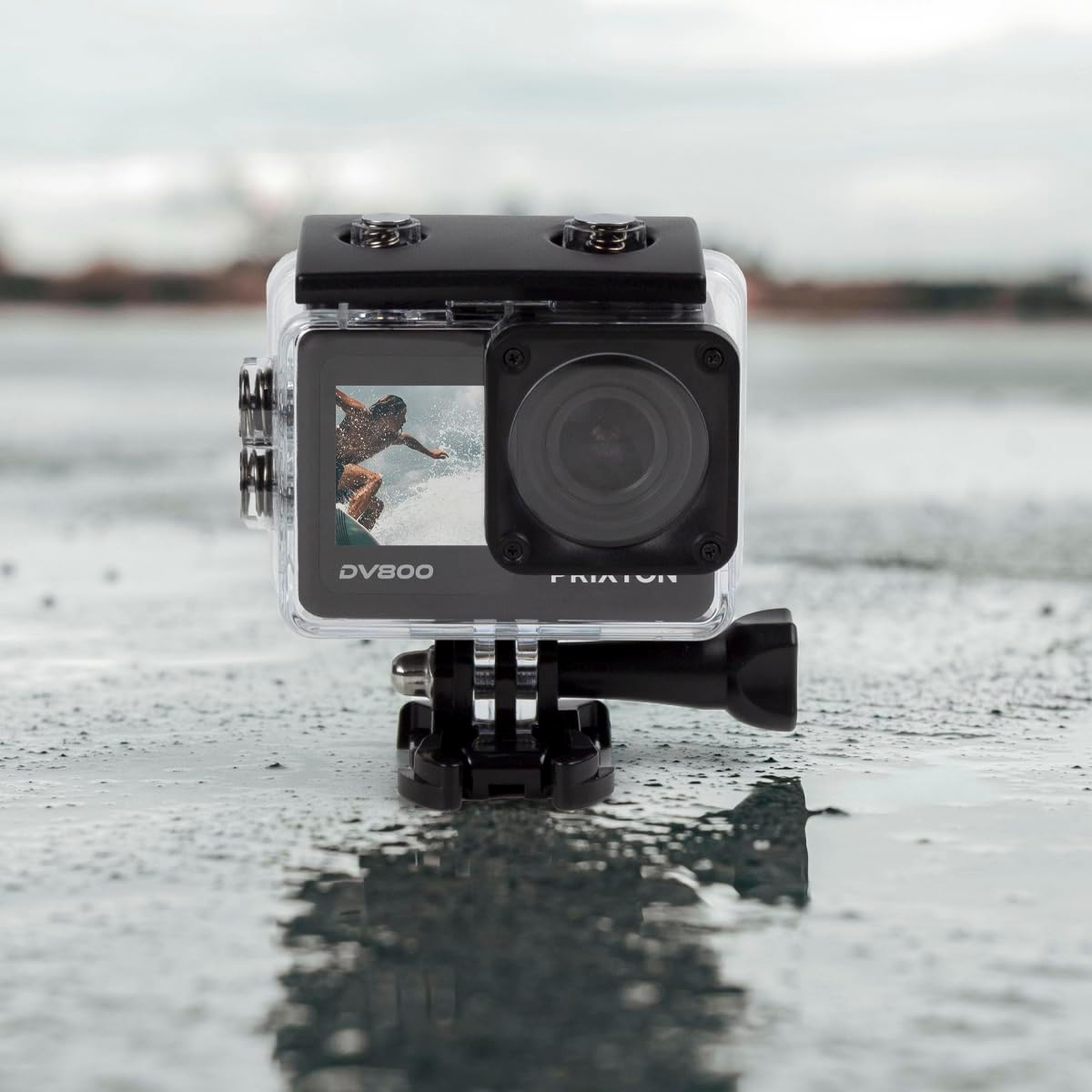
Image: The PRIXTON DV800 Action Camera securely housed within its waterproof casing, ready for use in aquatic environments.
5. Bedryfsinstruksies
5.1. Skakel aan/af
- Om aan te skakel: Druk en hou die Aan/Aan/Modus-knoppie vir 'n paar sekondes totdat die skerm verlig.
- Om af te skakel: Druk en hou die Aan/Aan/Modus-knoppie weer in totdat die skerm afskakel.
5.2. Moduskeuse
Druk die Aan/Aan/Modus-knoppie herhaaldelik om deur verskillende modusse te blaai: Video, Foto, Terugspeel en Instellings.
5.3. Video-opname
- Switch to Video Mode.
- Press the Shutter/OK button to start recording. A red indicator light will flash.
- Druk weer die Sluiter/OK-knoppie om die opname te stop. Die aanwyserliggie sal ophou flikker.
5.4. Neem foto's
- Skakel oor na Fotomodus.
- Raam jou skoot met behulp van die skerm.
- Druk die Sluiter/OK-knoppie om 'n foto te neem.
5.5. Wi-Fi Connectivity and Mobile App
The camera can connect to your mobile device via Wi-Fi using the "XDV PRO" application.
- Download and install the "XDV PRO" app on your smartphone or tablet.
- On the camera, navigate to the settings menu and enable Wi-Fi.
- On your mobile device, connect to the camera's Wi-Fi network (SSID and password will be displayed on the camera screen).
- Open the "XDV PRO" app to control the camera, view leef footage, en oordrag files.

Image: A close-up of the PRIXTON DV800 Action Camera's rear screen, showing its 5K Ultra HD capability and Wi-Fi connectivity.
5.6. Using as a Webnok
Connect the camera to a computer via USB to use it as a webkam.
- Koppel die kamera aan jou rekenaar met die meegeleverde USB-kabel.
- Select the 'PC Camera' or 'Webcam' option on the camera's screen if prompted.
- Jou rekenaar behoort die kamera as 'n webcam, which can then be selected in video conferencing applications.
6. Onderhoud
6.1. Skoonmaak
- Gebruik 'n sagte, pluisvrye lap om die kameralens en skerms skoon te maak.
- For the waterproof case, rinse with fresh water after saltwater use and allow it to air dry.
- Vermy die gebruik van harde chemikalieë of skuurmateriaal.
6.2. Batteryversorging
- Laai die battery voor die eerste gebruik volledig.
- Moenie die battery aan uiterste temperature blootstel nie.
- Indien die kamera vir 'n lang tydperk gestoor word, verwyder die battery.
6.3. Berging
Store the camera in a cool, dry place away from direct sunlight and dust when not in use.
7. Probleemoplossing
- Kamera skakel nie aan nie: Maak seker dat die battery gelaai en korrek geplaas is.
- Opnameprobleme: Check if the MicroSD card is inserted correctly and has sufficient free space. Format the card if necessary (this will erase all data).
- Wi-Fi-verbindingsprobleme: Ensure Wi-Fi is enabled on the camera and your mobile device. Restart both devices if issues persist.
- Swak beeld-/videokwaliteit: Clean the lens. Ensure adequate lighting. Check resolution settings.
8. Spesifikasies
| Model Naam | DV800 |
| Handelsmerk | PRIXTON |
| Video-opname-resolusie | 5K |
| Fotosensortegnologie | Ander |
| Tipe flitsgeheue | MikroSD (tot 128 GB) |
| Video-opname-formaat | MOV |
| Ondersteunde oudioformaat | MP4 |
| Verbindingstegnologie | Wi-Fi |
| Kleur | Swart |
| Tipe videokamera | Aksie kamera |
| Batterylewe | Ongeveer 90 minute |
9. Waarborg en Ondersteuning
The PRIXTON Multisport DV800 Action Camera comes with a standard manufacturer's warranty. For detailed warranty information, technical support, or service inquiries, please refer to the warranty card included in your package or visit the official PRIXTON webwebwerf. Bewaar u aankoopbewys as bewys van aankoop vir waarborgeise.