
1. Inleiding
Thank you for choosing LOBKIN S16 Kids Bluetooth Headphones. These headphones are designed with children's safety and comfort in mind, featuring a volume limit of 94dB to protect young ears. Enjoy vibrant colorful LED lights, a comfortable over-ear design, and versatile connectivity options including Bluetooth 5.4 and a detachable AUX cable. The foldable design and included carrying case make them ideal for travel, school, and everyday use.

Image: LOBKIN S16 Kids Bluetooth Headphones in Pink Purple, showcasing die algehele ontwerp.
2. Wat is in die boks
Kontroleer asseblief die inhoud van die pakket om seker te maak dat alle items teenwoordig is:
- 1 x LOBKIN S16 Kids Bluetooth Headphones
- 1 x 3.5 mm hulpkabel
- 1 x USB-laaikabel
- 1 x Organiser with Cord (Cat-shaped carrying case)
- 1 x Instructions for Use (This manual)

Image: All items included in the LOBKIN S16 Kids Bluetooth Headphones package, including the headphones, cables, and carrying case.
3. Produk verbyview
Maak jouself vertroud met die oorfone se kontroles en kenmerke:

Beeld: Nabyskoot view of the LOBKIN S16 Kids Bluetooth Headphones, highlighting the control buttons, charging port, and audio jack.
- Volume + / Volgende snit-knoppie: Press to increase volume; long press for next track.
- Volume - / Vorige snit-knoppie: Press to decrease volume; long press for previous track.
- Multifunksieknoppie (MFB): Aan/Af, Speel/Pouseer, Beantwoord/Beëindig Oproep.
- LED-ligbeheerknoppie: Double-click to turn colorful LED lights on/off.
- Tipe C-laaipoort: Vir die laai van die oorfone.
- 3.5 mm oudiopoort: Vir bedrade verbinding met behulp van die AUX-kabel.
- Mikrofoon: Built-in for calls and online communication.
- Aanwyserlig: Toon kragstatus, paringsmodus en laaistatus.
- Cat Ears with LED Lights: Decorative and functional colorful LED lights.
4. Opstelling
4.1 Laai die oorfone
Laai die oorfone volledig voor die eerste gebruik. 'n Volle lading neem ongeveer 1.5 uur.
- Connect the USB charging cable to the Type-C charging port on the headphones.
- Koppel die ander kant van die USB-kabel aan 'n versoenbare USB-kragbron (bv. 'n rekenaar se USB-poort, USB-muuradapter).
- The indicator light will show red during charging and turn off when fully charged.
4.2 Bluetooth -koppeling
Follow these steps to pair your LOBKIN S16 headphones with a Bluetooth-enabled device:
- Maak seker dat die oorfone afgeskakel is.
- Press and hold the Multi-function Button (MFB) for approximately 3-5 seconds until the indicator light flashes red and blue alternately. This indicates pairing mode.
- On your device (e.g., smartphone, tablet, laptop), enable Bluetooth and search for available devices.
- Select "S16" from the list of found devices.
- Once successfully paired, the indicator light will flash blue slowly.
- Indien paring misluk, skakel die oorfone af en herhaal die stappe.

Image: Visual guide demonstrating Bluetooth 5.4 pairing with a mobile device for the LOBKIN S16 Kids Bluetooth Headphones.
4.3 Bedrade verbinding (AUX-modus)
You can use the headphones with the included 3.5mm AUX cable for a wired connection, which does not require battery power.
- Plug one end of the 3.5mm AUX cable into the audio port on the headphones.
- Plug the other end of the 3.5mm AUX cable into the audio jack of your device.
- Die oorfone sal outomaties na bedrade modus oorskakel.
5. Bedryfsinstruksies
5.1 Krag aan/af
- Krag aan: Press and hold the Multi-function Button (MFB) for 3 seconds until the indicator light flashes blue.
- Skakel af: Press and hold the Multi-function Button (MFB) for 3 seconds until the indicator light turns off.
5.2 Volumebeheer
- Verhoog volume: Druk die knoppie Volume +.
- Verlaag volume: Druk die Volume - knoppie.
The LOBKIN S16 headphones feature a 94dB safe volume limit to protect children's hearing.
5.3 Media-terugspeel
- Speel/pouse: Druk die Multifunksie-knoppie (MFB) een keer.
- Volgende snit: Druk die Volume + knoppie lank.
- Vorige snit: Druk die Volume - knoppie lank.
5.4 Oproepbestuur
- Beantwoord/beëindig oproep: Druk die Multifunksie-knoppie (MFB) een keer.
- Verwerp oproep: Long press the Multi-function Button (MFB) for 2 seconds.
5.5 LED-ligtebeheer
- Skakel ligte aan/af: Double-click the LED Light Control Button.
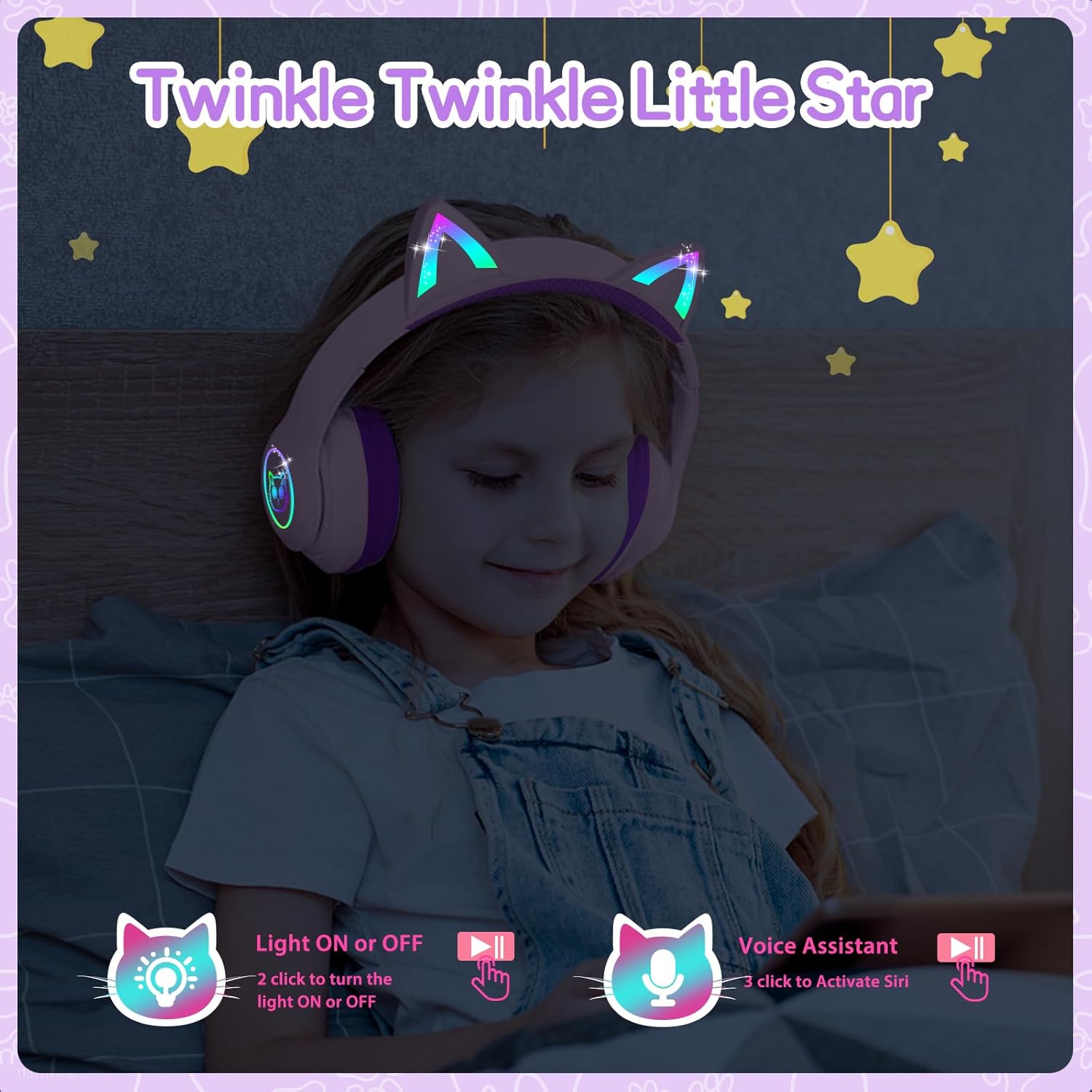
Image: A child wearing the LOBKIN S16 Kids Bluetooth Headphones, showcasing the colorful LED lights on the cat ears and earcups.
5.6 Stemassistent
- Aktiveer Stemassistent (Siri): Triple-click the LED Light Control Button.
6. Onderhoud
To ensure the longevity and optimal performance of your LOBKIN S16 headphones, follow these maintenance guidelines:
- Skoonmaak: Gebruik 'n sagte, droë lap om die oorfone af te vee. Moenie skuurmiddels of oplosmiddels gebruik nie.
- Berging: When not in use, store the headphones in the provided cat-shaped carrying case to protect them from dust, scratches, and accidental damage.
- Temperatuur: Vermy die blootstelling van die oorfone aan uiterste temperature (warm of koud) of hoë humiditeit.
- Waterweerstand: These headphones are not water resistant. Avoid contact with liquids.
- Kabelversorging: Handle the charging and AUX cables gently to prevent damage.
7. Probleemoplossing
If you encounter any issues with your headphones, refer to the following common problems and solutions:
| Probleem | Oplossing |
|---|---|
| Oorfone sal nie aanskakel nie | Ensure the headphones are fully charged. Press and hold the MFB for 3 seconds. |
| Kan nie via Bluetooth koppel nie | Ensure headphones are in pairing mode (red and blue flashing light). Turn off and restart both headphones and the device. Make sure the device is within 10 meters. |
| Geen geluid in die Bluetooth -modus nie | Check device volume and headphone volume. Ensure headphones are successfully paired. Try re-pairing. |
| No sound in wired (AUX) mode | Ensure the AUX cable is securely plugged into both the headphones and the device. Check device volume. |
| LED ligte werk nie | Double-click the LED Light Control Button to toggle lights on/off. Ensure headphones are charged. |
| Mikrofoon werk nie | Ensure headphones are connected via Bluetooth. Check device settings to ensure the headphone microphone is selected as the input device. |
8. Spesifikasies
| Kenmerk | Detail |
|---|---|
| Model Naam | S16 |
| Verbindingstegnologie | Bedraad, Draadloos (Bluetooth 5.4) |
| Bluetooth-reeks | Tot 10 meter |
| Batterylewe | 50 Hours (lights off) |
| Laai tyd | 1.5 ure |
| Veilige Volume Limiet | 94dB |
| Oorstukvorm | Oor Oor |
| Materiaal | Akrielnitril Butadieen Styreen (ABS) |
| Item gewig | 240 gram (8.5 onse) |
| Produk afmetings | 6.3 x 3.1 x 7.6 duim |
| Spesiale kenmerke | Colorful LED Lights, Microphone, Adjustable Headband, Detachable 3.5mm Audio Cable |
9. Waarborg en ondersteuning
LOBKIN provides an 18-month product quality service for these headphones. If you encounter any issues with the product itself during this period, please contact LOBKIN customer support for free repair or replacement services.
For further assistance or inquiries, please visit the LOBKIN store on Amazon or contact their customer service directly.
LOBKIN-US Customer Service: Kontak verkoper
Video: Official LOBKIN S16 Cute Cat Ear Headphones product video, demonstrating features and design.
Video: Official LOBKIN video showcasing Kids Wireless Headphones with Bag, highlighting their suitability as gifts.