
1. Inleiding
Welcome to the user manual for your Thomson RT850BT Bluetooth Speaker, FM Radio, and Alarm Clock. This guide provides detailed instructions on how to set up, operate, and maintain your device. Please read this manual thoroughly before use to ensure proper functionality and to maximize your experience with the RT850BT.
2. Veiligheidsinligting
Om veilige werking te verseker en skade te voorkom, neem asseblief die volgende veiligheidsmaatreëls in ag:
- Moenie die eenheid aan reën, vog of uiterste temperature blootstel nie.
- Vermy die plasing van die eenheid naby hittebronne of in direkte sonlig.
- Verseker behoorlike ventilasie; moenie enige ventilasie-openinge blokkeer nie.
- Gebruik slegs die meegeleverde kragadapter.
- Moenie probeer om die eenheid uitmekaar te haal of te wysig nie. Verwys alle diens na gekwalifiseerde personeel.
- Hou die eenheid weg van sterk magnetiese velde.
3. Pakketinhoud
Verifieer dat alle items in die pakket teenwoordig is:
- Thomson RT850BT Unit
- Kragadapter
- Gebruikershandleiding

Image: Thomson RT850BT packaging, illustrating the product and its key features.
4. Produk verbyview
4.1 Voorpaneel
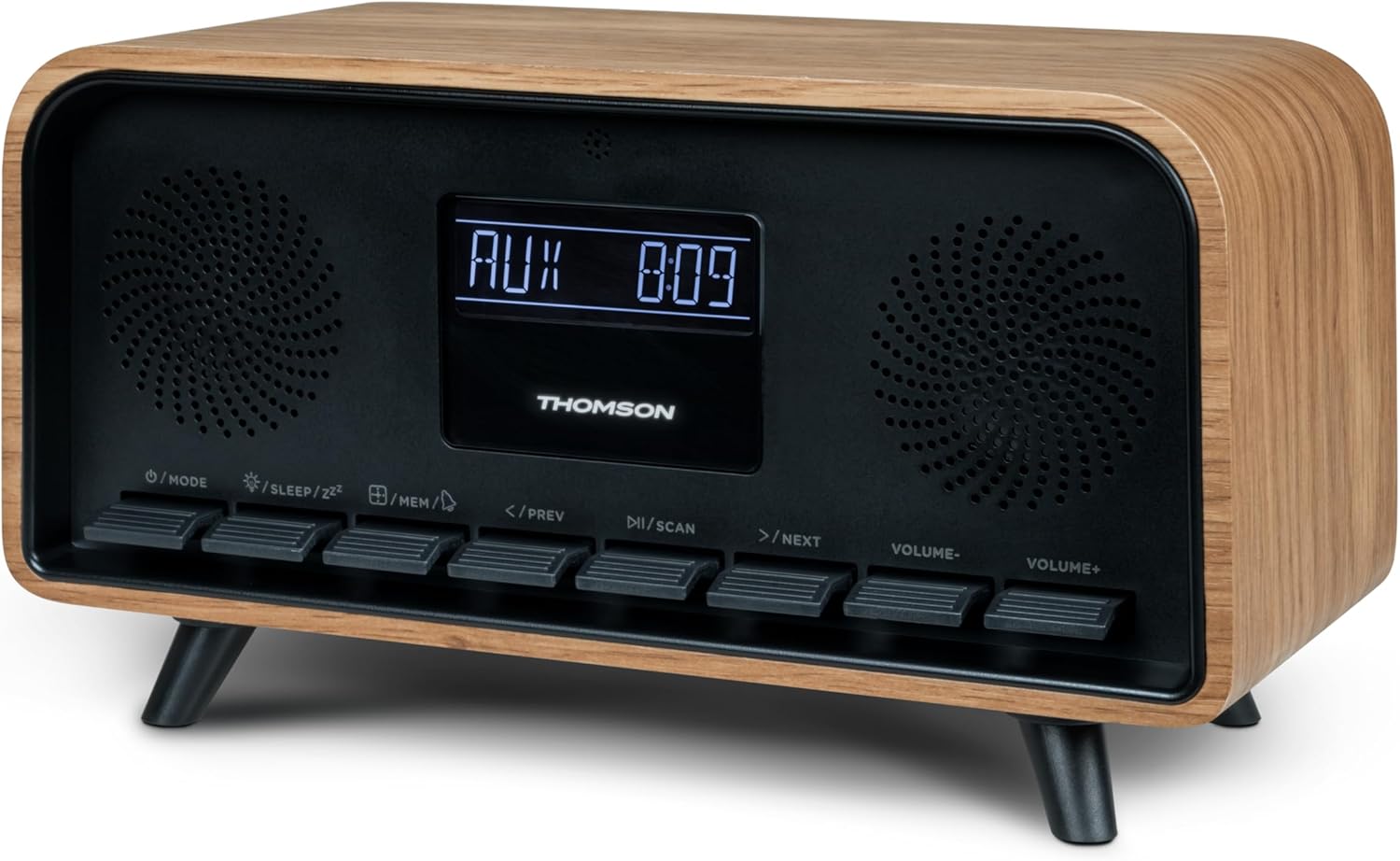
Beeld: Voorkant view of the Thomson RT850BT unit, showing the LCD display, speakers, and control buttons.
- LCD-skerm: Shows time, mode, and other information.
- /MODE Button: Power On/Off, switch between modes (Bluetooth, FM, AUX).
- /SLEEP/ZZ Knoppie: Set sleep timer, activate snooze.
- /MEM Button: Set alarm, save/recall radio stations.
- </PREV Button: Previous track (Bluetooth), tune down (FM).
- /SCAN Button: Play/Pause (Bluetooth), auto scan (FM).
- >/NEXT Button: Next track (Bluetooth), tune up (FM).
- VOLUME- Button: Verminder volume.
- VOLUME+ Button: Verhoog volume.
4.2 Agterpaneel

Beeld: Agter view of the Thomson RT850BT, highlighting the power supply, Line In (AUX-IN), and USB-C charge output ports.
- Power Supply (DC IN 5V): Koppel die meegeleverde kragadapter aan.
- Line In (AUX-IN): 3.5 mm-klankinvoer vir eksterne toestelle.
- Charge Output (USB-C): USB Type-C port for charging external devices.
5. Opstelling
5.1 Kragverbinding
- Connect the power adapter to the DC IN 5V port on the rear of the RT850BT.
- Steek die kragadapter in 'n standaardmuuraansluiting.
- The unit will power on automatically or enter standby mode.
5.2 Initial Power On and Clock Setting
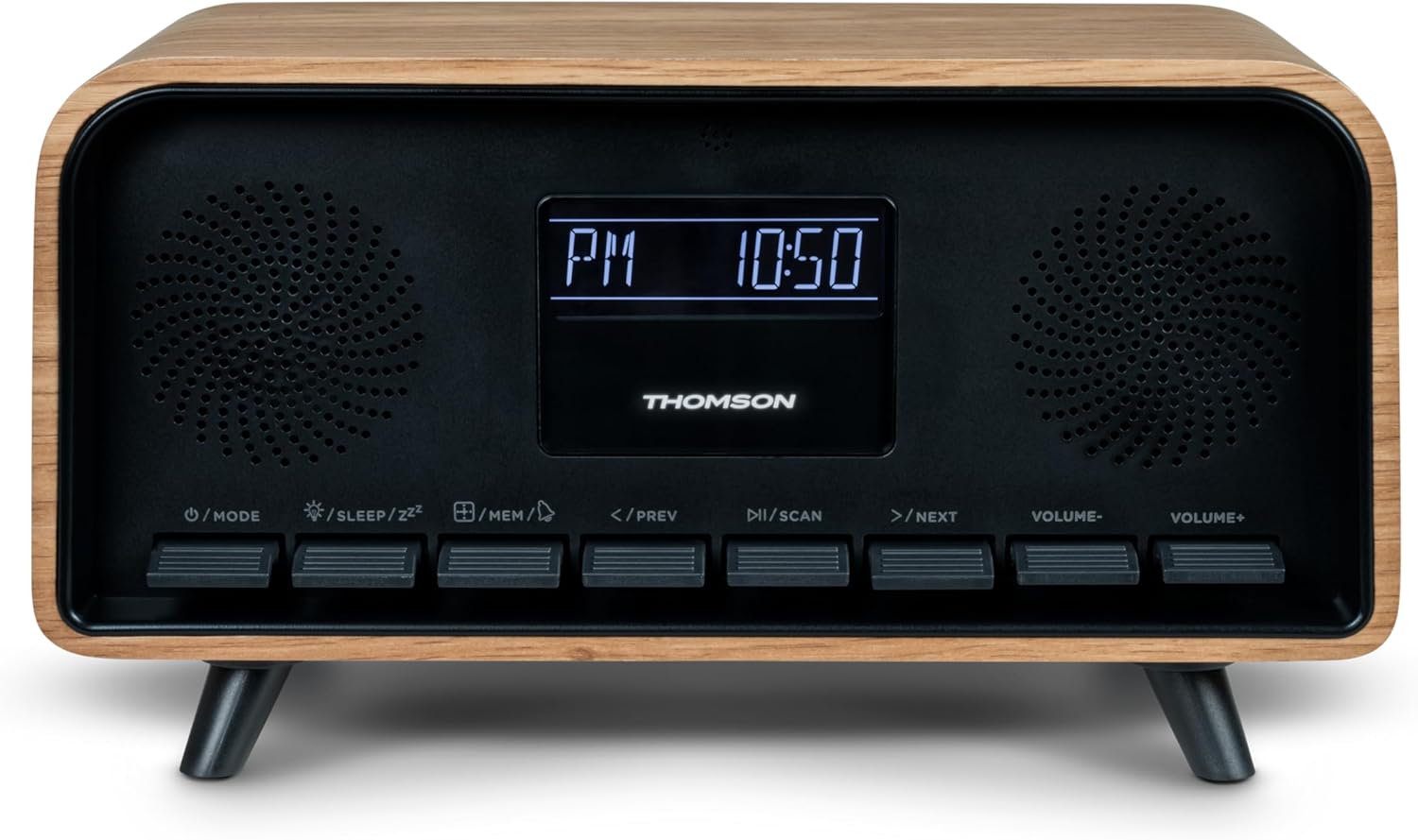
Image: Close-up of the RT850BT's LCD display showing the time, 10:50 PM, and the 'PM' indicator.
- If the unit is in standby, press the /WYSE knoppie om dit aan te skakel.
- Om die horlosie te stel, druk en hou die /MEM knoppie totdat die tydvertoning flikker.
- Gebruik die </PREV en >/NEXT knoppies om die uur aan te pas. Druk /MEM te bevestig.
- Gebruik die </PREV en >/NEXT knoppies om die minuut aan te pas. Druk /MEM te bevestig.
- Die horlosie is nou ingestel.
6. Bedryfsinstruksies
6.1 Bluetooth-modus

Image: Close-up of the RT850BT's LCD display indicating 'bt' for Bluetooth mode, along with the current time.
- Druk die /WYSE button repeatedly until 'bt' appears on the display. The unit is now in Bluetooth pairing mode.
- Aktiveer Bluetooth op jou mobiele toestel en soek vir beskikbare toestelle.
- Select 'RT850BT' from the list to pair. A confirmation tone will sound upon successful connection.
- You can now play audio from your device through the RT850BT.
- Gebruik die /SKAN button to Play/Pause, and </PREV / >/NEXT knoppies om snitte oor te slaan.
- Verstel die volume met die VOLUME- en VOLUME+ knoppies.
6.2 FM-radiomodus
- Druk die /WYSE button repeatedly until the FM frequency appears on the display.
- Outo -skandering: Druk en hou die /SKAN button to automatically scan and save available FM stations (up to 50 stations).
- Handmatige instelling: Druk kortliks </PREV or >/NEXT to fine-tune the frequency. Press and hold to scan for the next available station.
- Recall Saved Stations: Druk kortliks die /MEM knoppie om deur gestoorde stasies te blaai.
6.3 Wekkerfunksie
The RT850BT supports setting multiple alarms.
- In bystandmodus, druk en hou die /MEM button until 'AL1' or 'AL2' flashes.
- Gebruik </PREV en >/NEXT om die alarmuur in te stel, druk dan /MEM te bevestig.
- Herhaal vir minute.
- Kies die alarmbron (Zoemer of FM-radio) met behulp van </PREV en >/NEXT, druk dan /MEM.
- Om 'n alarm te aktiveer/deaktiveer, druk kortliks die /MEM button in standby mode to cycle through alarm settings (AL1 ON/OFF, AL2 ON/OFF).
- Wanneer die alarm lui, druk /SLEEP/ZZ for snooze (alarm will sound again after 9 minutes) or press /WYSE om die alarm vir die dag af te skakel.
6.4 AUX-IN-modus
- Connect an external audio device (e.g., MP3 player, smartphone) to the 'Line In' (AUX-IN) port on the rear panel using a 3.5mm audio cable (not included).
- Druk die /WYSE knoppie herhaaldelik totdat 'AUX' op die skerm verskyn.
- Audio from the connected device will now play through the RT850BT. Control playback from your external device.
6.5 Dimmerfunksie
The display brightness can be adjusted to three intensity levels.
- In any mode, briefly press the /SLEEP/ZZ button to cycle through the brightness levels.
6.6 Slaapfunksie
Set a timer for the unit to automatically turn off.
- While the unit is on, press the /SLEEP/ZZ button repeatedly to select the desired sleep timer duration (e.g., 15, 30, 60, 90 minutes, OFF).
- The unit will automatically power off after the selected time.
6.7 USB-C laaipoort
The USB-C port on the rear panel is for charging external devices.
- Connect your compatible device's USB-C charging cable to the 'Charge output' port.
- Ensure the RT850BT is powered on or in standby mode for charging functionality.
7. Onderhoud
To maintain the performance and appearance of your RT850BT:
- Skoonmaak: Use a soft, dry cloth to clean the exterior. Do not use abrasive cleaners, waxes, or solvents.
- Berging: Indien die eenheid vir 'n lang tydperk gestoor word, ontkoppel dit van die kragtoevoer en bêre dit op 'n koel, droë plek.
- Ventilasie: Ensure the ventilation grilles are free from dust and obstructions.
8. Probleemoplossing
If you encounter issues with your RT850BT, refer to the following table for common problems and solutions:
| Probleem | Moontlike oorsaak | Oplossing |
|---|---|---|
| Geen krag nie | Kragadapter nie gekoppel nie of foutiewe stopcontact. | Maak seker dat die kragadapter stewig gekoppel is en dat die aansluiting funksioneel is. |
| Geen klank nie | Volume too low, incorrect mode, or device not paired (Bluetooth). | Increase volume. Check if the correct mode (BT, FM, AUX) is selected. Re-pair Bluetooth device. |
| Bluetooth-samestelling misluk | Device too far, Bluetooth not enabled on source, or RT850BT not in pairing mode. | Ensure devices are within range. Enable Bluetooth on your device. Set RT850BT to 'bt' mode. |
| Swak FM-ontvangs | Swak sein. | Adjust the unit's position to improve reception. |
| Alarm klink nie | Alarm nie geaktiveer of verkeerd gestel. | Verify alarm settings and ensure it is set to ON. |
9. Spesifikasies
- Model: RT850BT
- Bluetooth weergawe: 5.3
- Radio-ontvanger: FM (87.5-108 MHz)
- Stasiegeheue: 50 FM stasies
- Oudio-invoer: AUX-IN (3.5 mm)
- Vertoon: LCD with 3-intensity dimmer
- Kraguitset: 30W Total Music Power
- Laaipoort: USB-C (for external devices)
- Kragbron: Koord Elektries (GS 5V)
- Gewig: 600 gram
10. Waarborg en Ondersteuning
For warranty information and technical support, please refer to the documentation provided at the time of purchase or contact your local Thomson customer service. Keep your proof of purchase for warranty claims.