
1. Inleiding
The Unitek CFexpress Type A and SD4.0 UHS-II Memory Card Reader is designed for high-speed data transfer from CFexpress Type A and SD cards to your computer or compatible device. Featuring USB 3.2 Gen 2 connectivity, it supports transfer speeds up to 10Gbps, making it suitable for professionals requiring efficient handling of large files such as high-resolution photos and Full HD videos.

Image 1.1: Unitek CFexpress Type A and SD4.0 UHS-II Memory Card Reader.
2. Produkkenmerke
- Hoëspoed data-oordrag: Supports up to 10Gbps (1250MB/s) via USB 3.2 Gen 2x1 for CFexpress Type A and SD4.0 UHS-II cards. Backward compatible with USB 3.1 Gen 1 and USB 3.0. An LED indicator shows data transfer activity.
- Dubbele kaartgleuwe: Features dedicated slots for CFexpress Type A and SD cards (SD/SDHC/SDXC/SDUC). Both slots can be used simultaneously. Note: Not compatible with CFexpress Type B/C or XQD cards.
- Breë versoenbaarheid: Compatible with Windows, macOS, Linux, and Android operating systems. Supports CFexpress cards up to 2TB capacity.
- Duursame en draagbare ontwerp: Constructed with an aluminum alloy housing for durability and efficient heat dissipation. Its compact size is suitable for travel.

Image 2.1: Illustration of CFexpress Type A and SD card compatibility.
3. Pakketinhoud
Verifieer asseblief dat alle items in die pakket teenwoordig is:
- 1 x Unitek CFexpress Type A and SD4.0 UHS-II Memory Card Reader
- 1 x USB-C na USB-C kabel
- 1 x Gebruikershandleiding (hierdie dokument)
4. Opstelling
- Connect one end of the provided USB-C to USB-C cable to the USB-C port on the Unitek card reader.
- Connect the other end of the USB-C cable to an available USB-C port on your computer, laptop, tablet, or smartphone.
- The device is plug-and-play and does not require any driver installation. Your operating system should automatically recognize the card reader.
- For optimal 10Gbps transfer speeds, ensure your host device's USB-C port supports USB 3.2 Gen 2.
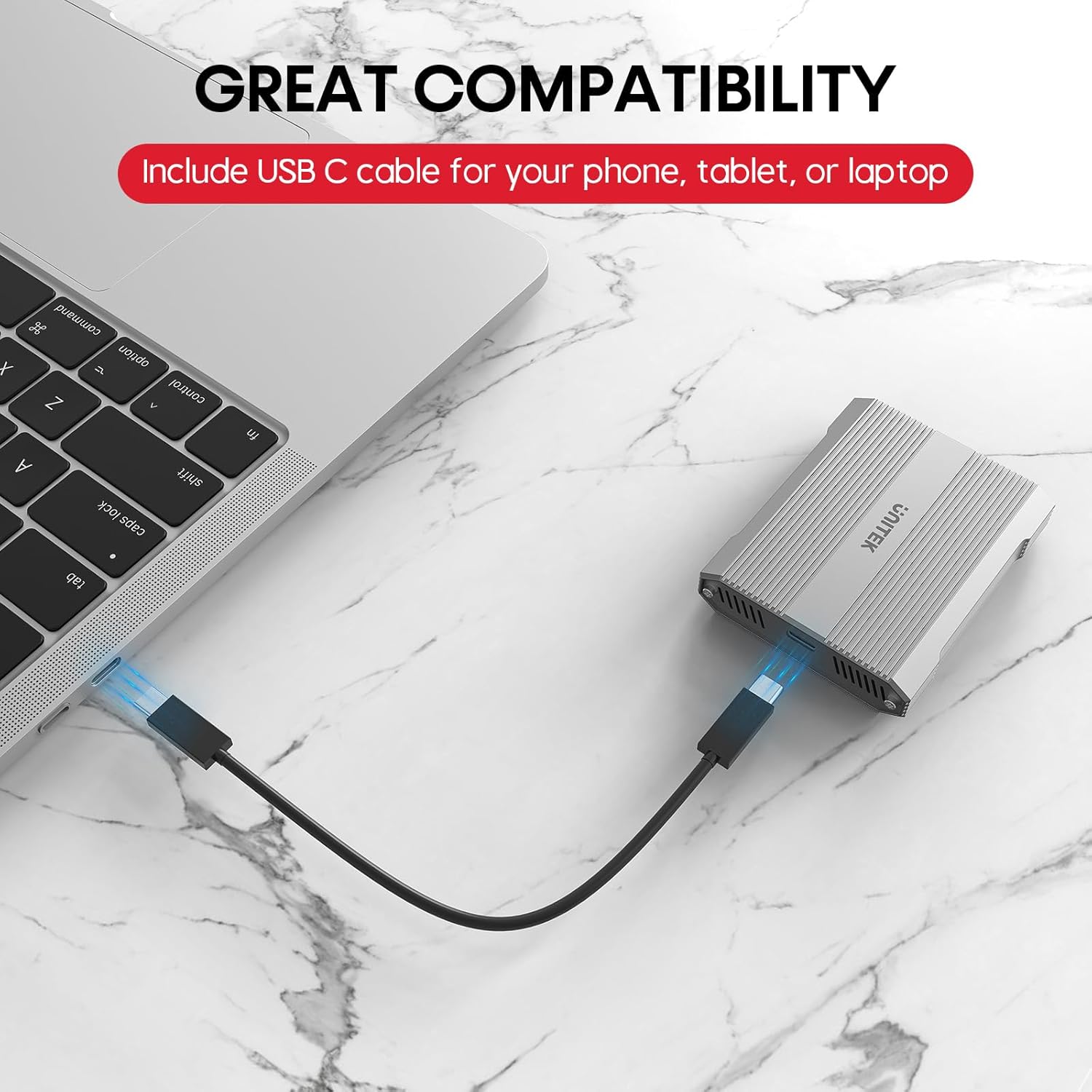
Image 4.1: Connecting the card reader to a laptop via USB-C.
5. Bedryfsinstruksies
5.1 Geheuekaarte insit
- For CFexpress Type A Cards: Gently insert your CFexpress Type A card into the designated CFexpress Type A slot on the reader until it clicks into place. Ensure the card is oriented correctly.
- Vir SD-kaarte: Gently insert your SD, SDHC, SDXC, or SDUC card into the designated SD slot on the reader until it clicks into place. Ensure the card is oriented correctly.

Image 5.1: Correct insertion of a CFexpress Type A card.

Image 5.2: Correct insertion of an SD card.
5.2 Data-oordrag
- Once a card is inserted and the reader is connected, it will appear as a removable drive in your computer's file Verkenner (Windows) of Finder (macOS).
- Jy kan nou sleep en los files, copy, or move data between your memory card and your computer.
- The LED indicator on the reader will flicker during active data transfer.

Image 5.3: Visual representation of 10Gbps data transfer.
5.3 Safely Ejecting Cards
To prevent data corruption, always safely eject the memory card or the card reader from your operating system before physically removing the card or disconnecting the reader.
- Windows: Right-click on the drive icon in 'This PC' or 'File Explorer' and select 'Eject'.
- MacOS: Drag the drive icon from the desktop or Finder sidebar to the Trash, or right-click and select 'Eject'.
6. Verenigbaarheid
The Unitek R1022A card reader offers broad compatibility:
- Memory Card Types: CFexpress Type A, SD, SDHC, SDXC, SDUC (SD4.0 UHS-II).
- Bedryfstelsels: Windows, macOS, Linux, Android.
- Gasheertoestelle: Laptops, desktop computers, tablets, and smartphones with a USB-C port.
Belangrike nota: This card reader is specifically designed for CFexpress Type A cards and is nie versoenbaar nie with CFexpress Type B, CFexpress Type C, or XQD cards.

Image 6.1: Compatibility with various operating systems and devices.
7. Onderhoud
- Keep the card reader clean and free from dust and debris. Use a soft, dry cloth for cleaning.
- Vermy die blootstelling van die toestel aan uiterste temperature, direkte sonlig of hoë humiditeit.
- Do not attempt to disassemble or modify the card reader, as this will void the warranty.
- Hittebestuur: The aluminum alloy housing aids in heat dissipation. However, during prolonged high-speed data transfers or if left connected with cards inserted, the device and cards may become warm. To prolong the lifespan of your cards and the reader, it is recommended to remove cards when not actively transferring data.
8. Probleemoplossing
- Toestel word nie herken nie:
- Ensure the USB-C cable is securely connected to both the card reader and your host device.
- Probeer om aan 'n ander USB-C-poort op jou toestel te koppel.
- Toets met 'n ander USB-C-kabel indien beskikbaar.
- Herbegin jou rekenaar of gasheertoestel.
- Stadige oordragspoed:
- Verify that your host device's USB-C port supports USB 3.2 Gen 2 (10Gbps). Older USB versions will result in lower speeds.
- Ensure your memory cards (CFexpress Type A or SD) are high-speed cards capable of 10Gbps or UHS-II speeds.
- Close any background applications that might be consuming system resources or performing other data transfers.
- Memory Card Not Reading:
- Ensure the memory card is inserted correctly and fully into the appropriate slot.
- Check if the memory card is damaged or corrupted. Try the card in another device if possible.
- Confirm that you are using a compatible card type (CFexpress Type A or SD). This reader does not support CFexpress Type B/C or XQD cards.
- Toestel oorverhit:
- It is normal for the device to become warm during operation, especially during large data transfers.
- If the device feels excessively hot, ensure it has adequate ventilation and is not covered.
- Remove memory cards from the reader when not in active use to reduce heat buildup.
9. Spesifikasies
| Handelsmerk | Unitek |
| Model Naam | R1022A |
| Media tipe | CFexpress Type A, SD4.0 UHS-II (SD/SDHC/SDXC/SDUC) |
| Verbindingstegnologie | USB Type C (USB 3.2 Gen 2x1) |
| Data-oordragtempo | Tot 10 Gigabit per sekonde |
| Versoenbare toestelle | Laptop, PC, Phone, Tablet |
| Bedryfstelsel | Windows, macOS, Linux, Android |
| Spesiale kenmerk | Compact, Plug & Play |
| Behuisingsmateriaal | Aluminiumlegering |
| Max CFexpress Card Capacity | 2TB |

Image 9.1: Compact design and dimensions of the card reader.
10. Amptelike Produkvideo
Video 10.1: Official product video demonstrating the Unitek CFexpress Type A and SD4.0 UHS-II Memory Card Reader, highlighting its dual card slots, 10Gbps data transfer speed, and USB-C connectivity.
11. Waarborg en Ondersteuning
The Unitek CFexpress Type A and SD4.0 UHS-II Memory Card Reader comes with a 1 jaar waarborg vanaf die aankoopdatum.
For technical support, warranty claims, or any other inquiries, please contact Unitek customer service. Refer to the product packaging or the official Unitek webwebwerf vir die mees onlangse kontakinligting.