
1. Inleiding
Thank you for choosing the KIDYWOLF KIDYMICPARENT Bluetooth Microphone. This all-in-one microphone features a built-in speaker, light effects, and Bluetooth connectivity, designed to provide an engaging music experience. This manual provides essential information for the safe and effective use of your device. Please read it thoroughly before use and retain it for future reference.
2. Veiligheidsinligting
- Keep the microphone away from water and moisture.
- Moenie die toestel aan uiterste temperature of direkte sonlig blootstel nie.
- Vermy om die mikrofoon te laat val of aan harde impakte bloot te stel.
- Moenie probeer om die toestel self uitmekaar te haal of te herstel nie. Kontak gekwalifiseerde dienspersoneel.
- Gebruik slegs die meegeleverde USB-C-laaikabel of 'n gesertifiseerde ekwivalent.
- This product contains a rechargeable battery. Do not dispose of it in fire.
- Ensure children use the microphone under adult supervision.
3. Pakketinhoud
Kontroleer asseblief die pakket vir die volgende items:
- 1 x KIDYWOLF KIDYMICPARENT Bluetooth Microphone
- 1 x USB-C laaikabel
4. Produk verbyview
The KIDYWOLF KIDYMICPARENT is a versatile microphone designed for entertainment. It integrates a 5W speaker, dynamic light effects, and various voice modulation features.
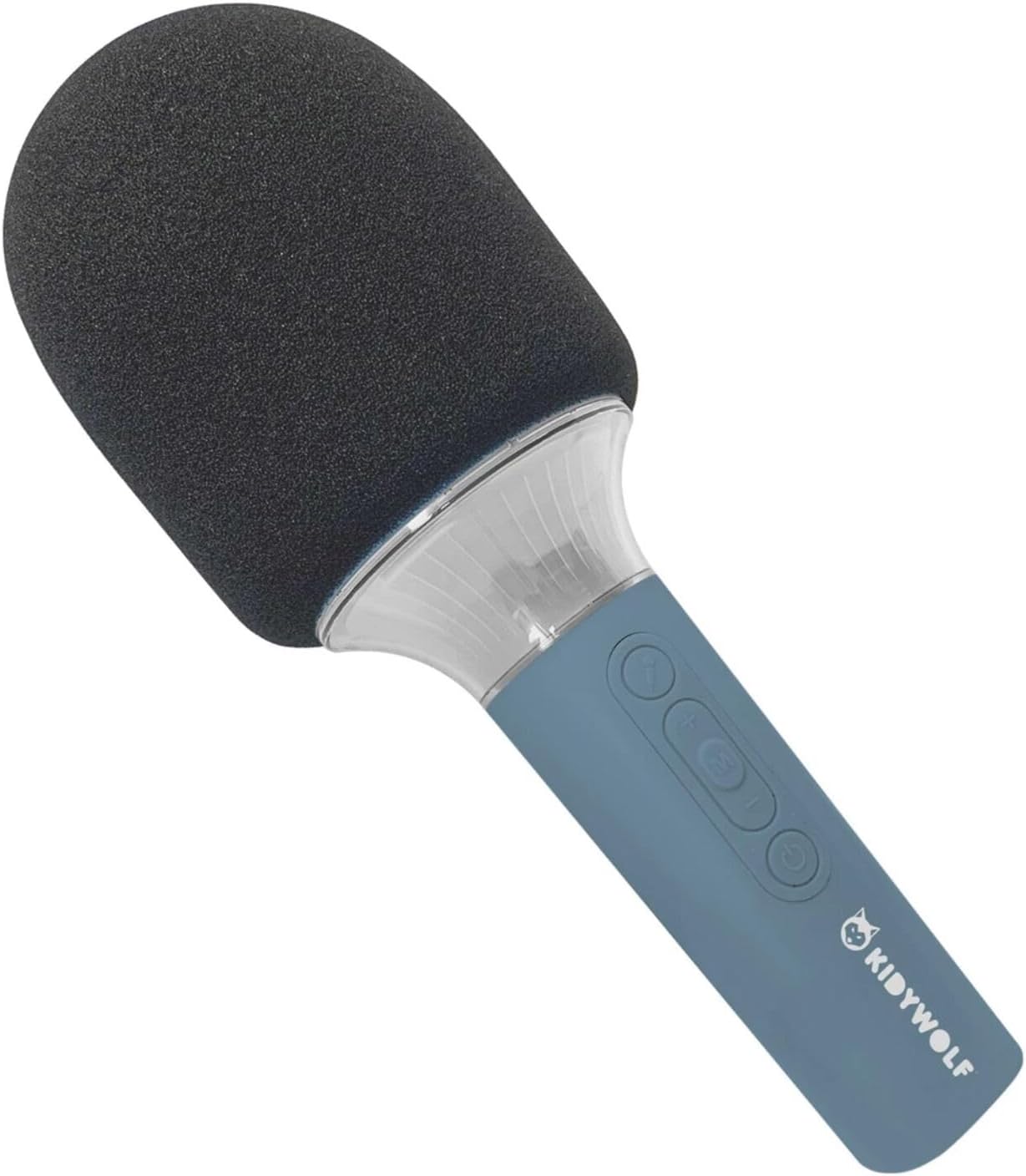
Figuur 4.1: Voorkant view of the KIDYWOLF KIDYMICPARENT Bluetooth Microphone. This image shows the microphone head with its foam cover and the main body with control buttons.
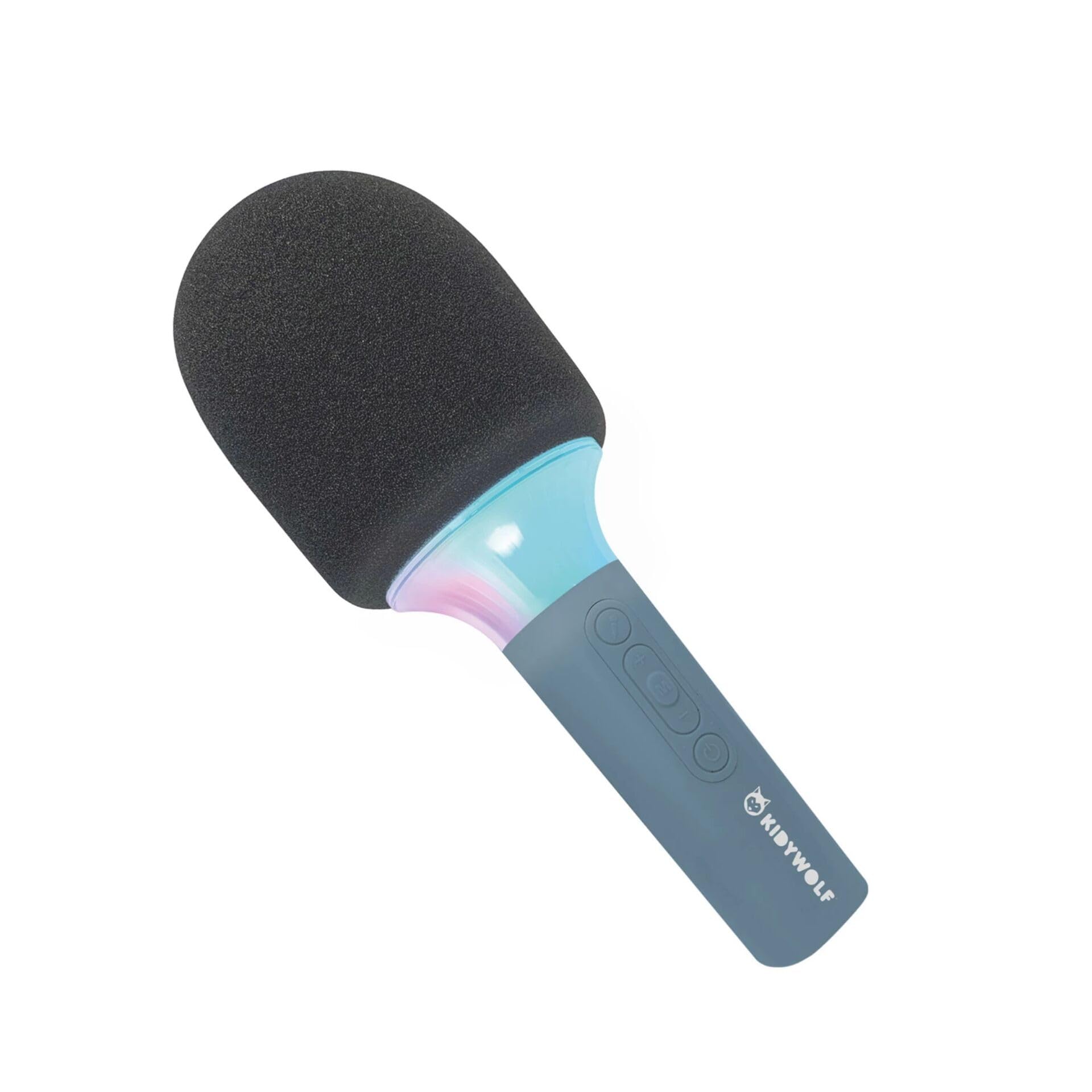
Figuur 4.2: Hoekig view of the KIDYWOLF KIDYMICPARENT Bluetooth Microphone. This perspective highlights the ergonomic design of the handle and the placement of the control buttons.

Figuur 4.3: The KIDYWOLF KIDYMICPARENT Bluetooth Microphone with its integrated light effects active, showcasing the illuminated section below the microphone head.
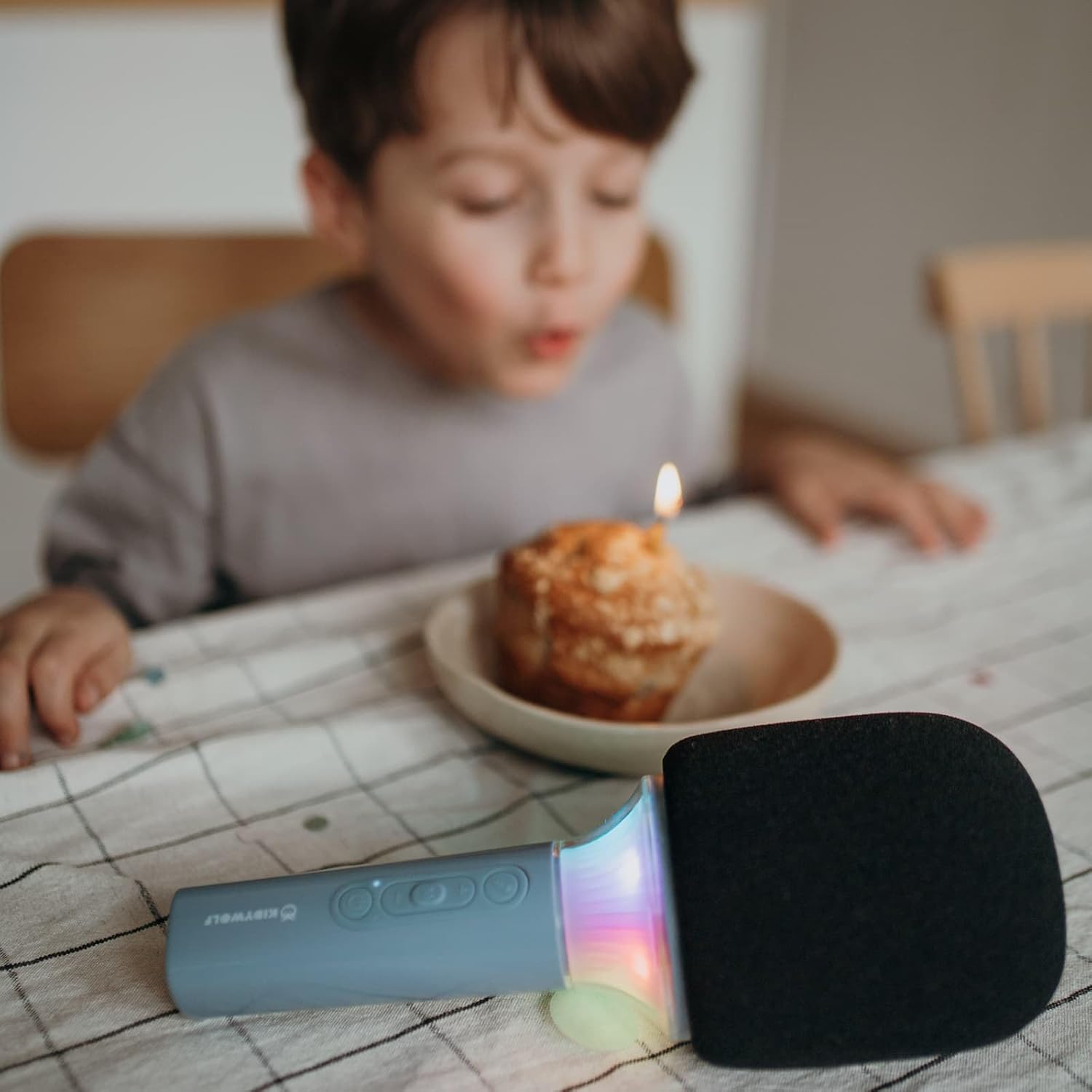
Figuur 4.4: A child using the KIDYWOLF KIDYMICPARENT Bluetooth Microphone, demonstrating its intended use for entertainment.
5. Opstelling
5.1 Laai die mikrofoon
- Locate the USB-C charging port on the microphone.
- Connect the provided USB-C cable to the microphone's charging port.
- Koppel die ander kant van die USB-C-kabel aan 'n versoenbare USB-kragadapter (nie ingesluit nie) of 'n rekenaar se USB-poort.
- Die laai-aanwyserliggie sal tydens laai brand en afskakel of van kleur verander wanneer dit volledig gelaai is.
- 'n Volle lading neem gewoonlik ongeveer 2-3 uur.
5.2 Bluetooth -koppeling
- Krag aan: Press and hold the Power button (usually marked with a power symbol) on the microphone until the indicator light turns on and you hear an audible prompt.
- Aktiveer Bluetooth: The microphone will automatically enter Bluetooth pairing mode, indicated by a flashing light or an audible prompt.
- Aktiveer Bluetooth op jou toestel: Gaan na die Bluetooth-instellings op jou slimfoon, tablet of ander Bluetooth-geaktiveerde toestel en maak seker dat Bluetooth aangeskakel is.
- Kies Toestel: Look for "KIDYMICPARENT" or a similar name in the list of available Bluetooth devices and select it to pair.
- Bevestiging: Once successfully paired, you will hear a confirmation sound from the microphone, and the indicator light will stop flashing and remain solid.
Let wel: If pairing fails, turn off the microphone and your device's Bluetooth, then repeat the steps. The microphone will automatically attempt to reconnect to the last paired device when powered on.
6. Bedryfsinstruksies
6.1 Krag aan/af
- Om aan te skakel: Druk en hou die aan/af-knoppie vir ongeveer 3 sekondes in.
- Om af te skakel: Druk en hou die aan/af-knoppie vir ongeveer 3 sekondes in.
6.2 Volumebeheer
- Gebruik die '+' button to increase the microphone and speaker volume.
- Gebruik die '-' button to decrease the microphone and speaker volume.
6.3 Musiekweergawe
Once paired via Bluetooth, you can play music from your connected device. The microphone's built-in speaker will output the audio. Use your connected device to control music playback (play, pause, skip tracks).
6.4 Ligeffekte
The microphone features integrated light effects. Refer to the specific button (if available, often marked with a light bulb symbol or integrated with another function) to cycle through different light modes or turn them on/off. If no dedicated button is present, the lights may activate automatically with sound or be controlled via a multi-function button.
7. Voice Effects
The KIDYWOLF KIDYMICPARENT microphone offers 6 different voice settings to enhance your singing experience. To change voice effects:
- Locate the dedicated voice effect button (often marked with a microphone icon or "FX").
- Press the button repeatedly to cycle through the available voice effects.
- Listen to the audio output to select your desired voice effect.
8. Onderhoud
8.1 Skoonmaak
- Wipe the microphone's exterior with a soft, dry, or slightly damp lap.
- Moenie harde chemikalieë, skuurmiddels of oplosmiddels gebruik nie.
- Ensure no liquid enters the microphone's openings.
8.2 Berging
- Store the microphone in a cool, dry place away from direct sunlight.
- Keep it away from dust and extreme temperatures.
9. Probleemoplossing
| Probleem | Moontlike oorsaak | Oplossing |
|---|---|---|
| Mikrofoon skakel nie aan nie. | Battery is leeg. | Laai die mikrofoon met die USB-C-kabel. |
| Kan nie via Bluetooth koppel nie. | Bluetooth is off on the device; microphone is not in pairing mode; device is too far. | Ensure Bluetooth is enabled on your device. Put the microphone into pairing mode. Move the device closer to the microphone (within 10 meters). |
| Geen geluid van die luidspreker nie. | Volume is too low; microphone is muted; device is not playing audio. | Increase volume using the '+' button. Check if the microphone is muted. Ensure audio is playing on the connected device. |
| Voice effects are not changing. | Incorrect button pressed; feature not active. | Ensure you are pressing the correct voice effect button. |
10. Spesifikasies
| Model Naam | KIDYMICPARENT |
| Handelsmerk | KINDERWOLF |
| Vormfaktor | Handheld |
| Afmetings (LxBxH) | 24 x 9 x 9 cm |
| Gewig | 414 g |
| Kragbron | Herlaaibare battery |
| Materiaal | Plastiek |
| Aantal kanale | 1 |
| Verbindingstegnologie | Bluetooth |
| Tipe verbinding | USB Tipe-C |
| Spesiale kenmerke | Volume Control, Light Effects, Voice Modulation (6 settings) |
| Ingesluit komponente | Microphone, USB-C Charging Cable |
| Aanbevole gebruik | Karaoke |
11. Waarborg en Ondersteuning
For warranty information and customer support, please refer to the documentation provided at the time of purchase or contact your retailer. You may also visit the official KIDYWOLF webwebwerf vir die nuutste ondersteuningsbronne en kontakbesonderhede.