
1. Inleiding
This manual provides detailed instructions for the assembly, operation, maintenance, and troubleshooting of your NB ERGONOMIC A80 Motorized Mobile TV Cart. Please read this manual thoroughly before installation and use to ensure safe and correct operation. Keep this manual for future reference.
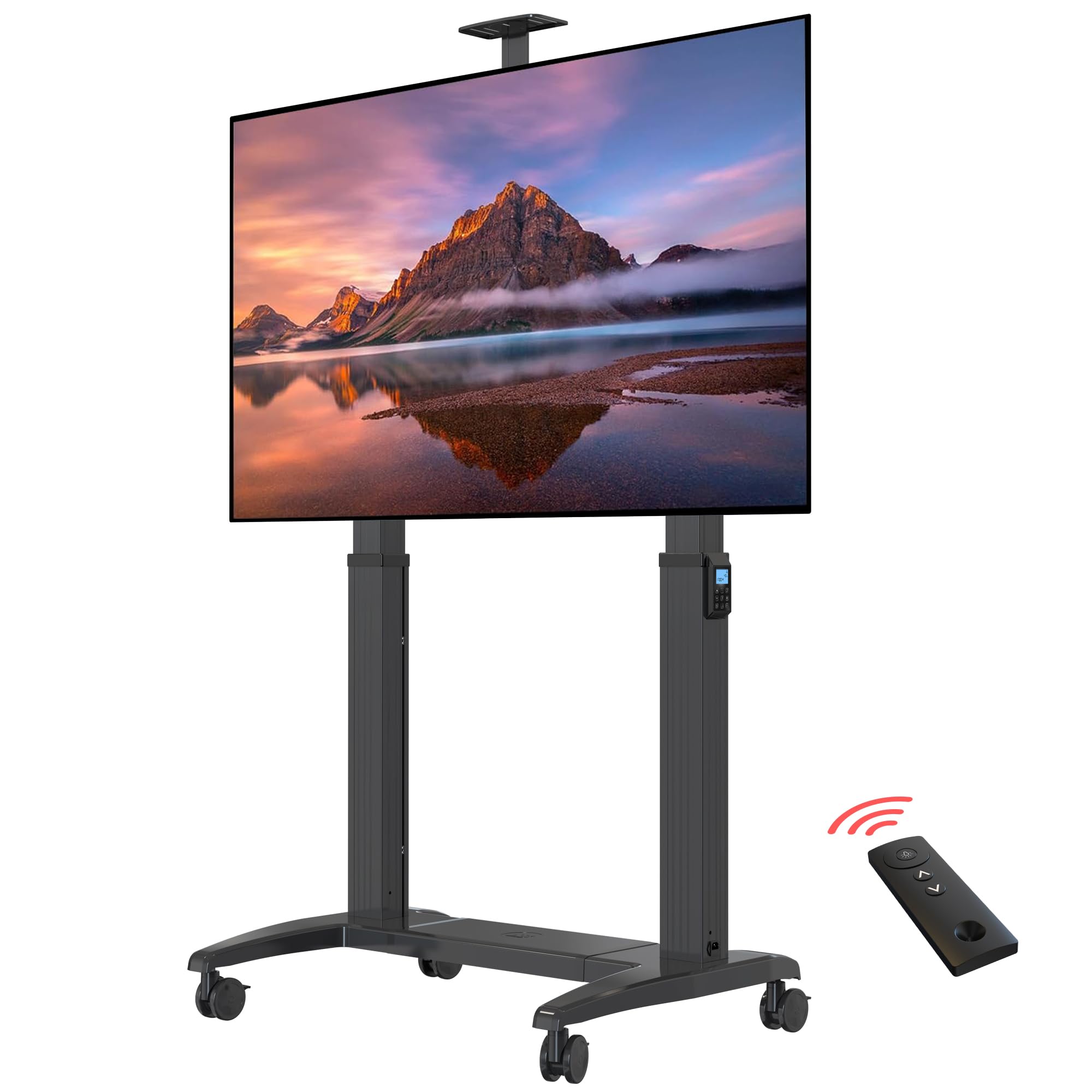
Image 1.1: NB ERGONOMIC A80 Motorized Mobile TV Cart with a large TV screen, showcasing its wide TV compatibility, load capacity, and VESA mounting options.
2. Veiligheidsinligting
- Maak seker dat alle komponente teenwoordig en onbeskadig is voor montering.
- Moenie die maksimum laaikapasiteit van 300 lbs (136.4 kg) oorskry nie.
- Ensure the TV size is within the supported range of 75" to 120" and VESA compatibility from 200x200mm to 1000x600mm.
- Always lock the casters when the cart is stationary to prevent accidental movement.
- Hou hande en vingers weg van bewegende dele tydens hoogteverstelling.
- Use only the provided power adapter and ensure it is connected to a suitable power outlet (100V-240V).
- Children should not operate the motorized functions without adult supervision.
3. Pakketinhoud
Verifieer dat alle onderdele wat hieronder gelys word in u pakket ingesluit is. Indien enige onderdele ontbreek of beskadig is, kontak asseblief kliëntediens.
Video 3.1: A detailed installation video for the NB ERGONOMIC A80 Motorized Mobile TV Cart, showing all components laid out after unboxing.
The package includes various parts for the base, columns, TV mounting brackets, casters, and necessary hardware. Refer to the included parts list in your physical manual for a complete inventory.
4. Monteer-instruksies
Follow these steps carefully to assemble your motorized TV cart. It is recommended to have two people for assembly, especially when mounting the TV.
4.1 Basissamestelling
- Connect the base plates (Part 1 & 2) with two metal rails (Part 11) using 12 screws (Part M-M8*15mm). Tighten securely with the provided Allen key.

Image 4.1: Diagram illustrating the dimensions of the TV cart, including the base, columns, and TV mounting area, along with the remote control.
- For caster installation, lock the brake on each caster, remove the rubber cover, and insert a spacer (Part J-Φ16.2xΦ12x2mm). Twist casters by hand into the base, then use the outer hexagon spanner (Part P) to tighten them securely.

Beeld 4.2: Nabyskoot view of a caster wheel, highlighting its locking mechanism for stability.
- Place the plastic cover plate (Part 3) onto the rails of the base.
4.2 Column Installation
- Insert the two columns (Part 4 & 5) vertically into the base plate. Carefully lay the unit down slowly.
- Twist and tighten 8 screws (Part N-M8*40mm) by Allen key to secure the columns to the base.
- Connect the motor cables from the columns to the control box located in the base. Ensure proper cable management using the provided ties.

Image 4.3: Illustration of the cable management system within the TV cart's base, ensuring a tidy setup.
4.3 TV Mounting
- Attach the TV mounting brackets to the back of your TV using appropriate screws and spacers for your TV's VESA pattern.
- Carefully lift the TV and hook the mounting brackets onto the main crossbar of the TV cart. Ensure the TV is centered and level.
- Secure the TV to the crossbar using the safety screws or locking mechanisms on the brackets.
- Install the decorative side covers and handles (if included) to the columns.

Image 4.4: Close-up of the TV mounting bracket, showing how it attaches to the main crossbar of the motorized TV cart.
5. Bedryfsinstruksies
Your NB ERGONOMIC A80 TV Cart features electric lifting with both touch control and remote control options.
5.1 Kragverbinding
Connect the power cable to the power input on the base of the TV cart, then plug it into a standard electrical outlet.
5.2 Hoogteverstelling
- Raakbeheer: Use the up (▲) and down (▼) arrows on the integrated control panel to adjust the TV height. The display shows the current height.
- Afstandbeheer: Use the up (▲) and down (▼) arrows on the remote control to adjust the TV height. Ensure the remote has batteries installed (CR2032, not included).
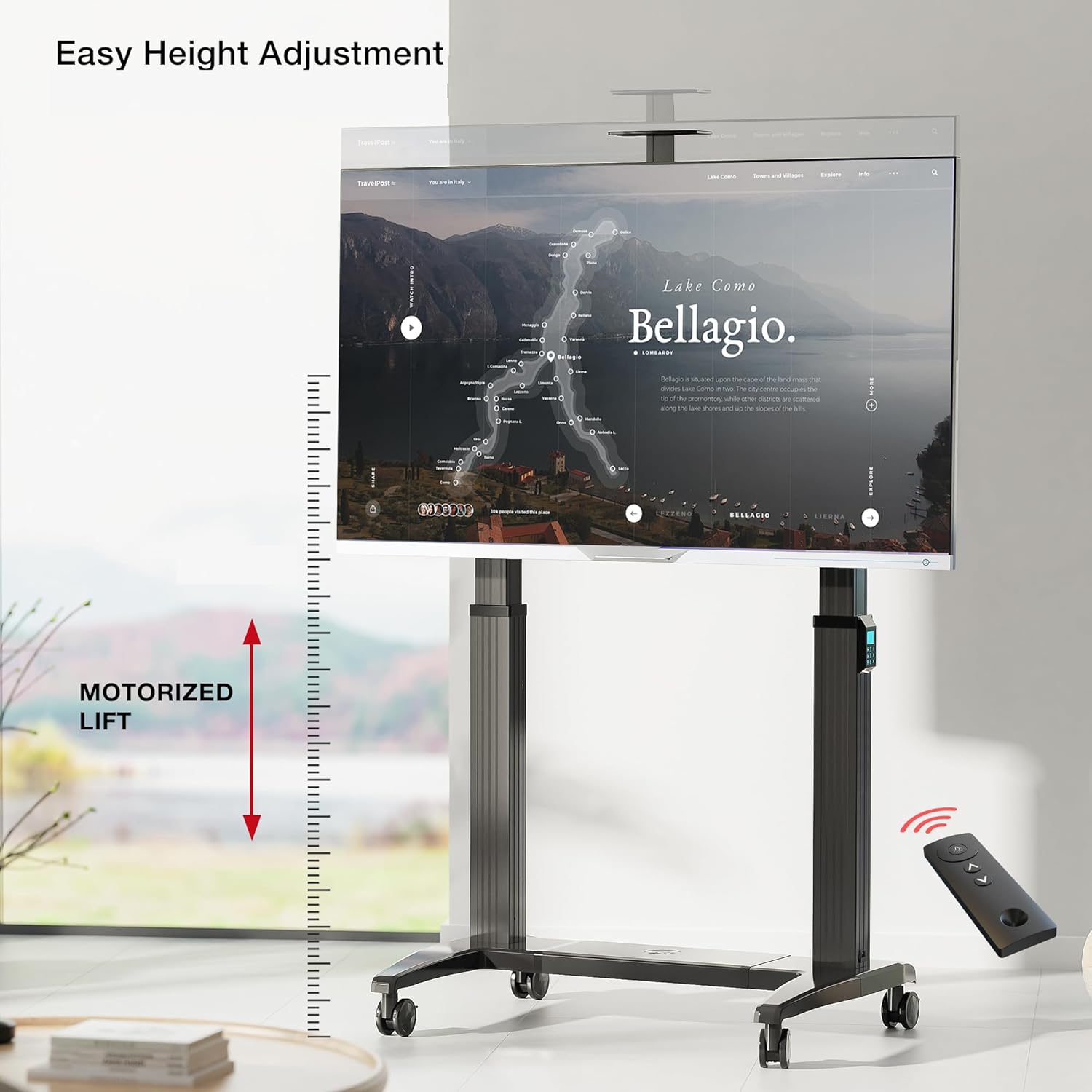
Image 5.1: The motorized TV cart demonstrating its height adjustment feature, controlled by a remote, allowing for easy positioning of the screen.

Beeld 5.2: Gedetailleerd view of the remote control and the integrated control panel, showing buttons for height adjustment and memory presets.
5.3 Geheuevoorinstellings
The control panel allows you to save up to three preferred height settings.
- Adjust the TV to your desired height.
- Press the 'M' button, then press '1', '2', or '3' to save the current height to that preset number.
- To recall a saved height, simply press the corresponding number button ('1', '2', or '3').
Video 5.3: 'n Demonstrasievideovertoningasing the features and operation of the NB ERGONOMIC A80 Motorized Mobile TV Cart, including height adjustment and mobility.
6. Produkkenmerke
- Wide TV Compatibility: Fits most screens from 75" to 120" with VESA from 200x200mm to 1000x600mm.
- Hoë laaikapasiteit: Supports up to 300 lbs (136.4 kg), suitable for large screen TVs or smart boards.
- Elektriese opheffing: Features 20" (500mm) upright adjustment for customizable viewing height via touch or remote control.
- Swaardiens konstruksie: Made with thick, strong brackets and aluminum material to ensure stability and prevent falling.
- Movable & Lockable: Equipped with four high-quality PU caster wheels for easy movement between rooms. Wheels can be locked for safety and stability.
- Intelligente beheer: Integrated intelligent control chip and durable DC motor for smooth and reliable operation.
- Geheuemodus: Three programmable height levels for quick adjustments.
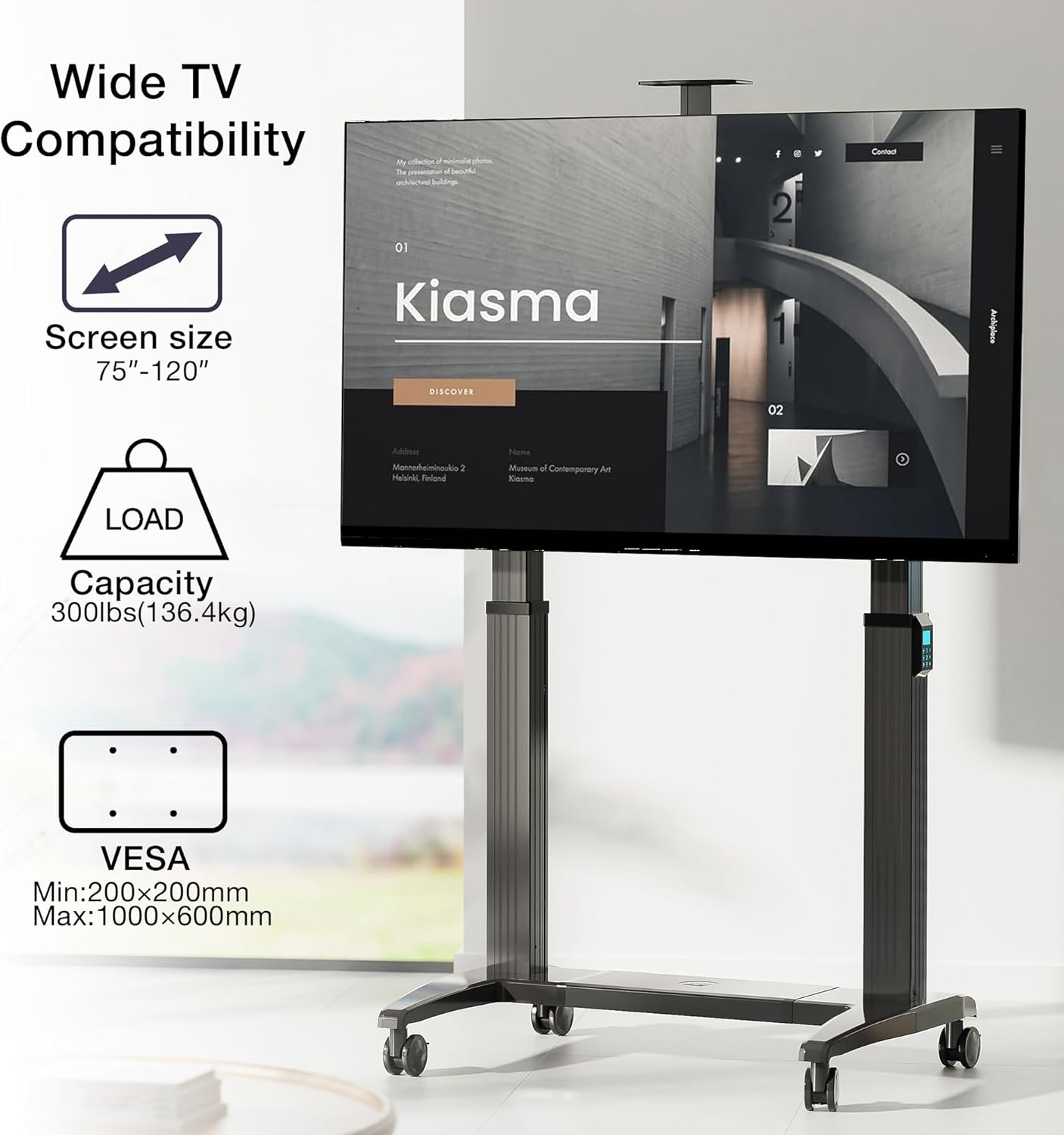
Image 6.1: Visual representation of the TV cart's compatibility, showing supported screen sizes (75"-120"), load capacity (300 lbs), and VESA mounting range (Min: 200x200mm, Max: 1000x600mm).

Image 6.2: Close-up of internal components, highlighting the intelligent control chip, the strong and durable DC motor, and the feature of 3 height level memory mode.
7. Spesifikasies
| Montage tipe | Vloerberging |
| Beweging Tipe | Electric Lifting (Motorized) |
| Handelsmerk | NB ERGONOMIES |
| Materiaal | Aluminium |
| Kleur | Grys Swart |
| Versoenbare toestelle | Television, Smart Board |
| Maximum Supported Screen Size | 120 duim |
| Minimum Supported Screen Size | 75 duim |
| Maksimum vragkapasiteit | 300 lbs (136.4 kg) |
| VESA-versoenbaarheid | 200x200mm tot 1000x600mm |
| Upright Adjustment Range | 20 duim (500 mm) |
| Krag Invoer | 100V-240V |
8. Onderhoud
- Kontroleer gereeld alle skroewe en verbindings om te verseker dat hulle styf vas is. Draai weer vas indien nodig.
- Clean the surfaces of the TV cart with a soft, damp lap. Vermy skuurmiddels of oplosmiddels.
- Inspect the power cable for any signs of damage. Replace immediately if damaged.
- Ensure the caster wheels are free of debris to maintain smooth movement.
- Do not attempt to lubricate internal motorized components unless specifically instructed by customer support.
9. Probleemoplossing
| Probleem | Moontlike oorsaak | Oplossing |
|---|---|---|
| TV cart does not move up or down. | No power; remote control battery low; motor cable disconnected. | Check power connection; replace remote battery; ensure motor cables are securely connected. |
| Ongelyke hoogteverstelling. | Obstruction; uneven load distribution. | Remove any obstructions; redistribute TV weight evenly; check for bent components. |
| Wiele rol nie glad nie. | Puin in wiele; rolwiele vasgesluit. | Clean debris from wheels; unlock casters. |
| Afstandbeheer reageer nie. | Battery laag of pap; afstandbeheerder buite bereik. | Replace remote battery; ensure remote is pointed towards the cart and within range. |
10. Waarborg en Ondersteuning
This NB ERGONOMIC A80 Motorized Mobile TV Cart comes with a 2 jaar waarborg vanaf die aankoopdatum. Hierdie waarborg dek vervaardigingsdefekte en wanfunksies onder normale gebruik. Dit dek nie skade wat veroorsaak word deur misbruik, ongelukke, ongemagtigde wysigings of onbehoorlike installasie nie.
For warranty claims, technical support, or any questions regarding your product, please contact NB ERGONOMIC customer service through the retailer where you purchased the product or visit the official NB ERGONOMIC webwebwerf vir kontakinligting.