
1. Inleiding
This manual provides detailed instructions for the installation, operation, and maintenance of your myGEKOgear Orbit T100 4-Channel 1080P Dash Cam System. This system is designed for trucks and other large vehicles, offering comprehensive video recording and monitoring capabilities with its 10.1-inch IPS screen and four 1080P cameras. Please read this manual thoroughly before using the product to ensure proper function and safety.
2. Pakketinhoud
Verifieer dat al die items wat hieronder gelys word, in jou pakket ingesluit is:
- 1 x Monitor Display
- 4 x kameras
- 1 x netsnoer
- 3 x 16.5 Ft (5m) camera cables
- 2 x 50 Ft (15m) camera cables

Image: The myGEKOgear Orbit T100 system, showing the 10.1-inch monitor and four individual cameras.
3. Produk verbyview
The myGEKOgear Orbit T100 is a robust dash camera system designed for comprehensive vehicle surveillance. It features a central 10.1-inch IPS display and four independent 1080P cameras, providing multiple viewing angles and high-definition recording.
Sleutel kenmerke:
- 4-kanaal 1080P-opname: Simultaneously records from four cameras in Full HD resolution.
- 10.1-duim IPS-skerm: Provides a clear and wide viewing angle for real-time monitoring.
- G-sensor: Bespeur outomaties skielike impakte of botsings en sluit die huidige video file om oorskryf te voorkom.
- IP67 Waterdigte Kameras: Cameras are rated for dust and water resistance, suitable for outdoor vehicle mounting.
- Wye Veld van View: Each camera offers a 139-degree field of view.

Image: The 10.1-inch IPS monitor display, designed for clear visibility.

Beeld: Die agterkant view of the monitor, showing mounting bracket and connection ports.

Image: A close-up of one of the IP67 waterproof cameras.
4. Opstelling en installering
Proper installation is crucial for optimal performance. It is recommended to have this system installed by a qualified professional.
4.1. Monitor Installasie
- Select a suitable location on your dashboard for the monitor display, ensuring it does not obstruct your view of inmeng met voertuigkontroles.
- Secure the monitor using the provided dashboard mount. Ensure it is firmly attached to prevent movement during vehicle operation.
4.2. Kamera-installasie
The system includes four cameras for comprehensive coverage. Typical placements include front, rear (backup), and two side cameras.
- Identify optimal mounting points for each camera to cover desired blind spots and recording areas.
- Mount each camera securely using appropriate hardware. Ensure the cameras are oriented correctly for the intended view.
- Route the camera cables carefully, avoiding sharp edges, moving parts, and heat sources. Use the provided 5m and 15m cables as needed.

Image: A diagram illustrating typical camera placements on a truck for front, side, and backup views.
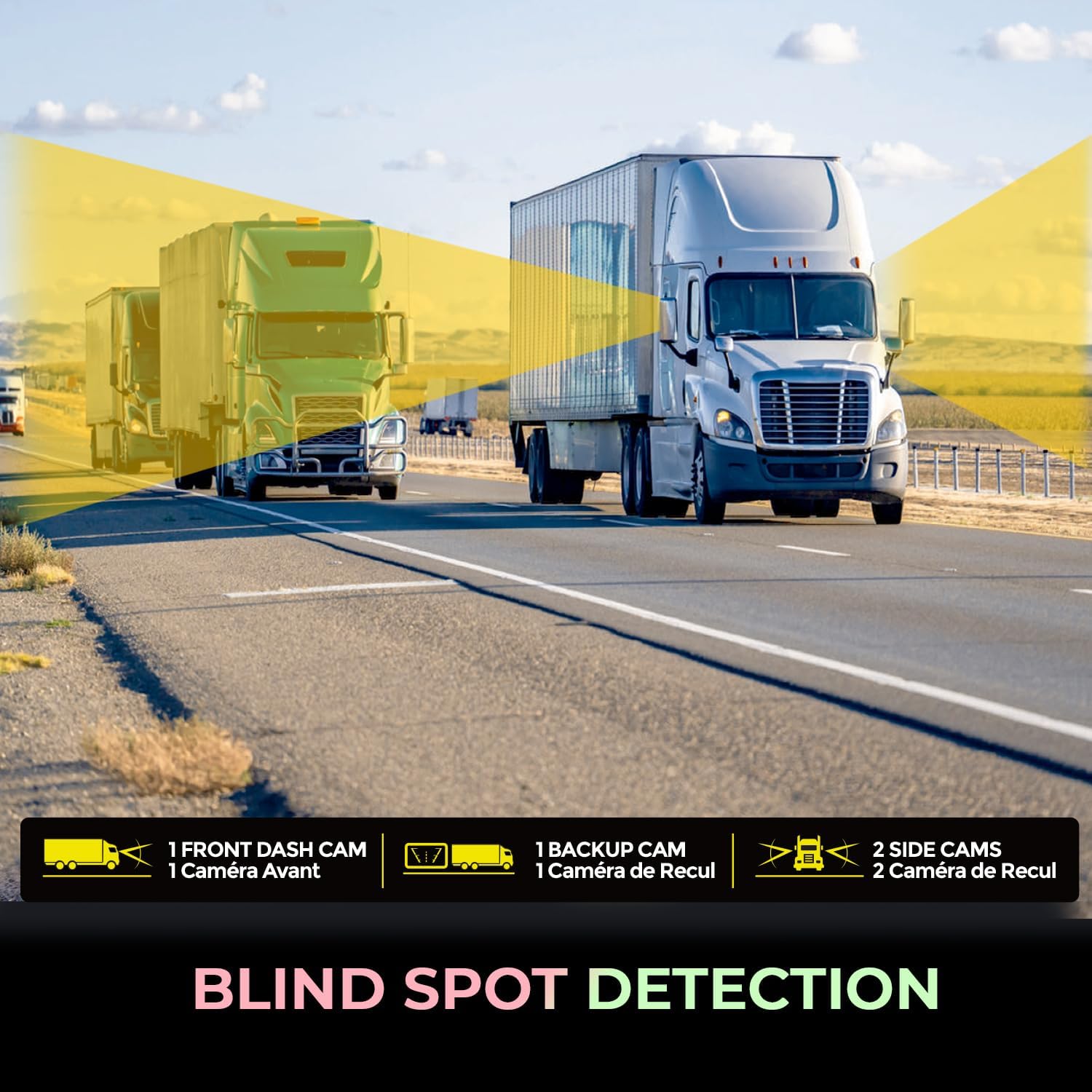
Image: Visual representation of blind spot detection with camera coverage on a truck.
4.3. Bedrading en kragverbinding
- Connect each camera cable to the corresponding input ports on the monitor.
- Connect the power cord to the monitor and then to a 12V power source in your vehicle.
- Maak seker dat alle verbindings veilig is.
5. Bedryfsinstruksies
Once installed and powered on, the Orbit T100 system will typically begin recording automatically.
5.1. Basiese werking
- Krag aan/af: The system powers on with the vehicle's ignition and powers off when the ignition is turned off. A manual power button may also be present on the monitor.
- Leef View: The 10.1-inch IPS screen displays live feeds from the connected cameras. You can typically switch between single-camera views or a multi-camera split view.
- Opname: Continuous loop recording is the default mode. Older files are overwritten by new ones when the storage card is full, unless protected by the G-Sensor.

Image: A driver's perspective of the monitor displaying real-time footage from multiple cameras, monitoring truck activity.
5.2. G-Sensor Funksionaliteit
The integrated G-Sensor detects sudden acceleration, braking, or impacts. When triggered, it automatically locks the current video segment, preventing it from being overwritten during loop recording. These protected files word in 'n aparte lêergids op die geheuekaart gestoor.

Image: An accident scene, symbolizing the G-Sensor's role in emergency file spaar.
5.3. Terugspeel
Refer to the on-screen menu options for accessing recorded footage. You can typically browse by date and time, and play back videos directly on the monitor.
6. Onderhoud
Regular maintenance ensures the longevity and optimal performance of your dash cam system.
- Skoonmaak van die monitor: Use a soft, dry cloth to clean the screen. For stubborn smudges, slightly dampen the cloth with water or a screen-safe cleaner. Avoid abrasive materials.
- Cleaning the Cameras: Periodically check camera lenses for dirt, dust, or water spots. Clean gently with a soft, lint-free cloth. The cameras have an IP67 rating, meaning they are protected against dust ingress and can withstand immersion in water up to 1 meter for 30 minutes.
- Kabel inspeksie: Regularly inspect all cables for signs of wear, fraying, or damage. Replace damaged cables immediately to prevent system malfunction.
- Geheuekaart: Format the memory card periodically (e.g., once a month) to maintain optimal recording performance and prevent data corruption. Back up any important files voor formatering.

Image: A camera shown in adverse weather conditions (rain and snow), demonstrating its IP67 waterproof rating.
7. Probleemoplossing
If you encounter issues with your Orbit T100 system, refer to the following common problems and solutions:
| Probleem | Moontlike oorsaak | Oplossing |
|---|---|---|
| Monitor skakel nie aan nie. | Geen kragtoevoer nie; los konneksie. | Check power cable connection to monitor and vehicle's 12V source. Ensure vehicle ignition is on. |
| No camera image displayed. | Loose camera cable; faulty camera. | Verify camera cable connections to the monitor. Test with another camera if available. |
| Opname stop of is onderbroke. | Memory card full; faulty memory card; low power. | Format the memory card. Replace the memory card if issues persist. Ensure stable power supply. |
| Swak beeldkwaliteit. | Dirty lens; incorrect settings. | Clean camera lenses. Check monitor display settings. |
Indien die probleem voortduur nadat u hierdie oplossings probeer het, kontak asseblief kliëntediens.
8. Spesifikasies
| Kenmerk | Detail |
|---|---|
| Model Naam | Orbit T100 |
| Item Modelnommer | ORBITT100 |
| Video-opname-resolusie | 1080p |
| Spesiale kenmerke | 10.1" IPS Screen, 4 Channel Recording, G-Sensor |
| Verbindingstegnologie | 12V (Wired) |
| Montage tipe | Houer van paneelbord |
| Veld van View | 139 grade |
| Camera Rating | IP67 Waterdig |
| Produk Dimensies (Monitor) | 10.1" D x 6.5" B x 0.5" H |
| Item gewig | 8.75 pond (totale pakket) |
| Vervaardiger | Adesso, Inc. |
9. Waarborg en Ondersteuning
For warranty information and technical support, please refer to the documentation provided with your purchase or visit the official myGEKOgear webwebwerf. Jy kan ook die verkoper direk kontak vir hulp.
Vervaardiger: Adesso, Inc.
Handelsmerk: myGEKOgear