
STRONG SRT32HG6733C
STRONG SRT32HG6733C 32-inch HD Android Smart TV User Manual
Model: SRT32HG6733C
Inleiding
This manual provides essential information for the setup, operation, and maintenance of your STRONG SRT32HG6733C 32-inch HD Android Smart TV. Please read these instructions carefully before using the product to ensure proper functionality and safety.
Wat is in die boks
Upon unpacking, verify that all items listed below are present and in good condition:
- STRONG SRT32HG6733C TV Unit
- Remote control with voice recognition
- 2 x AAA-batterye
- Gebruikershandleiding (hierdie dokument)

Image: The STRONG SRT32HG6733C TV unit with its central stand, remote control, and included accessories.
Opstelling
1. Bevestig die Staanplek
Carefully place the TV screen-down on a soft, clean surface to prevent scratches. Align the central stand with the mounting holes on the bottom of the TV. Secure the stand using the provided screws. Ensure the stand is firmly attached before proceeding.

Beeld: Agter view of the TV showing the central stand attachment points and various input ports.
2. Aansluitkrag
Steek die kragkabel in die TV se kragtoevoer, en dan in 'n muursok. Die TV sal in bystandmodus gaan.
3. Aanvanklike opstelling en netwerkverbinding
Upon first power-on, the TV will guide you through the initial setup process. This includes language selection, country, and network connection. For optimal Smart TV functionality, connect to your Wi-Fi network. You can also connect via an Ethernet cable for a stable wired connection.

Image: The TV screen displaying connectivity options, highlighting Wi-Fi and Bluetooth symbols.
Bedryfsinstruksies
Basiese funksies
- Krag aan/af: Druk die aan/uit-knoppie op die afstandbeheerder of die TV.
- Kanaalkeuse: Use the CH+/- buttons or the number pad on the remote.
- Volumebeheer: Use the VOL+/- buttons.
- Invoerbron: Press the SOURCE button to select between HDMI, AV, DVB-T/T2, DVB-C, DVB-S/S2 inputs.
Slim-TV-funksies (Google TV)
Your TV runs on Google TV, providing access to a wide range of applications and services.
- Tuisskerm: Access your favorite apps, movies, and shows directly from the customizable home screen.
- Stroomtoepassings: Pre-installed apps include Netflix, Prime Video, YouTube, and Disney+. Additional apps can be downloaded from the Google Play Store.
- Google Assistent: Use the voice recognition remote to control your TV, search for content, and get information by pressing the Google Assistant button and speaking your command.
- Google Cast: Stream content from your compatible smartphone or tablet directly to the TV.

Image: The TV screen showing the Google TV interface with icons for Netflix, YouTube, Prime Video, Disney+, and other streaming services.

Image: A user holding the voice-controlled remote, with a visual representation of Google Assistant responding to a voice command on the TV screen.
Konnektiwiteit
Die TV bied verskeie poorte vir die koppeling van eksterne toestelle:
- HDMI-poorte (x2): Koppel Blu-ray-spelers, speletjiekonsoles of ander HDMI-geaktiveerde toestelle.
- USB-poort (x1): Speel media files (foto's, video's, musiek) vanaf 'n USB-bergingstoestel.
- Ethernet (RJ45) Poort: Vir 'n bedrade internetverbinding.
- Antenna (ANT in) / Satellite (SAT in) Inputs: Connect your terrestrial or satellite antenna for live TV.
- CI-gleuf: Vir Voorwaardelike Toegangsmodules (CAM) om geënkripteerde kanale te dekripteer.
- SPDIF-uitvoer: For digital audio output to a soundbar or home theater system.
- AV-invoer: Vir die koppeling van ouer toestelle met behulp van saamgestelde video en stereo-klank.
- Koptelefoon uitset: Vir die koppeling van koptelefoon.

Beeld: Gedetailleerde agterkant view of the TV highlighting all available input and output ports, including AV in, HDMI, USB, Ethernet, S/PDIF, ANT in, SAT in, CI slot, and Headphone output.
Video: 'n Kort voorprogramview demonstrating the TV's use in a mobile setting, such as a camper van, showing its compact size and clear display for entertainment on the go.
Onderhoud
Maak die TV skoon
Om die skerm skoon te maak, vee dit liggies af met 'n sagte, pluisvrye lap. Vir hardnekkige merke, vee dit effens af.ampen the cloth with water or a screen-cleaning solution. Avoid using harsh chemicals or abrasive materials. Clean the TV casing met 'n droë, sagte lap.
Sagteware-opdaterings
Your Android TV may receive software updates periodically. Ensure your TV is connected to the internet to receive these updates. Updates can improve performance, add new features, and enhance security. You can check for updates manually in the TV's settings menu.
Probleemoplossing
| Probleem | Moontlike Oplossing |
|---|---|
| Geen krag nie | Kontroleer of die kragkabel stewig in die TV en die muursok ingeprop is. Maak seker dat die sok funksioneel is. |
| Geen beeld nie, maar klank is teenwoordig | Verifieer dat die korrekte invoerbron gekies is. Kontroleer kabelverbindings na eksterne toestelle. |
| Geen klank nie, maar beeld is teenwoordig | Check the volume level and mute status. Ensure audio cables are correctly connected if using external speakers. |
| Afstandbeheer werk nie | Vervang die batterye. Maak seker daar is geen obstruksies tussen die afstandbeheerder en die TV se IR-sensor nie. |
| Kan nie aan Wi-Fi koppel nie | Ensure your router is on and working. Re-enter the Wi-Fi password. Try restarting both the TV and the router. |
| Smart TV apps are slow or unresponsive | Check your internet connection speed. Close unused applications. Restart the TV. |
Spesifikasies
| Kenmerk | Detail |
|---|---|
| Modelnommer | SRT32HG6733C |
| Skerm grootte | 32 duim (81 cm) |
| Vertoon tegnologie | LED |
| Resolusie | HD Gereed (1366 x 768p) |
| Bedryfstelsel | Google TV |
| Konnektiwiteit | Wi-Fi, Bluetooth, 2x HDMI, 1x USB, Ethernet (RJ45), AV In, SPDIF, ANT in, SAT in, CI Slot |
| Tuners | DVB-T/T2, DVB-C, DVB-S/S2 (HEVC 265 codec) |
| Spesiale kenmerke | Google Assistant, Google Cast, Dolby Audio |
| Afmetings (B x D x H) | 71.8 x 22.3 x 45.2 cm (met staander) |
| Ingesluit komponente | TV, Voice Remote, 2x AAA Batteries, Manual |
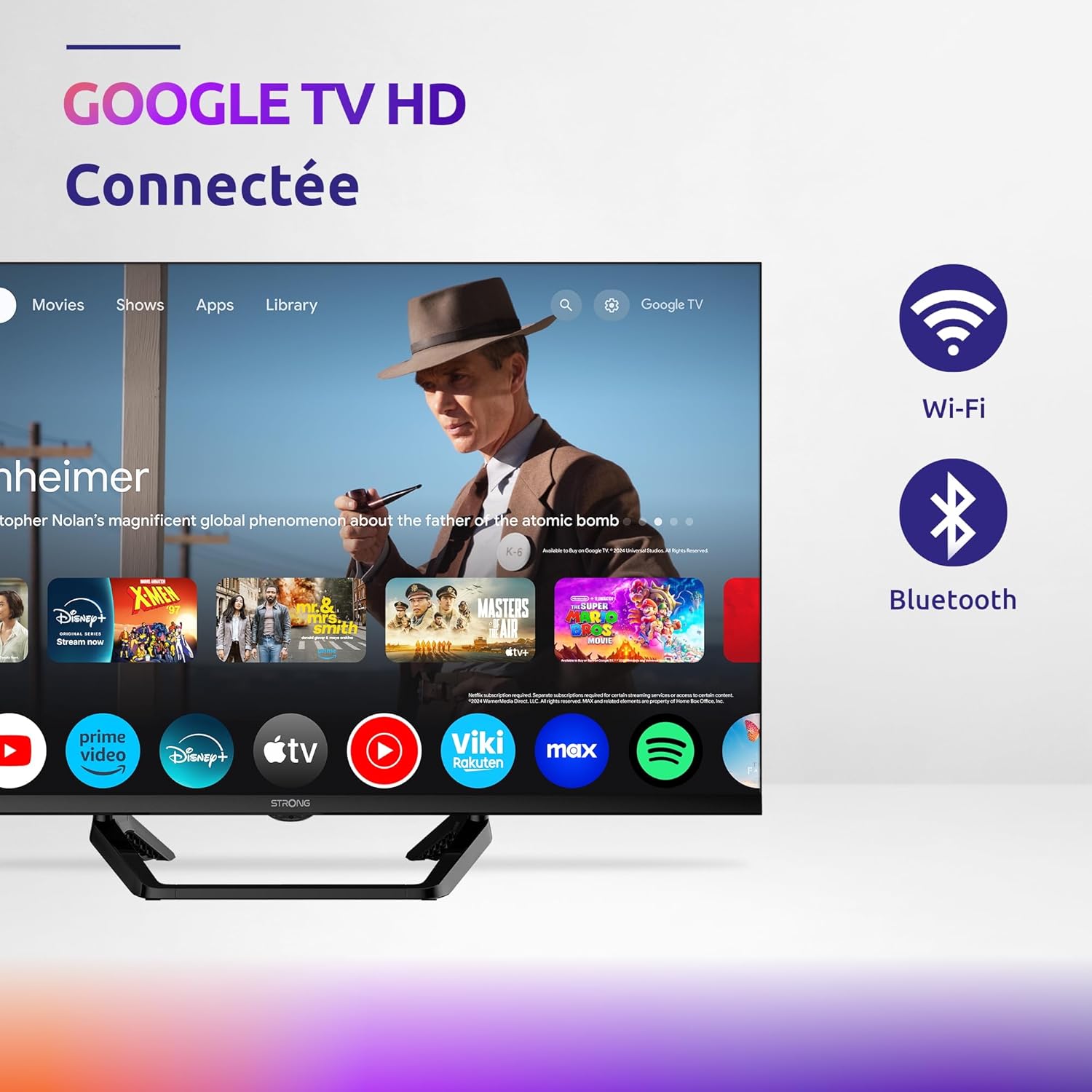
Image: Diagram showing the dimensions of the STRONG SRT32HG6733C TV, including width, height, and depth with the central stand.
Waarborg en Ondersteuning
This product comes with a manufacturer's warranty of 24 months. For warranty claims or technical support, please refer to the contact information provided on the official STRONG webwebwerf of u aankoopdokumentasie.
For frequently asked questions and additional resources, visit the STRONG Brand Store.


Images: Icons representing warranty information and frequently asked questions.
Ask a question about this manual
Ask about setup, troubleshooting, compatibility, parts, safety, or missing instructions. Manuals+ will review the question and use this page’s manual context to help answer it.