
Inleiding
This manual provides comprehensive instructions for the ARTIX CL750 On-Ear Headphones and Silent Wireless Mouse bundle. It covers setup, operation, maintenance, and troubleshooting to ensure you get the most out of your devices. Designed for productivity and comfort, this bundle is ideal for study, work, and everyday use.
Wat is in die boks
- ARTIX CL750 On-Ear Headphones
- Stille draadlose muis
- 3.5mm Audio Cable (for headphones)
- USB Receiver (for wireless mouse)
- Gebruikershandleiding
Produk verbyview
ARTIX CL750 On-Ear Headphones
The ARTIX CL750 headphones are designed for immersive audio with comfort and convenience. They feature 40mm drivers for rich bass and noise-blocking cushions for focused listening. A built-in microphone and inline controls allow for hands-free calls and easy volume adjustment.

Figure 1: ARTIX CL750 Headphones featuring a built-in microphone and inline volume controls on the cable.

Figure 2: The foldable design of the ARTIX CL750 Headphones allows for compact storage and portability.
Stille draadlose muis
The Silent Wireless Mouse offers a quiet clicking experience with an ergonomic design for comfortable, extended use. Its advanced optical sensors provide high-precision cursor control, and plug-and-play functionality ensures easy setup.
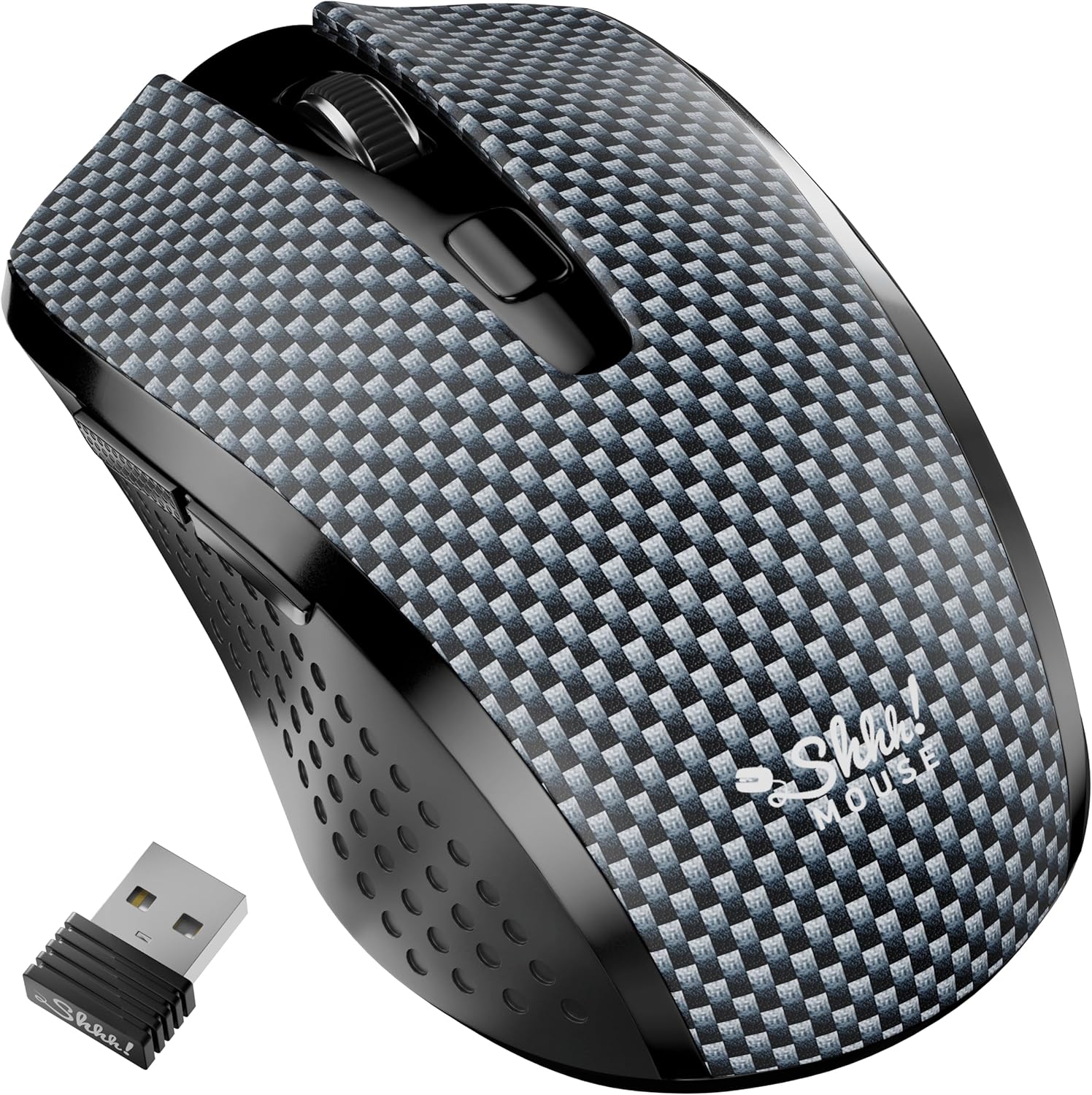
Figure 3: The Silent Wireless Mouse shown with its compact USB receiver for wireless connectivity.

Figure 4: An illustration highlighting the ambidextrous design and multi-function buttons of the Silent Wireless Mouse.
Opstelling
Headphones Setup
- Pak uit: Remove the ARTIX CL750 headphones from their packaging.
- Koppel: Plug the 3.5mm audio jack into the audio port of your laptop, computer, tablet, or smartphone.
- Pas aan: Extend or retract the headband to achieve a comfortable fit over your ears.
Wireless Mouse Setup
- Plaas battery in: Open the battery compartment on the underside of the mouse and insert the included AA battery (if not pre-installed).
- Koppel USB-ontvanger: Koppel die USB-ontvanger in 'n beskikbare USB-poort op jou rekenaar of skootrekenaar.
- Krag aan: Turn on the mouse using the power switch located on its underside. The mouse is plug-and-play and should connect automatically.
Bedryfsinstruksies
Using the ARTIX CL750 Headphones
- Oudioterugspeel: Once connected, audio from your device will play through the headphones.
- Volumebeheer: Use the inline controls on the cable to adjust the volume (+ for increase, - for decrease).
- Mikrofoon: The built-in microphone allows for hands-free communication during calls or online meetings. Ensure your device's audio settings are configured to use the headphone microphone.
- Oproepbestuur: Use the central button on the inline control to answer/end calls or play/pause music.
Using the Silent Wireless Mouse
- Beweging: Beweeg die muis oor 'n plat oppervlak om die wyser op jou skerm te beheer.
- Klik: The left and right buttons provide silent clicking for a quiet work environment.
- Rolwiel: Use the scroll wheel for vertical scrolling.
- DPI-skakelaar: (If applicable) Some models may include a DPI switch to adjust cursor sensitivity. Refer to the mouse's specific markings for this feature.
- Outomatiese Slaapfunksie: The mouse features an auto-sleep mode (e.g., after 13 minutes of inactivity) to conserve battery life. Move the mouse or click a button to wake it up.
Onderhoud
- Skoonmaak van oorfone: Use a soft, dry cloth to wipe down the ear cushions and headband. Avoid harsh chemicals or abrasive materials.
- Cleaning Mouse: Wipe the mouse surface with a soft, damp lap. Maak seker dat geen vloeistof die interne komponente binnedring nie.
- Berging: When not in use, store the headphones folded in a protective bag to prevent damage. Store the mouse in a dry, cool place.
- Batteryvervanging (Muis): Replace the AA battery when the mouse performance degrades.
Probleemoplossing
Headphones Issues
- Geen klank:
- Ensure the 3.5mm jack is fully inserted into both the headphones and your device.
- Check your device's volume settings and the inline volume control on the headphone cable.
- Test the headphones with another device to rule out a device-specific issue.
- Mikrofoon werk nie:
- Verify your device's audio input settings are configured to use the external microphone.
- Ensure the microphone is not muted via the inline controls or device settings.
Wireless Mouse Issues
- Muis reageer nie:
- Kyk of die muis aangeskakel is.
- Maak seker dat die USB-ontvanger stewig in 'n werkende USB-poort ingeprop is. Probeer 'n ander USB-poort.
- Vervang die AA-battery.
- If the mouse has an auto-sleep feature, move it or click a button to wake it up.
- Intermitterende verbinding:
- Beweeg die muis nader aan die USB-ontvanger.
- Vermy die gebruik van die muis op hoogs weerkaatsende of deursigtige oppervlaktes.
Spesifikasies
| Kenmerk | Detail |
|---|---|
| Handelsmerk | ARTIX |
| Model Naam | CL750 |
| Koptelefoonaansluiting | 3.5 mm-aansluiting |
| Verbindingstegnologie | Wired (Headphones), Wireless (Mouse) |
| Oudiobestuurdergrootte | 40 Millimeters (Headphones) |
| Spesiale kenmerke | Microphone Included, Noise Isolation (Headphones), Silent Click, Ergonomic Design (Mouse) |
| Versoenbare toestelle | Laptops, Computers, Tablets, Smartphones |
| Muisbatteryleeftyd | Tot 18 maande |
Waarborg & Ondersteuning
For warranty information and customer support, please refer to the official ARTIX webwebwerf of kontak u kleinhandelaar. Bewaar u aankoopbewys vir waarborgeise.
Produkvideo's
ARTIX CL750 Wired Headphones Product Overview
Hierdie video bied 'n kort oorsigview of the ARTIX CL750 Wired Headphones, showcasinhul ontwerp en belangrikste kenmerke.
AILIHEN C8 Wired Headphones with Microphone and Volume Control
This video demonstrates the features of AILIHEN C8 Wired Headphones, including the microphone and volume controls, which are similar to the ARTIX CL750 model.