
1. Inleiding
This manual provides detailed instructions for the Generic PZEM-051 DC Voltage Current Power Energy Meter. This device is designed for indoor measurement of DC voltage, current, active power, and energy consumption. It features a large LCD display and a 50A current shunt for accurate readings.
2. Produkkenmerke
- Large LCD display simultaneously shows voltage, current, active power, and energy.
- Integrated power alarm threshold and overload alarm function.
- Memory function retains measurement data upon power-off.
- Backlight control: Short press the button to toggle the backlight on or off.
- Includes a 50A current shunt for convenient and accurate current measurement.
3. Veiligheidsinligting
Please read and understand all safety warnings before installation and operation.
- This module is suitable only for DC power supplies ranging from 6.5V to 100V. Do not connect to AC power or DC voltages outside this range.
- This device is designed for indoor use only. Avoid exposure to outdoor elements, moisture, or extreme temperatures.
- Verseker dat die toegepaste voltage and current do not exceed the rated limits of the device (100V DC, 50A). Overloading can cause damage or present a safety hazard.
- Correct wiring order is critical. Incorrect wiring can damage the meter or the circuit. Refer to the 'Setup and Installation' section carefully.
- Do not attempt to disassemble or modify the meter. There are no user-serviceable parts inside.
4. Opstelling en installering
The PZEM-051 meter requires connection to a DC circuit using the provided 50A current shunt. Follow these steps for proper installation:
- Identifiseer komponente: Locate the PZEM-051 meter and the 50A current shunt. The shunt is a rectangular block with two large terminals for the main current path and two smaller terminals for connecting to the meter.
- Berei die kring voor: Disconnect power from the DC circuit where the meter will be installed. Ensure all power sources are off to prevent electric shock or damage.
- Install the Shunt: The shunt must be installed in series with the positive (+) line of the DC load you wish to measure. Connect the positive output of your DC power source to one large terminal of the shunt. Connect the positive input of your DC load to the other large terminal of the shunt.
- Connect Meter to Shunt: Connect the two small terminals on the shunt to the current input terminals on the back of the PZEM-051 meter. These are typically labeled 'I+' and 'I-' or similar. Ensure polarity is correct if indicated.
- Connect Meter for Voltage Measurement and Power: Connect the meter's voltage input terminals to the DC circuit. The meter typically draws its operating power from these connections. Connect the meter's positive voltage input terminal to the positive (+) line of your DC load (after the shunt). Connect the meter's negative voltage input terminal to the negative (-) line of your DC power source/load.

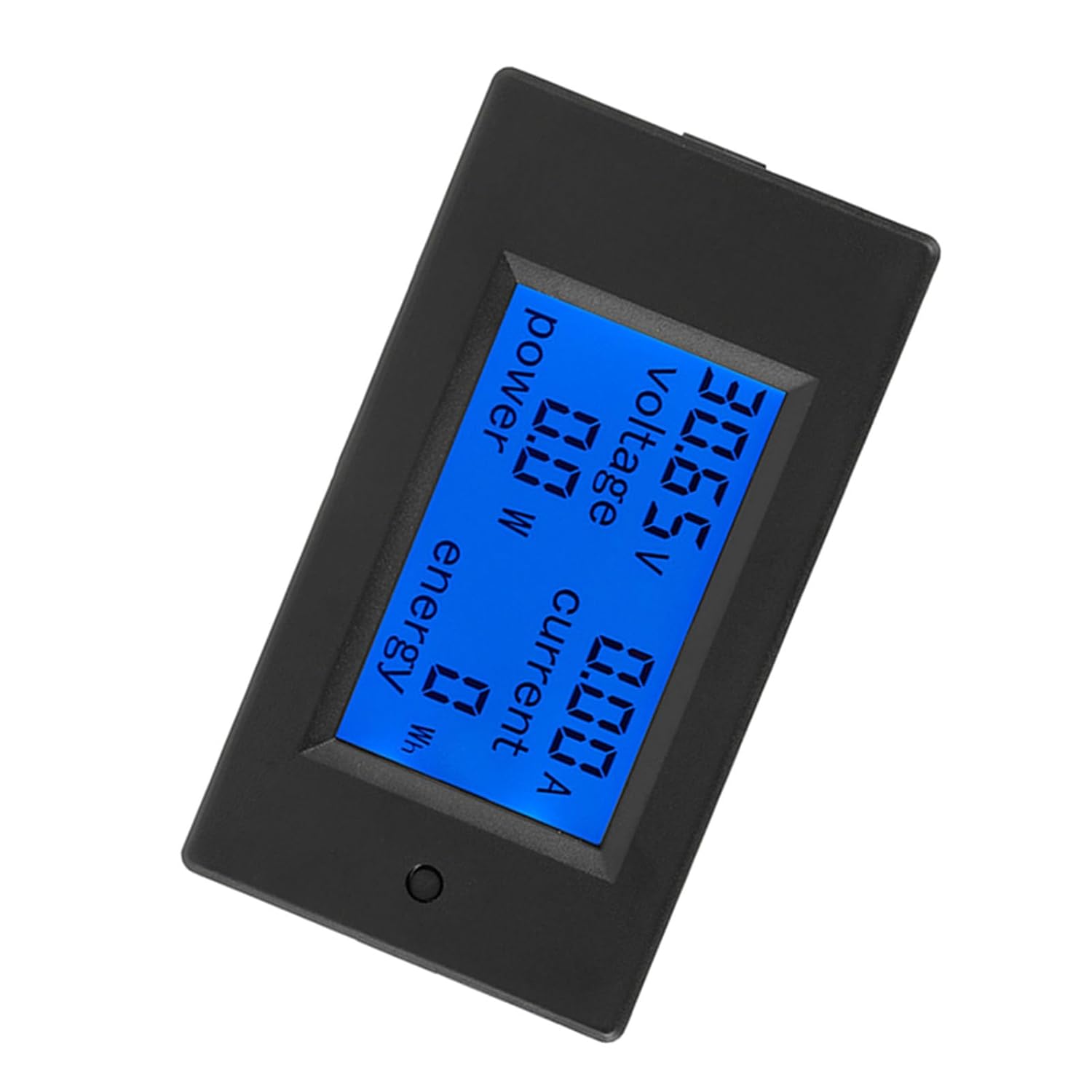
Figure 1: PZEM-051 Meter and 50A Shunt. The meter (left) displays measurements, while the shunt (right) is used for current sensing.
Figuur 2: Agter view of the PZEM-051 meter, showing the terminal block for power and current shunt connections. Ensure correct polarity during wiring.

Figuur 3: Close-up view of the 50A current shunt. The large terminals connect in series with the main DC circuit, and the small terminals connect to the meter's current input.
After all connections are made, double-check the wiring for correctness and secureness before restoring power to the circuit.
5. Bedryfsinstruksies
Once properly installed and powered, the PZEM-051 meter will automatically display the current measurements on its LCD screen.
5.1. Agterligbeheer
The meter features a backlight for improved visibility in low-light conditions.
- To turn the backlight ON/OFF: Briefly press the button located on the front of the meter. Each press will toggle the backlight status.
5.2. Data Memory Function
The meter is equipped with a memory function that stores accumulated energy data even when power is removed. This ensures that energy consumption readings are not lost during power interruptions.
6. Vertoon inligting
The large LCD screen simultaneously displays four key electrical parameters:
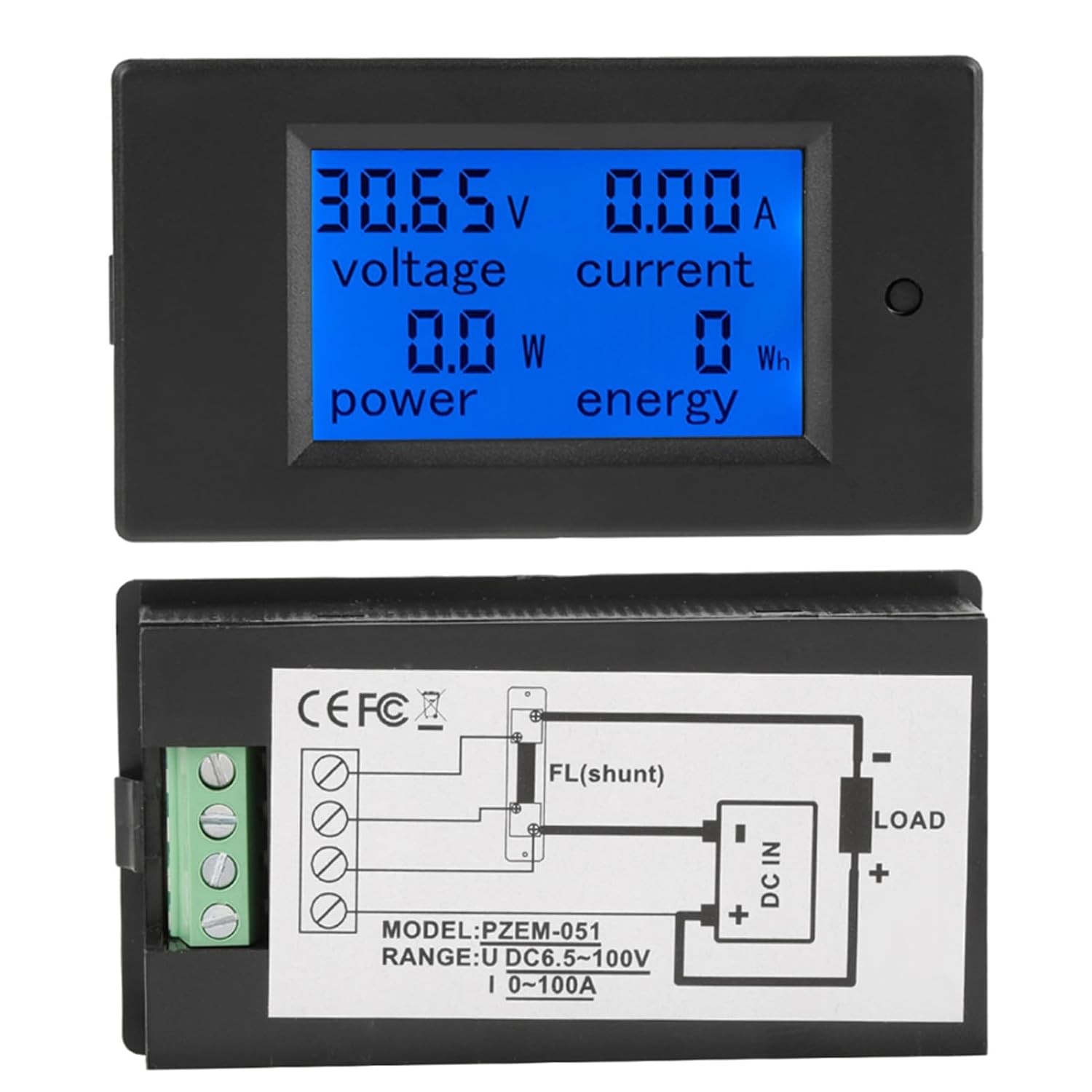
Figuur 4: Voorkant view of the PZEM-051 meter with its LCD display showing voltage, current, power, and energy readings.
- Voltage (V): Displays the measured DC voltage van die kring.
- Huidige (A): Displays the measured DC current flowing through the circuit via the shunt.
- Krag (W): Displays the calculated active power (Voltage x Current) being consumed.
- Energy (Wh or kWh): Displays the accumulated energy consumption over time. The unit will automatically switch between Wh and kWh based on the value.
7. Onderhoud
The PZEM-051 meter is designed for reliable operation with minimal maintenance.
- Skoonmaak: Gebruik 'n sagte, droë lap om die skerm skoon te maak enasing. Moenie skuurmiddels of oplosmiddels gebruik nie.
- Omgewing: Keep the meter in a dry, dust-free environment. Avoid areas with high humidity, corrosive gases, or strong vibrations.
- Verbindings: Periodically check all wiring connections to ensure they remain secure. Loose connections can lead to inaccurate readings or circuit instability.
8. Probleemoplossing
If you encounter issues with your PZEM-051 meter, refer to the following common problems and solutions:
- Geen skerm:
- Check if the DC power supply is within the 6.5V-100V operating range.
- Verifieer dat die voltage input terminals are correctly wired and making good contact.
- Maak seker dat die kragbron aktief is.
- Incorrect Readings (Voltage/Current/Power):
- Confirm that all wiring, especially to the shunt, is correct and secure. Incorrect shunt wiring will lead to inaccurate current and power readings.
- Ensure the shunt is properly installed in series with the positive line of the load.
- Verify that the load current does not exceed the 50A rating of the shunt.
- Agterlig werk nie:
- Press the button on the front of the meter to toggle the backlight.
- If the display is on but the backlight does not respond, there may be an internal issue.
9. Spesifikasies
| Parameter | Waarde |
|---|---|
| Model | PZEM-051 |
| Bedryfsvoltage | 6.5 - 100V GS |
| Voltage Toetsreeks | 6.5 - 100V GS |
| Current Test Range | 0 - 50A DC (with 50A Shunt) |
| Gegradeerde kragkapasiteit | 10000 10 W (XNUMX kW) |
| Meting Akkuraatheid | 1.0 Graad |
| Gewig | Ongeveer. 137g |
| Power Display Format | <1kW: 0.0-999.9W; ≥1kW: 1000-2000W |
| Energy Display Format | <10kWh: 0-9999Wh; ≥10kWh: 10-9999kWh |
| Voltage Display Format | 6.50-99.99V |
| Current Display Format | 0.00-99.99A |
| Bedryfsomgewing | Slegs binnenshuise gebruik |
10. Pakketinhoud
The package for the PZEM-051 DC Voltage Current Meter (50A Shunt) typically includes:
- 1 x PZEM-051 DC Voltage Stroommeter
- 1 x 50A Current Shunt
11. Waarborg en Ondersteuning
Specific warranty information is not provided in the product details. For warranty claims or technical support, please contact the retailer or manufacturer directly with your purchase information.