
Inleiding
The Noise Buds Connect 2 are true wireless earbuds designed to provide a high-quality audio experience with advanced features. This manual provides detailed instructions for setting up, operating, maintaining, and troubleshooting your earbuds to ensure optimal performance.
Wat is in die boks
Upon unboxing your Noise Buds Connect 2, you will find the following items:
- 1N Bluetooth-koptelefoon (oordopjes)
- 1N laaikas
- 1N Charging Cable
- 1N Gebruikershandleiding
- 1N Waarborgregistrasiekaart
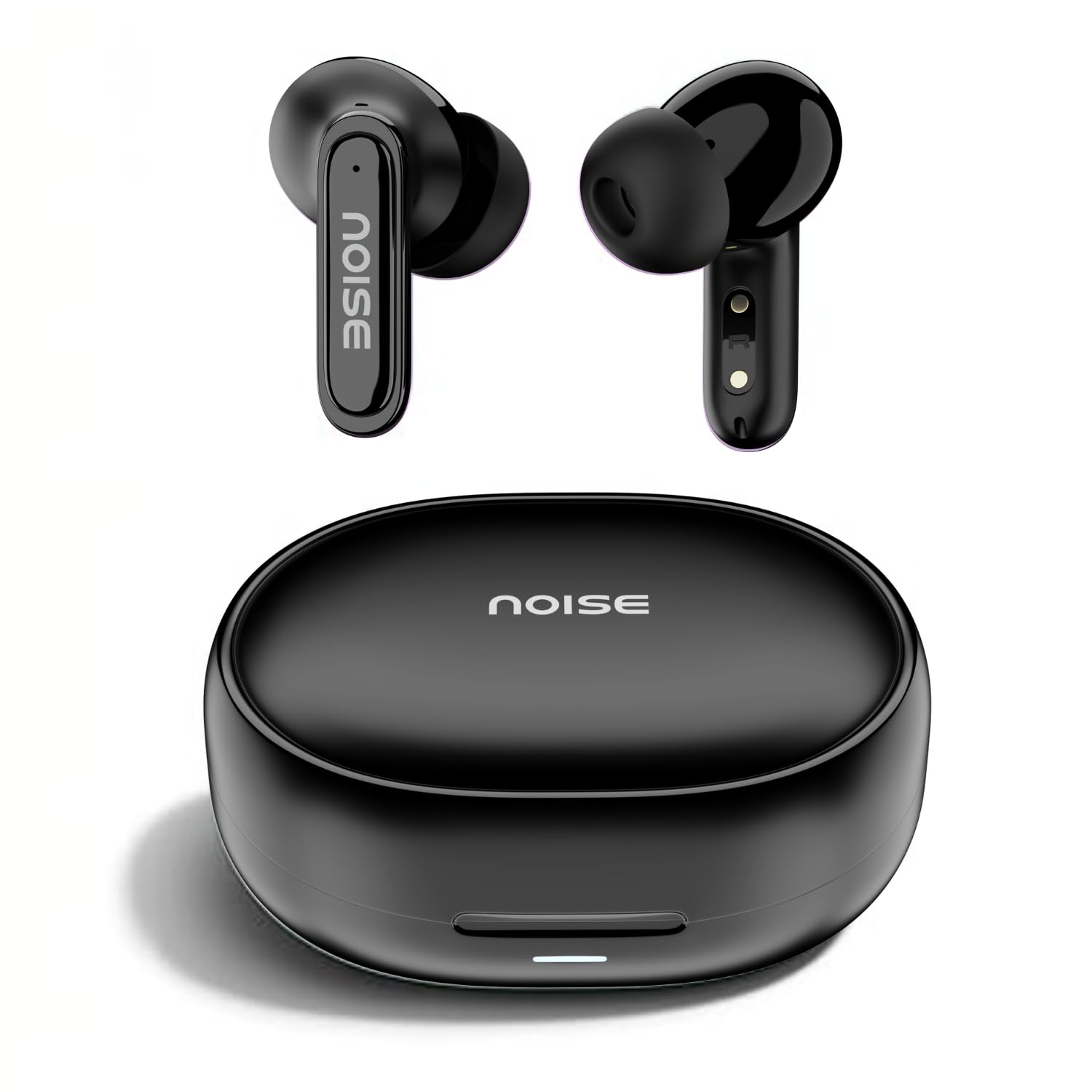
Image: Noise Buds Connect 2 earbuds and their charging case.
Opstelling
1. Charging Your Earbuds
Before first use, fully charge the earbuds and the charging case. Connect the provided charging cable to the charging case and a power source. The indicator light on the case will show the charging status.
- Battery gemiddelde lewensduur: Tot 50 uur (met laadkas)
- Battery laai tyd: Ongeveer 1.5 uur vir 'n volle lading.
- Instacharge: 10 minutes of charge provides up to 120 minutes of playtime.

Image: Noise Buds Connect 2 earbuds placed inside their charging case.
2. Aanvanklike paring
- Maak die laaikas oop. Die oorfone sal outomaties in paringsmodus gaan.
- Aktiveer Bluetooth op jou toestel (slimfoon, tablet, skootrekenaar).
- Soek vir 'Noise Buds Connect 2' in the list of available Bluetooth devices.
- Select 'Noise Buds Connect 2' to connect. A voice prompt will confirm successful pairing.

Image: Earbuds connected to a device via Bluetooth 5.3, showing music playback.
3. Dual Device Pairing
The Noise Buds Connect 2 support dual device pairing, allowing you to connect to two devices simultaneously and switch between them seamlessly.
- Pair the earbuds with your first device as described above.
- Ontkoppel die oordopjes van die eerste toestel se Bluetooth-instellings.
- Koppel die oorfone met jou tweede toestel.
- Reconnect the earbuds to the first device from its Bluetooth settings. The earbuds are now paired with both devices.

Image: Noise Buds Connect 2 earbuds shown with a smartphone and a laptop, illustrating dual device pairing.
Bedryfsinstruksies
Raak kontroles
The earbuds feature touch controls for easy management of music and calls. Specific gestures for play/pause, track skipping, volume adjustment, and call handling are typically detailed in the quick start guide included with your product. Refer to that guide for precise touch commands.
In-Ear Opsporing
The earbuds are equipped with in-ear detection. Music playback will automatically pause when you remove an earbud from your ear and resume when you place it back in.

Image: A person wearing Noise Buds Connect 2, demonstrating the in-ear detection feature.
Kenmerke
- Quad Mic with Environmental Noise Cancellation (ENC): Ensures clear voice calls by filtering out ambient noise.
- IPX5 Waterweerstand: Protects your earbuds from sweat and light splashes, making them suitable for workouts and outdoor activities.
- Low Latency (up to 40ms): Provides a synchronized audio-visual experience, ideal for gaming and video playback.
- Bluetooth v5.3: Offers stable and efficient wireless connectivity with a range of up to 10 meters.
Image: Noise Buds Connect 2 earbuds highlighting the Quad Mic with ENC feature for enhanced call clarity.

Image: Noise Buds Connect 2 showcasing its IPX5 water resistance feature.
Onderhoud
Skoonmaak
- Vee die oorfone en laaikassie versigtig af met 'n sagte, droë, pluisvrye lap.
- Moenie harde chemikalieë, skoonmaakmiddels of sterk skoonmaakmiddels gebruik nie.
- Maak die laaikontakte op beide die oordopjes en die houer gereeld skoon om behoorlike laai te verseker.
Berging
- Bêre die oordopjes in hul laaikas wanneer dit nie gebruik word nie om hulle te beskerm en gelaai te hou.
- Vermy die blootstelling van die oordopjes aan uiterste temperature, humiditeit of direkte sonlig.
Probleemoplossing
- Oordopjes koppel nie: Maak seker dat beide oordopjes in die laaikas is, en maak dan die deksel oop om paringsmodus te begin. Gaan jou toestel se Bluetooth-instellings na en probeer weer paring.
- Een oordoppie werk nie: Place both earbuds back in the case, close the lid, wait a few seconds, then open it again. This often resets the connection.
- Laai kwessies: Clean the charging contacts on both the earbuds and the case. Ensure the charging cable is securely connected and the power source is active.
- Lae volume of swak klankgehalte: Check the volume on both your device and the earbuds. Ensure the earbuds are properly seated in your ears. Clean any debris from the earbud nozzles.
- In-ear detection not working: Ensure the sensors are clean and unobstructed.
Spesifikasies
| Kenmerk | Spesifikasie |
|---|---|
| Handelsmerk | Geraas |
| Model Naam | Buds Connect 2 |
| Modelnommer | AUD-HDPHN-BUDSCONNECT-2-BLK |
| Kleur | Houtskool Swart |
| Oorplasing | In Oor |
| Vormfaktor | Ware draadloos |
| Geraasbeheer | Omgewingsgeruisonderdrukking (ENC) |
| Battery Gemiddelde Lewe | 50 ure |
| Battery Laai Tyd | 1.5 ure |
| Frekwensiereeks | 20 Hz - 20 kHz |
| Tipe oudiobestuurder | Dinamiese bestuurder |
| Produk Kenmerke | Fast Charging, Lightweight, Microphone Included, Rechargeable Battery, Sweatproof |
| Omhulselmateriaal | Polikarbonaat (PC) |
| Waterweerstandvlak | IPX5 waterbestand |
| Bluetooth weergawe | 5.3 |
| Bluetooth-reeks | 10 meter |
| Tipe beheer | Mediabeheer |
| Beheer metode | Raak |
Waarborg en Ondersteuning
The Noise Buds Connect 2 come with a 1-year assured warranty from the date of purchase, provided by the manufacturer. For warranty claims, technical support, or further information, please refer to the warranty registration card included in your package or visit the official Noise brand store.
Amptelike Handelsmerkwinkel: Noise Store on Amazon.in
Produkvideo oorview
Watch this video for a brief overview of the Noise Buds Connect 2 features and contents.
Video: 'n Kort voorprogramview highlighting key features of the Noise Buds Connect 2 earbuds.