
1. Inleiding
This manual provides detailed instructions for the safe and efficient operation of your HANLIM Portable CD Player, Model HL-108. Please read this manual thoroughly before using the product and retain it for future reference.

Figuur 1: Voorkant view of the HANLIM Portable CD Player HL-108. This image displays the main unit with its control panel, LCD screen, and integrated handle.
2. Veiligheidsinstruksies
- Moenie die eenheid aan reën, vog of uiterste temperature blootstel nie.
- Vermy die plasing van die eenheid naby hittebronne of in direkte sonlig.
- Moenie die c oopmaak nieasing; verwys alle diens na gekwalifiseerde personeel.
- Hou die eenheid weg van sterk magnetiese velde.
- Gebruik slegs die meegeleverde kragkabel.
- Verseker behoorlike ventilasie om oorverhitting te voorkom.
3. Pakketinhoud
Kontroleer asseblief dat alle items teenwoordig is:
- HANLIM Portable CD Player HL-108
- Kragkabel (1.2m)
- Afstandsbediening (batterye nie ingesluit nie)
- Gebruikershandleiding

Figuur 2: The HANLIM Portable CD Player HL-108 shown with its included accessories: the power cable, remote control, and user manual.
4. Produk verbyview
The HANLIM Portable CD Player HL-108 features a compact design with multiple playback options and connectivity ports.
4.1 Voorpaneelkontroles
- LCD-skerm: Shows current mode, track information, and FM frequency.
- MODUS-knoppie: Wissel tussen CD-, FM-, Bluetooth-, USB- en AUX-modusse.
- STANDBY-knoppie: Skakel die eenheid aan of af.
- Play/Pause/Scan Button: Plays/pauses media or scans FM radio stations.
- Vorige/CH- Knoppie: Skips to previous track/station.
- Volgende/CH+ Knoppie: Skips to next track/station.
- Volumeknop: Verstel klankvolume.
- USB-poort: Vir USB-skyf-terugspeel.
- Koptelefoonaansluiting (3.5 mm): Vir privaat luister.
4.2 Agterpaneelverbindings
- AUX-IN (3.5 mm): Koppel eksterne oudiotoestelle.
- MIC-poort: Connect a microphone for singing.
- Wisselstroominset: Connect the power cable for charging or continuous power.
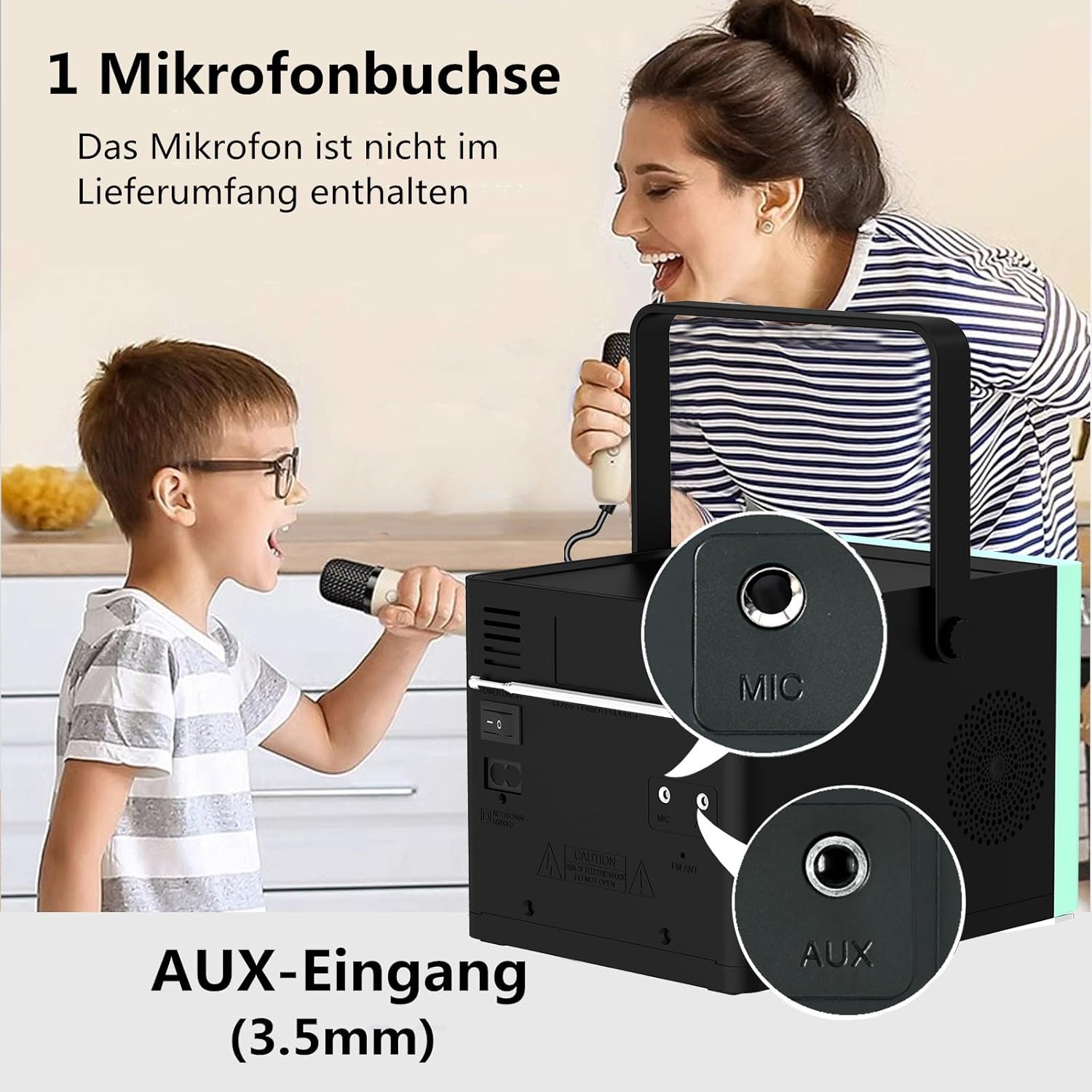
Figuur 3: Agter view of the HANLIM Portable CD Player HL-108, highlighting the microphone input and AUX input ports.
5. Opstelling
5.1 Aanskakel en laai
- Connect the provided power cable to the AC power input on the rear of the unit and plug it into a wall outlet.
- The built-in 2000mAh battery will begin charging automatically. A full charge provides approximately 4.5 to 5 hours of playback at maximum volume.
- Druk die STAAN BY knoppie om die eenheid aan te skakel.
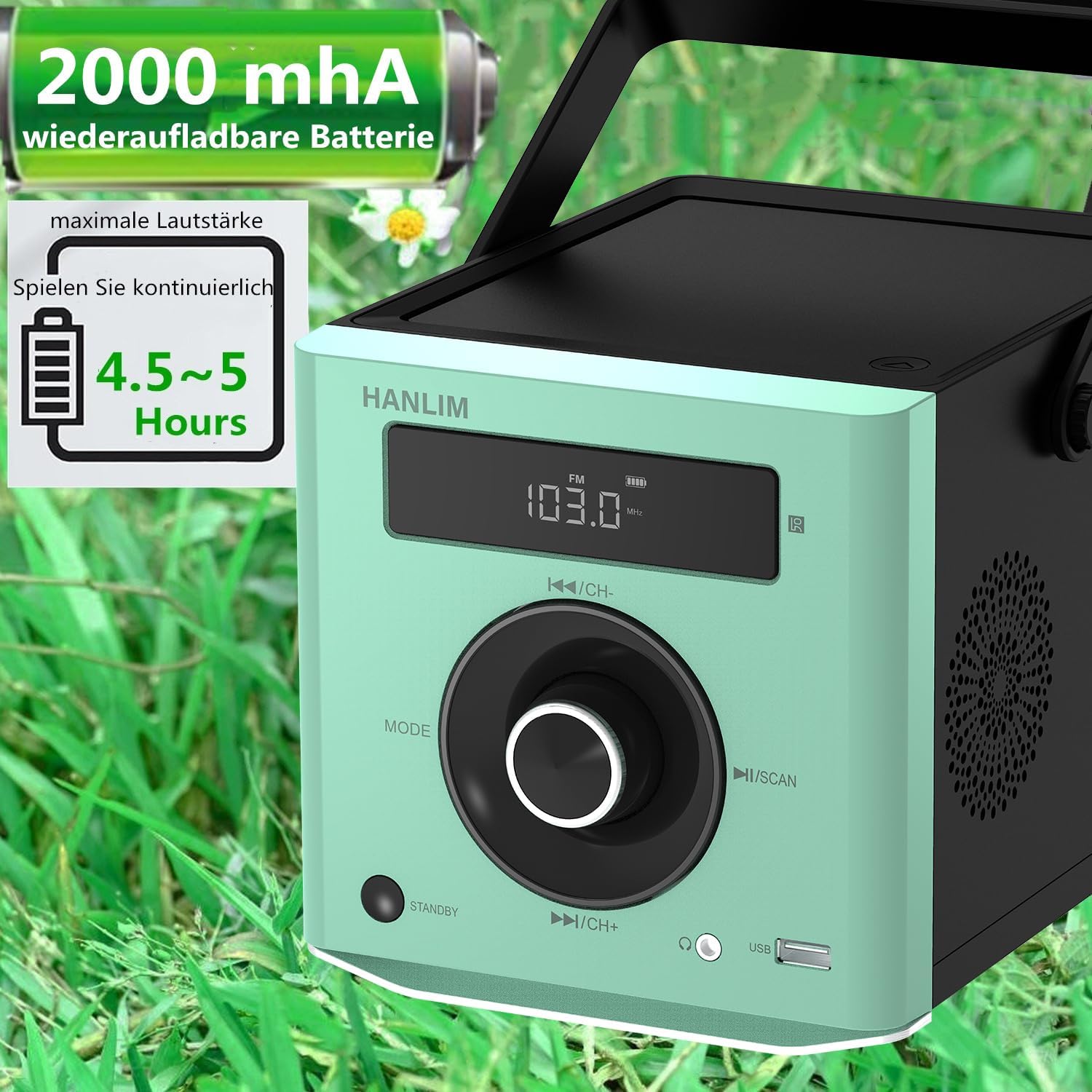
Figuur 4: The HANLIM Portable CD Player HL-108 displaying battery charge status and indicating 4.5-5 hours of continuous playback.
6. Bedryfsinstruksies
6.1 CD-weergawe
- Maak die deksel van die CD-kompartement oop.
- Place a CD (CD/CD-R/CD-RW/MP3 format) onto the spindle, label side up.
- Maak die deksel van die CD-kompartement toe.
- Druk die MODUS button until "CD" is displayed.
- Druk die Speel / Pouse knoppie om die afspeel te begin.
- Gebruik die Vorige/Volgende knoppies om snitte oor te slaan.
- Herhaal funksie: Press the repeat button on the remote control to cycle through repeat one, repeat all, or random play.
- Continue Playback: The unit will resume playback from where it was last stopped, useful for language learning.
6.2 FM -radio
- Druk die MODUS knoppie totdat "FM" vertoon word.
- Druk en hou die Skandeer button to automatically scan and store available FM stations (87.5-108MHz). Up to 20 stations can be stored.
- Gebruik die CH- en CH+ knoppies om deur gestoorde stasies te navigeer.

Figuur 5: The HANLIM Portable CD Player HL-108 showing the FM radio frequency on its display.
6.3 Bluetooth-verbinding
- Druk die MODUS button until "Bluetooth" is displayed. The unit will enter pairing mode.
- On your device (phone, tablet, computer), enable Bluetooth and search for "HANLIM HL-108".
- Kies die toestel om te koppel. Sodra dit gekoppel is, sal jy 'n bevestigingsgeluid hoor.
- Note: Bluetooth headphones are not supported for connection to this CD player.

Figuur 6: The HANLIM Portable CD Player HL-108 illustrating its Bluetooth connectivity, USB port, and headphone jack.
6.4 USB-terugspeel
- Insert a USB flash drive (up to 32GB, supporting MP3/WMA formats) into the USB port.
- Druk die MODUS button until "USB" is displayed.
- Terugspeel sal outomaties begin. Gebruik die Vorige/Volgende knoppies om snitte te navigeer.
6.5 AUX-invoer
- Connect an external audio device (e.g., phone, computer) to the AUX IN port using a 3.5mm audio cable (not included).
- Druk die MODUS knoppie totdat "AUX" vertoon word.
- Control playback from your connected device.
6.6 Koptelefoonaansluiting
For private listening, connect 3.5mm headphones to the headphone jack on the front panel.
6.7 Microphone Port
Connect a microphone (not included) to the MIC port on the rear panel for singing along to music.
6.8 Klankinstellings (Gelykmaker)
The unit offers 5 sound qualities: Pop, Jazz, Rock, Classical, and Flat. Use the EQ button on the remote control to cycle through these modes and adjust the audio output to your preference.
7. Onderhoud
- Skoonmaak: Vee die eenheid af met 'n sagte, droë lap. Moenie skuurmiddels of oplosmiddels gebruik nie.
- CD sorg: Hanteer CD's aan hul kante. Maak vuil CD's skoon met 'n sagte, pluisvrye lap en vee van die middel na buite af.
- Batterysorg: Vir optimale batterylewe, vermy om die battery gereeld volledig te ontlaai. As dit vir lang tydperke gestoor word, laai die battery elke paar maande tot ongeveer 50%.
8. Probleemoplossing
| Probleem | Moontlike oorsaak | Oplossing |
|---|---|---|
| Eenheid skakel nie aan nie. | Die battery is leeg of die kragkabel is nie gekoppel nie. | Connect the power cable and allow the battery to charge, or operate directly from AC power. |
| Geen klank nie. | Volume is too low, headphones connected, or incorrect mode selected. | Increase volume, disconnect headphones, or ensure the correct input mode (CD, FM, BT, USB, AUX) is selected. |
| CD speel nie of spring oor. | Die CD is vuil, gekrap of verkeerd ingesit. | Clean the CD, try a different CD, or reinsert the CD correctly. Ensure the CD compartment is fully closed. |
| Bluetooth-saambinding misluk. | Device is too far, Bluetooth is off on the device, or unit is not in pairing mode. | Ensure the unit is in Bluetooth mode, your device's Bluetooth is on, and they are within range. Try restarting both devices. |
| FM-radio-ontvangs is swak. | Swak sein of antennaposisie. | Adjust the unit's position or extend the antenna for better reception. |
9. Spesifikasies
| Kenmerk | Spesifikasie |
|---|---|
| Handelsmerk | HANLIM |
| Model | HL-108 |
| Produk afmetings | 15.5 x 20.5 x 16 cm (6.1 x 8.1 x 6.3 duim) |
| Item gewig | 1.7 kg (3.75 lbs) |
| Kraguitset | 20 W |
| Battery | Built-in 2000mAh rechargeable Lithium Ion |
| Batterylewe | Up to 5 hours (at maximum volume) |
| Supported CD Formats | CD, CD-R, CD-RW, MP3 |
| FM-radiofrekwensie | 87.5-108 MHz |
| USB Ondersteuning | Up to 32GB, MP3/WMA formats |
| Konnektiwiteit | Bluetooth, USB, AUX (3.5mm), Headphone Jack (3.5mm), Microphone Port |
| Tipe vertoon | LCD |
| Spesiale kenmerke | Bluetooth, CD-R/RW Compatible, Equalizer, Portable, Rechargeable |
10. Waarborg en Ondersteuning
This HANLIM product comes with a een jaar waarborg vanaf die aankoopdatum. Hierdie waarborg dek vervaardigingsdefekte en vakmanskap onder normale gebruik.
For technical support, warranty claims, or service inquiries, please contact your retailer or the HANLIM customer service department through the contact information provided at the point of purchase.