
Inleiding
Thank you for choosing the KOORUI 2.4G Silent Full Size Ergonomic Wireless Keyboard and Mouse Combo. This manual provides essential information for setting up, operating, maintaining, and troubleshooting your new wireless peripheral set. Please read this manual thoroughly before use to ensure optimal performance and longevity of your product.

Figure 0: KOORUI Wireless Keyboard and Mouse Combo
1. Opstelling
1.1 Pakketinhoud
- Draadlose sleutelbord
- Draadlose muis
- 2-in-1 USB-ontvanger
- Gebruikershandleiding
1.2 Battery installasie
- Locate the battery compartment on the underside of the keyboard. Insert one AAA battery (not included), ensuring correct polarity.
- Locate the battery compartment on the underside of the mouse. The 2-in-1 USB receiver is stored inside this compartment. Remove the receiver, then insert one AA battery (not included), ensuring correct polarity.
- Close both battery compartments securely.

Figure 1: Battery and USB Receiver Installation
1.3 Verbinding met jou toestel
- Ensure both the keyboard and mouse are switched to the "ON" position using their respective power switches.
- Plug the 2-in-1 USB receiver into an available USB port on your computer (Laptop/PC/Gaming Console).
- Your operating system should automatically detect and install the necessary drivers. The keyboard and mouse are ready for use once the installation is complete.
Video 1: Demonstrating the setup and functionality of the KOORUI 104-key wireless keyboard and mouse combo.
2. Bedryfsinstruksies
2.1 Sleutelbordkenmerke
- Full Size Layout: The keyboard features a full-size layout with 104 keys, including a numeric keypad, for comprehensive input.
- Stil Tikwerk: Soft and responsive keys provide a quiet typing experience, reducing noise in shared environments.
- Ergonomiese ontwerp: Designed for comfort, the keyboard includes an 8° tilt angle to reduce wrist strain during extended use.
- Multimedia & Shortcut Keys: Access 5 multimedia keys and 12 shortcut functions (primarily for Windows systems) for quick control over media, applications, and system functions.

Figure 2: Ergonomic Design with 8° Tilt
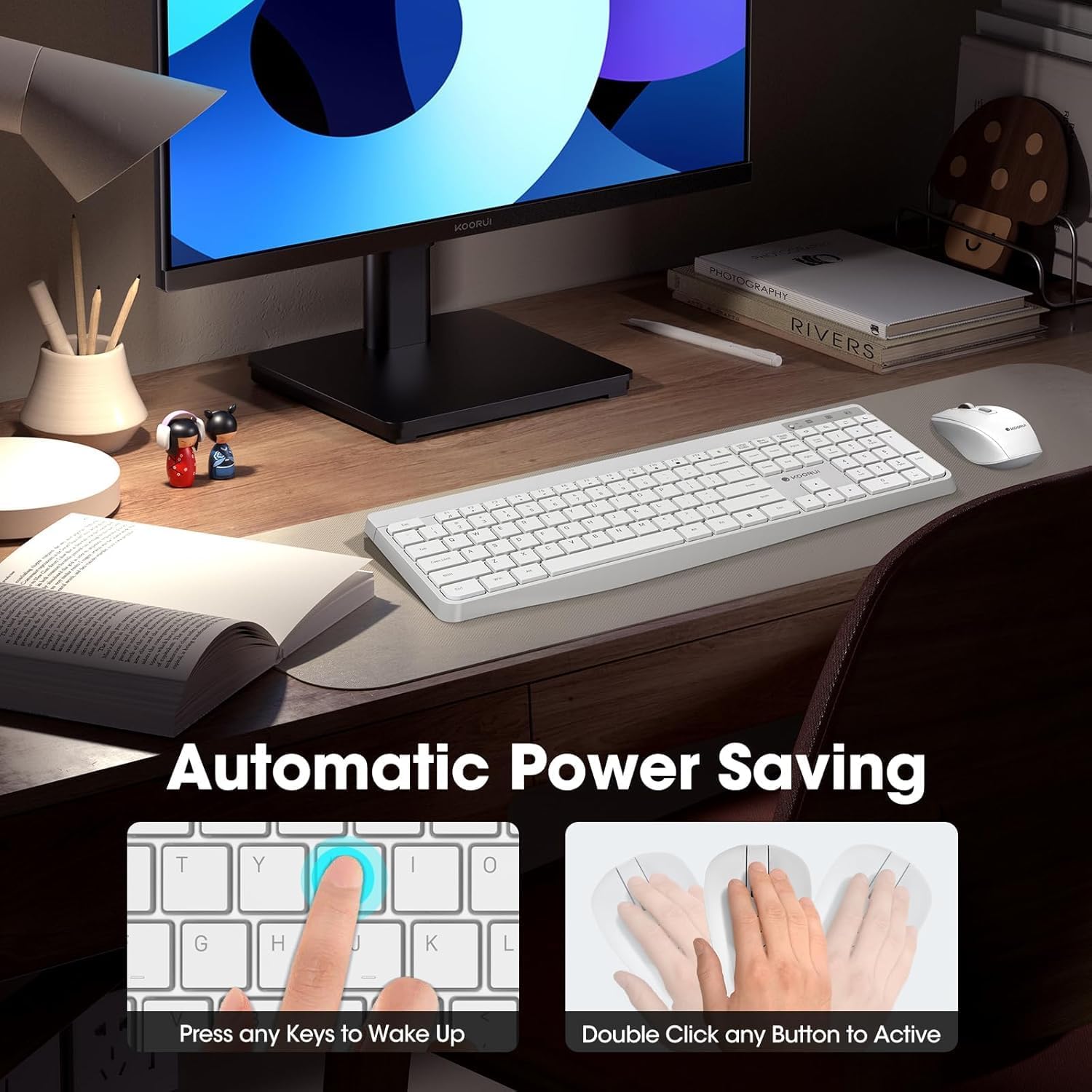
Figure 3: Multimedia and Shortcut Keys
2.2 Muisfunksies
- 3 Adjustable DPI Levels: Cycle through 800, 1200, and 1600 DPI settings to adjust cursor sensitivity for precise control.
- Stille klikke: The mouse features ultra-quiet buttons, minimizing click noise.
- Ergonomiese ontwerp: Contoured shape fits comfortably in your hand for extended use.

Figure 4: Mouse DPI Settings
2.3 Verenigbaarheid
The KOORUI Wireless Keyboard and Mouse Combo is compatible with a wide range of operating systems, including Windows 7/8/10/11/Vista, macOS, and Linux. It can be used with laptops, personal computers, and gaming consoles.

Figuur 5: Wye Verenigbaarheid
3. Onderhoud
3.1 Skoonmaak
The keyboard features a waterproof design, offering protection against accidental spills. To clean, gently wipe the surfaces of the keyboard and mouse with a soft, damp cloth. Avoid using harsh chemicals or abrasive materials. Ensure the devices are completely dry before use.

Figure 6: Waterproof Keyboard Design
3.2 Battery Life and Power Saving
- The keyboard and mouse are equipped with an auto-sleep mode function to conserve battery life. They will enter sleep mode after a period of inactivity.
- To wake the devices, simply click any button on the mouse or press any key on the keyboard.
- Replace batteries when the low battery indicator light appears (Keyboard: 1 AAA, Mouse: 1 AA).
Figure 7: Battery Compartments and Power Indicators
4. Probleemoplossing
4.1 Verbindingsprobleme
- Geen reaksie:
- Ensure the keyboard and mouse power switches are in the "ON" position.
- Kontroleer of die batterye korrek geïnstalleer is en voldoende gelaai is. Vervang indien nodig.
- Verifieer dat die USB-ontvanger stewig in 'n werkende USB-poort op jou rekenaar ingeprop is. Probeer 'n ander USB-poort.
- Move the keyboard and mouse closer to the USB receiver to rule out range issues (maximum 10m/33ft).
- Vertraging of onderbroke verbinding:
- Reduce interference by moving other wireless devices away from the receiver.
- Maak seker dat daar geen groot metaalvoorwerpe tussen die toestelle en die ontvanger is nie.
4.2 Keyboard Specific Issues
- Sleutels reageer nie:
- Gaan batteryvlak na.
- Ensure the keyboard is not in sleep mode (press any key to wake).
4.3 Mouse Specific Issues
- Cursor Not Moving:
- Gaan batteryvlak na.
- Ensure the mouse is not in sleep mode (click any button to wake).
- Maak die optiese sensor aan die onderkant van die muis skoon.
- Ensure you are using the mouse on a suitable surface.
5. Spesifikasies
| Handelsmerk | KOORUI |
| Model | B0C4DVG5WV |
| Kleur | Wit |
| Verbindingstegnologie | 2.4 GHz radiofrekwensie |
| Spesiale kenmerk | Ergonomic, Silent Keys, Waterproof Design, Auto Power Saving |
| Versoenbare toestelle | Spelkonsole, Skootrekenaar, Persoonlike Rekenaar |
| Movement Detection (Mouse) | Optical (800/1200/1600 DPI) |
| Bedryfstelselversoenbaarheid | Windows 7/8/10/11/Vista, macOS, Linux |
| Sleutelborduitleg | QWERTY, Full Size (104 keys) |
| Kragbron | Battery Powered (Keyboard: 1 AAA, Mouse: 1 AA) |
| Wireless Range | Tot 10 33 m (XNUMX XNUMX voet) |
| Item gewig | 0.7 kilogram |
| UPC | 738060953515 |
6. Waarborginligting
This KOORUI product comes with a 1-jaar beperkte waarborg from the date of purchase. This warranty covers manufacturing defects and workmanship under normal use. It does not cover damage caused by misuse, accident, unauthorized modification, or external causes.
Behou asseblief jou aankoopbewys vir waarborgeise.
7. Kliëntediens
For any questions, technical assistance, or warranty inquiries regarding your KOORUI Wireless Keyboard and Mouse Combo, please contact our customer support team. We are committed to providing 24-hour service to assist you.
Please refer to the product packaging or the official KOORUI webwebwerf vir die mees onlangse kontakinligting.