
1. Produk verbyview
The KLOKOL KLO-Z13 is a 15W fast wireless charging stand designed for efficient and convenient charging of compatible smartphones. It features an independent coil for improved charging efficiency and a wide detection range. The stand supports various charging outputs including 10W, 7.5W, and 5W, adapting to different mobile phone requirements. Its design allows for optimal phone display and supports both horizontal and vertical charging orientations.
The charger is built with multiple protection technologies, including temperature control, over-current protection, and over-voltage protection, ensuring safe operation. It also features a soft LED indicator that does not disturb light sleepers.
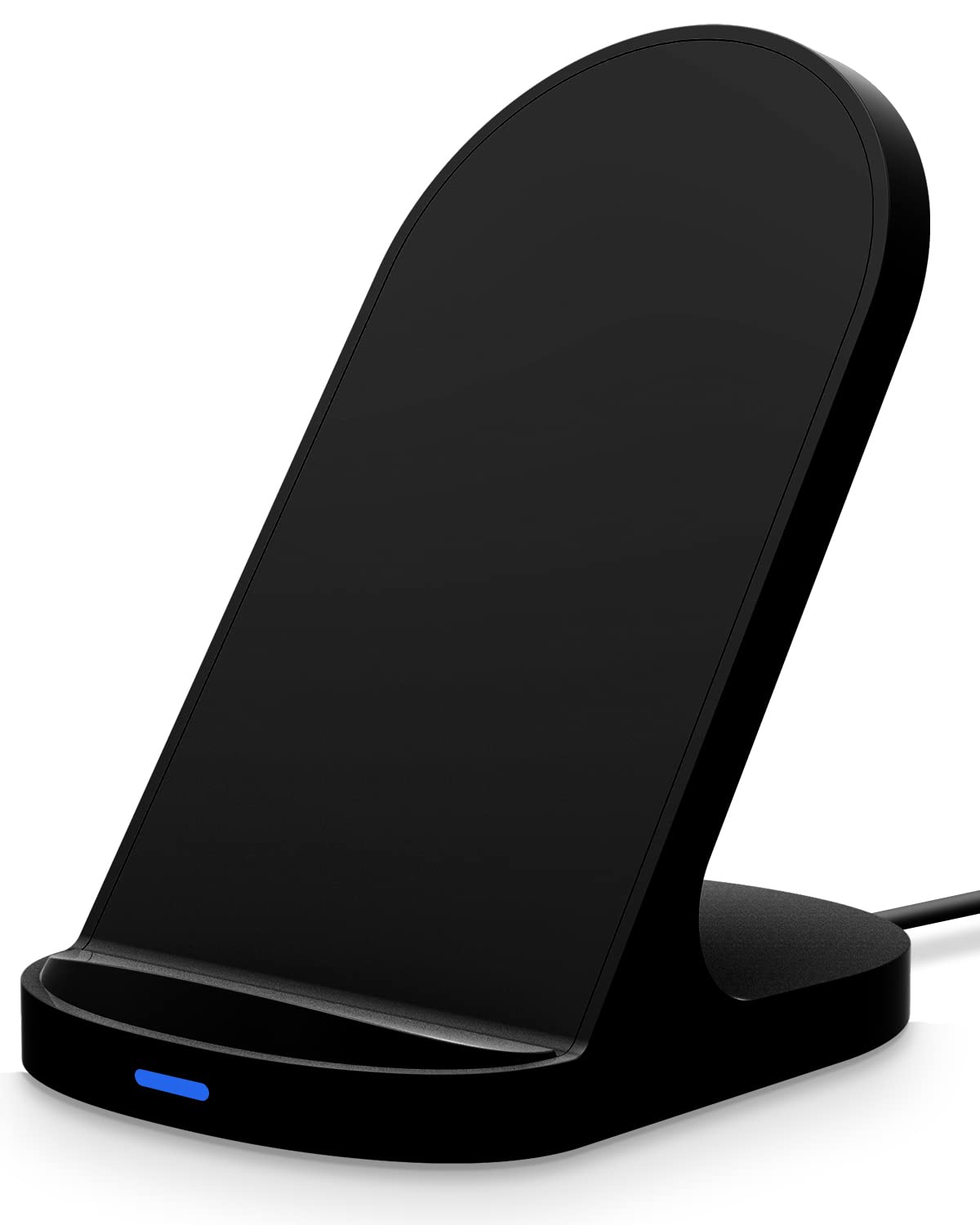
Figure 1: KLOKOL KLO-Z13 15W Fast Wireless Charging Stand.

Figure 2: The charging stand offers wide compatibility with various smartphone models and charging speeds.

Figure 3: The stand supports both portrait and landscape orientations for convenience during video calls or media consumption.

Figure 4: The charger is compatible with most phone cases up to 5mm (0.19 inches) thick.

Figure 5: Built-in safety features include battery protection, short-circuit protection, and fast charge management.

Figure 6: The charger utilizes two internal coils for efficient power transfer and flexible phone placement.
2. Pakketinhoud
Kontroleer asseblief die pakket vir die volgende items:
- 1 x KLOKOL KLO-Z13 Wireless Charging Stand
- 1 x USB-C laaikabel
3. Opstelinstruksies
Follow these steps to set up your wireless charging stand:
- Koppel die kragadapter: Plug the provided USB-C charging cable into the USB-C port on the back of the wireless charging stand.
- Koppel aan kragbron: Connect the other end of the USB-C cable to a compatible power adapter (not included). For optimal fast charging performance, a QC3.0 adapter (5V-2A, 9V-1.67A) is required.
- Plasing: Place the charging stand on a stable, flat surface away from direct sunlight or excessive heat.

Figure 7: Connect the USB-C cable to the charging stand and a power adapter.
4. Bedryfsinstruksies
Om jou toestel te laai:
- Plaas jou toestel: Position your compatible smartphone in the center of the charging stand. The stand supports both vertical (portrait) and horizontal (landscape) orientations.
- Laai aanduiding: The soft LED indicator on the front of the stand will illuminate to confirm that charging has begun.
- Kasversoenbaarheid: The charger is designed to work with most phone cases up to 5mm (0.19 inches) thick. For optimal charging, ensure your case is within this thickness limit and does not contain any metal attachments, magnetic elements, or pop sockets.
The stand's angled design allows for comfortable viewing of your phone while it charges, making it suitable for video calls, watching media, or monitoring notifications.
5. Veiligheidsmaatreëls
The KLOKOL KLO-Z13 wireless charging stand incorporates several safety features to protect your device and ensure safe operation:
- Temperatuurbeheer: Prevents overheating of the charger and your device.
- Oorstroombeskerming: Beskerm teen oormatige stroomvloei.
- Oor-Voltage Beskerming: Beskerm teen voltage spykers.
- Bespeuring van vreemde voorwerpe (FOD): If foreign objects such as magnetic metal attachments are detected on the charging surface, the LED light will flash to indicate a problem and prevent charging.
Always use the charger in a well-ventilated area and avoid placing it near water or in excessively humid environments.
6. Onderhoud
To ensure the longevity and optimal performance of your wireless charging stand:
- Skoonmaak: Disconnect the charger from the power source before cleaning. Use a soft, dry cloth to wipe the surface. Do not use abrasive cleaners or solvents.
- Berging: Berg die laaier op 'n koel, droë plek wanneer dit nie gebruik word nie.
- Vermy skade: Do not drop, disassemble, or attempt to repair the charger yourself. Avoid exposing it to extreme temperatures or liquids.
7. Probleemoplossing
If you encounter issues with your KLOKOL KLO-Z13 wireless charging stand, please refer to the following common problems and solutions:
| Probleem | Moontlike oorsaak | Oplossing |
|---|---|---|
| Toestel laai nie | Phone not properly aligned; incompatible phone case; power adapter not sufficient; foreign object detected. | Reposition phone to the center of the stand; remove thick or metallic cases; ensure a QC3.0 adapter is used; remove any foreign objects. |
| Stadige laai | Non-QC3.0 power adapter; phone not optimally placed; background apps running. | Use a QC3.0 power adapter; ensure phone is centered; close unnecessary background applications. |
| LED-aanwyser flikker | Foreign object detected; phone overheating; charging error. | Remove any foreign objects from the charging surface; ensure proper ventilation; try restarting the charging process. |
| Geen LED-lig nie | Geen kragverbinding nie; foutiewe kabel/adapter. | Check if the power cable is securely connected to both the stand and the power adapter; try a different USB-C cable or power adapter. |
8. Spesifikasies
| Kenmerk | Detail |
|---|---|
| Modelnommer | KLO-Z13 |
| Handelsmerk | KLOKOL |
| Invoer Voltage | 9 Volts (Requires QC3.0 adapter) |
| Wattage | 15 Watt (maksimum) |
| Connector Tipe | USB Type A (for cable connection to adapter) |
| Produk afmetings | 3.5 x 2.9 x 4.5 duim |
| Item gewig | 4.2 onse |
| Versoenbare toestelle | iPhone 14/13/12/12 Pro Max/X/XS/XS Max/XR/8 Plus/8; Samsung Galaxy S22/S21/S20/S10/S10 Plus/S10E/S9/S9 Plus/Note9/S8/S8 Plus/Note8/S7 Edge/S7/S6 Edge Plus/Note 5; Google Pixel 3/3XL, and other Qi-enabled devices. |
| Spesiale kenmerk | Fast Charging, Horizontal/Vertical Charging, Case Friendly, Multiple Protection |
| Kleur | Swart |
9. Waarborg en Ondersteuning
For warranty information or technical support, please refer to the documentation provided with your purchase or contact the manufacturer directly. Keep your purchase receipt as proof of purchase for any warranty claims.
Manufacturer: KLOKOL