
Ruimtesleutel QIG-D01
Spacekey QIG-D01 Dehumidifier User Manual
Model: QIG-D01
1. Inleiding
Thank you for choosing the Spacekey QIG-D01 Dehumidifier. This manual provides essential information for the safe and efficient operation of your new appliance. Please read it thoroughly before use and retain it for future reference. This dehumidifier is designed to reduce excess moisture in areas up to 850 square feet, such as basements, bedrooms, bathrooms, RVs, and closets, improving air quality and comfort.

Figuur 1: Voorkant view of the Spacekey QIG-D01 Dehumidifier, showing its white and black design with a digital display and visible water tank.

Figure 2: Visual representation of the dehumidifier's effectiveness in reducing room humidity.

Figure 3: Common issues resolved by maintaining optimal humidity levels with the dehumidifier.
2. Belangrike veiligheidsinstruksies
Om die risiko van brand, elektriese skok of besering te verminder, volg altyd hierdie basiese voorsorgmaatreëls:
- Lees alle instruksies voordat u die toestel gebruik.
- Moenie die ontvochtiger met 'n beskadigde koord of prop gebruik nie.
- Maak seker dat die kragaansluiting behoorlik geaard is.
- Moenie luginlate of -uitlate blokkeer nie.
- Hou die toestel weg van water en ander vloeistowwe.
- Ontkoppel die ontvochtiger voordat u skoonmaak of enige onderhoud uitvoer.
- Moenie toelaat dat kinders die toestel sonder toesig gebruik nie.
- This appliance is equipped with a 45° tip-over protection feature. If the unit is tilted beyond 45 degrees, it will automatically shut off to prevent damage or spills.

Figure 4: Illustration of the dehumidifier's 45° tip-over protection, demonstrating automatic shutdown for safety.
3. Produk verbyview
3.1 Components and Design Features
- Hoofeenheid met bedieningspaneel
- Water Tank (3.0L / 106 oz capacity)
- Wasbare lugfilter
- Kragkoord
- Integrated Handles for portability
- Visual Water Tank for easy monitoring
- 45° Tip-over Protection
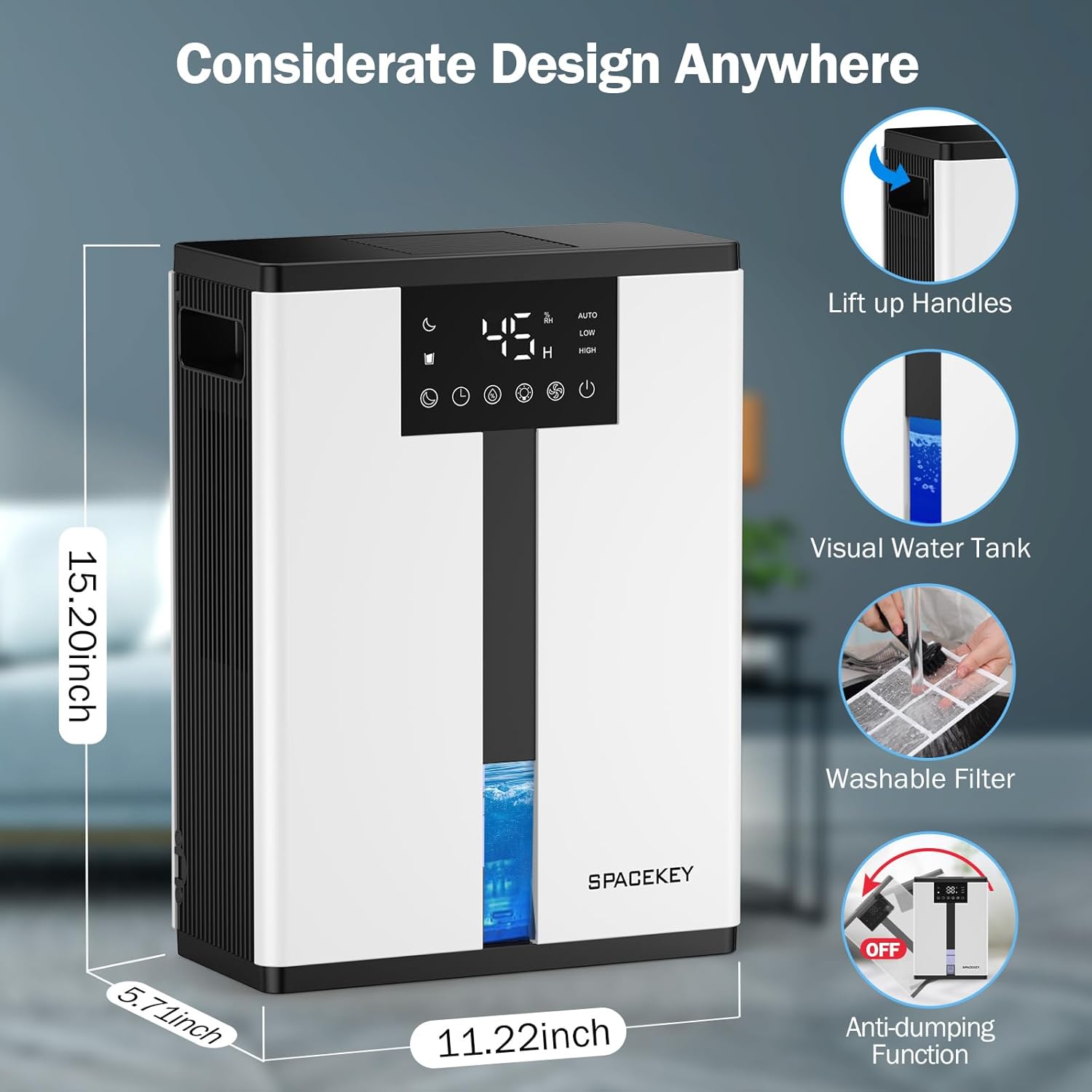
Figure 5: Key design elements and dimensions of the Spacekey QIG-D01 Dehumidifier.
3.2 Advanced Dehumidification Technology
The Spacekey QIG-D01 utilizes semiconductor condensation technology with dual fans and dual semiconductor condensers for enhanced efficiency in moisture removal.
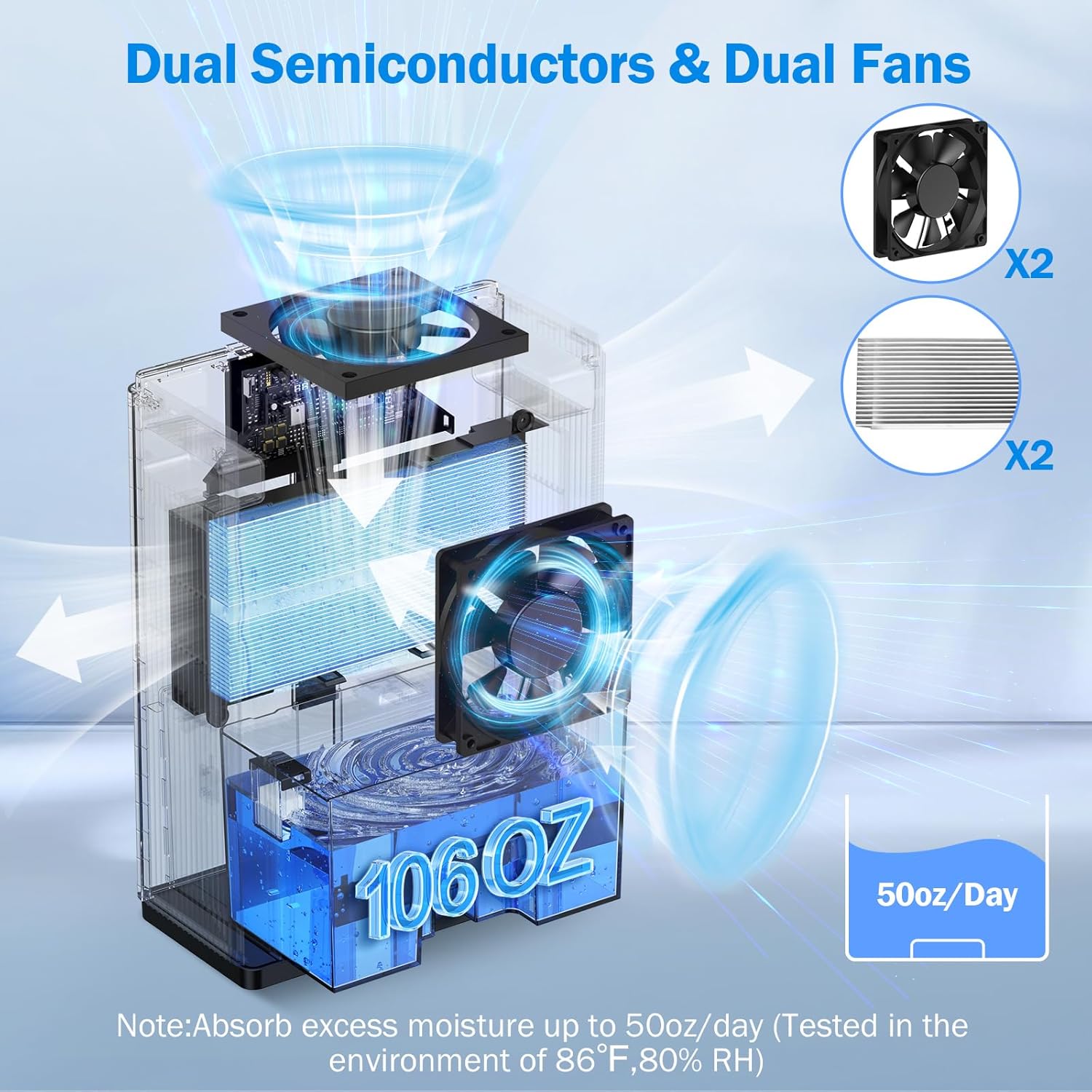
Figuur 6: Intern view of the dual semiconductor and dual fan system for efficient dehumidification.
3.3 Beheerpaneel
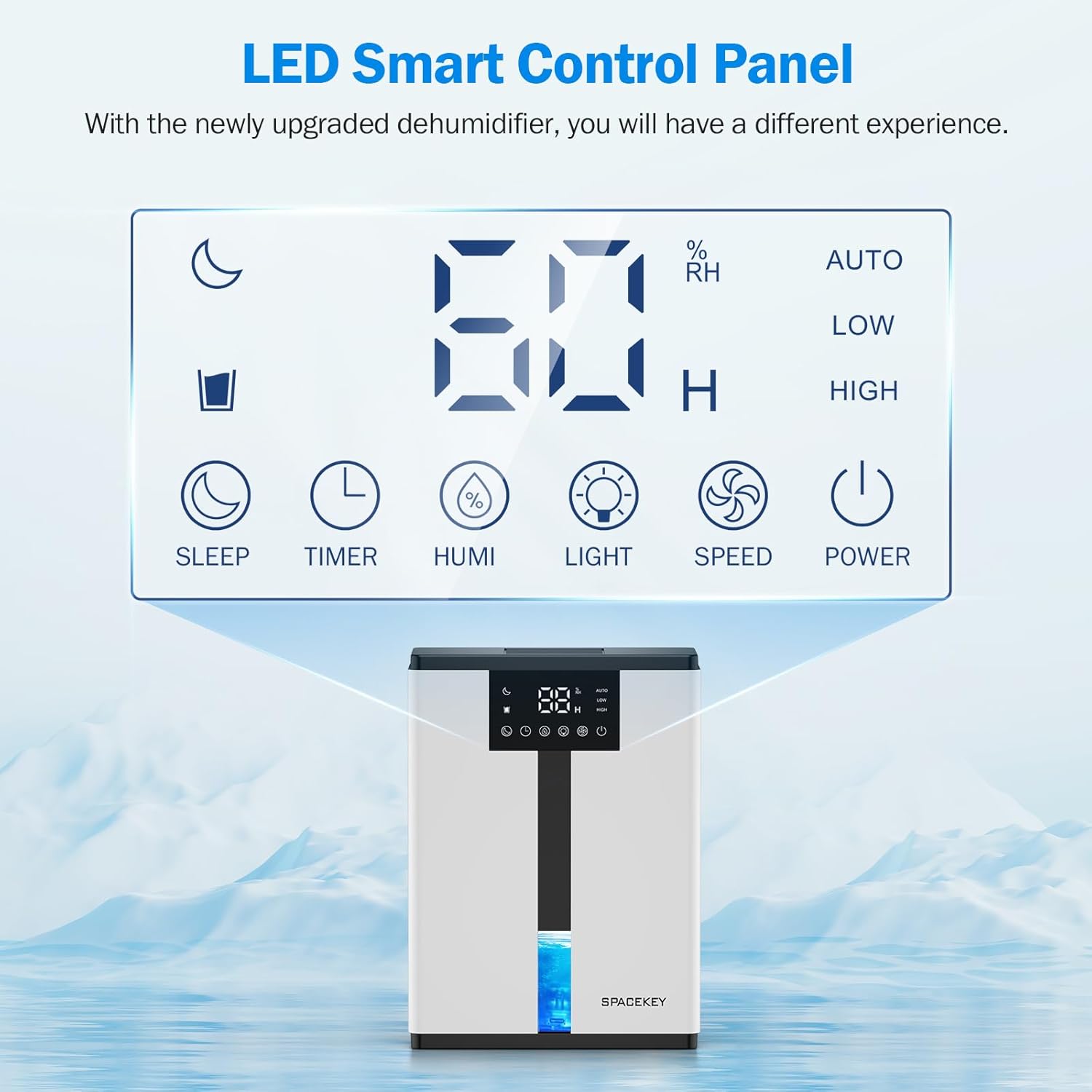
Figure 7: The LED Smart Control Panel, displaying current humidity and various function buttons.
The intuitive LED display shows real-time humidity. Buttons include:
- Slaap stelling: Activates quiet operation and can be used with colorful lights.
- Afteller: Sets operating duration (2H, 4H, 6H, 8H, 12H).
- HUMI: Adjusts target humidity (45%, 55%, 65%, or continuous '00').
- LIG: Controls the 7-color ambient light.
- SPOED: Selects fan speed (Auto, Low, High).
- KRAG: Skakel die eenheid aan/uit.
4. Opstelinstruksies
- Pak uit: Verwyder die ontvochtiger versigtig uit sy verpakking.
- Plasing: Place the unit on a flat, stable surface in the desired location. Ensure there is at least 8 inches (20 cm) of space around the air inlets and outlets for proper airflow.
- Kragverbinding: Steek die kragkabel in 'n geaarde elektriese aansluiting.
- Aanvanklike kontrole: Ensure the water tank is correctly inserted and empty before starting operation.

Figure 8: Recommended placement areas for the dehumidifier, highlighting its suitability for various indoor environments.
5. Bedryfsinstruksies
5.1 Krag aan/af
Druk die KRAG knoppie om die ontvochtiger aan of af te skakel.
5.2 Setting Humidity Level
Druk die HUMI button to cycle through desired humidity levels: 45%, 55%, 65%. The unit will operate until the set humidity is reached, then pause. If set to '00', the unit will operate continuously.

Figure 9: Setting the target humidity level using the HUMI button.
5.3 Aanpassing van waaierspoed
Druk die SPOED button to select between Auto, Low, and High fan speeds. Auto mode adjusts fan speed based on current humidity.
5.4 Timer-funksie
Druk die TIMER button to set an operating duration of 2, 4, 6, 8, or 12 hours. The unit will automatically turn off after the set time.

Figure 10: Using the Timer function to set the operating duration.
5.5 Sleep Mode & Colorful Lights
Druk die SLAAP button to activate sleep mode for ultra-quiet operation (approx. 30dB). Press the LIG button to cycle through 7 colorful ambient lights or select a static color. This feature can be used independently or in conjunction with sleep mode.
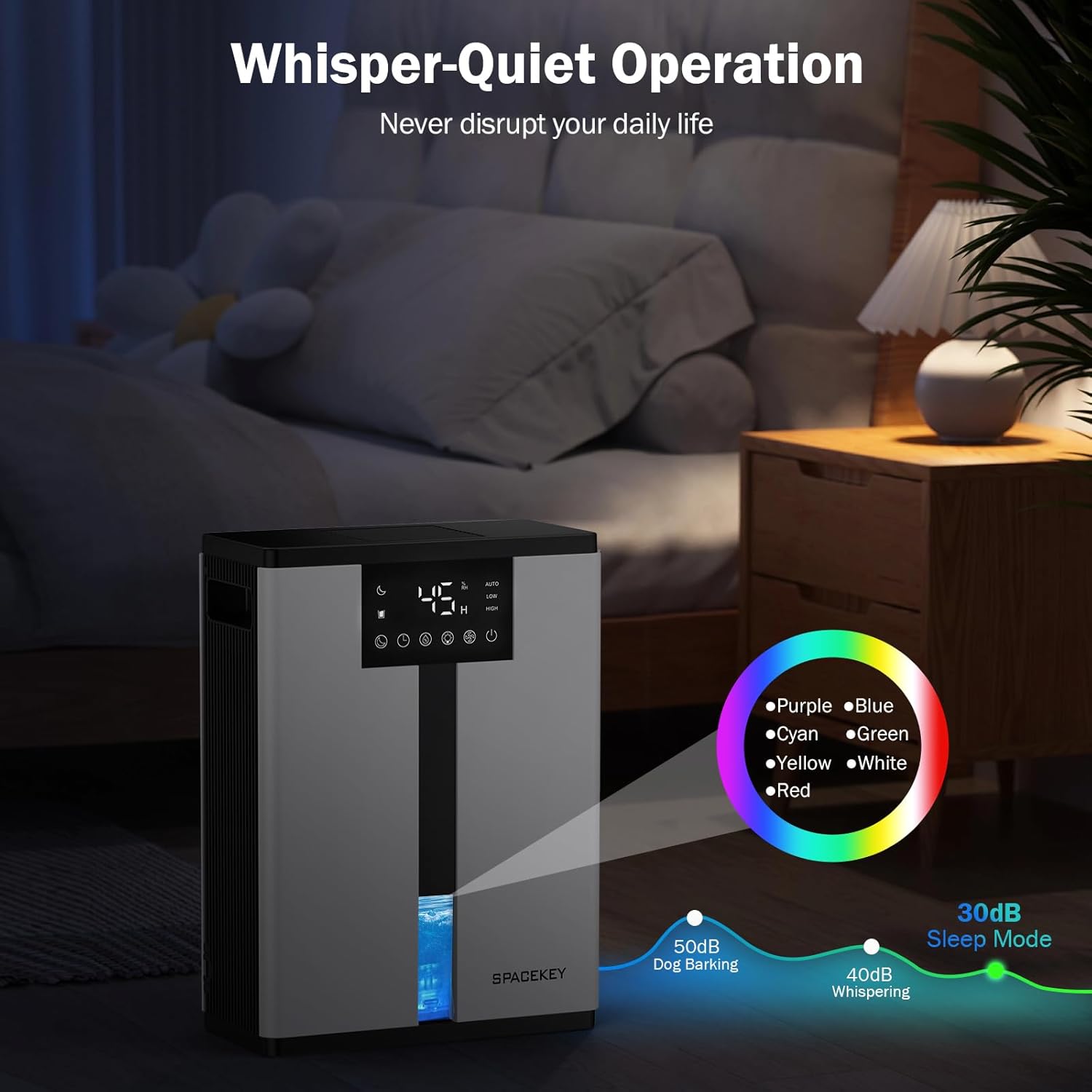
Figure 11: Dehumidifier in Sleep Mode with ambient lighting for a peaceful environment.
5.6 Outomatiese Afskakeling
The dehumidifier will automatically shut off and flash a red light with an audible beep when the water tank is full. Empty the water tank to resume operation.
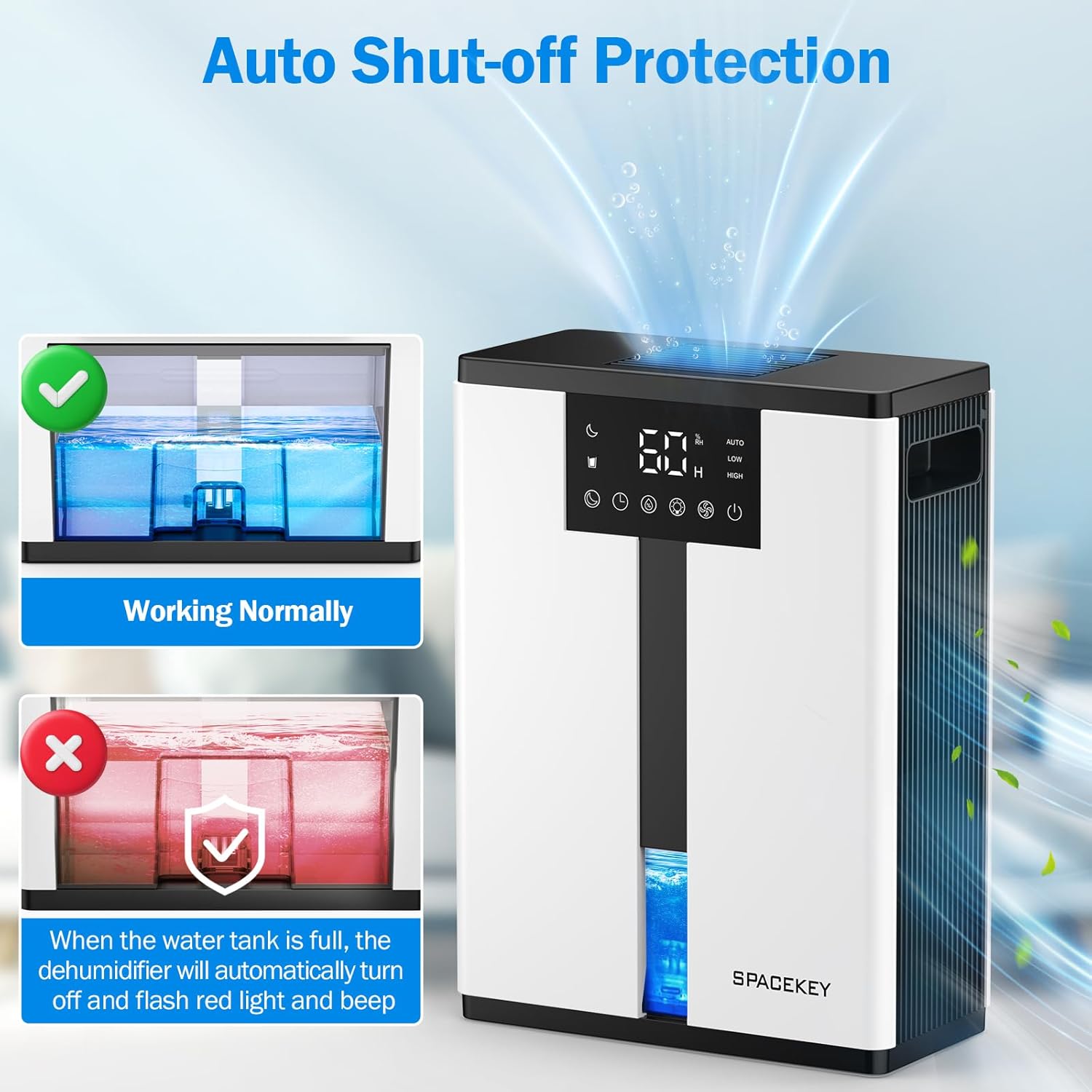
Figure 12: Automatic shut-off mechanism when the water tank is full.
6. Onderhoud
6.1 Maak die watertenk leeg
- Trek die watertenk versigtig uit die voorkant van die eenheid.
- Verwyder die deksel van die tenk.
- Gooi die versamelde water uit.
- Replace the lid and reinsert the water tank firmly into the dehumidifier.

Figure 13: Step-by-step guide to emptying the water tank.
6.2 Skoonmaak van die lugfilter
The washable filter should be cleaned regularly (every 2-4 weeks, depending on usage) to maintain optimal performance.
- Ontkoppel die ontvochtiger.
- Verwyder die filter van die agterkant van die eenheid.
- Spoel die filter onder lopende water om stof en puin te verwyder.
- Laat die filter heeltemal lugdroog word voordat dit teruggeplaas word.
- Moenie die ontvochtiger sonder die filter gebruik nie.

Figure 14: Instructions for removing and washing the air filter.
6.3 Skoonmaak van die buitekant
Vee die buitekant van die ontvochtiger af met 'n sagte, damp lap. Moenie skuur skoonmaakmiddels of oplosmiddels gebruik nie.
7. Probleemoplossing
| Probleem | Moontlike oorsaak | Oplossing |
|---|---|---|
| Ontvochtiger skakel nie aan nie. | Geen krag nie; kragkabel nie ingeprop nie; watertenk vol of verkeerd geplaas. | Kontroleer die kragaansluiting; maak die watertenk leeg en plaas dit korrek terug. |
| Geen water word versamel of lae ontvogtiging. | Room humidity is already low; air filter is clogged; ambient temperature is too low; unit size is too small for the space. | Ensure humidity is above target; clean air filter; operate in recommended temperature range; consider unit placement or additional units for larger spaces. |
| Eenheid is raserig. | Fan speed is set to High; unit is not on a flat surface. | Switch to Low or Sleep mode; ensure unit is on a stable, flat surface. |
| Red light flashing and beeping. | Watertenk is vol. | Maak die watertenk leeg en plaas dit terug. |
8. Spesifikasies
| Kenmerk | Detail |
|---|---|
| Model Naam | QIG-D01 |
| Handelsmerk | Spasiesleutel |
| Ontvochtigingskapasiteit | Up to 50 oz (approx. 3 pints) per 24 hours (at 86°F, 80% RH) |
| Watertenk kapasiteit | 3.0 Liters (106 Fluid Ounces) |
| Dekkingsgebied | Tot 850 XNUMX vierkante voet |
| Kragverbruik | 70 Watts (not more than 1.68 kWh/Day) |
| Geraasvlak | Approx. 30dB (in Sleep Mode) |
| Afmetings (D x B x H) | 5.71" D x 11.22" B x 15.2" H |
| Item gewig | 8.91 pond |
| Spesiale kenmerke | Automatic Shutoff, Intelligent Humidity Control, 4 Fan Speeds, Timer, 7 Colorful Lights, 45° Tip-over Protection, Washable Filter |
9. Waarborg en Kliëntediens
Spacekey offers the following support for your dehumidifier:
- 30-Day Refund: For any dissatisfaction.
- 2-Year Replacement: For product defects or malfunctions.
- Lewenslange kliëntediens: Dedicated support for any questions or issues.
If you have any questions or require assistance, please do not hesitate to contact Spacekey customer support. We aim to reply within 24 hours.


Figuur 15: oorview of Spacekey's customer support and warranty policies.
Ask a question about this manual
Ask about setup, troubleshooting, compatibility, parts, safety, or missing instructions. Manuals+ will review the question and use this page’s manual context to help answer it.