
1. Produk verbyview
The FUNLAB Firefly Wireless Pro Controller is designed to enhance your gaming experience on Nintendo Switch, Switch OLED, and Switch Lite consoles. It features Hall Effect joysticks for precise control, customizable RGB LED lighting, programmable back paddle buttons, and motion control capabilities.
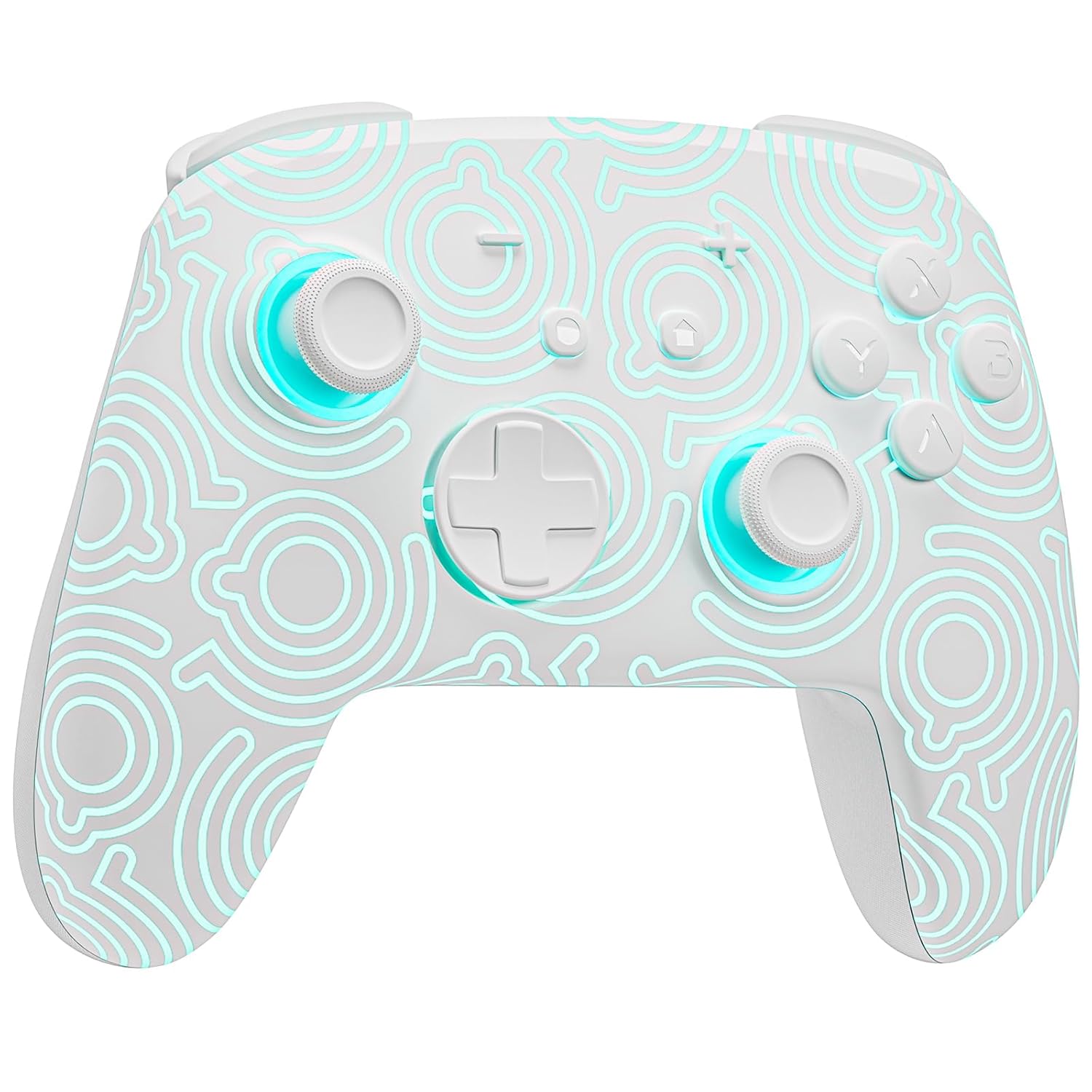
Beeld 1.1: Voorkant view of the FUNLAB Firefly Wireless Pro Controller, showcasing its white design with illuminated patterns.
2. Pakketinhoud
- FUNLAB Firefly Wireless Pro Controller
- USB-C-laaikabel
- Instruksie Handleiding
3. Opstelling en verbinding
3.1 Initial Pairing with Nintendo Switch
- Maak seker dat jou Nintendo Switch-konsole aangeskakel is en opgedateer is na die nuutste stelselsagteware.
- For the first-time connection, connect the controller to the Switch console using the provided USB-C charging cable. This wired activation is required to enable the one-touch wake-up function.
- Once connected, the controller will automatically pair with the console.
- After initial wired pairing, you can disconnect the cable. The controller can now be connected wirelessly.
3.2 Wireless Connection and Wake-Up Function
- To connect wirelessly, press the TUIS button on the controller. The controller will attempt to connect to the last paired console.
- The controller supports a one-key wake-up function. Pressing the TUIS button will wake up a sleeping Nintendo Switch, Switch OLED, or Switch Lite console instantly, provided it has been previously paired via wired connection.
3.3 Laai die beheerder
- Connect the controller to a USB power source (e.g., Switch dock, computer, USB wall adapter) using the USB-C charging cable.
- The controller features a built-in 3.7V/950mAH Lithium battery.
- A full charge provides approximately 12.5 hours of playtime (with LED lights off). Charging indicators will typically show the charging status.

Image 3.1: Illustration of the controller's battery life, indicating 12 hours playing time and 950mAh capacity.
3.4 Multi-Device Compatibility
The controller is compatible with multiple devices beyond the Nintendo Switch, including Android, iOS, Steam Deck, and PC systems. Refer to the specific pairing instructions for each device in the included manual or online resources.
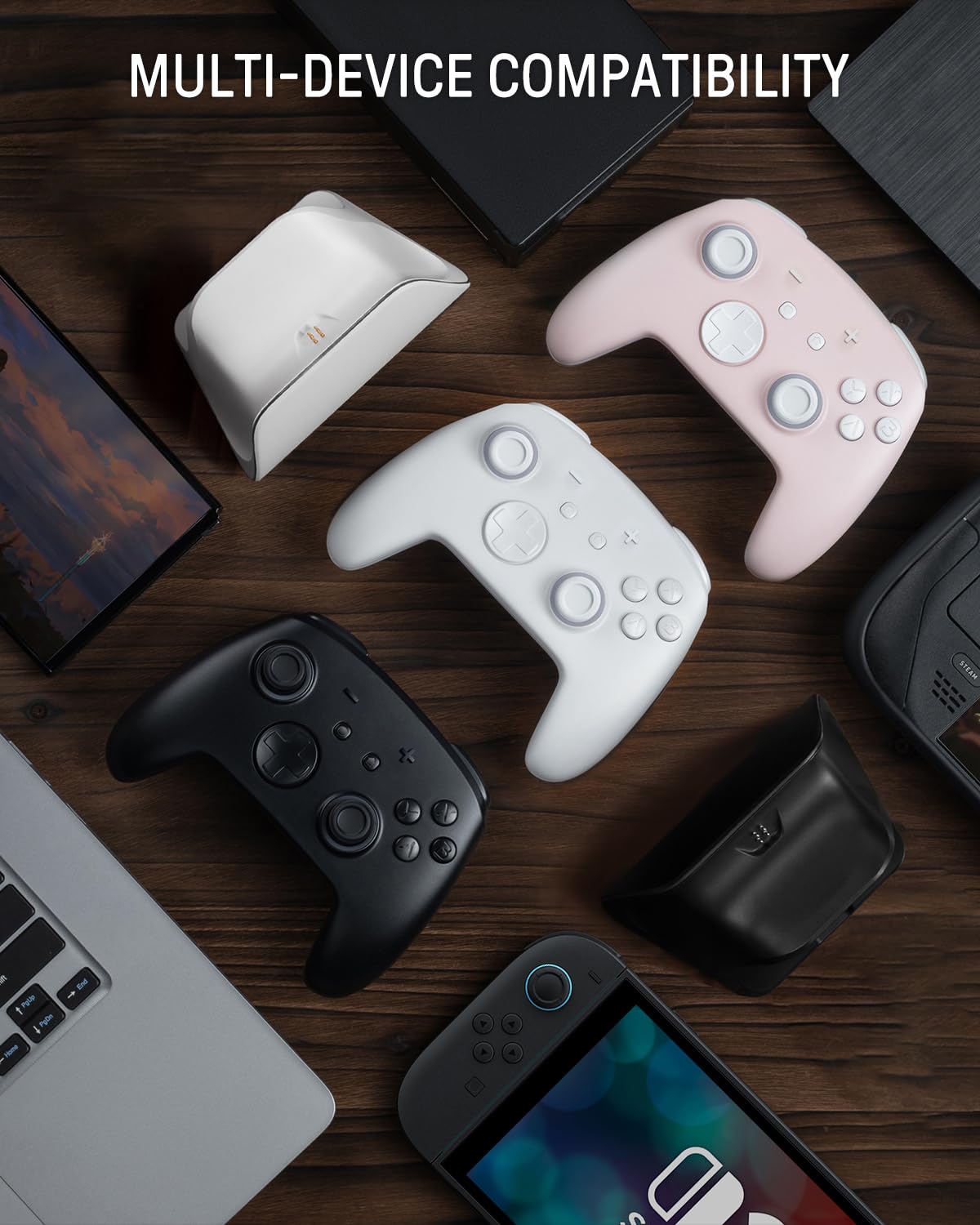
Image 3.2: The controller shown alongside various compatible devices such as laptops, smartphones, and handheld gaming consoles.
4. Bedryfsinstruksies
4.1 Hidden-til-lit Display and LED Lighting
The controller features a unique hidden-til-lit display. When the LED is inactive, the controller appears as a solid white unit. Upon activation, a hidden pattern illuminates, enhancing the visual experience.
- Druk die Ligte knoppie (located on the back or front, depending on model variant) to cycle through 7 LED colors.
- The controller offers 4 lighting modes: breathing light mode, quick flash mode, vibration lighting mode, and always-on mode.
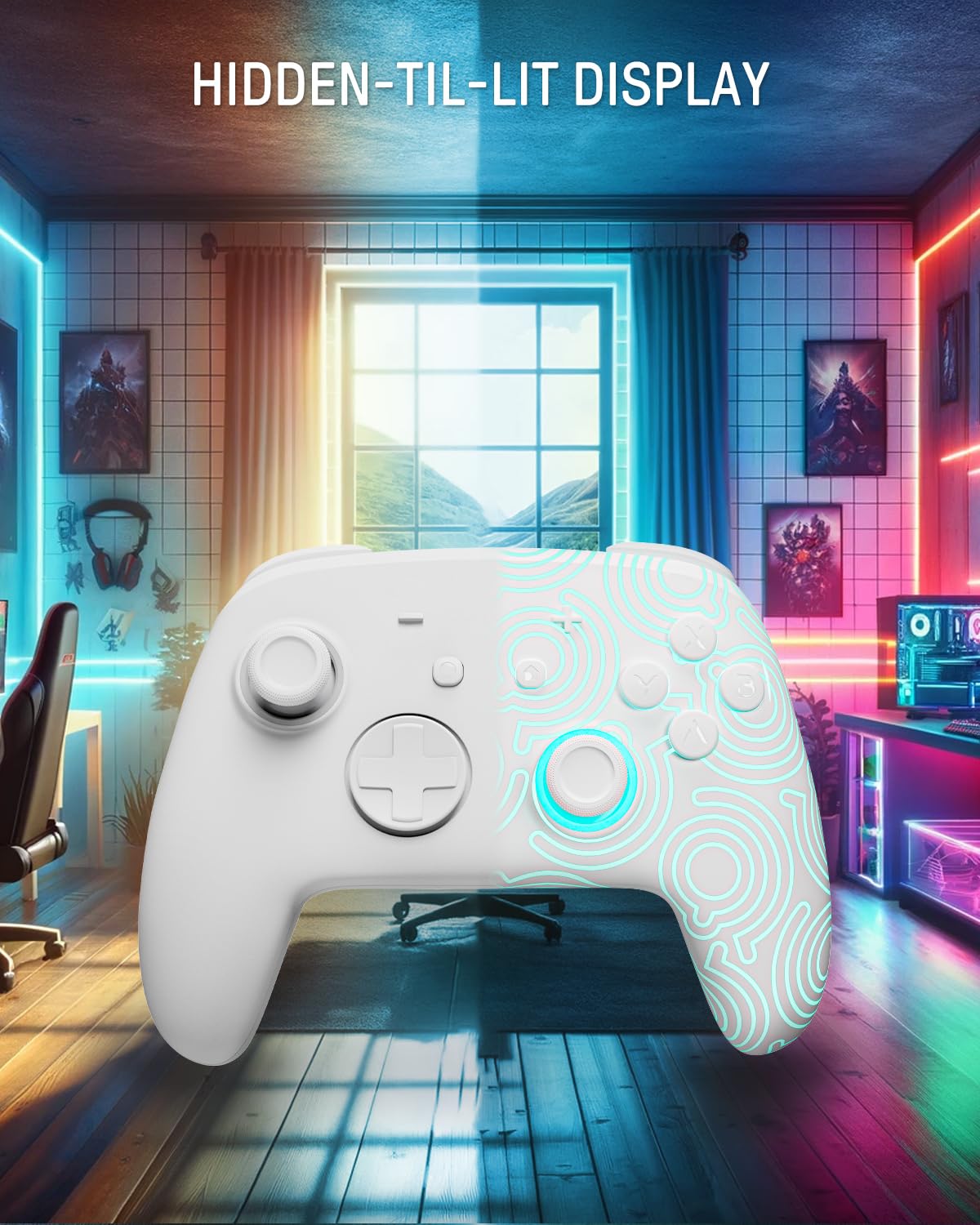
Image 4.1: The controller demonstrating its hidden-til-lit display, with one side illuminated and the other unlit.
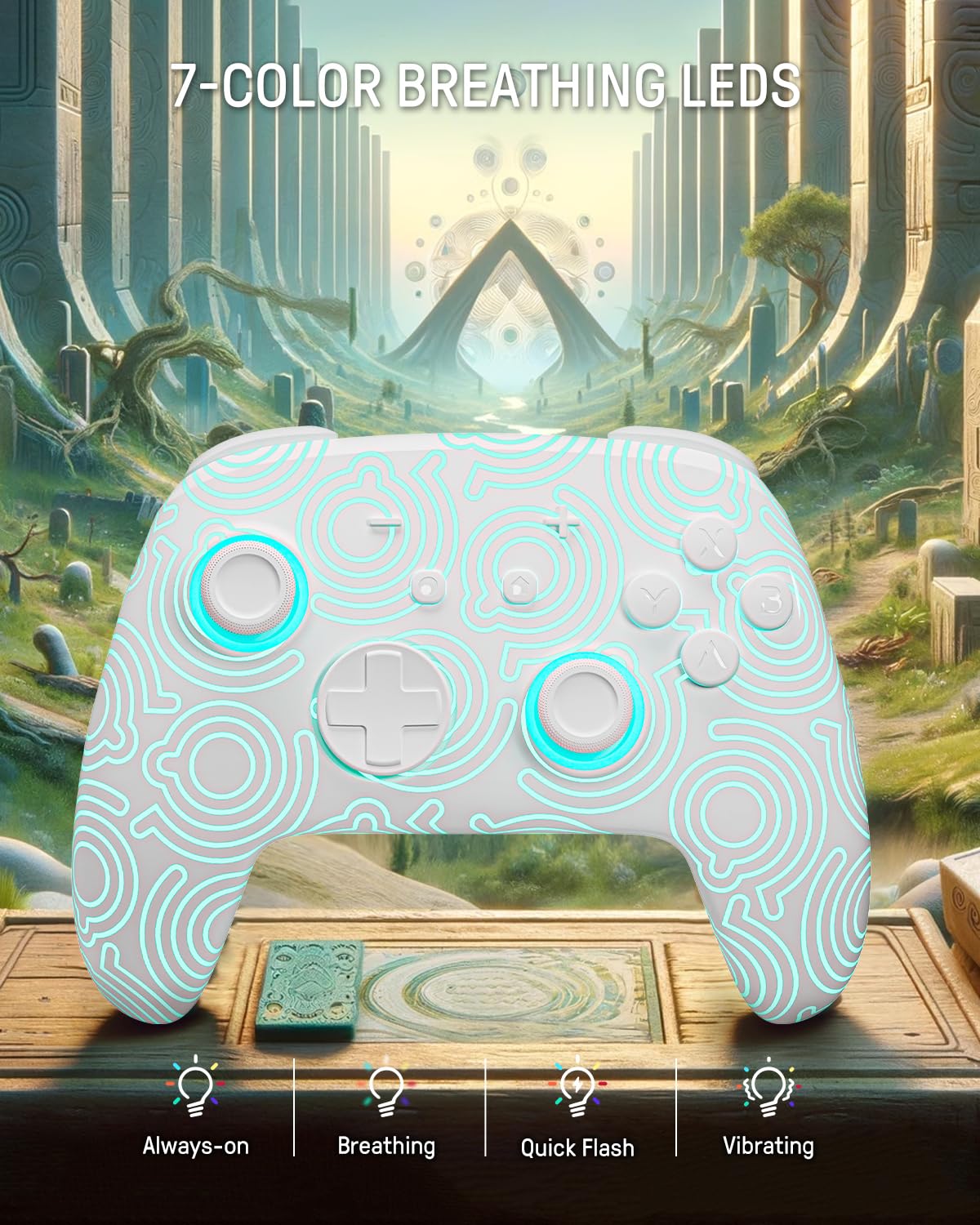
Image 4.2: The controller displaying its 7-color breathing LED feature, with various lighting modes indicated.
4.2 Hall-effek-joysticks
The controller is equipped with Hall Effect joysticks, which utilize magnetic sensors instead of physical contacts. This design provides precise and sensitive control, ensuring accurate and smooth gameplay while offering a longer lifespan and stable performance with reduced mechanical wear and stick drift.

Image 4.3: A detailed diagram illustrating the internal components and magnetic sensing principle of a Hall Effect joystick.
4.3 Back Paddle Buttons
The controller includes programmable back paddle buttons. These buttons can be assigned to replicate other controller inputs, allowing for enhanced gameplay and customized control setups to suit individual playstyles.

Prent 4.4: Agter view of the controller, highlighting the two programmable back paddle buttons.
4.4 Turbo Function and Motion Control
- The controller features a Turbo funksie, which supports continuous input for rapid button presses. This is beneficial for games requiring quick, repeated actions, such as shooting games.
- Presies motion control is integrated, allowing for immersive gameplay in titles that utilize gyroscope or accelerometer input.
4.5 Vibrasiefunksie
The controller provides immersive vibration feedback, bringing in-game actions to life. The intensity of the vibration can often be adjusted or toggled off via console settings or dedicated controller buttons, if available.

Image 4.5: An illustration depicting the vibration function of the controller, with intensity levels indicated.
5. Onderhoud
- Skoonmaak: Gebruik 'n sagte, droë lap om die beheerder skoon te maak. Vir hardnekkige vuiligheid, liggies dampMaak die lap met water skoon. Vermy die gebruik van harde chemikalieë of skuurmiddels.
- Berging: Bêre die beheerder op 'n koel, droë plek weg van direkte sonlig en uiterste temperature.
- Batterysorg: Om die batterylewe te verleng, vermy om die beheerder gereeld heeltemal te ontlaai. Laai dit gereeld, selfs al word dit nie vir lang tye gebruik nie.
6. Probleemoplossing
6.1 Beheerder verbind nie
- Maak seker dat die beheerder gelaai is.
- Perform the initial wired pairing as described in Section 3.1.
- Check the console's Bluetooth settings to ensure it is enabled and searching for devices.
- Try resetting the controller (a small reset button may be present on the back, often requiring a pin to press).
6.2 Input Lag or Unresponsive Buttons
- Maak seker dat die beheerder volledig gelaai is. 'n Lae batterylewe kan die werkverrigting beïnvloed.
- Move closer to the console to minimize wireless interference.
- Maak seker dat geen ander draadlose toestelle steuring veroorsaak nie.
- Restart both the controller and the console.
6.3 LED-ligte werk nie
- Press the Light button repeatedly to cycle through modes and colors.
- Ensure the controller has sufficient battery charge.
7. Spesifikasies
| Kenmerk | Detail |
|---|---|
| Model | FUNLAB Firefly Wireless Pro Controller |
| ASIN | B0D2LCBVYD |
| Produk afmetings | 5.91 x 2.36 x 4.33 duim |
| Item gewig | 8.8 onse |
| Vervaardiger | FUNLAB |
| Battery Tipe | 1 Litium-ioonbattery (ingesluit) |
| Battery kapasiteit | 950mAH |
| Geraamde speeltyd | Tot 12.5 uur (ligte af) |
| Konnektiwiteit | Wireless (Bluetooth), USB-C (wired) |
| Verenigbaarheid | Nintendo Switch, Switch OLED, Switch Lite, Android, iOS, Steam Deck, PC |
| Spesiale kenmerke | Hall Effect Joysticks, RGB 7 LED Colors, Back Paddle Buttons, Turbo Function, Motion Control, Wake-Up Function |
8. Waarborg en Ondersteuning
For warranty information and customer support, please refer to the documentation included with your product or visit the official FUNLAB website. You may also contact the seller directly through the platform where the product was purchased for assistance.
Vervaardiger: FUNLAB
Eerste datum beskikbaar: 24 April 2024