
1. Inleiding
Thank you for choosing the ELECTROPRIME LANGTU LT700 Wired Silent Punk Keyboard. This keyboard features a unique punk keycap design, silent operation, and strong compatibility, making it suitable for various computing tasks. Its ergonomic design ensures a comfortable typing experience, even during extended use. This manual provides essential information for setting up, operating, maintaining, and troubleshooting your keyboard.
2. Veiligheidsinligting
- Moenie die sleutelbord aan vloeistowwe of oormatige vog blootstel nie.
- Vermy uiterste temperature.
- Do not attempt to disassemble or repair the keyboard yourself. Contact qualified service personnel if needed.
- Hou buite bereik van kinders.
- Clean the keyboard with a soft, dry cloth. Avoid harsh chemicals.
3. Pakketinhoud
Verifieer dat alle items in jou pakket teenwoordig is:
- ELECTROPRIME LANGTU LT700 Wired Silent Punk Keyboard
- Gebruikershandleiding (hierdie dokument)
4. Opstelling
The LANGTU LT700 keyboard is designed for simple plug-and-play operation.
- Pak die sleutelbord uit sy verpakking.
- Vind 'n beskikbare USB-poort op jou rekenaar.
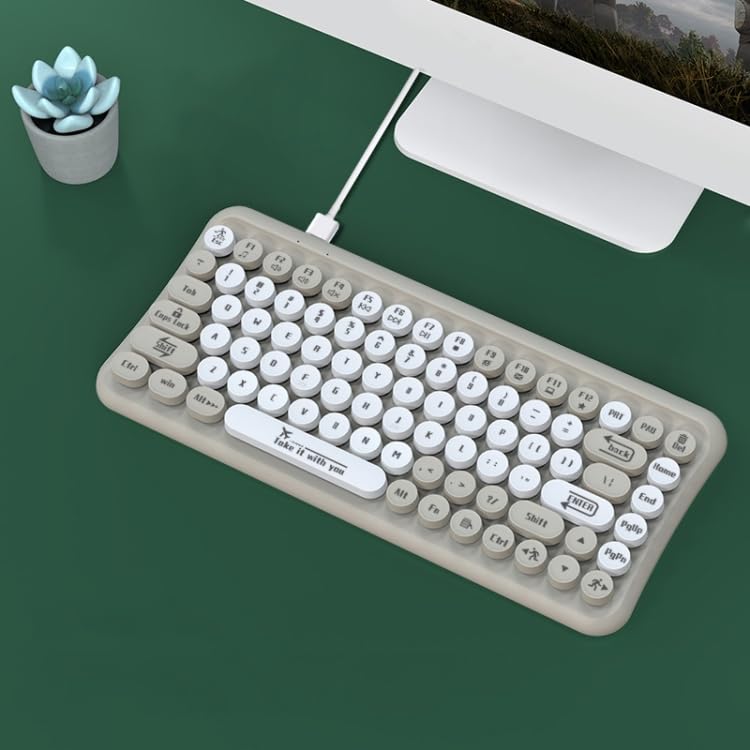
- Plug the USB connector of the keyboard into the USB port on your computer.
- Jou bedryfstelsel behoort outomaties die nodige drywers op te spoor en te installeer. Geen bykomende sagteware-installasie is gewoonlik nodig nie.
- Die sleutelbord is nou gereed vir gebruik.
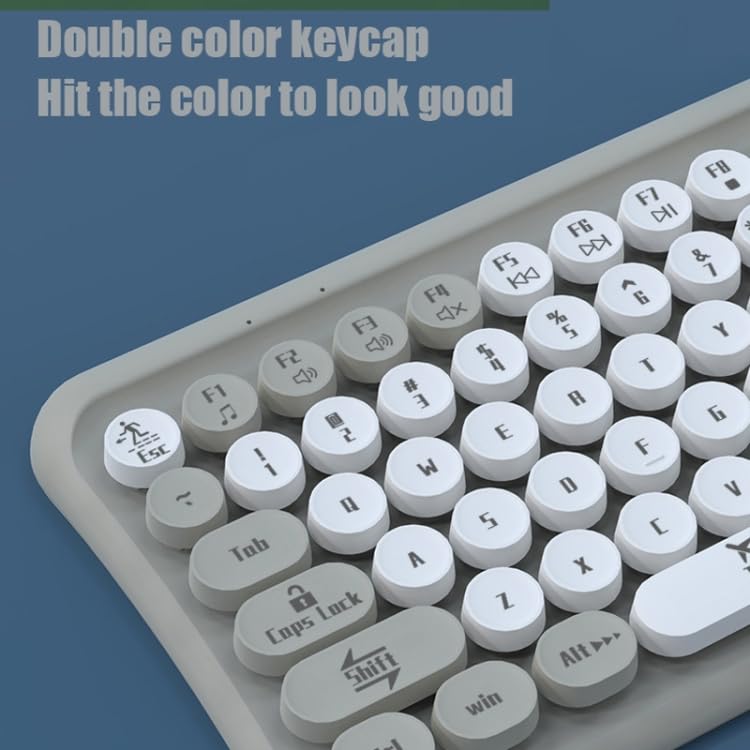
Image: The ELECTROPRIME LANGTU LT700 keyboard connected via its USB cable to a desktop computer, ready for use.
5. Bedryfsinstruksies
5.1 Basiese Tikwerk
The keyboard functions as a standard 85-key layout. Simply press the desired keys to input text or commands into your computer.
5.2 Stil werking
The keycaps utilize noise reduction technology, significantly reducing the sound of keystrokes for a quieter typing experience.
5.3 Funksietoetse
The top row of keys (F1-F12) includes standard function keys and may have secondary multimedia functions accessible by pressing the 'Fn' key in combination with the respective function key. Refer to the icons printed on the keycaps for specific functions such as volume control, media playback, or screen brightness.
Beeld: 'n Nabyskoot view of the keyboard's double-color keycaps, highlighting the ergonomic design and the icons on the function keys (F1-F12) for multimedia control.
6. Onderhoud
6.1 Skoonmaak
- Ontkoppel die sleutelbord van jou rekenaar voordat jy dit skoonmaak.
- Gebruik 'n sagte, pluisvrye lap om die oppervlak van die sleutelbord af te vee.
- Vir stof en puin tussen sleutels, gebruik saamgeperste lug of 'n klein borseltjie.
- Do not use abrasive cleaners, solvents, or spray cleaners directly on the keyboard.
6.2 Berging
Wanneer dit nie vir lang tye gebruik word nie, bêre die sleutelbord op 'n koel, droë plek weg van direkte sonlig en uiterste temperature.
7. Probleemoplossing
7.1 Sleutelbord reageer nie
- Maak seker dat die USB-kabel stewig in beide die sleutelbord en die rekenaar ingeprop is.
- Probeer om die sleutelbord in 'n ander USB-poort op jou rekenaar te koppel.
- Herbegin jou rekenaar.
- Toets die sleutelbord op 'n ander rekenaar om te bepaal of die probleem met die sleutelbord of die rekenaar is.
7.2 Specific Keys Not Working
- Check for any debris or obstructions under the non-functional key. Gently clean around the key.
- If cleaning does not resolve the issue, the key mechanism may be damaged.
If you continue to experience problems, refer to the Warranty and Support section.
8. Spesifikasies
| Kenmerk | Spesifikasie |
|---|---|
| Model | LANGTU LT700 |
| Koppelvlak | USB bedraad |
| Aantal sleutels | 85 Sleutels |
| Tipe sleutelkap | Punk Keycap, Chocolate Keycaps |
| Knoppie lewe | Approximately 10 million times |
| Kabellengte | 1.5 XNUMX meter |
| Afmetings (L x B) | Approximately 315mm x 150mm |
| Gewig | Ongeveer 0.60 kg (1.33 lbs) |
| Verenigbaarheid | Plug and Play with most operating systems |
9. Waarborg en Ondersteuning
Vir waarborginligting of tegniese ondersteuning, verwys asseblief na die dokumentasie wat tydens aankoop verskaf is of kontak u kleinhandelaar. Bewaar u bewys van aankoop vir enige waarborgeise.